

Five examples powerpoint slides presentation diagrams templates




Try Before you Buy Download Free Sample Product
 Impress Your
 Audience
 100%
100% Editable
 Save Hours
 of Time


Take every opportunity to make your next presentation a winner. Our Five Examples Powerpoint Slides Presentation Diagrams Templates are waiting to work for you.
People who downloaded this PowerPoint presentation also viewed the following :
Content of this Powerpoint Presentation
Description:
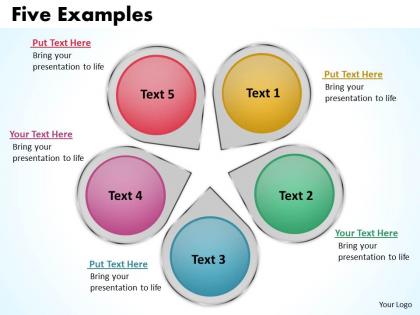
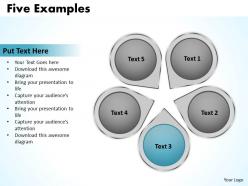
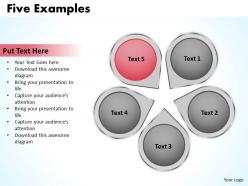
The image displays a PowerPoint slide titled "Five Examples," which features a visually engaging layout with five circular, colored graphics labeled Text 1 through Text 5. Each circle is bordered with a lighter shade, providing a three-dimensional effect, and is accompanied by a text box where additional information can be entered. The phrase "Bring your presentation to life" is repeated alongside each circle, suggesting that these elements are intended to add vibrancy and clarity to the presentation content. At the bottom right, there is a placeholder for "Your Logo," indicating where a company or presenter's logo can be inserted for branding purposes.
This slide template can be applied across a diverse range of industries for various purposes:
1. Marketing:
Use: Showcasing different aspects of a marketing strategy.
Presenter: Marketing Manager.
Audience: Marketing team, stakeholders.
.2. Education:
Use: Highlighting key points in an academic lecture.
Presenter: Educator or Professor.
Audience: Students, academic peers.
3. Healthcare:
Use: Outlining steps in a medical procedure or treatment plan.
Presenter: Healthcare Professional.
Audience: Patients, medical students.
4. Technology:
Use: Explaining features of a new software or product.
Presenter: Product Manager.
Audience: Customers, tech team members.
5. Finance:
Use: Detailing components of financial planning or investment options.
Presenter: Financial Advisor.
Audience: Clients, finance team.
6. Retail:
Use: Describing product categories or sales tactics.
Presenter: Sales Manager.
Audience: Sales staff, retail partners.
7. Non-Profit:
Use: Presenting program areas or impact strategies.
Presenter: Program Director.
Audience: Donors, volunteers, community members.
Five examples powerpoint slides presentation diagrams templates with all 10 slides:
Help is here! Our Five Examples Powerpoint Slides Presentation Diagrams Templates are ready to bail you out of all your presentation presentation worries.



FAQs for Five examples powerpoint slides
Key elements include visual consistency, brand alignment, readability across devices, content flexibility, and professional aesthetics that match your audience and message tone. These design components work together by ensuring seamless information flow, reinforcing corporate identity, and maintaining audience engagement, with many organizations finding that strategic template selection significantly enhances presentation impact and communication effectiveness.
Specific color schemes in PowerPoint templates significantly influence audience perception by conveying emotions, establishing credibility, and reinforcing brand identity through psychological associations. Blue tones enhance trust and professionalism for financial presentations, while warm colors increase engagement in marketing pitches, with many organizations finding that strategic color choices improve audience retention and decision-making outcomes.
Customizable PowerPoint slide templates offer enhanced brand consistency, flexible design adaptation, time efficiency, scalable content creation, and improved audience engagement over static designs. These templates enable organizations to maintain professional standards while adapting presentations for different audiences, departments, and purposes, with many businesses finding that customizable templates streamline workflow processes and ultimately deliver more impactful, cohesive presentations.
Templates maintain brand consistency by standardizing fonts, colors, logos, layouts, and visual elements across all presentations, ensuring uniform messaging regardless of presenter or department. Through pre-designed slides with consistent branding elements, organizations streamline content creation while reinforcing corporate identity, with marketing teams and sales departments finding that standardized templates enhance professional credibility and audience recognition.
Templates streamline presentation design by providing pre-built layouts, consistent formatting, established color schemes, professional typography, and ready-made slide structures. These elements eliminate the need to create designs from scratch, enable faster content insertion, and ensure visual consistency throughout presentations, with many organizations finding that templates reduce preparation time by 60-70% while maintaining professional standards.
Educational PowerPoint templates should include clear hierarchical typography, consistent color schemes for readability, designated spaces for learning objectives, content sections with bullet points, visual placeholders for diagrams and images, and interactive elements like quiz slides. These features enhance comprehension by organizing information systematically, accommodating diverse learning styles, and maintaining visual consistency, with many educators finding that well-structured templates significantly improve student engagement and knowledge retention.
Templates can be optimized for hybrid presentations by incorporating larger fonts, high-contrast color schemes, simplified layouts, and interactive elements like clickable navigation. These design principles ensure content remains visible on both projection screens and small computer monitors, with many organizations finding that streamlined templates ultimately deliver better engagement across all presentation formats while reducing preparation time.
PowerPoint slide design trends in 2023 include minimalist layouts with bold typography, data storytelling through interactive visualizations, accessibility-focused color schemes, mobile-responsive formatting, and AI-enhanced design automation. These approaches streamline presentation creation by reducing design complexity, enhancing audience engagement, and ensuring universal accessibility, with many organizations finding that modern templates significantly accelerate their content development while delivering more professional, impactful communications.
PowerPoint slide templates streamline infographic creation by providing pre-designed layouts, color schemes, chart formats, and visual hierarchies that ensure professional consistency. These templates enable faster data visualization through built-in SmartArt graphics, customizable chart templates, and structured design elements, with many marketing teams and consultants finding that template-based approaches reduce design time while maintaining visual impact and brand coherence.
Free PowerPoint templates often feature basic designs, limited customization options, and generic layouts, while paid templates typically offer professional aesthetics, extensive customization features, and unique design elements. Many businesses find that investing in premium templates enhances brand consistency, streamlines presentation development, and delivers more polished, memorable presentations that strengthen client relationships and competitive positioning.
Ensuring accessibility and inclusivity involves selecting templates with high contrast ratios, readable fonts like Arial or Calibri, and consistent navigation structures that support screen readers. These design principles streamline content consumption for diverse audiences, including those with visual impairments or cognitive differences, ultimately delivering broader engagement and compliance with accessibility standards across organizational presentations.
Common pitfalls include using overly complex designs, failing to customize templates for your specific brand and message, overcrowding slides with excessive text, choosing inappropriate color schemes for your audience, and neglecting consistent formatting throughout the presentation. These issues can undermine your pitch's professional appearance and message clarity, with many successful entrepreneurs finding that strategic template customization, balanced content distribution, and audience-appropriate design choices ultimately deliver more compelling presentations and better investor engagement.
PowerPoint templates facilitate storytelling by providing structured narrative flows, consistent visual themes, and pre-designed layouts that guide audience attention through key plot points. These frameworks enable presenters to craft compelling business narratives with seamless transitions, strategic content placement, and visual continuity, ultimately delivering more engaging presentations that resonate with stakeholders and drive decision-making.
Font choice significantly impacts PowerPoint slide template effectiveness by influencing readability, visual hierarchy, brand consistency, audience engagement, and information retention. Strategic typography enables presenters to guide attention, reinforce messaging, and maintain professional credibility, with many organizations finding that consistent, well-chosen fonts enhance audience comprehension and deliver more memorable presentations.
Educators can leverage PowerPoint slide templates by incorporating interactive elements, visual storytelling frameworks, multimedia integration points, and structured discussion prompts that transform passive lectures into dynamic learning experiences. Through professionally designed templates featuring polls, case studies, and breakout activities, instructors in universities, training centers, and corporate education programs streamline lesson preparation while delivering more engaging content, ultimately improving student retention and participation rates.
-
Excellent products for quick understanding.
-
Very unique, user-friendly presentation interface.