

Action Plan Powerpoint Ppt Template Bundles





Try Before you Buy Download Free Sample Product
 Impress Your
 Audience
 100%
100% Editable
 Save Hours
 of Time


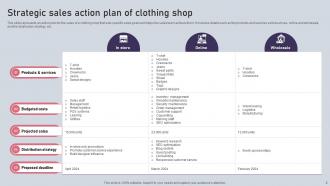
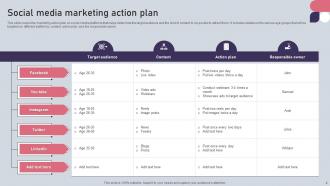
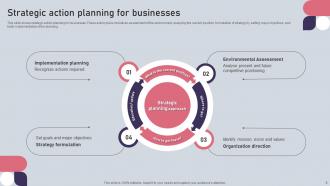
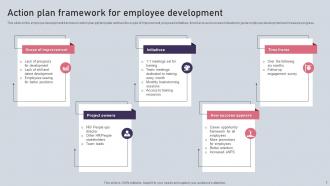
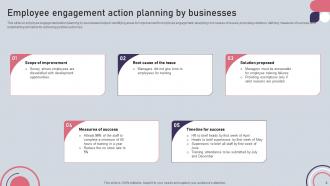
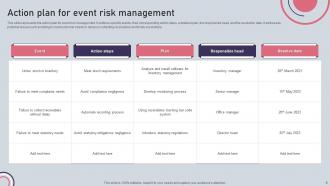
Introducing our comprehensive Action Plan PPT, a game changer for businesses seeking success in todays dynamic landscape This powerful presentation is your ultimate guide to craft a winning Sales Action Plan, empowering you to achieve ambitious revenue targets and boost profitability. Navigate the digital realm with confidence using our Social Media Marketing Action Plan, designed to harness the immense potential of social platforms and expand your brands reach. Foster a skilled workforce with our Employee Development Action Plan, promoting talent growth and fostering a motivated team. Plus, mitigate potential challenges with our Risk Management Action Plan, ensuring your business stays resilient in the face of uncertainties. Equip yourself with the tools for triumph our Action Plan PPT is your ticket to sustainable growth and unmatched achievements.
People who downloaded this PowerPoint presentation also viewed the following :
Action Plan Powerpoint Ppt Template Bundles with all 25 slides:
Use our Action Plan Powerpoint Ppt Template Bundles to effectively help you save your valuable time. They are readymade to fit into any presentation structure.

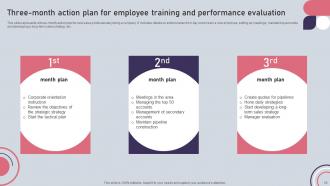
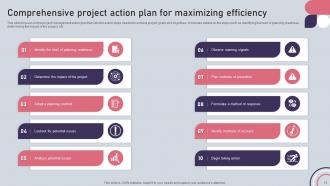
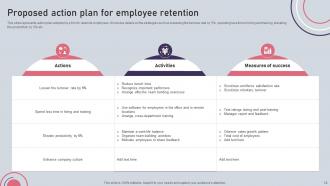
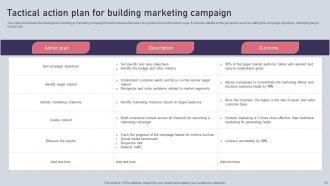






FAQs for Action Plan Powerpoint
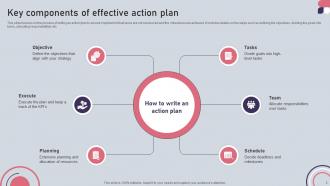
So you'll want clear objectives and specific tasks - break everything down into bite-sized pieces people can actually handle. Assign owners to each task with realistic deadlines, plus list what resources you'll need. Honestly, the risk assessment part is clutch even though it feels tedious upfront. Track your progress somehow and set success metrics so you know if things are working. Dependencies between tasks matter too - some stuff can't start until other pieces finish. Oh, and don't skip the communication plan. Keep it straightforward but thorough enough that everyone gets their role and how it fits the bigger goal.
So basically, you take your company's big 3 goals and work backwards to figure out what your team actually needs to do. The template forces you to map out real tasks with deadlines that connect to those bigger objectives. Think of it like - okay, maybe this is a weird comparison - but it's like planning a road trip where you actually know your destination. You can spot the stuff that's just busywork versus what moves things forward. Honestly, most teams skip this step and wonder why they're always scrambling. Short version: list the org goals, then break down your team's specific piece of each one.
First thing - dive into the compliance stuff for whatever industry you're targeting. Healthcare has HIPAA, manufacturing is all about safety protocols. Boring? Yeah, but it actually drives everything else. Then switch up your language to match theirs. Like a tech company calls it a "sprint review" but law firms would say "case milestone review" or whatever. Oh, and timelines are huge - some industries move crazy fast, others take forever. I'd definitely run it by someone who works in that field first though. Trust me on that one.
Honestly, deadlines are what separate actual progress from just daydreaming about goals. Without them, your action plan becomes this vague thing that never happens. Milestones work like checkpoints - you get to celebrate small wins and spot issues before they blow up. Plus timelines keep everyone on the same page about when things need to get done. I've watched so many good ideas just... die because nobody set actual dates. My old boss was terrible at this! Work backwards from your end goal and make those milestones super specific. Don't set yourself up to fail with unrealistic timelines though.
Detailed templates are lifesavers when you've got multiple people involved, crazy deadlines, or projects where everything could go sideways if something gets missed. Perfect for team stuff or tracking all those annoying dependencies. But for routine tasks or personal projects? Keep it simple. A basic checklist usually does the trick when you're flying solo. I swear I've watched people spend hours perfecting their project templates and then... never actually use them. Pretty much defeats the whole purpose, right? Just match whatever system you pick to what you actually need. Don't overcomplicate things if simple works.
Okay so visual stuff is honestly a game-changer for action plans. Color-code your priorities, throw in some progress bars, maybe icons for different task types. Nobody wants to read through walls of text - that's just torture. When everything's visual, your team can instantly spot what's urgent, who's behind, and what's actually done. I mean, wouldn't you rather glance at a colorful chart than squint through paragraphs? Simple things like status dots or timeline graphics make people actually use the plan instead of pretending it doesn't exist.
Look, you really can't skip getting your stakeholders involved - they're the ones actually doing the work and know where things might go sideways. They'll spot resource issues and roadblocks you'd never think of from your planning bubble. Honestly, people just work harder on stuff they helped build instead of plans dropped on their desk. Map out who you need first, then get them in there defining milestones and timelines with you. Don't assign responsibilities without them - that's how you get pushback later. Makes the whole template thing way more useful too.
Honestly, action plan templates are game-changers. Your team finally gets on the same page about who's doing what and when stuff's actually due. No more of those painful meetings where everyone's like "wait, what was I supposed to be working on?" You know the ones I'm talking about. Plus you avoid that awkward thing where two people accidentally work on the same task because nobody communicated properly. The visual layout makes it really obvious when there's a bottleneck or when one thing's waiting on another. Seriously, try it on your next project - your check-ins will be so much less chaotic.
Mix quantitative stuff with qualitative measures - you need both. I'd go with outcome metrics (what you're actually trying to achieve), output metrics (what you're cranking out), and timeline stuff to see if deadlines are getting hit. Leading indicators are clutch too since they give you a heads up before things go sideways. Stakeholder satisfaction or team morale matter if they're tied to your goals. Honestly though, don't go overboard - stick to 3-5 key metrics max. Otherwise you'll be stuck measuring everything instead of getting real work done.
Honestly? Monthly works for most people, but it really depends on your situation. Weekly makes more sense if things are moving fast. Don't just set it and forget it though - we both know how that ends up! I always tell people to put actual calendar reminders or you'll never do it. Quick 15-minute reviews usually do the trick. Also watch for big changes - new resources, hitting milestones, or when everything goes sideways. Those are perfect times to adjust things regardless of your schedule.
Ugh, the worst mistake is being way too vague with your action plan. Like don't just write "fix marketing" - that means nothing! Break it down into actual steps you can measure. Oh, and realistic deadlines are huge because we both know everything takes twice as long as planned lol. Make sure someone owns each task too, otherwise you'll get that whole "wait I thought Sarah was doing this" disaster. I learned that one the hard way. Keep it simple - specific tasks, real deadlines, clear owners. That's honestly all you need.
Honestly, just pick something everyone's already familiar with - Asana or Monday work great, but even Google Sheets can do the trick if that's what your team knows. Make everything visual with progress bars and color-coding so you can see what's actually moving forward vs what's completely stuck. The real game-changer is setting up automated reminders because, let's be real, stuff always falls through the cracks otherwise. Half your headaches with remote teams come from people being out of the loop, but you don't want to live in meetings either. Stick with whatever platform you choose though - switching around just creates chaos.
Dude, trust me on this - templates are game changers. When everyone uses the same format, new people can actually figure out what's going on without playing detective. Reviews go way faster because your manager isn't hunting around for basic stuff like deadlines. Comparing different projects becomes super easy too. I used to waste so much time reformatting things (ugh). The best part? No more digging through docs wondering where someone buried the success metrics. Just start basic and tweak it as you go. Your team will thank you later.
Break your template into sprint chunks with columns for story points and backlog priority. Target sprints work way better than hard deadlines - trust me on this one. Dependencies are clutch since everything connects in agile. Status should be "backlog/in progress/review/done" instead of just done/not done. Keep it flexible for when scope inevitably changes mid-sprint (and it will). Update during standups or sprint planning so your team stays on the same page. Oh, and don't overthink the story point estimates at first.
Honestly, start with the basics - clear learning objectives and realistic timelines that actually match how kids learn (which is way messier than any textbook tells you). Build in milestone checkpoints and space for resources you'll need. Don't forget contingency plans because projects never go smoothly - trust me on this one. Map out who's responsible for what so nobody's confused later. The key is keeping it simple enough that teachers will actually want to use it instead of letting it collect dust. Oh, and definitely test it on something small first to catch any obvious problems.
-
The quality of the templates is as fine as it could get. It was a purchase well made!
-
Time saving slide with creative ideas. Help a lot in quick presentations..