

Google Cloud Services Networking Service Ppt Powerpoint Presentation Summary Example




Try Before you Buy Download Free Sample Product
 Impress Your
 Audience
 100%
100% Editable
 Save Hours
 of Time


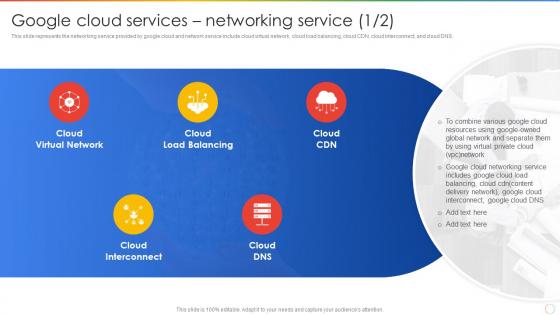
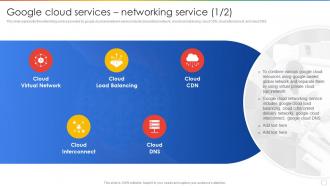
This slide represents the networking service provided by google cloud and network service include cloud virtual network, cloud load balancing, cloud CDN, cloud interconnect, and cloud DNS.
People who downloaded this PowerPoint presentation also viewed the following :
Google Cloud Services Networking Service Ppt Powerpoint Presentation Summary Example with all 7 slides:
Use our Google Cloud Services Networking Service Ppt Powerpoint Presentation Summary Example to effectively help you save your valuable time. They are readymade to fit into any presentation structure.





FAQs for Google Cloud Services Networking Service Ppt Powerpoint
So you've got VPCs which are basically your virtual networks - that's gonna be your bread and butter. Subnets help organize everything, then there's Cloud Load Balancing for traffic distribution and Cloud CDN for content delivery. Cloud NAT handles outbound internet stuff, plus VPN and Interconnect for hybrid setups. Firewall rules obviously handle security. Oh and Cloud Armor does DDoS protection if that's something you need. Honestly though? Just focus on VPC and subnet basics first. Everything else clicks way easier once you've got those down - I learned that the hard way trying to jump ahead too fast.
Think of VPC like getting your own private corner of Google's massive network instead of being crammed in with everyone else's stuff. You control the IP ranges, subnets, firewall rules - basically you're running your own show. Way better than that chaotic shared setup nobody wants. Plus you can connect it back to your office network with VPN if needed. Oh, and seriously plan out your IP addressing scheme first because changing it later is such a headache. Trust me on that one.
So regional load balancing just handles traffic within one Google Cloud region. Global spreads it across multiple regions worldwide. If your app only needs coverage in one area, go regional - it's simpler and usually costs less. But when you need worldwide reach? That's where global shines. It automatically fails over between regions and routes users to whatever's closest and healthy, which is pretty neat. Look, global sounds cooler but honestly regional handles most situations just fine. I'd start there unless you're definitely going multi-region. You can always switch later anyway.
Google's got these interconnect services that'll hook up your on-premises stuff directly to their cloud. Two ways to go about it - Dedicated Interconnect is basically your own private pipeline, while Partner Interconnect goes through service providers (which honestly might be easier depending where you're located). Both beat regular internet connections hands down for speed and consistency. Perfect if you're moving data around or running things across both environments. I'd check first if there's a Google facility nearby since that determines your best option.
So Cloud CDN puts your stuff on Google's servers around the world, which means people load your site way faster since they're hitting a server that's actually close to them. Works amazing for images, CSS, JavaScript - all that static stuff. You can even do dynamic content if you set the headers right. Honestly, I was surprised how much of a difference it made when I first tried it. Plus it'll save you money on bandwidth since your main servers aren't getting hammered as much. If you've got users everywhere, just turn it on already.
Honestly, Cloud DNS is pretty solid if you're already on GCP. The performance is insane - like sub-millisecond responses because it runs on Google's network. Plus it scales automatically so you don't have to stress about capacity stuff. What I really like is how it plays nice with other Google services, especially load balancers. The pricing beats most traditional DNS providers too. You can handle both public and private zones through console or API. Oh, and if you're thinking about migrating - their tool actually works well, which is rare lol. Worth switching over.
Start with deny-all as your default, then whitelist only what you actually need. Honestly, I used to be way too permissive with firewall rules until I got burned. Source tags and service accounts are your friend here - way better than opening things up to huge IP blocks. Don't forget to turn on logging so you can see what's getting blocked. Your rules will pile up like crazy over time, so audit them every few months or you'll end up with a mess.
So first you'll create a VPN gateway in your VPC - just hit up the VPN section in Google Cloud Console and click "Create VPN Connection." Then configure your gateway IP, shared secret, and routing (the routing bit honestly trips everyone up at first, don't feel bad). Double-check your firewall rules actually allow the traffic through. Once you've got all your network details sorted, the whole thing takes maybe 15-20 minutes. Oh, and definitely test it with a quick ping between resources afterward - saves you headaches later.
So Google Cloud's service mesh (basically Istio) is like having a traffic cop for all your microservices. It handles the messy communication stuff automatically - load balancing, service discovery, encryption, observability. You don't have to code any of that into your actual apps, which is pretty sweet. The way it works is there's a sidecar proxy sitting next to each service doing all the heavy lifting behind the scenes. I'd probably start with Anthos Service Mesh since it's the managed option, but you could just fire up regular Istio if you want to mess around with it first.
So Google's got like 130+ edge locations around the world, which is honestly pretty wild when you think about it. Basically your traffic hits their private fiber network at the closest point instead of bouncing around the messy public internet. Way faster for your users - apps load quicker, APIs respond better, the whole thing just feels snappier. If you're dealing with global users, you'll want their Premium Network Tier to get the full benefits. Makes a huge difference for user experience.
So for monitoring your GCP network performance, I'd start with Cloud Monitoring - it'll give you all the real-time stuff like latency and throughput across your VPCs. Network Intelligence Center is actually pretty cool too, shows you network topology and catches connectivity problems automatically. VPC Flow Logs are clutch for diving deep into traffic patterns. Oh, and don't forget Cloud Trace if you need application-level insights. Honestly, just set up some custom dashboards first with whatever metrics actually matter for your setup - saves you from drowning in data later.
Honestly, the biggest thing that'll bite you is egress charges - moving data out to the internet or between regions adds up fast. Load balancer costs are the other main culprit, though ingress is usually free. External IPs run you a few bucks monthly. NAT gateways charge hourly plus data processing fees. VPC peering within the same region is typically free, but cross-region will cost you. Premium tier networking performs better than standard, but standard works fine for most stuff (I rarely bother upgrading). Definitely run your traffic patterns through their pricing calculator first - those surprise bills hurt.
So basically Private Google Access is super handy - it lets your VMs talk to Google services like Cloud Storage and BigQuery without needing external IPs. You just flip it on at the subnet level. Traffic stays on Google's internal network instead of bouncing around the internet, which honestly feels way cleaner to me. Security's better since everything's private, plus you'll save money not buying external IPs. Oh, and double-check your firewall rules aren't blocking anything. That's bitten me before.
Network Intelligence is clutch when you're troubleshooting connectivity issues or trying to figure out what's slowing things down. The topology visualization is actually pretty sweet - saves you from staring at config files for hours. Performance Insights will catch bottlenecks you didn't even know existed, and Connectivity Tests let you verify firewall rules before they bite you in production. Turn it on early though, don't wait for stuff to break. Historical data becomes super useful when things go sideways (which they always do eventually). Multi-region setups especially benefit from it.
So basically, peering creates a direct bridge between two VPC networks - no middleman involved. Transit stuff like VPN or Interconnect actually pushes your traffic through Google's backbone to reach other places. Peering works great if you're just connecting VPCs inside Google Cloud. But here's the thing - it gets pretty limiting once you need to connect to your on-premises gear or other clouds. That's where transit options shine since they're way more flexible. Honestly, most hybrid setups I've seen go the transit route. Makes sense too - you get better integration with whatever infrastructure you've already got running.
-
SlideTeam’s readymade presentations have landed my unique images with my bosses in the past and it continues to reward me.
-
Great designs, really helpful.