

Graph business powerpoint templates and powerpoint backgrounds 0611





Try Before you Buy Download Free Sample Product
 Impress Your
 Audience
 100%
100% Editable
 Save Hours
 of Time


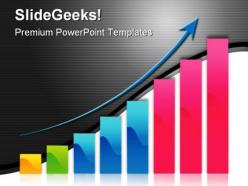
Clip your thoughts onto our Graph Business PowerPoint Templates And PowerPoint Backgrounds 0611. Together they will clinch the deal.
People who downloaded this PowerPoint presentation also viewed the following :
Graph business powerpoint templates and powerpoint backgrounds 0611 with all 3 slides:
Advance your cause with our Graph Business PowerPoint Templates And PowerPoint Backgrounds 0611. They will bolster the force of your conviction.
FAQs for Graph business powerpoint templates and
Graph business PowerPoint templates offer professional design consistency, time-saving efficiency, enhanced data visualization clarity, improved audience engagement, and streamlined message delivery across presentations. These templates enable organizations to transform complex datasets into compelling visual narratives, with financial services, consulting firms, and marketing teams finding that standardized graph formats significantly reduce preparation time while delivering more impactful, persuasive presentations.
Graph templates improve data visualization by standardizing formats, ensuring consistency across presentations, reducing design time, and enhancing professional appearance through proven layouts. These templates enable businesses to transform complex datasets into clear visual narratives, with financial services using them for quarterly reports and retail companies leveraging them for sales analytics, ultimately delivering faster decision-making and improved stakeholder communication.
Bar charts, line graphs, pie charts, combination charts, and waterfall charts are most effective for conveying business performance metrics, each serving distinct analytical purposes. Bar charts excel at comparing quarterly revenues across divisions, line graphs track sales trends over time, while waterfall charts illustrate profit progression, with many organizations finding that combining multiple chart types delivers comprehensive insights and enhances stakeholder understanding.
PowerPoint graph templates prioritize data visualization through specialized chart layouts, color schemes optimized for readability, and structured frameworks that emphasize numerical relationships and trends. While standard templates focus on general content presentation, graph templates incorporate enhanced visual hierarchy, strategic white space allocation, and design elements that guide audience attention to key data points, ultimately delivering clearer insights and more impactful business presentations.
Yes, graph business PowerPoint templates can be fully customized to align with your branding requirements, including colors, fonts, logos, layouts, and visual elements. These templates enable organizations to maintain brand consistency while delivering professional data presentations, with many companies finding that customized graph templates streamline reporting processes, enhance stakeholder engagement, and ultimately strengthen brand recognition across all business communications.
High-quality graph business PowerPoint templates should include customizable chart types, professional color schemes, editable data visualization elements, responsive layouts, and consistent typography. These features streamline presentation development by enabling quick data integration, maintaining brand consistency, and delivering compelling visual narratives, with many organizations finding that well-designed templates significantly enhance stakeholder engagement and decision-making processes.
Choose graph colors by prioritizing contrast for readability, using your brand palette consistently, and limiting colors to 3-5 distinct hues per chart. Consider colorblind accessibility with tools like ColorBrewer, ensure sufficient contrast between data series, and use intuitive associations like red for negative trends and green for positive growth, ultimately creating professional presentations that enhance audience comprehension and reinforce your organizational identity.
Common mistakes include overcrowding graphs with excessive data, using inappropriate chart types for your message, neglecting proper labeling, and choosing poor color schemes that reduce readability. These presentation pitfalls can be avoided by prioritizing clarity over complexity, selecting strategic data points, and ensuring consistent formatting, with many organizations finding that simplified, well-designed graphs significantly enhance audience comprehension and decision-making outcomes.
Animations and transitions enhance graph business templates by directing audience attention to key data points, revealing information progressively, and creating visual emphasis that supports your narrative flow. These dynamic elements help presenters control pacing during presentations, highlight critical trends or comparisons more effectively, and maintain audience engagement, with many organizations finding that strategic animation use significantly improves data comprehension and retention rates.
Yes, there are specialized templates designed specifically for financial data presentations featuring income statements, cash flow charts, and ROI dashboards, while market research templates focus on consumer insights, competitor analysis, and trend visualizations. Financial templates emphasize numerical precision and regulatory compliance, whereas market research versions prioritize storytelling through demographic breakdowns and survey results, ultimately enabling organizations to communicate complex data effectively to different stakeholder audiences.
Graph templates streamline business presentations by providing pre-designed frameworks, eliminating design work, ensuring visual consistency, and reducing preparation time significantly. These templates enable teams to focus on data analysis rather than formatting, with many organizations finding that standardized graph formats enhance audience comprehension, accelerate decision-making processes, and ultimately deliver more impactful presentations across departments.
Data labels and legends serve as critical navigation tools that transform raw visual data into actionable business insights, ensuring audiences can quickly interpret values, categories, and relationships without confusion. These elements enhance presentation effectiveness by eliminating guesswork, streamlining decision-making processes, and enabling stakeholders to focus on strategic implications rather than deciphering chart components, ultimately delivering clearer communication and faster consensus in business meetings.
**INPUT**: How can I ensure accessibility in my graph presentations for diverse audiences? **OUTPUT**: Graph accessibility requires high contrast colors, clear fonts, alternative text descriptions, and simplified data visualizations that accommodate visual impairments and varying technical literacy levels. These design principles enhance comprehension across diverse audiences by eliminating barriers, improving readability, and ensuring inclusive communication, with many organizations finding that accessible presentations ultimately deliver broader engagement and stronger stakeholder understanding. [Word count: 58 words]
Current graph design trends emphasize clean minimalism, interactive elements, data storytelling capabilities, mobile responsiveness, and accessibility compliance. These design approaches enhance audience engagement by reducing visual clutter, enabling dynamic presentations, and ensuring information clarity across devices, with many organizations finding that modern, accessible templates significantly improve stakeholder comprehension and decision-making outcomes.
Interactive graph features enhance audience engagement by enabling real-time data exploration, clickable elements for deeper insights, and dynamic visualizations that respond to user input. These capabilities transform static presentations into immersive experiences, with many organizations finding that interactive dashboards and drill-down functionalities significantly increase meeting participation, improve data comprehension, and ultimately deliver more compelling business storytelling.
-
Out of the box and creative design.
-
The Designed Graphic are very professional and classic.