

Group Work Discussion Monotone Icon In Powerpoint Pptx Png And Editable Eps Format




Try Before you Buy Download Free Sample Product
 Impress Your
 Audience
 100%
100% Editable
 Save Hours
 of Time


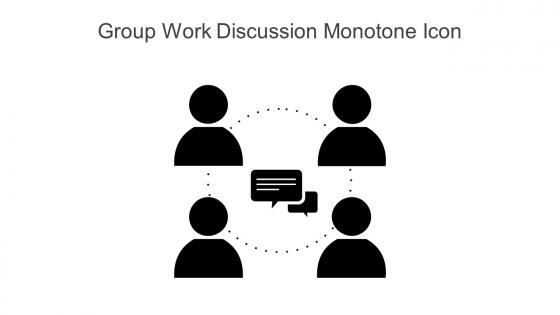
This Group work discussion monotone icon in powerpoint pptx png and editable eps format is a 100 percent editable icon. The downloaded file will have this icon in EPS, PNG and Powerpoint pptx format and is perfect for your next project. It has a simple yet stylish design.
People who downloaded this PowerPoint presentation also viewed the following :
Group Work Discussion Monotone Icon In Powerpoint Pptx Png And Editable Eps Format with all 6 slides:
Use our Group Work Discussion Monotone Icon In Powerpoint Pptx Png And Editable Eps Format to effectively help you save your valuable time. They are readymade to fit into any presentation structure.





FAQs for Group Work Discussion Monotone Icon In Powerpoint Pptx Png And
Visual discussion icons enhance group work presentations by improving clarity, engagement, and professional appearance while facilitating better audience comprehension and participation. These visual elements streamline communication flow, reduce cognitive load, and create intuitive navigation pathways, with many organizations finding that incorporating consistent iconography ultimately delivers more focused discussions and measurable improvements in meeting effectiveness.
A well-designed group work discussion icon enhances team collaboration by providing immediate visual recognition, streamlining navigation to collaborative spaces, and reinforcing the importance of teamwork through consistent branding. These icons facilitate faster access to discussion platforms, reduce cognitive load during interface navigation, and create psychological cues that encourage participation, with many organizations finding that clear visual communication ultimately drives higher engagement rates.
Effective group work discussion icons should incorporate multiple figures or silhouettes arranged in collaborative formations, speech bubbles or communication symbols, balanced color schemes that convey teamwork, and clear visual hierarchy that emphasizes interaction over individual elements. These design elements work together by ensuring immediate recognition, promoting inclusivity through diverse representations, and maintaining scalability across digital platforms, with many organizations finding that well-designed collaborative icons significantly enhance user engagement and interface navigation.
Icons significantly enhance information retention during group discussions by providing visual anchors that complement verbal communication, reducing cognitive load, and creating memorable reference points for complex concepts. Research shows that visual-textual combinations improve recall by up to 65%, with many organizations finding that icon-supported presentations lead to faster decision-making and clearer action items in collaborative settings.
Group work discussion icons facilitate diverse viewpoints by providing visual cues for brainstorming sessions, perspective-sharing activities, collaborative decision-making processes, and inclusive dialogue frameworks. These visual tools streamline communication by encouraging quieter team members to participate, organizing different viewpoints systematically, and creating structured environments where diverse perspectives are actively solicited, ultimately delivering more innovative solutions and stronger team cohesion.
Color schemes significantly enhance group work discussion icons by improving recognition, conveying meaning through psychological associations, ensuring accessibility across different users, and maintaining visual hierarchy within interface designs. Strategic color choices help teams quickly identify discussion tools, differentiate between active and inactive states, support brand consistency, and accommodate colorblind users, ultimately delivering more intuitive collaboration experiences and streamlined workflow efficiency in increasingly digital workplace environments.
Templates with group work discussion icons improve efficiency by providing visual cues that instantly communicate interaction points, streamlining facilitation, and reducing preparation time for presenters. These standardized symbols enable smoother transitions between presentation segments and collaborative activities, with many training departments and educational institutions finding that participants engage more readily when discussion opportunities are clearly marked, ultimately delivering faster session flow and enhanced audience participation.
Common mistakes include using overly complex designs, poor color contrast, inconsistent sizing, unclear symbolism, and neglecting accessibility standards. These design flaws can confuse users, reduce engagement, and create barriers for team collaboration, while well-designed icons streamline communication, enhance user experience, and ultimately deliver better group productivity across digital platforms.
Cultural differences significantly influence group work discussion icon interpretation through varying color symbolisms, gesture meanings, spatial arrangements, and communication styles across societies. While red signifies good fortune in Chinese culture but danger in Western contexts, hand gestures and hierarchical representations carry different connotations globally, with many international organizations finding that culturally adaptive iconography enhances cross-cultural collaboration and reduces misunderstandings.
**INPUT**: What software tools are best suited for creating custom group work discussion icons? **OUTPUT**: Professional design software best suited for creating custom group work discussion icons include Adobe Illustrator, Figma, Canva Pro, Sketch, and Inkscape for vector-based designs. These tools enable designers to create scalable, consistent iconography through intuitive interfaces, extensive symbol libraries, and collaborative features, with many organizations finding that vector-based icons deliver better visual consistency across digital platforms and enhanced user engagement. **Word count: 60 words**
Psychological principles for team communication icons include visual hierarchy, cognitive load theory, gestalt principles, color psychology, and cultural symbolism. These design elements enhance comprehension by leveraging familiar patterns, reducing mental processing time, and creating intuitive associations, with many organizations finding that well-designed iconography streamlines workflow efficiency and minimizes miscommunication across diverse teams.
Group dynamics significantly influence icon selection by reflecting team hierarchy, communication styles, cultural preferences, and collaboration patterns within discussions. Teams with formal structures often choose traditional icons like podiums or boardrooms, while creative groups favor collaborative symbols like interconnected circles, with many organizations finding that inclusive icon choices enhance participation and create more welcoming discussion environments.
Effective group work discussion icons include speech bubbles with multiple participants, circular arrow symbols indicating collaboration, interconnected puzzle pieces, team huddle illustrations, and branching conversation trees. These visual elements enhance presentation clarity by immediately signaling collaborative segments, guiding audience participation, and creating seamless transitions between individual and group activities, with many presenters finding that strategic icon placement increases engagement and maintains meeting momentum.
Simple icons prove more effective than complex illustrations in fast-paced brainstorming sessions, virtual meetings, cross-cultural teams, and time-sensitive decision-making contexts where immediate recognition is crucial. These streamlined visuals enhance communication flow by eliminating interpretation delays, reducing cognitive load, and ensuring universal understanding across diverse participants, ultimately delivering clearer collaboration and faster consensus-building in increasingly dynamic business environments.
Incorporating team feedback improves group work discussion icon design by ensuring diverse perspectives, identifying usability gaps, and enhancing visual clarity across different user preferences. Through collaborative input sessions, design teams can refine iconography that resonates with varied demographics, streamline recognition patterns, and eliminate potential confusion, ultimately delivering more intuitive interface elements that enhance team communication and productivity.
-
Good research work and creative work done on every template.
-
Kudos to SlideTeam for achieving the high success rate in delivering the top-notch slides.