

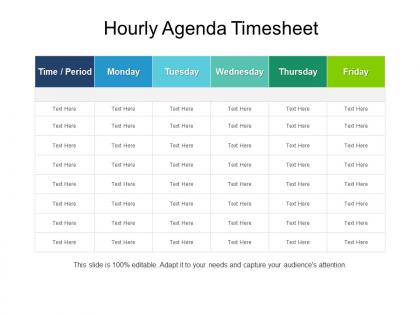
Hourly agenda timesheet powerpoint layout




Try Before you Buy Download Free Sample Product
 Impress Your
 Audience
 100%
100% Editable
 Save Hours
 of Time


An hourly agenda PPT template is useful to anticipate all the activities that are going to happen in a day or an activity that requires number of hours to get finished. The hourly agenda PowerPoint slide is mainly useful for meetings because of the limited time provided to all the attendees to finish discussing a specific subject matter. Moreover, companies and individuals may also use this hourly schedule presentation slide design to assure their efficiency as well as productivity in a days time. When you are in need an hourly agenda slide design for the significant purpose, our professionals can provide you with this an hourly schedule planner PPT template. However, a user can go for our hourly agenda planner slide for PowerPoint, which he may use on different activities in the various duration of time. The hourly daily agenda presentation template helps to track down all the activities that are essential to complete as well as its appropriate time to finish that. The weekly hour agenda template allows a program to follow the timeline in which it subjected to so that no other parts of the program will get affected due to time constraints. Our Hourly Agenda Timesheet Powerpoint Layout allow you to act with authority. Folks feel duty bound to follow.
People who downloaded this PowerPoint presentation also viewed the following :
Hourly agenda timesheet powerpoint layout with all 5 slides:
Butter up your audience with our Hourly Agenda Timesheet Powerpoint Layout. They deserve a toast to their intelligence.
FAQs for Hourly agenda
Key elements include time slots with specific hour designations, task descriptions with clear objectives, assigned team members or responsible parties, priority levels, and progress tracking indicators. These components streamline project management by enhancing accountability, improving resource allocation, and facilitating real-time updates, with many organizations finding that structured hourly layouts significantly boost productivity and meeting efficiency.
Visual design transforms timesheet presentations through clear color coding, intuitive layouts, and strategic white space that guide audience attention naturally. Professional formatting with consistent fonts, highlighted priority tasks, and visual hierarchy helps stakeholders quickly grasp resource allocation patterns, ultimately delivering faster decision-making and enhanced meeting productivity across organizations.
Effective color schemes for time-sensitive PowerPoint layouts include red and orange for urgent deadlines, green for completed tasks, blue for scheduled activities, and yellow for pending items. These color combinations enhance visual hierarchy by creating immediate recognition of priority levels, enabling teams to quickly identify critical timeframes and task statuses, ultimately streamlining project management and improving meeting efficiency across organizations.
Charts and graphs transform timesheet data into visual insights by highlighting patterns, revealing time allocation trends, and making productivity metrics immediately comprehensible. These visual elements enable managers and teams to quickly identify peak productivity hours, resource bottlenecks, and project efficiency rates, with many organizations finding that graphical timesheet presentations streamline performance reviews and strategic planning decisions.
Sans-serif fonts like Arial, Calibri, Helvetica, and Segoe UI work best for timesheet presentations, offering clean readability across different screen sizes and projection formats. These fonts enhance data clarity by minimizing visual clutter, ensuring hour entries and project details remain easily scannable, while maintaining professional appearance that supports efficient time tracking and client presentations.
Presenters can balance detail and clarity by using hierarchical formatting with bold headers for main activities, color-coding for different task categories, and strategic white space to prevent visual overwhelm. This approach enables audiences to quickly grasp the timeline structure while accessing necessary specifics, with many organizations finding that clean, well-organized timesheet layouts enhance meeting efficiency and participant engagement.
Creative branding integration includes incorporating company colors throughout headers and data cells, embedding logos as watermarks or corner elements, using branded fonts for headings, and applying custom color schemes that match brand guidelines. These visual elements enhance professional presentation while maintaining timesheet functionality, with many organizations finding that consistent branding across operational documents strengthens brand recognition and creates cohesive visual identity in client-facing presentations.
Transitions and animations enhance hourly agenda presentations by creating smooth flow between time blocks, highlighting current agenda items, and drawing attention to key schedule changes or updates. These visual elements streamline information delivery by reducing cognitive load, maintaining audience engagement throughout lengthy schedules, and enabling presenters to seamlessly navigate between different time periods, ultimately delivering clearer communication and more professional scheduling presentations.
Common mistakes include overcrowding slides with excessive data, using inconsistent formatting across timesheet sections, neglecting to highlight key metrics or trends, and failing to provide clear context for time allocations. These presentation pitfalls can undermine credibility with stakeholders, obscure important productivity insights, and hinder decision-making processes, ultimately reducing the strategic value of workforce analytics.
Feedback from previous presentations improves timesheet layouts by identifying clarity issues, highlighting confusing elements, and revealing audience preferences for data visualization and formatting. These insights enable presenters to streamline information flow, enhance visual hierarchy, and optimize time allocation displays, with many organizations finding that incorporating audience suggestions ultimately delivers more engaging presentations and better stakeholder understanding.
PowerPoint itself offers robust template creation through master slides, animations, and form controls, while specialized tools like Articulate Storyline, Adobe Captivate, and Prezi enhance interactivity with advanced features. Many organizations combine PowerPoint's native capabilities with Excel integration for automatic data population, ultimately delivering streamlined time tracking solutions that enhance operational efficiency and reduce administrative overhead.
Presenters can tailor timesheet layouts by adjusting detail levels, visual emphasis, and data focus for each audience's priorities and decision-making needs. For executives, emphasize high-level summaries, cost implications, and strategic resource allocation, while team-focused presentations should highlight task breakdowns, individual contributions, and operational efficiency metrics, ultimately delivering targeted insights that resonate with each group's specific responsibilities.
Storytelling transforms hourly timesheet data into compelling narratives by contextualizing time allocation patterns, highlighting productivity trends, and connecting resource utilization to strategic outcomes. Through visual storytelling techniques, organizations can demonstrate project efficiency, identify optimization opportunities, and communicate workforce performance insights, ultimately enabling stakeholders to make informed decisions about resource allocation and operational improvements.
A timesheet layout adapts for both presentation formats by incorporating clear visual hierarchies, readable fonts, and simplified data displays that work effectively on screens and projectors. Virtual presentations benefit from larger text sizes, high-contrast colors, and streamlined information architecture, while in-person formats allow for more detailed breakdowns, with many organizations finding that flexible layouts enhance audience engagement and comprehension across different meeting environments.
Modern PowerPoint timesheet designs emphasize clean minimalism, strategic color coding for different project categories, bold typography hierarchies, and generous white space for enhanced readability. These approaches streamline data visualization by incorporating flat design elements, consistent grid systems, and mobile-responsive formatting, with many organizations finding that simplified layouts ultimately enhance team productivity and professional presentation standards.
-
Great designs, Easily Editable.
-
Excellent Designs.
-
Wonderful templates design to use in business meetings.
-
Content of slide is easy to understand and edit.