Hypervisor Powerpoint Ppt Template Bundles

Rating:
100%
Hypervisor Powerpoint Ppt Template Bundles
Slide 1 of 28
Favourites Favourites

Try Before you Buy Download Free Sample Product

Audience Impress Your
Audience
Editable 100%
Editable
Time Save Hours
of Time
The Biggest Sale is ending soon in
0
0
:
0
0
:
0
0
Rating:
100%
Deliver a lucid presentation by utilizing this Hypervisor Powerpoint Ppt Template Bundles. Use it to present an overview of the topic with the right visuals, themes, shapes, and graphics. This is an expertly designed complete deck that reinforces positive thoughts and actions. Use it to provide visual cues to your audience and help them make informed decisions. A wide variety of discussion topics can be covered with this creative bundle such as Virtualization,Virtual machine,Hypervisor category,Hypervisor security,Hypervisor management. All the twenty slides are available for immediate download and use. They can be edited and modified to add a personal touch to the presentation. This helps in creating a unique presentation every time. Not only that, with a host of editable features, this presentation can be used by any industry or business vertical depending on their needs and requirements. The compatibility with Google Slides is another feature to look out for in the PPT slideshow.
FAQs for Hypervisor Powerpoint

Key features include professional layouts with virtualization diagrams, customizable infographics for VM management, data flow charts, comparison tables, and technical architecture slides. These templates streamline complex virtualization presentations by offering pre-designed elements for system administrators and IT professionals, ultimately delivering clear communication of hypervisor concepts while maintaining visual consistency across enterprise presentations.

A hypervisor presentation enhances understanding by visually demonstrating virtualization concepts, infrastructure management, security protocols, resource allocation strategies, and performance optimization techniques through clear diagrams and workflow illustrations. Through structured slides, IT professionals can effectively communicate complex virtual environments to stakeholders, while organizations in healthcare, finance, and enterprise sectors find these presentations invaluable for training teams and securing infrastructure investments.

IT professionals, system administrators, cloud architects, DevOps teams, and enterprise decision-makers benefit most from hypervisor-focused presentations, along with technical managers evaluating virtualization strategies. These audiences leverage hypervisor insights to streamline infrastructure decisions, optimize resource allocation, and enhance operational efficiency, with many organizations finding that targeted presentations accelerate adoption and deliver competitive advantages.

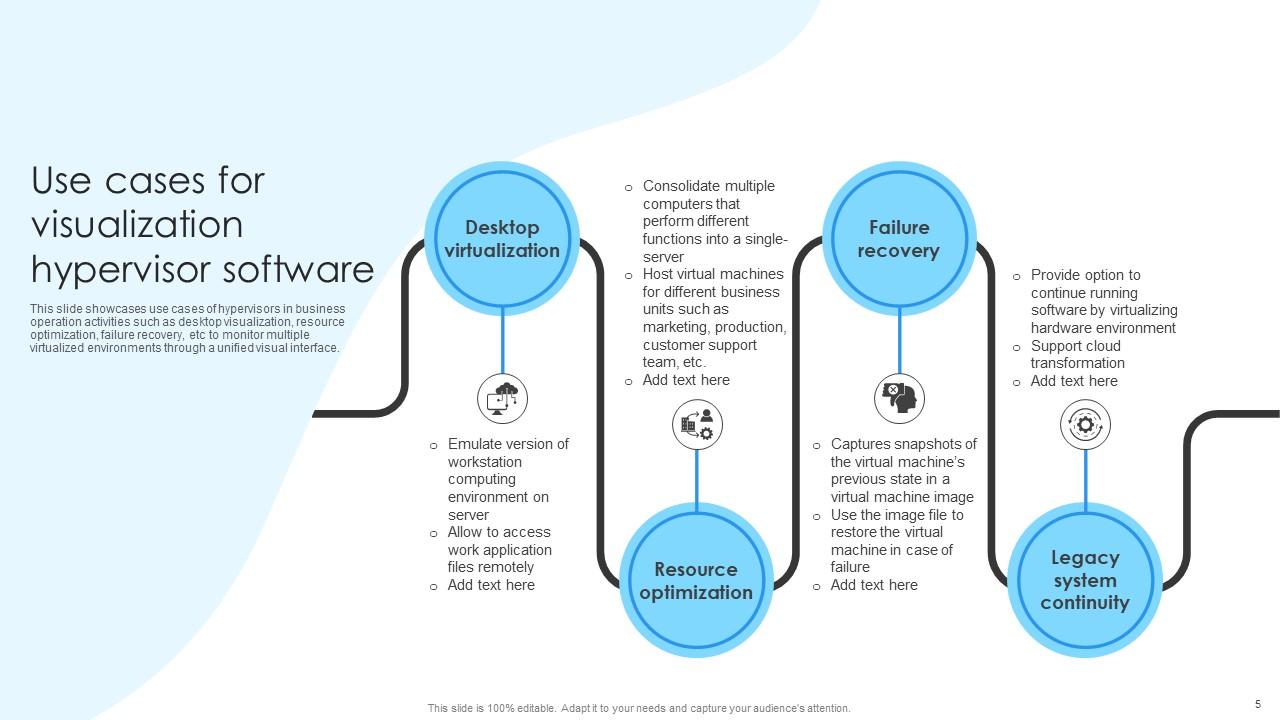
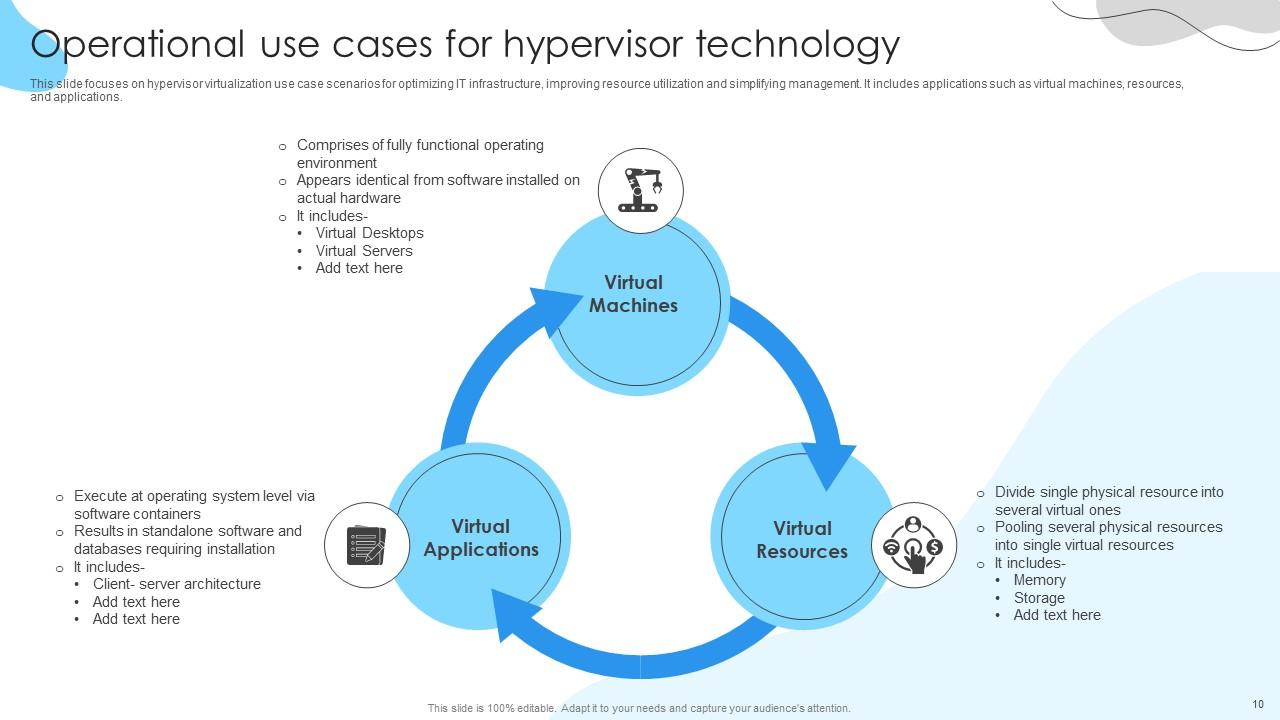
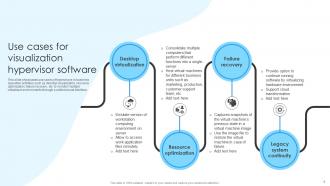
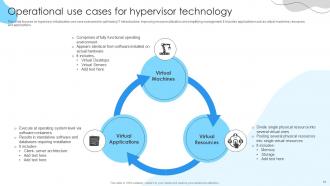
Common hypervisor use cases in enterprise IT environments include server consolidation, disaster recovery, development and testing environments, desktop virtualization, and cloud infrastructure deployment. These technologies streamline operations by reducing hardware costs, enabling faster application deployment, and improving resource utilization, with many organizations finding that virtualization ultimately delivers enhanced scalability and operational efficiency across their IT infrastructure.

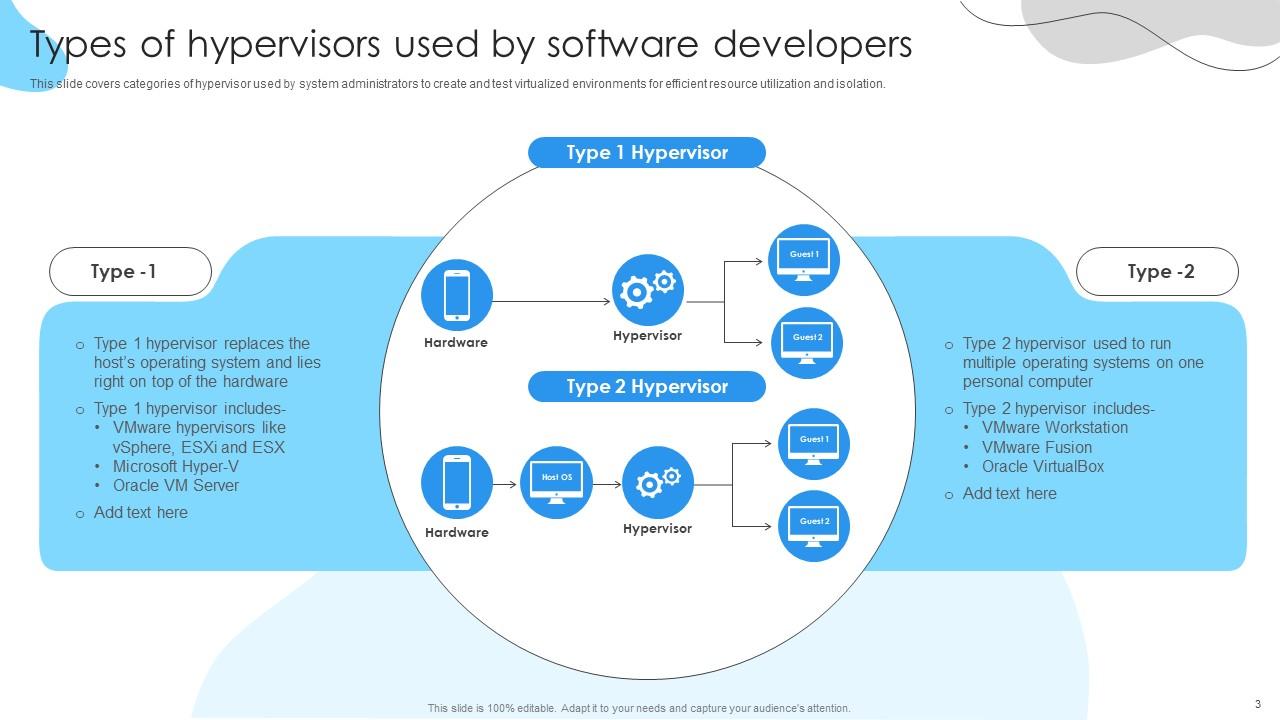
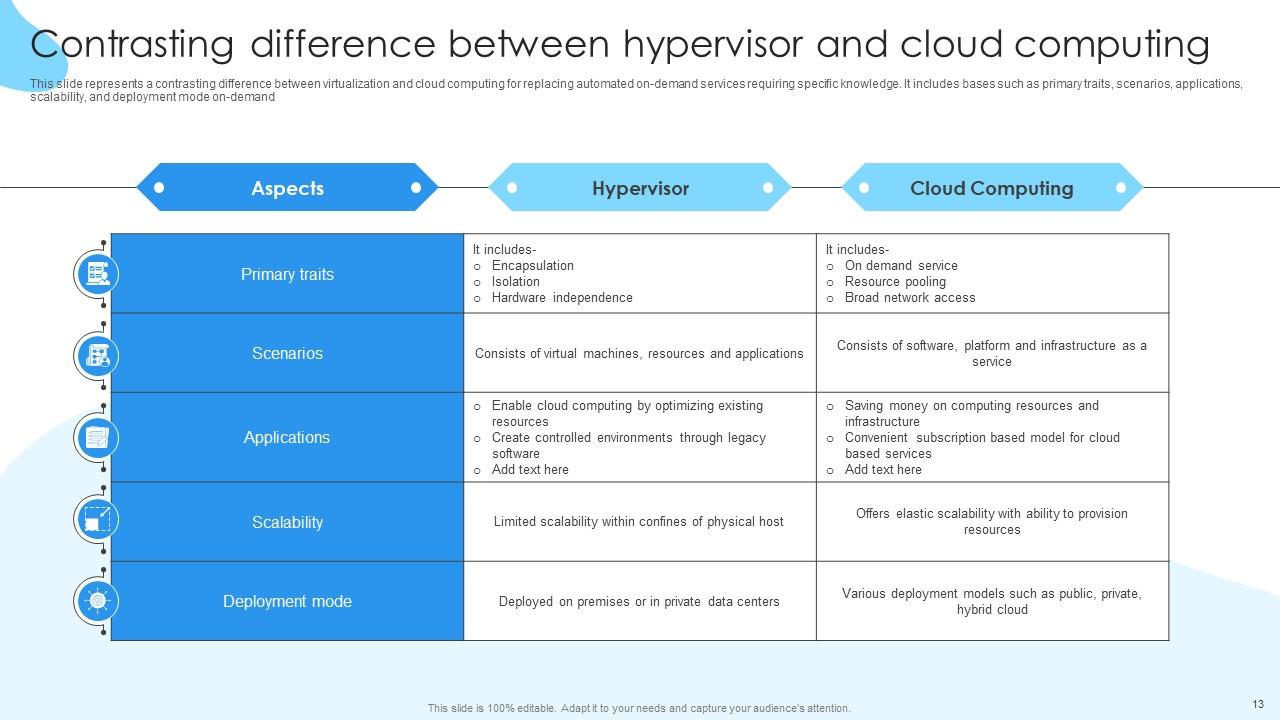
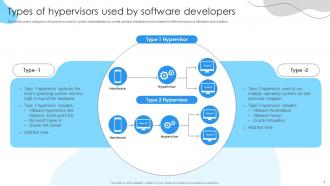
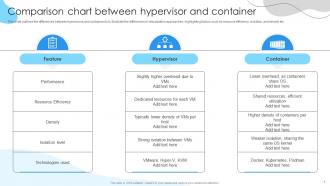
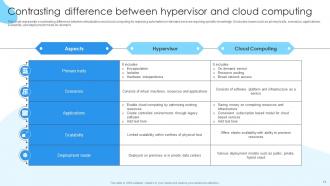
Type 1 hypervisors run directly on physical hardware while Type 2 hypervisors operate through a host operating system, creating fundamental differences in performance, security, and resource allocation. PowerPoint templates can effectively illustrate these architectural distinctions through layered diagrams, comparative charts, and visual frameworks that demonstrate how enterprises leverage Type 1 for data centers and Type 2 for development environments.

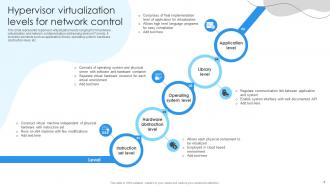
Visual elements that effectively convey complex hypervisor concepts include layered diagrams showing physical and virtual machine separation, network topology illustrations, resource allocation charts, process flow arrows, and color-coded system components. These design elements streamline technical presentations by transforming abstract virtualization concepts into clear visual narratives, with many IT professionals finding that strategic combinations of infographics and architectural diagrams ultimately enhance stakeholder understanding and accelerate decision-making processes.

Color scheme significantly influences audience engagement by affecting readability, emotional response, and information retention throughout hypervisor presentations. Strategic color choices enhance technical comprehension through visual hierarchy, reduce cognitive load during complex virtualization explanations, and maintain professional credibility, with many IT teams finding that consistent, contrast-rich palettes improve stakeholder buy-in and decision-making speed.

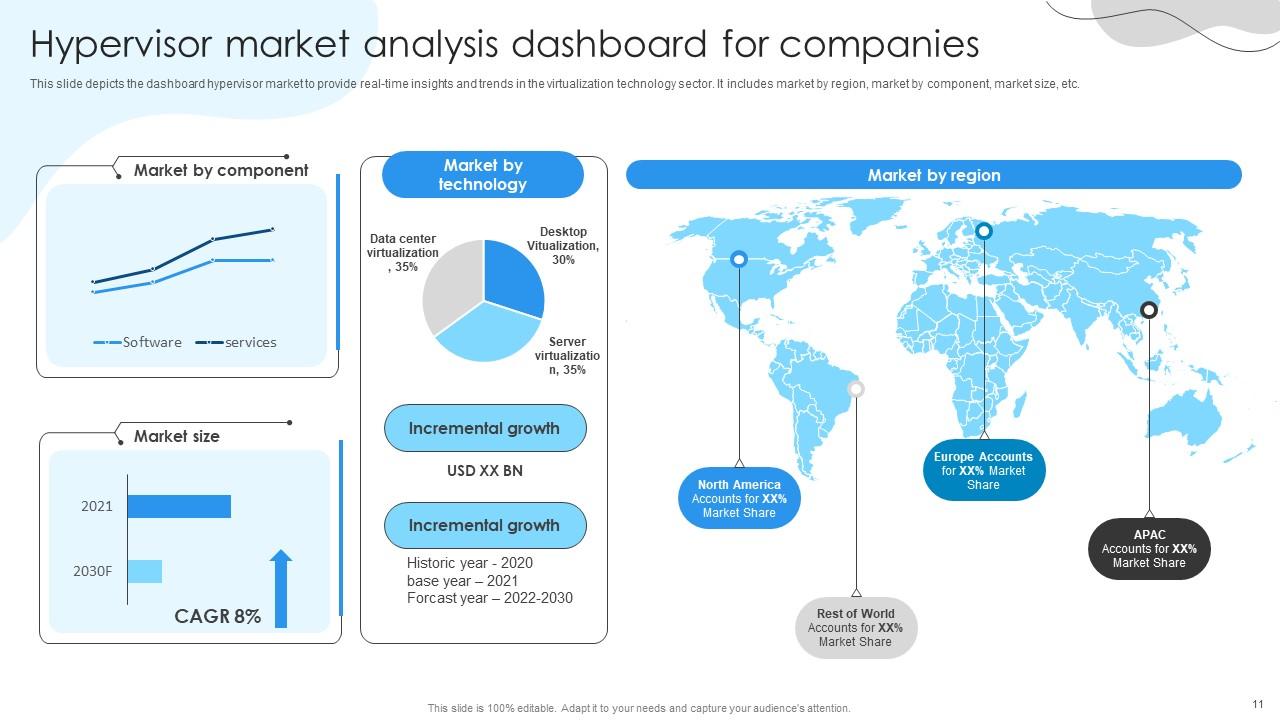
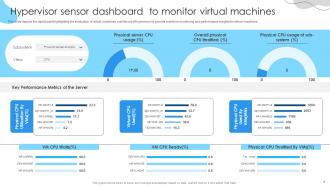
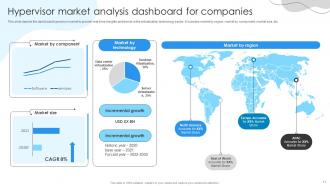
The most effective ways include visual dashboards with real-time CPU and memory utilization charts, comparative performance tables, heat maps showing resource allocation, and trend analysis graphs displaying historical data. These presentation techniques enhance stakeholder understanding by transforming complex virtualization metrics into digestible formats, enabling IT teams to demonstrate ROI, justify infrastructure investments, and secure executive buy-in for hypervisor optimization initiatives.

Animated elements in hypervisor PPT templates enhance learning retention by breaking down complex virtualization concepts into digestible visual sequences, highlighting critical infrastructure components through motion, and creating memorable pathways for technical information processing. These dynamic presentations enable IT professionals and students to better grasp abstract concepts like resource allocation and virtual machine management, ultimately delivering improved comprehension rates and stronger knowledge retention across technical training programs.

A hypervisor overview slide should include the hypervisor type (Type 1 or Type 2), supported operating systems, resource allocation capabilities, security features, and performance metrics. These elements enable IT teams to assess virtualization efficiency, compatibility requirements, and scalability potential, with many organizations finding that comprehensive overviews streamline infrastructure planning and optimize virtual machine deployment strategies.

Templates can incorporate real-world case studies by featuring dedicated sections for specific industry implementations, measurable outcomes, and before-and-after scenarios that showcase hypervisor benefits. These case studies enable presentations to highlight tangible results like cost reductions in banking virtualization projects, improved disaster recovery in healthcare systems, and enhanced scalability in retail operations, ultimately delivering credible proof points that resonate with stakeholders.

Graphics and charts transform complex hypervisor concepts into digestible visual narratives, using flowcharts, architecture diagrams, performance metrics, and comparison tables to illustrate virtualization processes. These visual elements enable IT teams to communicate infrastructure strategies more effectively to stakeholders, while technical documentation becomes accessible across departments, ultimately accelerating decision-making and implementation timelines.

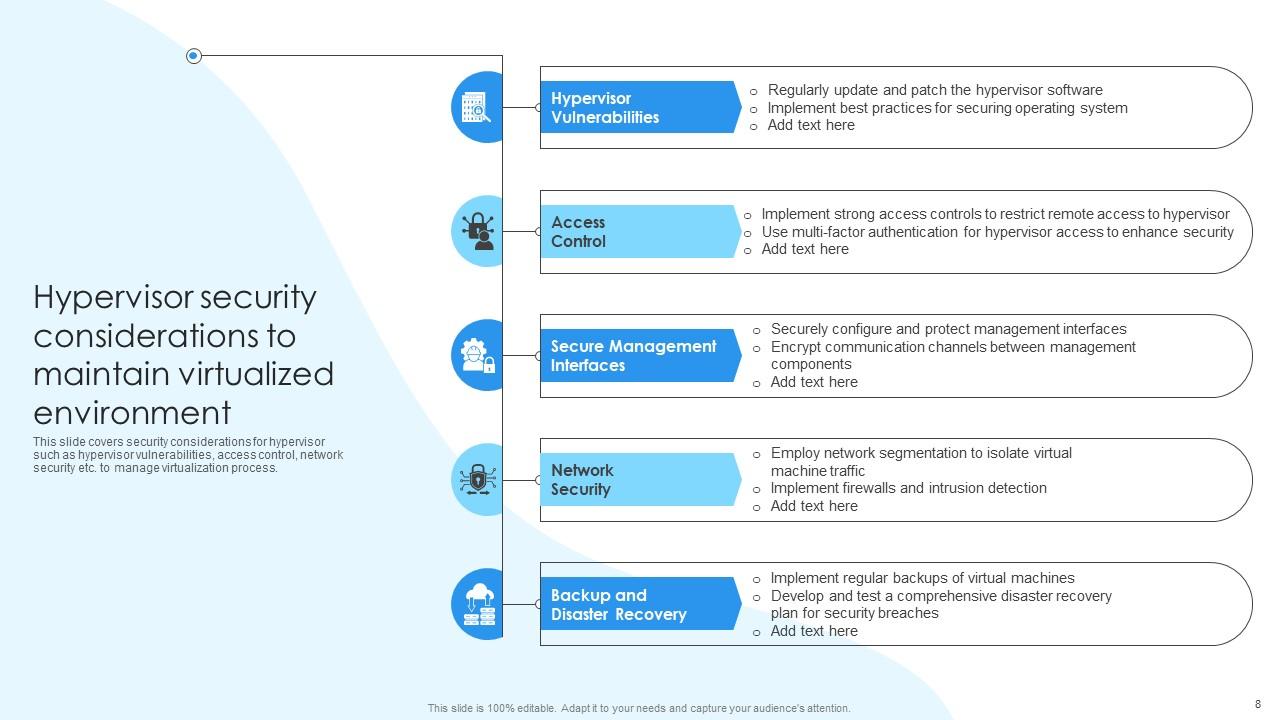
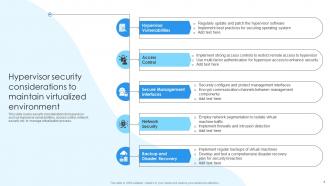
Presenters can effectively utilize hypervisor security templates by incorporating comprehensive threat assessment slides, vulnerability management frameworks, security monitoring dashboards, and compliance checklists that address isolation breaches and privilege escalation risks. These structured templates enable IT professionals to systematically present multi-layered security strategies, demonstrate real-time threat detection capabilities, and showcase robust access controls, ultimately delivering enhanced stakeholder confidence and organizational security posture.

Customizing hypervisor PPT templates involves tailoring technical complexity to audience expertise, emphasizing relevant use cases like virtualization for IT teams or cost benefits for executives, and incorporating industry-specific examples from healthcare, finance, or manufacturing sectors. These strategic adjustments streamline presentations by focusing on audience priorities, addressing specific pain points, and highlighting outcomes most relevant to stakeholders, ultimately delivering more impactful communications and better engagement.

Storytelling techniques in hypervisor presentations include creating user journey narratives, problem-solution arcs, before-and-after scenarios, and real-world case studies that demonstrate virtualization challenges and outcomes. These approaches transform technical concepts into relatable business stories, with IT departments and data centers finding that narrative-driven presentations enhance stakeholder understanding, accelerate decision-making, and ultimately deliver stronger buy-in for virtualization initiatives.

Ratings and Reviews

100% of 100
Review Form
Write a review
Most Relevant Reviews
  1. 100%

    by Devin Daniels

    Great templates that you can use in your next keynote or conference. They are perfect for quick and visually-engaging delivery. 
  2. 100%

    by Murphy Green

    I am a big fan of their newsletters because that is how I found my perfect requirement at the time of urgency. Thank God, I kept opening those.

2 Item(s)

per page: