


IAM Processes For Effective Access Management Powerpoint Presentation Slides




Try Before you Buy Download Free Sample Product
 Impress Your
 Audience
 100%
100% Editable
 Save Hours
 of Time


Get access to our IAM Processes for Effective Access Management PowerPoint Presentation, briefly explaining Identity and Access Management, including its overview and importance. In this IAM Procedures Access Management Excellence PowerPoint Presentation, we covered the IAM framework, including its directory services and lifecycle. Additionally, this IAM Strategies Navigating Access Management PPT contains various systems and tools, including multi-factor authentication, single sign-on, and role-based access control. The IAM Essentials Access Management Procedures Presentation also includes the software used in IAM and its service providers. Furthermore, this IAM Roadmap Access Management Processes template outlines the various services of IAM, such as provisioning and de-provisioning. It also highlights the tenets of a successful IAM program. Moreover, this Multi-Factor Authentication Deck comprises standards and compliances of IAM, controls and solutions, hierarchy, and technology adoption lifecycle of IAM. Lastly, this IAM software PowerPoint Presentation highlights the various issues and risks associated with IAM, a roadmap, a timeline, and a dashboard for evaluating it. Download our 100percent editable and customizable template, also compatible with Google Slides.
People who downloaded this PowerPoint presentation also viewed the following :
Content of this Powerpoint Presentation
Slide 1: This slide introduces Process for Effective Access Management. State Your Company Name and begin.
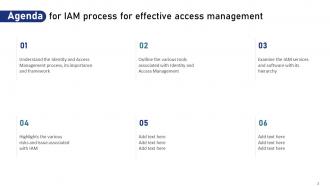
Slide 2: This slide is an Agenda slide. State your agendas here.
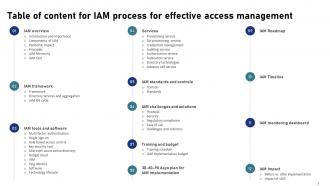
Slide 3: This slide shows a Table of Contents for the presentation.
Slide 4: This slide is an introductory slide.
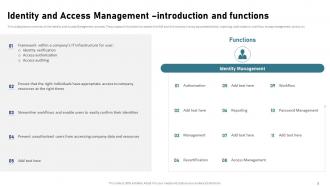
Slide 5: This slide gives an overview of the Identity and Access Management process.
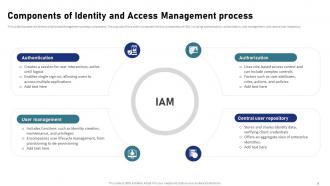
Slide 6: This slide discusses the Identity and Access Management process components.
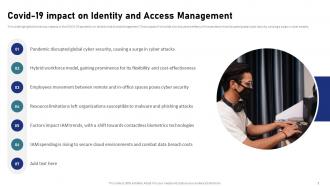
Slide 7: This slide highlights the various impacts of the COVID-19 pandemic on Identity and Access Management.
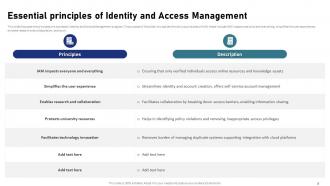
Slide 8: This slide details the principles of a successful Identity and Access Management program.
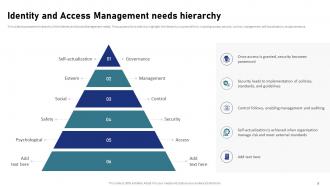
Slide 9: This slide showcases the hierarchy of the Identity and Access Management needs.
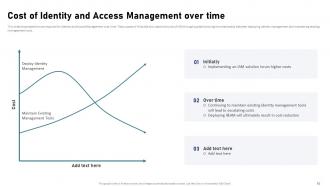
Slide 10: This slide shows the cost required for Identity and Access Management over time.
Slide 11: This slide is an introductory slide.
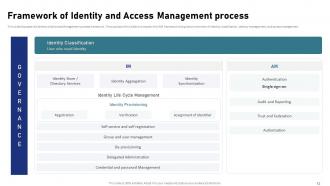
Slide 12: This slide discusses the Identity and Access Management process framework.
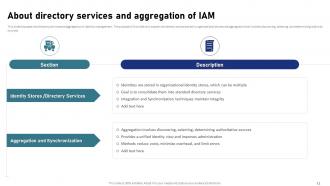
Slide 13: This slide details the directory services and aggregation of identity management.
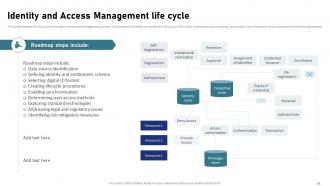
Slide 14: This slide presents the life cycle of the Identity and Access Management process.
Slide 15: This slide is an introductory slide.
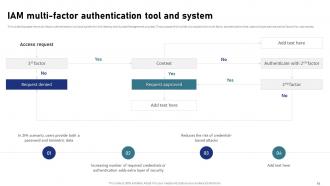
Slide 16: This slide discusses the multi-factor authentication tool and system for the Identity and Access Management process.
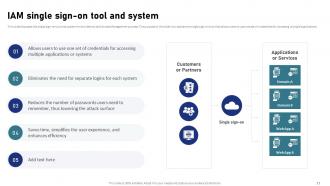
Slide 17: This slide contains the single sign-on tool and system for the Identity and Access Management process.
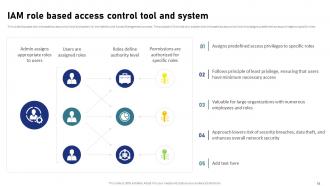
Slide 18: This slide discusses the role based access control tool and system for the Identity and Access Management process.
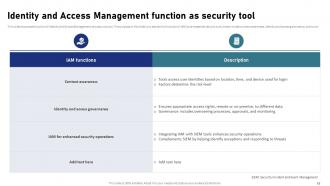
Slide 19: This slide caters to the function of Identity and Access Management as a security tool.
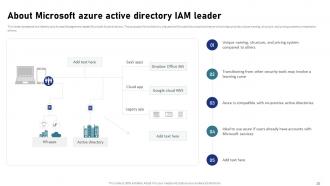
Slide 20: This slide puts the Identity and Access Management leader Microsoft Azure directory.
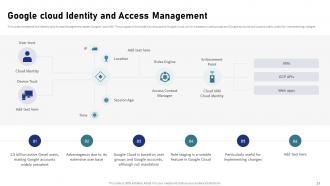
Slide 21: This slide represents the Identity and Access Management leader Google Cloud IAM.
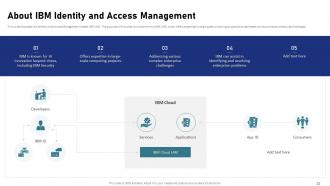
Slide 22: This slide presents the Identity and Access Management leader IBM IAM.
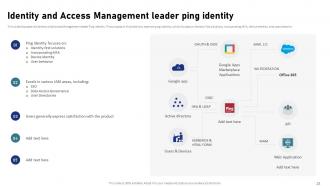
Slide 23: This slide marks the Identity and Access Management leader Ping identity.
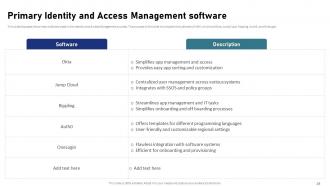
Slide 24: This slide puts the primary software used in the Identity and Access Management process.
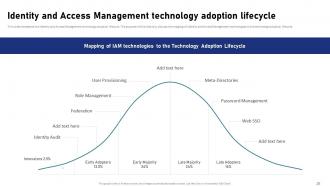
Slide 25: This slide marks the Identity and Access Management technology adoption lifecycle.
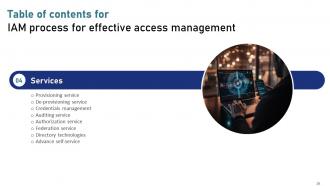
Slide 26: This slide is an introductory slide.
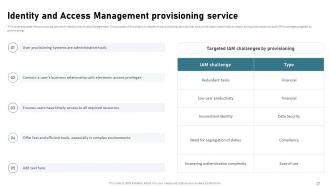
Slide 27: This slide discusses the provisioning service of Identity and Access Management.
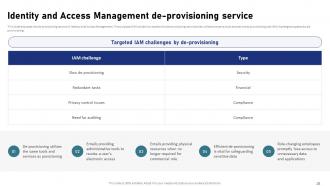
Slide 28: This slide elaborates the de-provisioning service of Identity and Access Management.
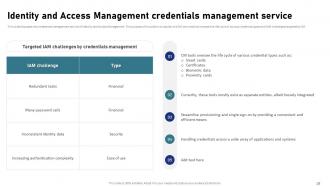
Slide 29: This slide marks the credentials management service of Identity and Access Management.
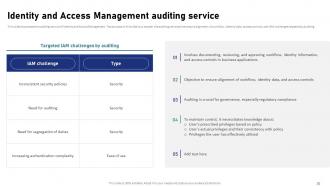
Slide 30: This slide showcases the auditing service of Identity and Access Management.
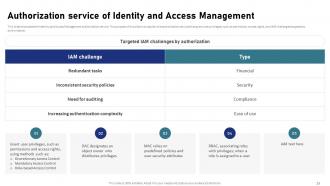
Slide 31: This slide shows the Identity and Access Management authorization service.
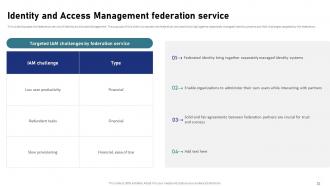
Slide 32: This slide discusses the federation service of Identity and Access Management.
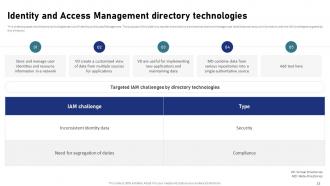
Slide 33: This slide denotes the directory technologies service of Identity and Access Management.
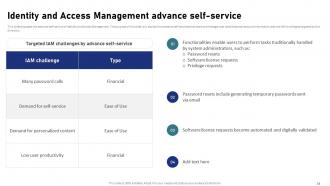
Slide 34: This slide describes the advance self-service of Identity and Access Management.
Slide 35: This slide is an introductory slide.
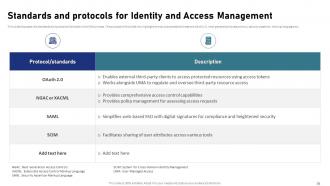
Slide 36: This slide marks the standards and protocols followed in the IAM process.
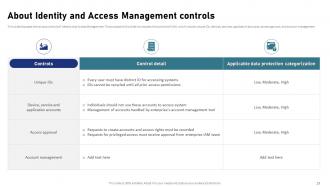
Slide 37: This slide puts the various controls of Identity and Access Management.
Slide 38: This slide is an introductory slide.
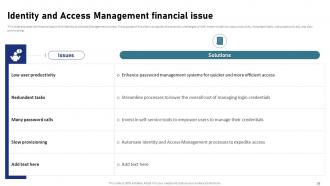
Slide 39: This slide discusses the financial issue of the Identity and Access Management process.
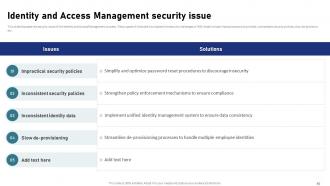
Slide 40: This slide entails the security issue of the Identity and Access Management process.
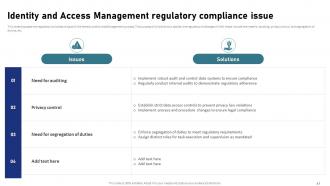
Slide 41: This slide focuses on the regulatory compliance issue of the Identity and Access Management process.
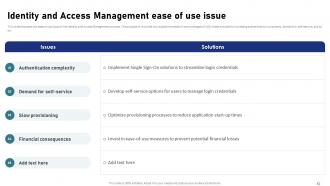
Slide 42: This slide cater to the ease of use issue of the Identity and Access Management process.
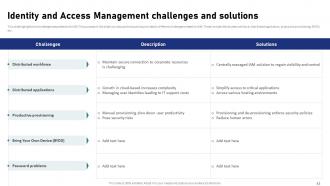
Slide 43: This slide highlights the challenges associated with IAM.
Slide 44: This slide is an introductory slide.
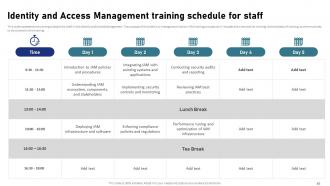
Slide 45: This slide represents the training schedule for staff in the Identity and Access Management.
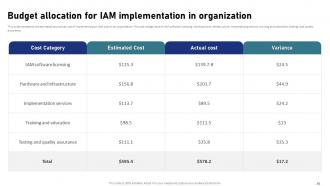
Slide 46: This slide presents the estimated and actual cost of implementing an IAM plan in an organization.
Slide 47: This slide is an introductory slide.
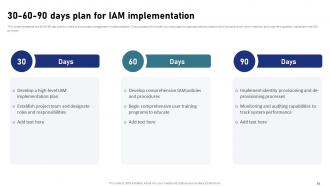
Slide 48: This slide represents the 30-60-90-day plan for identity and access management implementation.
Slide 49: This slide is an introductory slide.
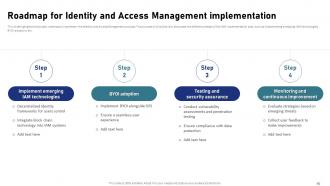
Slide 50: This slide highlights the project roadmap to implement the Identity and Access Management process.
Slide 51: This slide is an introductory slide.
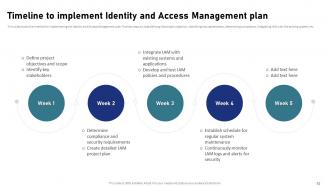
Slide 52: This slide shows the timeline for implementing the Identity and Access Management plan.
Slide 53: This slide is an introductory slide.
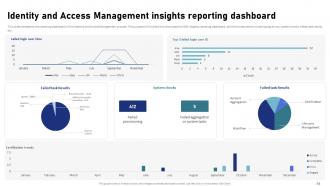
Slide 54: This slide entails the reporting dashboard of the Identity and Access Management process.
Slide 55: This slide is an introductory slide.
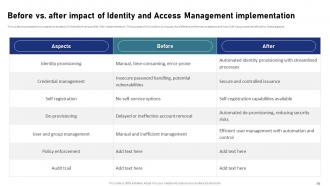
Slide 56: This slide showcases the comparative analysis of the before versus after IAM implementation.
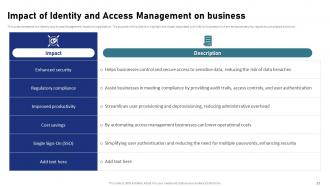
Slide 57: This slide represents the Identity and Access Management impact on organization.
Slide 58: This slide is titled Additional Slides for moving forward.
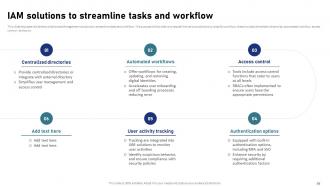
Slide 59: This slide discusses the Identity and Access Management solutions to streamline tasks and workflow.
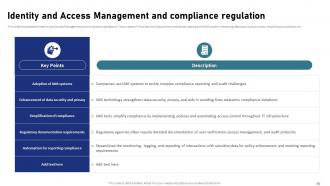
Slide 60: This slide contains the Identity and Access Management and compliance regulations.
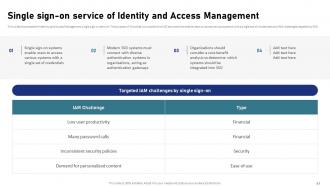
Slide 61: This slide showcases the Identity and Access Management single sign-on service.
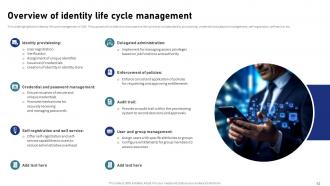
Slide 62: This slide highlights the identity life cycle management of IAM.
Slide 63: This slide shows all the icons included in the presentation.
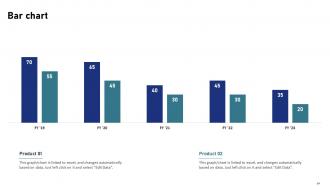
Slide 64: This slide showcases the suitable graph/chart.
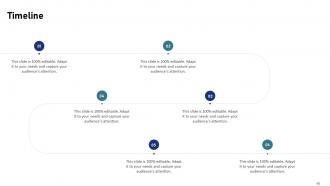
Slide 65: This slide is a Timeline slide. Show data related to time intervals here.
Slide 66: This slide depicts a Venn diagram with text boxes.
Slide 67: This slide contains a Puzzle with related icons and text.
Slide 68: This slide is Our Goal slide. State your firm's goals here.
Slide 69: This slide is an Idea Generation slide to state a new idea or highlight information, specifications, etc.
Slide 70: This slide presents a Roadmap with additional text boxes.
Slide 71: This slide is a thank-you slide with address, contact numbers, and email address.
IAM Processes For Effective Access Management Powerpoint Presentation Slides with all 79 slides:
Use our IAM Processes For Effective Access Management Powerpoint Presentation Slides to effectively help you save your valuable time. They are readymade to fit into any presentation structure.












FAQs for IAM Processes For Effective Access Management
So you'll need the basics first - user identity management, authentication, and authorization controls. Multi-factor auth is non-negotiable these days. Role-based access is huge too, plus regular reviews to catch people who shouldn't have access anymore. Honestly, privileged access management for admin accounts is where most companies screw up - that's your biggest risk. Don't sleep on audit logging either. Map out your current user lifecycle first though, see where the gaps are. Oh and make sure everything actually talks to each other instead of being a bunch of disconnected systems.
So basically IAM cuts down your security risks by making sure only the right people can get into your systems when they should. You get solid user authentication and role-based permissions that block unauthorized access. The automated deprovisioning thing is honestly huge - seriously, forgotten accounts after people quit are such a nightmare. Detailed audit trails show exactly who touched what and when, which saves your butt for compliance stuff and if something goes wrong. I'd start by figuring out where you currently have access points and spot the worst gaps first.
MFA is honestly a game-changer for security these days. When passwords get leaked (and they will), you've got that extra layer asking users to prove who they are with their phone, an app, or even those little hardware keys. I can't believe how many companies still skip this – like, so many breaches could've been avoided. Most systems make it pretty easy to set up now. Oh, and definitely start with your most critical stuff first, then work your way down. SMS works but authenticator apps are way better if you can swing it.
RBAC is your security backbone, honestly. People only get access to stuff they actually need for their job - nothing extra. You create roles like "Marketing Analyst" or "Finance Manager" instead of dealing with individual user permissions (total nightmare otherwise). Drop users into the right role and you're done. Your admin work drops way down and auditing becomes simple since you can see who accesses what at a glance. First step? Map out what job functions you actually have - that becomes your foundation. Way cleaner than the alternative.
So basically you map your current access setup against what GDPR/HIPAA actually requires - trust me, you'll find gaps. IAM helps by automatically logging who touched what data and when, which auditors love. Give people minimum permissions only (least privilege thing). MFA isn't optional anymore, honestly it should've been standard years ago. Regular access reviews catch old permissions before they become problems. The audit trail stuff happens in the background once you set it up right. Start with documenting what you have now, then compare it to compliance checklists. Most companies are surprised by how much cleanup they need.
Legacy systems will absolutely wreck your timeline - those old things hate talking to modern IAM tools. People are gonna whine about new login processes too, which honestly I get but it's still annoying. Watch out for scope creep because every stakeholder thinks their "tiny addition" won't impact anything. Spoiler: it will. Budget overruns happen constantly since companies never grasp how messy this stuff gets. Run a pilot first with maybe 50 users max. Get executives on board before you even start coding. Oh, and whatever timeline you're thinking? Add 30% minimum.
So IAM hooks into your cloud stuff through APIs, SAML, OAuth - all the usual suspects. Gives you one place to control who gets into AWS, Azure, whatever you're running. The downside? If someone breaks into your IAM, they've basically got access to everything - which honestly keeps me up at night sometimes. But when it works right, you get unified logging and can automate user provisioning across platforms. Just don't forget to audit those permissions regularly. Cloud permission creep is real and it happens faster than you'd think. Stick with least privilege or you'll regret it later.
Look, AI is totally changing identity management right now. Behavioral analytics can catch weird login stuff way faster than old systems. You've got automated user provisioning that adjusts when people switch roles, plus risk-based authentication that cranks up security on the fly. The anomaly detection is honestly mind-blowing compared to traditional rule-based setups. Machine learning handles access reviews and compliance reporting too - saves crazy amounts of manual work. Oh, and definitely start with behavioral analytics tools if you're just getting into this. They'll boost your security the most without overhauling everything.
Honestly, good IAM is a game changer for users. Single sign-on means no more password hell - people love that. New employees get their access right away through automated provisioning, which is huge. Self-service password resets are clutch too. Yeah, MFA still bugs people sometimes, but push notifications aren't nearly as annoying as those SMS codes (those things are the worst). Role-based access runs quietly behind the scenes. Start with SSO rollout first - that's where you'll get the biggest win for user happiness while staying secure.
First thing - get a full picture of all your user accounts and what access everyone has. Map it out because you'll probably be shocked at what you find (I always am). Focus on your most critical stuff first, then look for threats like insider risks or compromised credentials. Document where you're falling short of your security policies. Honestly, the hardest part is getting IT, security, and business teams all talking to each other. Prioritize the scariest gaps and build a plan to fix them. Don't forget to schedule regular check-ins since everything changes constantly.
Honestly, user provisioning is like the foundation of your whole IAM setup. When someone joins, changes roles, or leaves, you want their access updated fast and securely. Manual processes are the worst - new hires sit around waiting for system access while you're probably missing ex-employees who still have logins floating around. Automation fixes this mess. Connect your HR system to your identity platform so everything triggers automatically. New people get productive immediately, role changes happen without drama, and departing folks lose access right away. Trust me, it'll save you so much hassle down the road.
So Zero Trust is basically "don't trust anyone, verify everything" - even after someone gets into your network, you're still checking if they should actually be there. Pretty much flips traditional security on its head. Instead of just guarding the front door, your identity management becomes the main security layer. Every time someone tries to access something, you're verifying their device, behavior patterns, all that stuff. Honestly way more secure than the old way. I'd start by figuring out what your most critical stuff is, then add extra authentication steps for accessing it.
For IAM metrics, focus on access request timing first - how fast you're getting people set up or removed. Failed logins and weird authentication stuff matter too. Honestly though? Compliance audit results will show you where you're actually screwing up, not just where you think you are. Track password resets, dormant accounts getting cleaned up, and role certifications being finished. Don't go crazy measuring everything - pick 3-4 things that actually impact your business. I'd start with provisioning speed and audit findings since those'll highlight your biggest fires to put out first.
Honestly, just focus on risk-based authentication and giving people the bare minimum access they actually need. Single sign-on is a lifesaver - trust me, nobody wants to juggle 15 passwords. Set up adaptive authentication so it only bugs users with extra steps when something fishy is happening. The goal is keeping security invisible during normal work while still protecting your stuff. Map out how users actually move through your system first (this part's kind of tedious but worth it). Then automate those approval workflows for basic requests. Otherwise people sit around for days waiting for simple access, which drives everyone crazy.
Okay so zero-trust and passwordless auth are basically must-haves now. AI for identity stuff is getting crazy good at spotting weird access patterns - way better than doing reviews manually. The whole field moves so fast it makes my head spin sometimes lol. Also watch for decentralized identity where people manage their own credentials, plus tighter IAM-cloud security integration. Biggest thing? We're finally shifting from just reacting to problems to actually predicting them. I'd start testing passwordless options ASAP and get your team thinking zero-trust. Those changes will be worth it.
-
I'm happy to discover your PowerPoint presentations and templates. They met my expectations precisely. Very innovative!
-
The designs are very attractive and easy to edit. Looking forward to downloading more of your PowerPoint Presentations.