

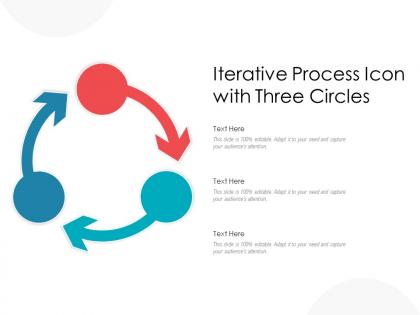
Iterative process icon with three circles




Try Before you Buy Download Free Sample Product
 Impress Your
 Audience
 100%
100% Editable
 Save Hours
 of Time


Our Iterative Process Icon With Three Circles are explicit and effective. They combine clarity and concise expression.
People who downloaded this PowerPoint presentation also viewed the following :
Iterative process icon with three circles with all 2 slides:
Give your audience a fulfilling experience. They will find our Iterative Process Icon With Three Circles elevating.

FAQs for Iterative process icon
Effective iterative process icons include circular arrows, cyclic loops, progressive stages, clear directional flow, and visual continuity elements. These design characteristics streamline communication by emphasizing repetition, refinement, and continuous improvement, with many organizations finding that well-designed iterative icons enhance stakeholder understanding, accelerate project alignment, and ultimately deliver clearer process visualization across teams.
An iterative process icon visually conveys continuous improvement through circular arrows, spiral designs, feedback loops, ascending cycles, and progressive visual elements that demonstrate ongoing refinement. These design elements help organizations communicate enhancement strategies by illustrating cyclical workflows, continuous feedback mechanisms, and progressive development stages, with many businesses finding that well-designed iterative icons enhance stakeholder understanding and engagement with improvement initiatives.
Blue and green combinations work most effectively for iterative process icons, as blue conveys trust and reliability while green suggests growth and progress. These colors, often paired with neutral grays or whites for contrast, help organizations communicate continuous improvement cycles clearly, with many design teams finding that this palette enhances user recognition and reinforces the concept of ongoing refinement and development.
**INPUT**: How does the design of iterative process icons differ across various industries? **OUTPUT**: Iterative process icons vary significantly across industries, with healthcare using circular arrows around medical symbols, manufacturing incorporating gear and production elements, software development featuring code brackets with loop indicators, and financial services emphasizing cycle arrows with currency symbols. These industry-specific designs enhance user recognition and workflow efficiency by incorporating familiar visual languages, ultimately streamlining communication and reducing training time across diverse organizational contexts. [Word count: 60 words]
Common mistakes include using overly complex symbols that confuse viewers, inconsistent arrow directions that break visual flow, poor color contrast reducing accessibility, and cluttered designs that overwhelm the core message. These design flaws undermine user comprehension and workflow efficiency, with many organizations finding that simplified, consistent iconography enhances interface usability and streamlines process communication across teams.
An iterative process icon enhances presentations by visually demonstrating continuous improvement, cyclical workflows, and ongoing refinement cycles, making complex methodologies immediately recognizable to audiences. These visual elements streamline communication in project management, product development, and strategic planning contexts, with many organizations finding that iterative symbols effectively convey adaptability, systematic progress, and commitment to excellence, ultimately delivering clearer stakeholder understanding.
Simplicity enhances iterative process icon effectiveness by ensuring instant recognition, reducing cognitive load, and maintaining clarity across different sizes and contexts. Clean, minimalist designs with essential elements like arrows and cycles communicate the continuous improvement concept more effectively than complex graphics, with many organizations finding that simple icons improve user comprehension and engagement.
Choosing effective symbols for iterative process icons involves selecting universally recognizable elements like circular arrows, cyclic loops, spiral patterns, and interconnected gears that clearly communicate continuous improvement and repetitive workflows. These visual elements should align with your brand aesthetic while maintaining clarity across different sizes and contexts, with many design teams finding that combining directional arrows with circular motifs effectively conveys both movement and cyclical progression to diverse audiences.
Best practices for integrating iterative process icons into existing presentation templates include maintaining consistent color schemes, ensuring proper sizing and alignment, establishing clear visual hierarchy, using appropriate spacing ratios, and selecting complementary design styles. These design principles enhance presentation flow by creating visual continuity, improving audience comprehension, and reinforcing brand consistency, with many organizations finding that strategic icon integration ultimately delivers more professional presentations and stronger stakeholder engagement.
Animated iterative process icons enhance audience engagement by visually demonstrating workflow progression, maintaining attention through dynamic movement, and simplifying complex concepts into digestible stages. These animations help presenters in consulting, project management, and training environments capture audience focus, improve information retention, and facilitate better understanding of cyclical processes, ultimately delivering more impactful presentations and stronger stakeholder buy-in.
Cultural considerations for global iterative process icons include directional reading patterns, color symbolism, religious sensitivities, geometric preferences, and symbolic interpretations across different regions. These design elements significantly impact user comprehension, with many multinational organizations finding that culturally-neutral arrows, universally-positive colors, and simplified geometric forms deliver better user experiences and broader market acceptance.
An iterative process icon adapts to digital and print media by adjusting resolution, color depth, file formats, and scalability requirements. Digital versions prioritize SVG formats for web responsiveness and interactive elements, while print applications focus on vector-based designs with CMYK color profiles, ensuring clarity across business presentations, reports, and marketing materials for consistent brand communication.
Successful iterative process icons include circular arrows with phase labels, spiral workflows showing continuous improvement, connected loop diagrams, cyclical flowcharts, and step-by-step circular processes. These visual elements streamline complex workflows by enhancing audience comprehension, reducing presentation time, and improving stakeholder engagement, with many organizations in healthcare, manufacturing, and software development finding that well-designed icons ultimately deliver clearer communication and faster decision-making processes.
Feedback enhances iterative process icons by identifying clarity issues, visual hierarchy problems, and user comprehension gaps through stakeholder reviews, usability testing, and design critiques. Design teams can systematically incorporate these insights to refine color schemes, adjust symbol complexity, and optimize visual flow, ultimately delivering more intuitive icons that streamline communication and enhance user experience across presentations.
Adobe Illustrator, Figma, Sketch, Canva, and Procreate are recommended tools for designing custom iterative process icons, each offering vector capabilities, symbol libraries, and collaborative features. These platforms streamline icon creation through templates, scalable graphics, and brand consistency tools, with many design teams finding that vector-based workflows deliver professional results while enabling seamless integration across digital presentations and documentation.
No Reviews