

Lagging Leading Powerpoint Ppt Template Bundles




Try Before you Buy Download Free Sample Product
 Impress Your
 Audience
 100%
100% Editable
 Save Hours
 of Time


Our Lagging Leading Powerpoint Ppt Template Bundles are topically designed to provide an attractive backdrop to any subject. Use them to look like a presentation pro.
People who downloaded this PowerPoint presentation also viewed the following :
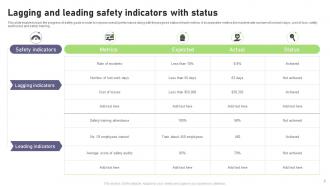
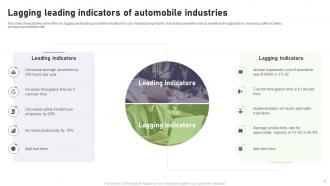
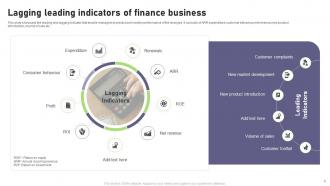
Lagging Leading Powerpoint Ppt Template Bundles with all 17 slides:
Use our Lagging Leading Powerpoint Ppt Template Bundles to effectively help you save your valuable time. They are readymade to fit into any presentation structure.







FAQs for Lagging Leading Powerpoint
Key features include clear visual distinction between metrics, customizable data visualization charts, timeline integration, comparative analysis sections, and professional formatting with consistent color schemes. These templates streamline performance reporting by enabling presenters to showcase historical achievements alongside predictive indicators, helping organizations communicate strategic progress effectively while maintaining audience engagement through structured, data-driven storytelling that ultimately enhances decision-making processes.
A Lagging Leading PowerPoint template enhances audience engagement by providing clear visual differentiation between past performance metrics and future predictive indicators, streamlining complex data interpretation and maintaining viewer focus through structured information flow. These templates enable presenters to tell compelling data stories that resonate with stakeholders, with many organizations finding that balanced metric visualization drives more interactive discussions, ultimately delivering improved decision-making processes and stronger audience participation.
Organizations across consulting, project management, healthcare, manufacturing, and financial services benefit most from lagging leading PowerPoint templates, as these sectors heavily rely on predictive analytics and performance measurement. These templates enable strategic planning teams, quality managers, and executives to visualize performance trends, communicate KPI relationships effectively, and demonstrate how leading indicators drive future outcomes, ultimately enhancing decision-making processes and stakeholder presentations.
Visual elements in a Lagging Leading PowerPoint template enhance information retention by creating clear distinctions between past performance and future projections, using contrasting colors, directional arrows, and strategic positioning. These design features help audiences process complex temporal relationships more effectively, with many organizations finding that well-structured visual hierarchies improve comprehension rates and enable stakeholders to better retain key performance insights during strategic presentations.
A Lagging Leading PowerPoint template adapts seamlessly for digital presentations and webinars through responsive design elements, interactive features, and screen-optimized layouts that enhance virtual audience engagement. These templates streamline remote delivery by incorporating clickable navigation, animated transitions, and clear visual hierarchies, with many organizations finding that digital adaptations improve participant focus and data comprehension during online sessions.
When customizing a Lagging Leading PowerPoint template, consider visual hierarchy through contrasting colors for each metric type, consistent typography that enhances readability, strategic use of icons or symbols to differentiate indicators, and balanced whitespace for professional presentation. These design elements work together to create clear data visualization that enables stakeholders to quickly distinguish between predictive and outcome-based metrics, ultimately delivering more effective presentations and faster decision-making processes.
A Lagging Leading PowerPoint template facilitates strategic planning discussions by clearly visualizing performance metrics, identifying cause-and-effect relationships between actions and outcomes, and enabling teams to balance short-term results with long-term objectives. These templates streamline complex data presentation, enhance cross-functional alignment during planning sessions, and ultimately deliver more informed decision-making processes for sustainable organizational growth.
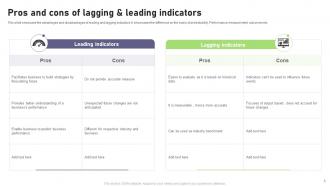
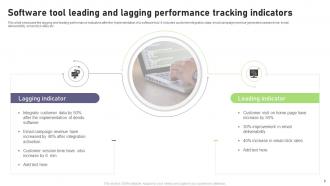
Lagging indicators measure past performance outcomes like revenue and customer satisfaction, while leading indicators predict future results through metrics like pipeline activity, employee engagement, and market trends. A well-designed template effectively represents this difference by using visual hierarchies, contrasting colors, and timeline layouts that clearly separate predictive metrics from historical results, enabling organizations to balance strategic foresight with performance accountability.
Storytelling techniques for Lagging Leading PowerPoint templates include before-and-after narratives, trend progression storytelling, data-driven case studies, milestone journey mapping, and comparative success stories. These approaches transform static metrics into compelling business narratives by showcasing transformation arcs, highlighting performance evolution over time, and demonstrating strategic outcomes, ultimately enabling organizations to communicate complex performance data with greater impact and stakeholder engagement.
Presenters can ensure clarity by using consistent color coding for leading versus lagging indicators, incorporating clear labels and legends, and maintaining uniform scaling across charts and graphs. Through strategic design choices like contrasting colors, readable fonts, and logical data groupings, business professionals streamline audience comprehension while highlighting key performance relationships, ultimately delivering more impactful presentations that drive actionable insights.
Common mistakes include overcrowding slides with excessive data, using inconsistent visual formatting, failing to clearly distinguish between lagging and leading indicators, and neglecting to establish causal relationships between metrics. These design pitfalls undermine strategic clarity by confusing audiences, diluting key insights, and reducing decision-making effectiveness, with many organizations finding that streamlined presentations ultimately deliver stronger stakeholder engagement and actionable outcomes.
Animations within a Lagging Leading PowerPoint template enhance message delivery by creating visual progression that mirrors temporal relationships, highlighting cause-and-effect connections, and guiding audience attention through sequential data revelations. These dynamic elements enable presenters to demonstrate how leading indicators predict outcomes while lagging indicators confirm results, with many executives finding that animated transitions between metrics significantly improve stakeholder comprehension and strategic decision-making discussions.
Best practices for using a Lagging Leading PowerPoint template in team meetings include establishing clear metric definitions, aligning indicators with strategic objectives, encouraging collaborative data interpretation, and maintaining consistent review schedules. These approaches streamline performance discussions by creating visual clarity around cause-and-effect relationships, enabling teams to identify proactive interventions while tracking results, ultimately delivering more strategic decision-making and improved accountability across organizational levels.
Case studies can illustrate lagging and leading indicators by showcasing real scenarios where leading metrics like customer satisfaction scores predicted lagging outcomes such as revenue growth. Through comparative analysis, organizations can demonstrate how retail companies tracking website engagement rates forecasted sales performance, or how manufacturing firms monitoring equipment maintenance schedules prevented costly downtime, ultimately delivering strategic insights and competitive advantage.
**INPUT**: What software tools can be used alongside a Lagging Leading PowerPoint template to maximize presentation effectiveness? **OUTPUT**: Software tools that enhance Lagging Leading PowerPoint templates include Tableau for dynamic data visualization, Excel for real-time metric calculations, Power BI for dashboard integration, and Canva for custom graphics enhancement. These applications streamline data preparation, automate indicator updates, and deliver more compelling visual storytelling, with many organizations finding that this strategic combination significantly reduces presentation prep time while enhancing audience engagement. [Word count: 60]
-
Extremely professional slides with attractive designs. I especially appreciate how easily they can be modified and come in different colors, shapes, and sizes!
-
Definitely a time saver! Predesigned and easy-to-use templates just helped me put together an amazing presentation.