

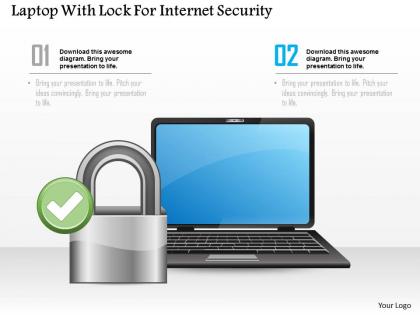
Laptop with lock for internet security ppt slides




Try Before you Buy Download Free Sample Product
 Impress Your
 Audience
 100%
100% Editable
 Save Hours
 of Time


Our Laptop With Lock For Internet Security Ppt Slides are the Go-To type. They create an aura of reliability.
People who downloaded this PowerPoint presentation also viewed the following :
Laptop with lock for internet security ppt slides with all 5 slides:
Our Laptop With Lock For Internet Security Ppt Slides create examples others choose to follow. Always establish fresh benchmarks.
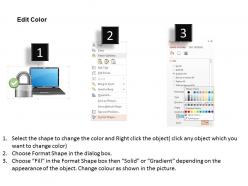
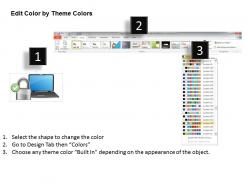
FAQs for Laptop with lock for internet
Essential laptop security features include biometric authentication, TPM chips, encrypted storage, secure boot capabilities, and enterprise-grade antivirus integration. These technologies enhance protection by preventing unauthorized access, securing data at rest, and detecting threats in real-time, with many organizations finding that comprehensive security features ultimately reduce breach risks while maintaining operational efficiency.
Software updates enhance laptop security by patching vulnerabilities, strengthening encryption protocols, improving firewall defenses, and updating malware detection systems. These regular updates enable organizations to maintain robust cybersecurity postures across their device fleets, with many enterprises finding that automated update management significantly reduces security breaches while ensuring operational continuity.
Encryption plays a crucial role in laptop security by converting sensitive data into unreadable code that requires specific keys to access, protecting information even if devices are stolen or compromised. Through full-disk encryption and file-level protection, organizations in healthcare, finance, and legal sectors can safeguard client records, financial data, and confidential documents, ultimately ensuring compliance and maintaining competitive advantage.
Users can effectively manage laptop passwords through strong, unique combinations, regular updates, multi-factor authentication, password managers, and biometric options like fingerprints or facial recognition. These security measures streamline access while minimizing vulnerabilities, with many organizations finding that strategic password policies, combined with automated management tools, ultimately deliver enhanced protection and user convenience.
Public Wi-Fi risks include data interception, man-in-the-middle attacks, malware distribution, rogue hotspots, and credential theft through unsecured network connections. These vulnerabilities can be mitigated by using VPNs, enabling firewall protection, avoiding sensitive transactions, connecting only to verified networks, and keeping security software updated, ultimately delivering safer remote work capabilities and protected business communications.
Biometric security measures enhance laptop protection by providing multi-layered authentication through fingerprint scanners, facial recognition, and iris detection, making unauthorized access significantly more difficult. These technologies streamline user verification while eliminating password vulnerabilities, with many organizations finding that biometric integration reduces security breaches and enhances operational efficiency across remote workforces.
Best practices for backing up secure laptop data include automated cloud backups with encryption, regular local backups to encrypted external drives, version control systems, air-gapped offline storage, and multi-location redundancy strategies. These approaches streamline data protection by minimizing human error, ensuring business continuity, and maintaining regulatory compliance, with many organizations finding that comprehensive backup protocols ultimately deliver faster recovery times and reduced operational risks.
VPNs enhance laptop security by encrypting internet traffic, masking IP addresses, and creating secure tunnels between devices and servers. This protection proves especially valuable for remote workers and business travelers, with many financial institutions and healthcare organizations finding that VPNs enable secure access to sensitive data while minimizing risks from public Wi-Fi networks.
Users should immediately change all account passwords, report the theft to authorities and employers, remotely wipe the device if possible, and notify financial institutions of potential data exposure. These security measures minimize identity theft risks, protect sensitive business information, and prevent unauthorized access to corporate networks, with many organizations finding that rapid response protocols significantly reduce breach impacts and maintain operational security.
Malware protection and antivirus software safeguard laptops by detecting suspicious activities, blocking malicious downloads, and scanning files in real-time for threats. These security solutions enhance system protection through automated updates, firewall integration, and behavior monitoring, with many organizations finding that comprehensive antivirus packages ultimately deliver reduced security incidents and improved operational continuity across their networks.
Physical security significantly impacts laptop safety by preventing theft, unauthorized access, and data breaches through cable locks, biometric authentication, secure storage areas, and access controls. These measures protect sensitive information from physical tampering and theft, with many organizations finding that combining physical safeguards with encryption ultimately delivers comprehensive data protection and regulatory compliance.
Users create secure laptop environments in shared spaces by using privacy screens, positioning screens away from foot traffic, enabling automatic screen locks, and utilizing VPN connections for data protection. These practices help professionals in coworking spaces, coffee shops, and airports maintain confidentiality while working remotely, ultimately delivering enhanced data security and peace of mind in increasingly mobile work environments.
External devices connected to laptops present threats including malware injection through infected USB drives, data theft via unauthorized storage devices, network breaches through compromised peripherals, keyloggers capturing sensitive information, and firmware attacks targeting device drivers. These vulnerabilities enable cybercriminals to bypass traditional security measures, steal confidential data, and gain persistent access to corporate networks, with many organizations finding that comprehensive device management policies significantly reduce these security risks.
Users can educate themselves about social engineering attacks through cybersecurity awareness training, recognizing phishing attempts, understanding pretexting tactics, and learning about physical security threats like shoulder surfing. These educational approaches enhance protection by building threat recognition skills, promoting cautious behavior with suspicious communications, and implementing proper laptop handling procedures, ultimately delivering stronger personal cybersecurity awareness and reduced vulnerability to manipulation-based attacks.
Organizations can enforce laptop security policies through mandatory endpoint protection software, regular security training programs, automatic system updates, multi-factor authentication requirements, and centralized device management systems. These measures streamline compliance by monitoring policy adherence remotely, blocking unauthorized applications, and providing real-time security alerts, with many enterprises finding that automated enforcement reduces security incidents while enabling seamless productivity across distributed workforces.
-
Unique and attractive product design.
-
Excellent design and quick turnaround.