

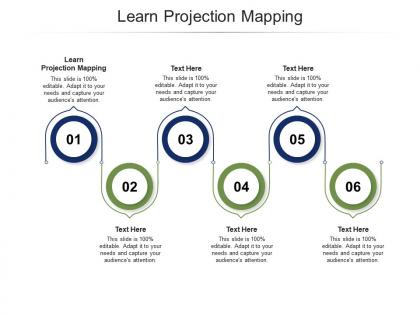
Learn projection mapping ppt powerpoint presentation layouts slide cpb




Try Before you Buy Download Free Sample Product
 Impress Your
 Audience
 100%
100% Editable
 Save Hours
 of Time


Our Learn Projection Mapping Ppt Powerpoint Presentation Layouts Slide Cpb are topically designed to provide an attractive backdrop to any subject. Use them to look like a presentation pro.
People who downloaded this PowerPoint presentation also viewed the following :
Learn projection mapping ppt powerpoint presentation layouts slide cpb with all 2 slides:
Use our Learn Projection Mapping Ppt Powerpoint Presentation Layouts Slide Cpb to effectively help you save your valuable time. They are readymade to fit into any presentation structure.
FAQs for Learn projection mapping ppt powerpoint presentation
So you're gonna need four main things for projection mapping. Get yourself some high-lumen projectors first - they gotta be bright enough for your space and lighting situation. Then grab mapping software like MadMapper or Resolume to bend your visuals around weird surfaces. Content prep is huge too (honestly where most people screw up) - you can't just throw any video at it. Oh, and calibration gear helps align everything perfectly. Cameras or sensors basically. Start with something simple first though. Trust me, don't jump straight into mapping onto buildings or you'll hate yourself.
Dude, projection mapping is seriously cool - it basically turns any surface into this crazy interactive screen. You can make your content wrap around objects or create wild 3D effects that make walls look like they're melting or whatever. Way more engaging than boring old slides, right? People lose their minds over it because it's so visual and shareable. Plus you can adjust things on the fly based on how the crowd's reacting. Just don't go nuts right away though. Start with basic shapes first - I learned that the hard way trying to map onto my friend's weird sculptural coffee table.
**MadMapper**, **Resolume Arena**, and **TouchDesigner** are the big three everyone uses. MadMapper's perfect for beginners - super intuitive interface. Resolume kills it for live video mixing and effects. TouchDesigner gets complex but you can build absolutely wild installations with it. **HeavyM** won't break the bank if budget's tight. **Millumin** is solid too, though it's Mac only which is kinda annoying. I'd definitely start with MadMapper first. Get comfortable with the basics, then move up to the heavier stuff when you're ready for more complex projects. That's how I did it anyway.
So basically you're not stuck with boring flat screens anymore - projection mapping lets you turn literally any 3D thing into your display. Buildings, sculptures, whatever. There's this software that figures out the exact shape of what you're projecting on, then maps your content to fit perfectly. The coolest part? You can make solid walls look like they're melting or breaking apart. Way more fun than regular displays since you work with stuff that's already there. Oh and definitely practice on simple shapes first - I learned that the hard way when I tried mapping onto my friend's weirdly-shaped sculpture.
Car companies are going crazy with it - they'll project onto entire buildings for launches. Retail brands are turning storefronts into these interactive displays that are honestly pretty cool. Music festivals use it for stage design, and don't even get me started on fashion shows these days... some are absolutely wild. Real estate developers show off properties with it too. Restaurants are doing immersive dining experiences, which sounds kinda gimmicky but apparently works? Sports venues love it for halftime shows and getting fans hyped up. If you're thinking about trying it, maybe start small with a local venue first and see how people react.
Disney's projection mapping on their castles is insane - seriously draws huge crowds every night. You've definitely seen those festival videos where entire buildings come alive, like the Sydney Opera House during Vivid. Car companies are obsessed with it too, projecting right onto vehicles during launches to show off features. Way cooler than boring old displays, honestly. Trade shows use it for immersive product demos without needing actual physical stuff everywhere. Definitely hit up some YouTube compilations though. The range is wild and you'll get tons of ideas for whatever you're working on.
Ugh, surface mapping is such a nightmare - you'll lose your mind trying to get everything aligned on weird 3D shapes. Keystone corrections take forever. Ambient light will destroy your whole setup too, even just a little bit washes everything out. High-lumen projectors aren't cheap either, so your budget's gonna hurt. Oh and if you're outside? Forget about it when it's humid or windy. I learned that one the hard way lol. Seriously though, plan way more time than you think for calibration and have a backup plan for lighting.
Motion sensors are your best bet - super reliable and people lose their minds when the projection reacts to them walking by. Depth cameras work great for gesture tracking too. Touch surfaces let people directly mess with the visuals, which is pretty satisfying. Oh, and mobile apps are clutch if you want remote control options. Really depends on your setup though. Museum stuff needs different tech than like a store display. I'd honestly start basic with motion detection first - once you get that dialed in, then you can get fancy with the complex interactions. Don't overcomplicate it right out the gate.
Dude, lighting will totally make or break your projection. Projectors are weak against bright rooms - any stray light just washes everything out completely. Dark surfaces suck up all the light while bright ones reflect way better. I've literally watched epic projections turn to garbage because someone forgot to dim the house lights lol. Test everything under real show conditions, not just your dark setup room. Oh and definitely map out a lighting plan beforehand that covers your projectors plus whatever ambient light you can't control. Trust me on this one.
Honestly, stick with smooth, light surfaces - they'll reflect light way better than anything dark or textured. I tried projecting on brick once and it was a disaster, just swallowed all the brightness. White walls are your friend here. Complex shapes look cool but you'll spend forever mapping everything and dealing with weird distortions. Oh and think about where people will be standing - some angles look terrible depending on the setup. The geometry stuff can get really tedious if you're not careful. Start simple until you've got the software down, then go crazy with fancy surfaces later.
Honestly, the biggest thing is mapping out every weird corner and surface dimension before you even touch your design software. Work *with* the building, not against it - I learned this the hard way on a project last year. High contrast is your friend since projectors just murder fine details, especially outside. Also budget for way more brightness than seems logical. The kicker? Test with your actual setup constantly. Your monitor will lie to you - that gorgeous animation might look terrible on whatever wonky surface you're hitting. Trust me on this one.
Scale totally flips everything with projection mapping. Huge building facades? You're stuck juggling multiple projectors, alignment headaches, and crazy high resolution demands. But small intimate setups are way easier - just one projector and basic software usually does it. Honestly, the middle ground is where it's at if you want to stay sane. Your content has to match viewing distance too. Fine details look amazing up close but vanish on massive walls (learned that the hard way). Figure out what experience you want people to have first, then work backwards from there.
Dude, projection mapping is seriously cool for teaching. Instead of boring lectures, project the solar system right onto your classroom walls - kids can literally walk through space. Museums do this all the time to make artifacts come alive. Language teachers project interactive scenes for conversation practice, med schools map anatomy onto 3D models. Even something simple like projecting onto random objects completely changes how students connect with the material. Honestly, once you see it work, you'll wonder why more teachers aren't doing this. Start small and watch your students actually remember stuff for once.
Dude, sound design is EVERYTHING for projection mapping. I can't stress this enough - your visuals will look amazing but feel totally empty without the right audio backing them up. You know how weird it feels watching a movie on mute? Same thing here. The timing has to be spot-on with every visual transition and mapping cue, plus it needs to match your content's vibe. Honestly, most people treat sound like an afterthought and it shows. Plan your audio early in the process - like, right from the start when you're sketching out concepts. Trust me on this one.
Dude, the real-time auto-calibration stuff is insane - projections adjust themselves instantly now. Interactive mapping is where it's at though, people can literally touch and move the visuals around. AI content generation is getting crazy good too, it'll create visuals based on how the audience reacts. Oh, and 4K/8K projectors don't cost a fortune anymore, which is wild. The latency issues are basically solved now so live shows actually work. AR/VR integration is getting smoother too. Honestly? Start with the interactive features - that's what's making clients the most money right now.
-
Perfect template with attractive color combination.
-
Design layout is very impressive.
-
Very well designed and informative templates.
-
Unique and attractive product design.
-
Excellent Designs.
-
Illustrative design with editable content. Exceptional value for money. Highly pleased with the product.
-
Appreciate the research and its presentable format.