

Man crawling walking running flying positions flat powerpoint design




Try Before you Buy Download Free Sample Product
 Impress Your
 Audience
 100%
100% Editable
 Save Hours
 of Time


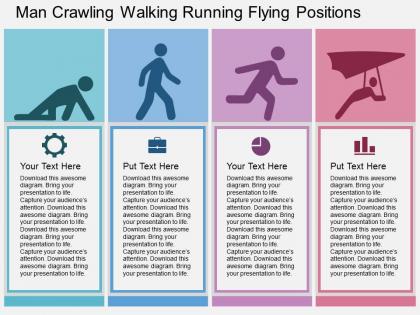
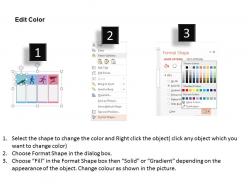
Show your continued work determination with our man crawling walking running flying positions PowerPoint template and slides. In this PowerPoint template slide design we have used graphic of man in crawling, walking and running positions. This PPT diagram contains the concept of game and growth. One can apply this presentation template slide for designing game and success related presentations. Our presentation template layout gives you a chance to highlight the significance of making the ideal procedure for the business procedure. When you work towards the coveted objective, you ought to guarantee that you arrange things in the sorted out way, for example, how you will defeat the difficulties and dangers that will come in your direction or how might want to advance your new item or administration to the objective prospect. The PPT slide is an answer for you to make your gathering of people comprehend that the things should be arranged in the sorted out way on the off chance that you want something which you never had. Display continued determination with our Man Crawling Walking Running Flying Positions Flat Powerpoint Design. You will never appear half hearted.
People who downloaded this PowerPoint presentation also viewed the following :
Man crawling walking running flying positions flat powerpoint design with all 4 slides:
Our Man Crawling Walking Running Flying Positions Flat Powerpoint Design come in an array of exciting choices. You will have great fun deciding.
FAQs for Man crawling walking running flying positions
Movement enhances audience engagement by creating visual interest, emphasizing key points, directing attention, and establishing stronger presenter-audience connections. Strategic movement between presentation areas, purposeful gestures, and dynamic positioning help maintain focus while conveying confidence and energy, with many speakers finding that deliberate physical engagement significantly improves message retention and overall presentation impact.
Movement in slide design integrates through animated transitions, progressive reveal techniques, directional visual elements like arrows and lines, strategic use of motion graphics, and carefully timed content sequencing. These dynamic approaches enhance audience engagement by guiding attention flow, emphasizing key points through purposeful animation, and creating memorable presentations that maintain viewer focus, ultimately delivering more impactful communication and stronger message retention.
Movement significantly enhances information retention by capturing visual attention, creating memorable anchors for key points, and engaging multiple cognitive processing channels simultaneously. Strategic presenter gestures, purposeful stage positioning, and animated visual elements help audiences connect abstract concepts to physical actions, with studies showing that kinesthetic engagement can improve recall rates by up to 40%, ultimately delivering more impactful and memorable presentations.
**INPUT**: What are some effective animations that can be used to demonstrate complex ideas through movement? **OUTPUT**: Effective animations for complex ideas include morphing transitions, step-by-step reveals, interactive timelines, layered builds, and dynamic flowcharts that guide viewer attention progressively. These movement techniques enhance comprehension by breaking down intricate concepts into digestible segments, with many organizations finding that animated presentations deliver significantly higher engagement and retention rates than static alternatives. [Word count: 56 words]
Presenters can utilize body movement by incorporating purposeful gestures, strategic stage positioning, confident posture, deliberate pacing, and intentional proximity changes with their audience. These techniques enhance engagement by emphasizing key points, creating visual interest, and establishing trust, with many speakers finding that controlled movement significantly improves message retention and audience connection.
Movement in presentations enhances viewer engagement, improves information retention, creates visual hierarchy, guides attention flow, and stimulates cognitive processing through dynamic elements. These psychological mechanisms work by activating multiple sensory pathways, reducing cognitive load, and maintaining audience focus, with many presenters finding that strategic animation and transitions ultimately deliver clearer communication and stronger audience connection.
Movement in data visualization enhances clarity by highlighting trends, transitions, and relationships through animated charts, progressive reveals, and interactive sequences that guide viewer attention systematically. These dynamic approaches help audiences process complex statistical information more intuitively, with financial services and healthcare organizations finding that animated dashboards significantly improve decision-making speed and data comprehension rates.
Effective techniques include strategic timing of transitions, purposeful animation sequences, consistent visual hierarchies, selective emphasis on key points, and synchronized movement with verbal cues. These approaches streamline audience attention by creating natural flow patterns, reducing cognitive overload, and enhancing message retention, with many presenters finding that measured movement ultimately delivers greater engagement and comprehension.
Presenters can guide audience attention through strategic positioning, deliberate gestures toward visual aids, purposeful stage movement during transitions, and stepping closer for emphasis. These movement techniques work by creating visual focal points, reinforcing verbal messages, and establishing physical proximity that enhances engagement, with many speakers finding that coordinated movement significantly improves message retention and audience connection.
Excessive movement in presentation visuals can overwhelm audiences, distract from key messages, create cognitive overload, and reduce information retention. While strategic animation enhances engagement, overuse often leads to viewer fatigue, decreased comprehension, and professional credibility concerns, with many presenters finding that subtle, purposeful movement delivers stronger audience focus and message clarity.
Movement in storytelling enhances narrative flow by creating visual transitions between key points, maintaining audience engagement through dynamic pacing, and reinforcing emotional beats with purposeful gestures. Strategic presenter movement, combined with visual slide transitions, helps organizations deliver more compelling presentations, with many finding that coordinated physical and narrative movement significantly improves audience retention and message clarity.
**INPUT**: What tools and software options are available for adding effective movement to presentation templates? **OUTPUT**: Movement tools include PowerPoint's built-in animations, Prezi's dynamic transitions, After Effects for advanced motion graphics, Canva's animated templates, and specialized platforms like Powtoon. These technologies enhance audience engagement by streamlining visual storytelling, reducing cognitive load, and creating memorable experiences, with many organizations finding that strategic animation ultimately delivers stronger message retention and competitive presentation advantage. [Word count: 58 words]
Different cultural perspectives on movement significantly impact presentation effectiveness by influencing audience expectations, comfort levels, and engagement patterns across diverse cultural contexts. While Western audiences often appreciate dynamic gestures and spatial movement, many Asian cultures favor more restrained physical expression, and Middle Eastern audiences may have specific gender-related movement considerations, requiring presenters to adapt their kinesthetic approach for maximum cross-cultural resonance and connection.
**INPUT**: What types of transitions can be used to maintain a sense of movement while ensuring coherence in presentation flow? **OUTPUT**: Effective transitions include sequential connectors, visual bridges, narrative threads, thematic callbacks, and momentum-building phrases that guide audiences smoothly between concepts. These techniques enhance comprehension by creating logical pathways, reinforcing key messages, and maintaining engagement, with many presenters finding that strategic transitions ultimately deliver more compelling storytelling and stronger audience retention.
Interactive elements incorporate movement through live polling with gesture-based responses, real-time Q&A sessions requiring audience repositioning, collaborative breakout activities, and gamified presentations with physical participation challenges. These approaches transform static presentations into dynamic experiences by encouraging audience mobility, fostering peer interaction, and creating memorable engagement moments, ultimately delivering enhanced retention and stronger presenter-audience connections across corporate training, educational, and conference environments.
-
Professional and unique presentations.
-
Understandable and informative presentation.