

Marketing Collateral Powerpoint Ppt Template Bundles




Try Before you Buy Download Free Sample Product
 Impress Your
 Audience
 100%
100% Editable
 Save Hours
 of Time


Our Marketing Collateral Powerpoint Ppt Template Bundles are topically designed to provide an attractive backdrop to any subject. Use them to look like a presentation pro.
People who downloaded this PowerPoint presentation also viewed the following :
Marketing Collateral Powerpoint Ppt Template Bundles with all 22 slides:
Use our Marketing Collateral Powerpoint Ppt Template Bundles to effectively help you save your valuable time. They are readymade to fit into any presentation structure.
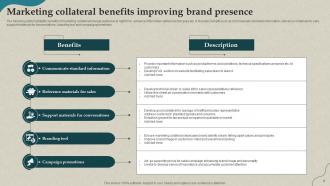
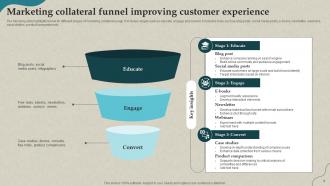
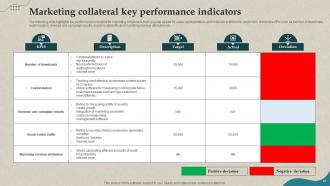
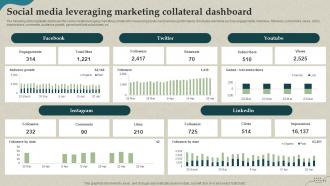





FAQs for Marketing Collateral Powerpoint
Okay so first thing - your headline needs to hook people right away. Support that with copy that actually speaks to what's bugging your audience. Design honestly matters more than people think; ugly stuff just gets tossed aside no matter how good your message is. Throw in some testimonials or case studies if you've got them - social proof works. Always end with a clear next step, not some vague "contact us" nonsense. Keep everything on-brand and don't forget basic contact info (you'd be surprised how often that gets missed). Test different versions to see what clicks.
Start with a brand style guide - seriously, this is everything. Colors, fonts, logo rules, how you talk, your main messages. Then actually stick to it across all your stuff. I swear, so many companies skip this and their Instagram looks nothing like their brochures. Make templates for the basics so your team can't mess it up even on their worst day. Oh, and before anything goes live, ask yourself "does this actually feel like our brand?" It's weirdly effective. Trust me on this one.
Visual design is huge - it's literally what makes people stop and actually look at your stuff instead of just scrolling by. I've watched really solid copy completely bomb because the design looked cheap or messy, which is honestly painful to see. Good visuals build trust and show off your brand's personality. They also help organize info so it doesn't feel overwhelming. Your design should guide people's eyes to the important parts and make complicated stuff seem way more manageable. Oh, and start with consistent colors and fonts across everything - that small change makes such a difference in looking professional.
Honestly, just flip your whole approach - make your customers the main characters, not your product. Pick a problem they're dealing with and walk through how things actually changed for them. Case studies are perfect for this since they're literally just success stories dressed up professionally. Even dropping simple before/after examples into your brochures makes a huge difference. I'd start small though - grab one piece you've already got and restructure it around someone's actual journey instead of listing features. The whole "relatable problem → transformation" thing works way better than you'd think. Makes everything feel less salesy and more like... I don't know, like you actually get what people are going through.
Oh man, the worst thing is when people make it all about themselves instead of what actually bugs their customers. Also way too much text - nobody's reading a novel on your brochure! Typos will absolutely murder your credibility, so proofread that thing. Those cheesy stock photos? They make you look amateur tbh. Quick tip - always test your call-to-action buttons before you blow money printing 500 copies. Start with what your audience needs. Keep it simple. Get someone else to look at it first because you'll miss obvious stuff.
Honestly, format makes a huge difference in how people actually use your stuff. Brochures are solid for detailed info they'll keep around. Infographics? Those spread everywhere on social - people love the visual bite-sized thing. Presentations work in meetings but are awful when someone's alone trying to click through slides (seriously, who does that?). Think about your audience first. Busy execs will probably prefer infographics. Technical crowd might want the full brochure treatment. You should totally test the same content in different formats and see what performs better. The numbers don't lie.
Track download rates and how long people actually spend looking at your stuff - that's your basic engagement. Conversion rates matter more though. How many folks who grabbed your collateral actually requested a demo or bought something? Short sentences work. UTM parameters on digital pieces will show you the whole customer journey, which is honestly pretty cool to see in action. Don't forget to check if your sales team's even using what you make - kinda defeats the purpose if it just sits there. Oh, and see what gets shared or forwarded around. That tells you what actually hits different with people.
Break down your main message for each group you're targeting. CEOs want to hear about ROI and big picture stuff, while IT managers need the technical nitty-gritty. Same product, but you're basically having completely different conversations - which honestly makes sense when you think about it. Map out what each audience actually cares about first. Then switch up your headlines, benefits, maybe even the design. I'd probably start with just two versions and test them out. You don't need to overthink this part. Just see which one gets better responses from each group and go from there.
Canva's probably your best bet to start - their templates are actually decent and you don't need to know design stuff. Adobe Creative Suite is obviously the pro choice (InDesign, Illustrator, Photoshop) but honestly? The learning curve's brutal. Figma works well if you're collaborating with others. Oh, and skip PowerPoint - Pitch or Beautiful.ai look way better for presentations. I'd just go with Canva first since you can always switch to something fancier later. No point overwhelming yourself right away.
Honestly, most companies do it every 6-12 months but it really depends on your industry. Tech moves crazy fast so maybe quarterly updates, but if you're in something more traditional you can probably wait longer. I'd say watch for the obvious stuff - new competitors popping up, your messaging shifts, or when your materials just look... old. You know that moment when you see your brochure and think "ugh, we made this?" Performance metrics don't lie either. If people aren't engaging like before, time for a refresh. Set quarterly check-ins even if you don't change everything.
Templates are honestly a lifesaver for marketing stuff. Your brochures won't look completely different from your website anymore - everything stays on-brand with the same colors, fonts, all that. Brand recognition gets way stronger when customers see consistent materials. Plus your team saves tons of time not reinventing the wheel every project. I'd start with whatever pieces you use most often. The whole thing just looks more professional too, which matters more than people think. No more creative chaos where everyone does their own thing.
Start with your brand basics - messaging, visuals, tone - and keep them consistent everywhere. Then make content that can work multiple ways. Take a whitepaper and slice it into blog posts, social graphics, whatever you need. Most companies totally blow this by keeping digital and print teams in separate silos, which is honestly pretty dumb since customers don't think that way. They just want things to make sense no matter where they see you. Brand guides help a ton here. Oh, and content templates too - saves everyone from reinventing the wheel. Plan everything together upfront instead of trying to fix it later.
Okay so start with high contrast colors and readable fonts - nothing smaller than 12pt because squinting sucks. Alt text on every image is non-negotiable. For videos, captions are a must. I know color-coding seems like the easy route, but colorblind people will miss those cues entirely, so don't rely on it alone. Jargon's another trap - keep language simple. Some people love audio versions while others need large print, so offer different formats when you can. Honestly, the best move is testing your stuff with real people from different backgrounds. Pick one piece to start with, nail those changes, then roll it out to everything else.
Your sales team is literally out there using your marketing stuff with real people every day. They know which materials make prospects' eyes light up and which ones make them check their phones. Listen to what they're saying - they'll tell you when your copy is too fancy or missing something important. Plus they hear the same objections over and over, so they know what actually works. Honestly, some of my best marketing insights have come from just grabbing coffee with sales reps. Set up regular chats with them. Their field stories are way more valuable than any survey data.
Honestly, personalization is everything now - people want stuff that actually speaks to their industry. Short videos are killing it, especially testimonials that don't look super produced. QR codes are back somehow? Wild. Sustainability messaging isn't optional anymore either. But here's what's really smart - create modular content your sales team can mix and match for different prospects. Way more flexible than those massive brochures nobody reads. I'd start by looking at what you already have. Most of it can probably be chopped up into smaller, shareable pieces that actually get used.
-
This design is not only aesthetically pleasing but it has many uses making the cost worthwhile. The graphics look stunning, and you can edit them as per your needs.
-
Impressive templates. Designing a presentation is fun now!