

Mixed Reality PowerPoint PPT Template Bundles




Try Before you Buy Download Free Sample Product
 Impress Your
 Audience
 100%
100% Editable
 Save Hours
 of Time


Our Mixed Reality PowerPoint PPT Template Bundles are topically designed to provide an attractive backdrop to any subject. Use them to look like a presentation pro.
People who downloaded this PowerPoint presentation also viewed the following :
Mixed Reality PowerPoint PPT Template Bundles with all 22 slides:
Use our Mixed Reality PowerPoint PPT Template Bundles to effectively help you save your valuable time. They are readymade to fit into any presentation structure.











FAQs for Mixed Reality PowerPoint
Focus on interactive 3D stuff people can actually touch and move around. Smooth transitions between virtual and real content work great too. Hotspots for clicking, spatial audio, gesture controls - you want them feeling like they're inside the presentation, not just staring at it. Oh, and depth-aware animations that follow head movement are pretty cool if you can swing eye tracking. Honestly, the best part is when people can walk around objects or peek behind things naturally. Just don't go crazy - one solid interactive feature per slide beats cramming everything with random effects.
So start with your main message, then figure out which parts would actually work better in 3D space - like product demos or letting people walk through data instead of just staring at charts. Mixed reality is basically 3D objects, interactive hotspots, and animations that respond when users mess around with them. Way cooler than clicking through slides linearly. The best presentations I've seen don't even feel like PowerPoint anymore, tbh. Focus on moments where your audience can explore stuff themselves rather than watching you advance slides. Oh, and don't go crazy - try one interactive element first, then build up from there.
Honestly, tech companies and healthcare get the most out of these mixed reality PowerPoint templates. Medical procedures, 3D product demos, architectural stuff - basically anything that's impossible to show on regular flat slides. Manufacturing uses them for training simulations too, which makes sense since you can practice dangerous scenarios without actual risk. Education and real estate are jumping on this pretty hard lately. Real estate walkthroughs are actually pretty cool when done right. I'd figure out what your most confusing presentation topic is first - if people always look lost when you're explaining something technical, that's probably where you'll see the biggest difference with spatial visualization.
Dude, mixed reality PowerPoint templates are actually a game changer for keeping people's attention. Your audience will remember way more - we're talking 30-40% better retention rates. The brain processes info differently when people can interact with 3D models instead of just reading boring bullet points. Pretty wild stuff, honestly. But here's the thing - don't go overboard with flashy effects that distract from your actual message. I'd say start with just one interactive element per presentation. You'll be surprised how much more engaged everyone gets when they can actually "touch" the concepts you're explaining rather than zone out during another static slideshow.
Think about depth and layers - you want everything to feel 3D, not stuck flat on a screen. Throw in some subtle shadows and play with different scales. Keep backgrounds super clean though, because honestly, you're already dealing with enough visual noise when holograms are floating everywhere. Text needs to be chunky and high-contrast since MR displays can be weird for reading stuff. Oh, and definitely test it in the actual headset before you call it done. I've seen designs that looked amazing on a regular monitor but were completely unreadable in VR. Trust me on that one.
Dude, animated stuff in mixed reality completely changes how you tell stories. Abstract ideas suddenly feel real, and people actually connect emotionally instead of just staring at boring slides. Picture walking your audience through floating data or having charts build around you while you talk. Short version: you're inside the presentation rather than clicking through it. Moving around objects guides attention naturally, plus the cool factor keeps everyone way more engaged. Honestly, traditional presentations feel pretty flat after experiencing this. Start with just one animated 3D element and see how it goes.
You've probably heard of the "6x6 rule" - 6 bullet points, 6 words each. It's a decent starting point, but honestly MR content sometimes needs more flexibility than that. Your 3D stuff should back up your text, not fight with it for attention. Put your main points up front and push supporting details deeper into the space. Oh, and white space matters way more in mixed reality - people's eyes get tired fast in headsets. Test everything in the actual MR environment first because I've learned the hard way that slides looking fine on my laptop can feel totally chaotic once you're wearing the thing. Don't skip the preview!
You need Windows 10/11 with a mixed reality headset - HoloLens 2 or any Windows MR device works. PowerPoint 365 is a must, obviously, with the MR features turned on. Specs matter here: 8GB RAM minimum and a decent graphics card because this stuff will absolutely murder older machines. Stable internet helps since some templates grab cloud content. Oh, and definitely do a full run-through beforehand - nothing's worse than your slides breaking during the actual presentation. Download whatever MR templates you're using ahead of time. Trust me on the practice run thing.
So instead of people just staring at screens like zombies, interactive MR gets them moving around and actually doing stuff. They can grab 3D objects, walk through scenarios, work together on digital things that appear right in their room. Honestly the retention rates are way better when people use their hands. You can set up branching paths too - their decisions change what happens next, which is pretty cool. Oh and collaboration gets weird in a good way when you're both looking at the same hologram. Start simple though - maybe rotating 3D models or basic polls before going crazy with it.
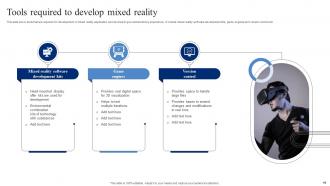
You'll need PowerPoint (duh) plus something like Blender or SketchUp for the 3D stuff. Canva works great for backgrounds that won't look weird next to your 3D objects. Fair warning though - Blender's learning curve is absolutely savage at first, but YouTube tutorials are your friend. PowerPoint's animation tools are actually pretty solid for basic stuff. After Effects gives you more options if you want to get fancy. Oh, and definitely grab a HoloLens or similar headset to test everything. Trust me on this - start with simple shapes before you try making anything complex. I made that mistake once and it was a mess.
Yeah they totally work! I use them all the time on Teams and Zoom - honestly the 3D stuff actually pops more on video calls since everyone's so used to boring flat slides. Just test your internet first because the files can be chunky and you don't want lag during your presentation. The visuals are pretty eye-catching when people are dialing in from random places. Oh and talk a bit slower than normal since there's more happening on screen. I'd make a backup slide deck too just in case, but your audience will see all the mixed reality effects exactly like you do.
Dude, mixed reality PowerPoint templates are a game changer. Instead of everyone zoning out on their phones, you're getting them to actually participate with interactive polls and point systems through AR/VR. People love competing - throw in a leaderboard and watch them perk up instantly. The 3D stuff makes boring concepts way easier to grasp too, so they'll remember more afterward. I'd honestly start simple with AR polls or let them mess around with virtual objects. The energy shift is crazy obvious once you try it. Way better than traditional slides where half the room checks out after five minutes.
Don't go overboard with the AR stuff just because it looks fancy - honestly, it pulls focus from what you're actually trying to say. Check everyone's devices beforehand or you'll have this weird split where some people are watching holograms and others are stuck with boring slides. Mixed reality takes longer to load than regular presentations, so practice your timing. I always keep backup static slides ready because tech loves to fail at the worst moments. Test everything at least twice, only use AR when it actually adds something meaningful, and yeah - definitely have that plan B locked and loaded.
Yeah, it's gonna take you way longer at first - like double your usual PowerPoint time, maybe more. You're basically learning to design in 3D and testing how everything looks from different angles. Plus you can't just stand there clicking - you're walking around your content, so you need to practice your actual movements. Honestly the whole thing is kinda awkward until you get used to it. I'd block out a whole day for your first one, don't even think about rushing it. Once you figure out the tools though, the next ones get way easier.
Honestly there aren't many formal case studies yet - MR templates are still pretty cutting edge. Microsoft has shared some examples though. Their enterprise clients using MR for product demos and training are seeing way better engagement than regular slides. Some consulting firms noticed clients remember pitches better with 3D models and interactive stuff. Early data shows people stay focused longer and ask smarter questions. The whole thing's still being figured out if I'm being real. I'd try it on your next client presentation - just something small. Track how they respond. That's gonna tell you way more than any study about whether your specific audience actually cares about the fancy tech or not.
-
Innovative and creative templates with high-quality designs. Helped me with my presentation as the slides were easy to edit.
-
“Thanks to SlideTeam. Now I can make smart presentations in a fraction of time without any hassle.”