

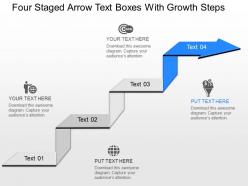
Oe four staged arrow text boxes with growth steps powerpoint template
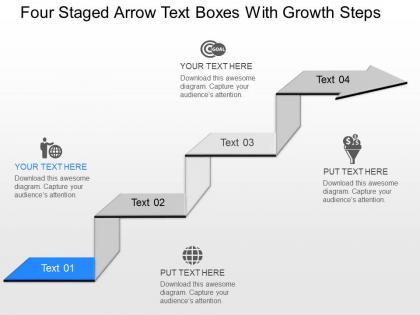




Try Before you Buy Download Free Sample Product
 Impress Your
 Audience
 100%
100% Editable
 Save Hours
 of Time


Don?t be a PowerPoint slop and bore your audience with a bad presentation. Our oe Four Staged Arrow Text Boxes With Growth Steps Powerpoint Template can help ensure your produce presentations that are compelling.
People who downloaded this PowerPoint presentation also viewed the following :
Oe four staged arrow text boxes with growth steps powerpoint template with all 7 slides:
In general our oe Four Staged Arrow Text Boxes With Growth Steps Powerpoint Template are brilliant. They are also fairly exquisite.
FAQs for Oe four staged arrow text boxes with growth
The four-staged arrow text boxes feature progressive visual flow with directional arrows, customizable text placeholders for each growth phase, professional color schemes that enhance readability, and scalable design elements that maintain clarity across different screen sizes. These templates streamline presentation development by providing structured frameworks for showcasing business growth, process improvement, and strategic milestones, with many organizations finding that the visual progression effectively communicates complex development stages to stakeholders and leadership teams.
Four-staged arrow text boxes effectively illustrate growth steps by creating visual progression through directional flow, sequential numbering, color gradients, and consistent spacing that guides audience attention naturally from one phase to the next. This template enables presenters to showcase business evolution, project milestones, or strategic development phases clearly, with many organizations finding that the arrow format enhances comprehension and retention during growth planning presentations.
Industries with complex, sequential processes benefit most from four-staged arrow text box templates, including manufacturing for production workflows, healthcare for patient care pathways, financial services for loan approvals, and technology for software development cycles. These templates streamline communication across departments, enhance project visualization, and improve stakeholder understanding, with many organizations finding that structured visual progression ultimately delivers clearer strategic alignment and faster decision-making processes.
**INPUT**: What design principles should be considered when using the four-staged arrow text boxes in PowerPoint? **OUTPUT**: Key design principles include maintaining visual hierarchy, ensuring consistent spacing and alignment, using complementary colors, and balancing text density across stages. These elements enhance readability by creating clear progression flow, reducing cognitive load, and emphasizing critical information, with many presenters finding that strategic color coding and concise messaging ultimately deliver more impactful audience engagement and comprehension.
Visual hierarchy in four-staged arrow text boxes enhances audience understanding by creating clear information flow, establishing logical progression through size and color variations, and directing attention sequentially from stage to stage. This structured approach enables presenters to guide viewers through complex growth processes systematically, while audiences can easily follow multi-step strategies, ultimately delivering improved comprehension and retention of critical business information.
Yes, the four-staged arrow text boxes can be fully customized to align with different branding requirements, including colors, fonts, icons, text content, and sizing adjustments. These PowerPoint templates enable organizations to maintain brand consistency while showcasing growth processes, strategic roadmaps, or milestone achievements, with many companies finding that customized visual elements enhance audience engagement and reinforce corporate identity throughout presentations.
Four-staged arrow text boxes offer visual progression, enhanced readability, logical flow mapping, and stronger audience engagement compared to static bullet points. These templates streamline complex processes by creating sequential narratives, emphasizing growth trajectories, and maintaining viewer attention throughout presentations, with many organizations finding that arrow-based formats deliver significantly higher comprehension rates and more compelling storytelling for strategic initiatives.
Effective animation of four-staged arrow text boxes involves sequential reveals with consistent timing, smooth transitions between stages, and strategic use of entrance effects like fade-in or slide-in motions. These animation techniques enhance comprehension by controlling information flow, maintain visual focus through staged progression, and create dynamic storytelling that keeps audiences engaged, with many presenters finding that well-timed reveals significantly improve message retention and presentation impact.
Sequential arrow stages work best with progressive content like market analysis and opportunity identification in stage one, strategic planning and resource allocation in stage two, implementation tactics and milestone tracking in stage three, and performance metrics with optimization strategies in stage four. This structure enables organizations to present comprehensive growth narratives, business transformation processes, and project roadmaps, with many companies finding that the visual flow enhances stakeholder understanding and strategic alignment.
Color significantly enhances the four-staged arrow text boxes by creating visual hierarchy, improving information retention, and guiding audience attention through each progressive step. Strategic color choices enable presenters to differentiate stages, highlight key milestones, and reinforce brand consistency, while ensuring accessibility across diverse viewing conditions, ultimately delivering clearer communication and stronger audience engagement throughout growth presentations.
**INPUT**: What tips can help presenters make the most of the four-staged arrow text box layout? **OUTPUT**: Effective utilization involves creating clear progression narratives, maintaining consistent visual hierarchy across stages, using concise bullet points, and aligning content with logical flow patterns. Presenters enhance impact by incorporating specific metrics, timeline markers, and actionable milestones within each stage, while ensuring smooth transitions that guide audiences through complex processes, ultimately delivering compelling presentations that demonstrate clear strategic progression and measurable business outcomes.
**INPUT**: Are there specific case studies where four-staged arrow text boxes improved communication of growth strategies? **OUTPUT**: While specific published case studies are limited, many consulting firms and strategic planning teams report that four-staged arrow visuals significantly enhance stakeholder comprehension during growth presentations. These structured templates help organizations in sectors like retail expansion, product development, and market penetration communicate complex sequential strategies more effectively, with leadership teams finding that visual progression reduces confusion and accelerates decision-making processes. **Word count: 59 words**
Peer feedback enhances four-staged arrow template usage by identifying unclear progression logic, suggesting more compelling content flow, and recommending visual improvements for better audience engagement. Through collaborative review sessions, teams can refine step sequencing, strengthen narrative connections between stages, and optimize text placement, ultimately delivering more impactful presentations that resonate with stakeholders.
Four-staged arrow text boxes simplify complex information by breaking down intricate processes into digestible sequential steps, creating visual hierarchy through directional flow, and reducing cognitive load through structured presentation. These templates enable organizations to transform overwhelming data into clear pathways, with many businesses finding that stakeholders better comprehend strategic initiatives, project timelines, and growth strategies when presented through progressive visual stages.
The four-staged arrow template integrates seamlessly with PowerPoint's animation features, slide transitions, SmartArt graphics, and consistent color schemes to create unified presentations. By combining progressive animations with matching fonts, coordinated chart designs, and strategic hyperlinks, presenters deliver cohesive storytelling that guides audiences through growth stages while maintaining visual consistency and professional impact.
-
Commendable slides with attractive designs. Extremely pleased with the fact that they are easy to modify. Great work!
-
Innovative and Colorful designs.