

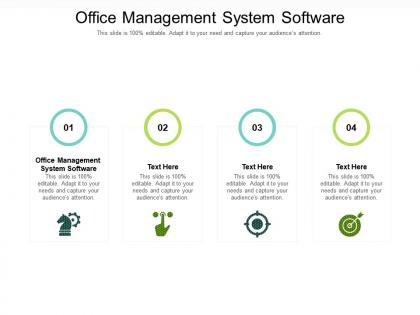
Office management system software ppt powerpoint presentation icon visuals cpb




Try Before you Buy Download Free Sample Product
 Impress Your
 Audience
 100%
100% Editable
 Save Hours
 of Time


Our Office Management System Software Ppt Powerpoint Presentation Icon Visuals Cpb are topically designed to provide an attractive backdrop to any subject. Use them to look like a presentation pro.
People who downloaded this PowerPoint presentation also viewed the following :
Office management system software ppt powerpoint presentation icon visuals cpb with all 2 slides:
Use our Office Management System Software Ppt Powerpoint Presentation Icon Visuals Cpb to effectively help you save your valuable time. They are readymade to fit into any presentation structure.
FAQs for Office management system software ppt powerpoint presentation
Honestly, start with the basics - real-time chat and shared calendars for meetings. File sharing with version control is huge so people aren't editing old versions by accident. You'll definitely need project management stuff for tracking tasks and who's doing what. Video calls are obviously a must now. The collaborative editing thing where everyone can jump in simultaneously? Super helpful. Oh and mobile access since everyone's scattered around these days. I'd probably test out like 2-3 options with your actual team first - what looks good on paper might feel clunky when you're actually using it day-to-day.
So office management software handles all that boring stuff - scheduling, organizing files, tracking tasks. Saves you tons of time on admin work. My old boss used to have sticky notes everywhere (honestly looked insane). With everything in one place instead of scattered emails and random notes, you actually know what's happening. Cuts costs too since you're not printing everything and processes run smoother. You'll catch problems before they get expensive. I'd say start with whatever wastes most of your time daily and find something that fixes that specific mess first.
Honestly, cloud storage changed everything for office software. You can grab your files from literally anywhere with wifi - no more being stuck at your desk. Your whole team can jump into the same document and edit together, calendars sync up instantly, and you're done with those endless email chains full of attachments (thank god). Everything backs itself up too, which is clutch. I'd definitely go with something that plays nice with whatever cloud stuff you're already using. Makes the whole transition way smoother.
Dude, integration capabilities will absolutely make or break your office software choice. Your project management, calendar, and accounting tools need to sync up properly - otherwise you're stuck doing everything twice. I learned this the hard way at my last job. When systems don't talk to each other, you get these annoying data silos where info gets trapped in different apps. Your team ends up constantly jumping between platforms and duplicating work like crazy. Find something that works well with what you're already using. Trust me, it'll save you hours every single week.
Look, mobile access is a game changer - your team can handle stuff from literally anywhere instead of being stuck at their desks all day. Approving requests, checking schedules, updating projects? All doable from a client site or home office. Honestly, I've even seen people do quick approvals from the grocery store (though maybe don't tell HR that). The best part is decisions happen way faster since managers aren't waiting to get back to the office for urgent things. Your people can knock out small tasks during downtime rather than letting everything pile up. Just figure out which daily tasks would actually work on mobile first.
Honestly, it's like having a digital command center for your whole team. Real-time project tracking means you can see what everyone's doing without being that person who sends "checking in!" messages every hour. All your communication stuff lives in one spot - messaging, files, video calls. Way better than the app-switching nightmare most of us deal with. You'll spot deadline issues early instead of scrambling last minute, which has saved me so many headaches. My advice? Don't try to solve everything at once. Pick whatever's driving you the most crazy right now and find software that fixes that first.
Multi-factor authentication is honestly your best bet - that's what'll keep the bad guys out. The software needs to encrypt everything, both stored data and stuff being sent around. Role-based permissions are clutch so you can actually control who sees sensitive info. Don't skip automated backups (seriously, I've seen people regret this). Audit trails are pretty useful too - they track who accessed what and when, which is great when things inevitably go wrong. Oh, and definitely grill vendors about these features before signing anything. Some of them are surprisingly vague about security details.
Dude, if people can't figure out how to use the software, they'll just ditch it completely. Clean interfaces make users actually want to dig around and try stuff. I've watched entire teams reject really good tools because the design was a mess - like, they'd rather stick with their ancient spreadsheets than deal with confusing menus. Quick tasks should stay quick, you know? Don't make people hunt through a million clicks for basic functions. My advice? Test it with actual users first. See if they get frustrated or lost right away.
Honestly, I'd track three main things. First - are people actually using it? Like, really using it daily, not just logging in once a week. Time savings is huge too - compare how long tasks took before vs now. ROI comes from cutting operational costs and fewer screw-ups from manual processes. Oh, and don't sleep on employee satisfaction surveys. If everyone hates the system, you're screwed no matter what the numbers say. The trick is getting baseline measurements before you roll anything out, otherwise you're just guessing about improvements later.
Dude, templates are a lifesaver - they cut out all that annoying setup work you do every day. You know how you're always rebuilding the same invoices and reports? Just make a template once and fill in the blanks later. Your team stays consistent too, which is nice. I'd start with whatever three documents you recreate most (probably invoices if you're like me). You can always adjust them as things change. Honestly, once you get used to it, you'll wonder why you were doing everything from scratch. Takes like 20 minutes to set up but saves hours later.
Law firms, accounting, and consulting shops see the biggest improvements - they're constantly buried in client stuff and billing chaos. Healthcare practices love it too for scheduling patients and keeping records straight. Really any business with tons of clients benefits. But honestly? Those knowledge-heavy industries get the most dramatic efficiency boosts. Manufacturing and retail can use office software, though they usually need more specialized systems anyway. My advice: write down your worst admin nightmares first. That's where you'll actually feel the difference once you implement something.
So basically these tools handle all the annoying compliance stuff automatically - like tracking when documents expire and keeping audit trails organized. Most come with templates for HIPAA, SOX, whatever regulations you're dealing with (way better than starting from zero). They'll ping you about renewal deadlines and keep access controls tight. Plus they generate those specific reports auditors love - honestly that alone makes them worth it. Just make sure you pick one that already understands your industry's rules. Trust me, you don't want to spend months trying to customize some random software.
Honestly, the two worst parts are getting people to actually use the new system and migrating all your data without losing anything important. Employee pushback is brutal - I swear some people would rather quit than learn new software. Get them involved early with training and actually show them how it'll make their lives easier, not harder. Data migration always takes forever too, like triple whatever timeline you're thinking. Back everything up first (obviously). Oh, and find a couple tech people on your team who can become your unofficial helpers - they'll save your sanity when everyone's texting you at 9pm asking why something isn't working.
Dude, you need actual data backing your decisions instead of just winging it. Look for trends in productivity, spending, resource usage - see what's working vs what's hemorrhaging cash. Those visual dashboards are clutch for presenting to leadership (seriously, they eat that stuff up). Bottlenecks become obvious before they screw you over. You can optimize workflows with real numbers and put resources where they'll actually move the needle. Oh, and set up automated reports for your main metrics now - trust me, you don't want to be scrambling last minute when the boss asks for updates.
So basically AI is making office software way smarter - like it'll auto-schedule meetings based on what everyone actually wants, predict when you're running low on supplies, even write those boring routine emails. Some platforms already do this stuff and honestly it's kinda creepy how good they're getting at it. The software learns your work patterns and suggests improvements you'd never think of yourself. Oh and start playing around with AI features in whatever you're using now - trust me, you don't want to be the person figuring this out while everyone else is already using it.
-
Very well designed and informative templates.
-
Understandable and informative presentation.
-
Visually stunning presentation, love the content.
-
Appreciate the research and its presentable format.
-
Much better than the original! Thanks for the quick turnaround.