


Online Education Playbook Powerpoint Presentation Slides





Try Before you Buy Download Free Sample Product
 Impress Your
 Audience
 100%
100% Editable
 Save Hours
 of Time


An Online Education Playbook is essential in developing and assisting learning opportunities for students, and Digital learning leverages digital tools and resources to create flexible learning environments. Each student requires access to devices and reliable internet access at home and school to enable digital learning. It is a guideline for district and school leaders during digital learning deployment. Digital learning emerges as a crucial learning platform during emergencies where remote teaching is the only solution to promote customization and student agency across all learning scenarios. The playbook covers a learning institution overview, key people associates, and deployment of a care team for students counseling. It covers information regarding conducting need assessment with a shared vision, goals development checklist, and digital learning expectations. The playbook comprises details about the professional development of teachers, collaborative initiatives of students, teachers and guardians, and digital learning tools protection. Moreover, it covers hardware, software purchase and development, competency-based learning, and digital learning system. It also covers information regarding course grading, credit, and attendance management. Book a free demo with our expert team and grab this 100 percent editable presentation.
People who downloaded this PowerPoint presentation also viewed the following :
Content of this Powerpoint Presentation
Slide 1: This slide introduces Online Education Playbook. State your company name and begin.
Slide 2: This slide states Agenda of the presentation.
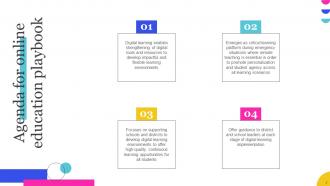
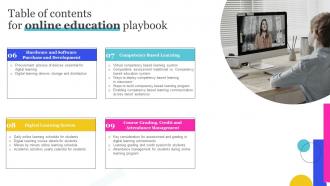
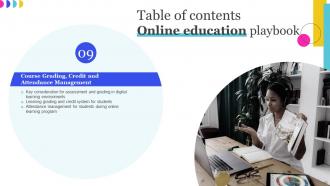
Slide 3: This slide presents Table of Content for the presentation.
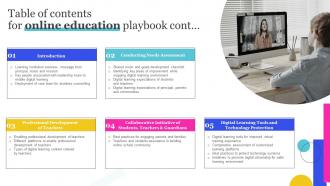
Slide 4: This is another slide continuing Table of Content for the presentation.
Slide 5: This slide highlights title for topics that are to be covered next in the template.
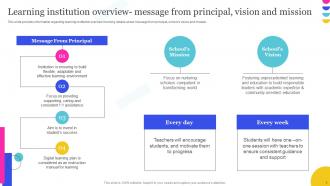
Slide 6: This slide provides information regarding learning institution overview.
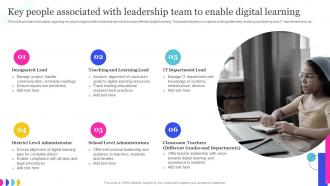
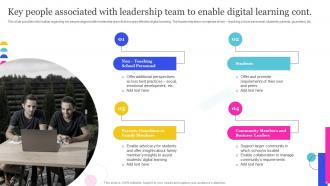
Slide 7: This slide shows Key People Associated with Leadership Team to Enable Digital Learning.
Slide 8: This is another slide continuing Key People Associated with Leadership Team to Enable Digital Learning.
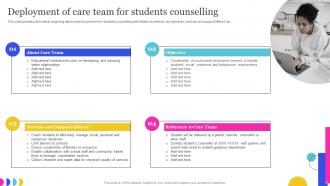
Slide 9: This slide presents Deployment of Care Team for Students Counselling.
Slide 10: This slide highlights title for topics that are to be covered next in the template.
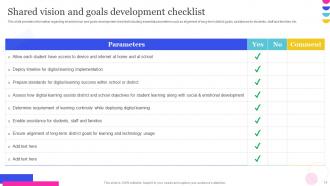
Slide 11: This slide displays Shared Vision and Goals Development Checklist.
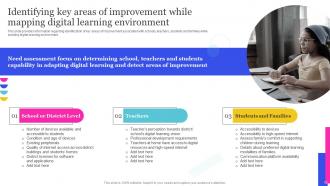
Slide 12: This slide represents Identifying Key Areas of Improvement while Mapping Digital Learning Environment.
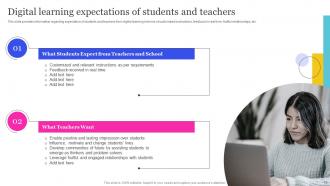
Slide 13: This slide showcases Digital Learning Expectations of Students and Teachers.
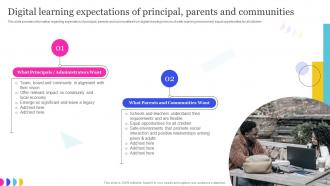
Slide 14: This slide shows Digital Learning Expectations of Principal, Parents and Communities.
Slide 15: This slide highlights title for topics that are to be covered next in the template.
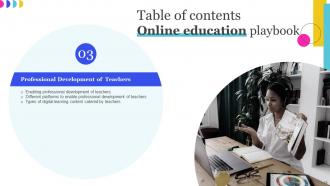
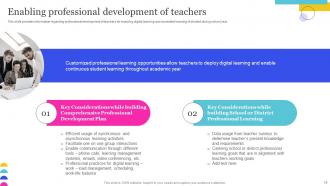
Slide 16: This slide provides information regarding professional development of teachers for enabling digital learning.
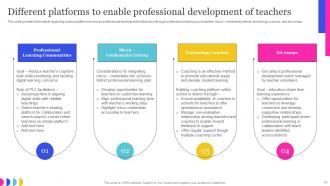
Slide 17: This slide presents Different Platforms to Enable Professional Development of Teachers.
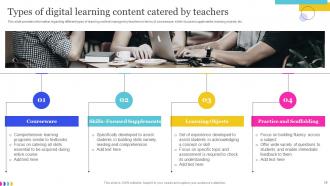
Slide 18: This slide displays Types of Digital Learning Content Catered by Teachers.
Slide 19: This slide highlights title for topics that are to be covered next in the template.
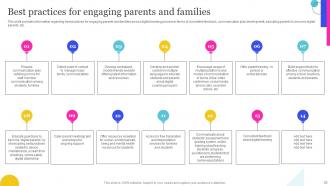
Slide 20: This slide represents Best Practices for Engaging Parents and Families.
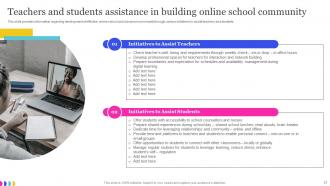
Slide 21: This slide showcases Teachers and Students Assistance in Building Online School Community.
Slide 22: This slide highlights title for topics that are to be covered next in the template.
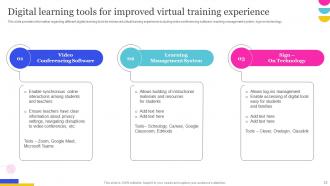
Slide 23: This slide shows Digital Learning Tools for Improved Virtual Training Experience.
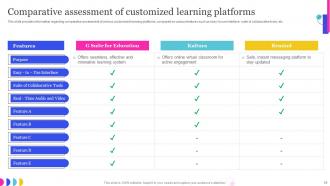
Slide 24: This slide presents Comparative Assessment of Customized Learning Platforms.
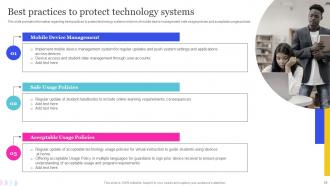
Slide 25: This slide displays Best Practices to Protect Technology Systems.
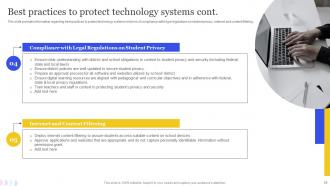
Slide 26: This is another slide continuing Best Practices to Protect Technology Systems.
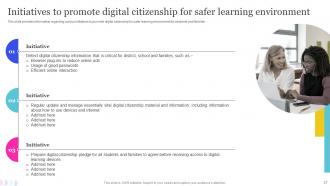
Slide 27: This slide represents Initiatives to Promote Digital Citizenship for Safer Learning Environment.
Slide 28: This slide highlights title for topics that are to be covered next in the template.
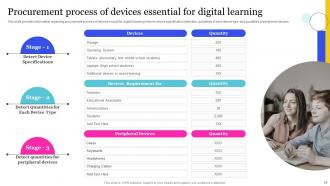
Slide 29: This slide showcases Procurement Process of Devices Essential for Digital Learning.
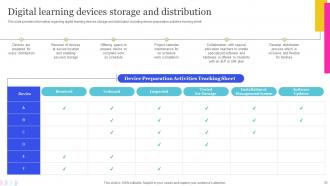
Slide 30: This slide shows Digital Learning Devices Storage and Distribution.
Slide 31: This slide highlights title for topics that are to be covered next in the template.
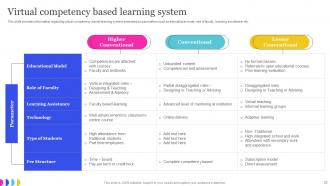
Slide 32: This slide presents Virtual Competency Based Learning System.
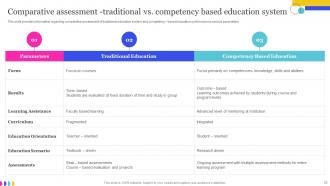
Slide 33: This slide provides information regarding comparative assessment of traditional education system.
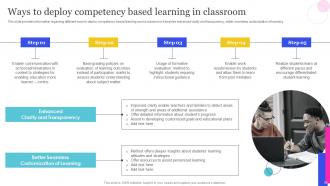
Slide 34: This slide displays Ways to Deploy Competency Based Learning in Classroom.
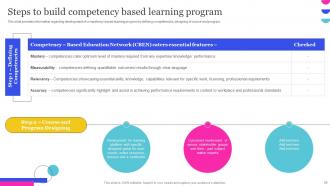
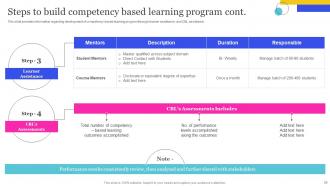
Slide 35: This slide represents Steps to Build Competency Based Learning Program.
Slide 36: This is another slide continuing Steps to Build Competency Based Learning Program.
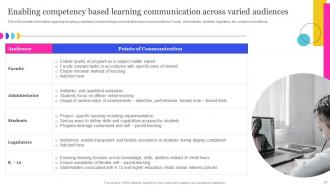
Slide 37: This slide showcases Enabling Competency Based Learning Communication Across Varied Audiences.
Slide 38: This slide highlights title for topics that are to be covered next in the template.
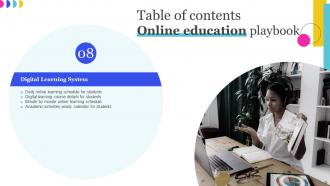
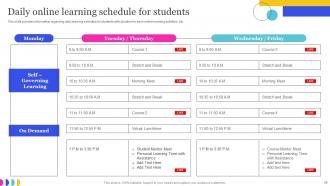
Slide 39: This slide shows Daily Online Learning Schedule for Students.
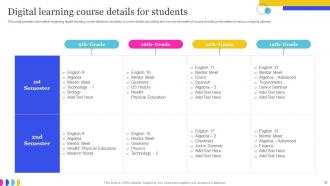
Slide 40: This slide presents Digital Learning Course Details for Students.
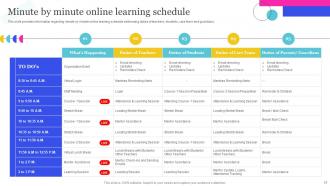
Slide 41: This slide displays Minute by Minute Online Learning Schedule.
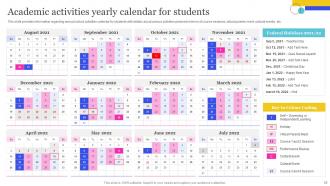
Slide 42: This slide represents Academic Activities Yearly Calendar for Students.
Slide 43: This slide highlights title for topics that are to be covered next in the template.
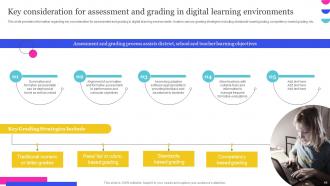
Slide 44: This slide shows Key Consideration for Assessment and Grading in Digital Learning Environments.
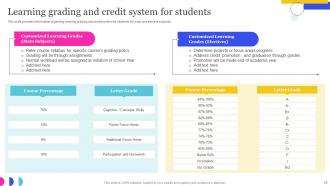
Slide 45: This slide presents Learning Grading and Credit System for Students.
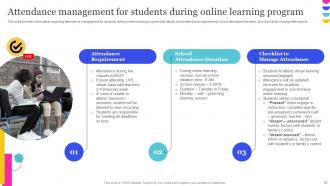
Slide 46: This slide displays Attendance Management for Students during Online Learning Program.
Slide 47: This slide is titled as Additional Slides for moving forward.
Slide 48: This is About Us slide to show company specifications etc.
Slide 49: This is Our Team slide with names and designation.
Slide 50: This is Our Mission slide with related imagery and text.
Slide 51: This slide shows SWOT describing- Strength, Weakness, Opportunity, and Threat.
Slide 52: This slide contains Puzzle with related icons and text.
Slide 53: This is a Timeline slide. Show data related to time intervals here.
Slide 54: This slide presents Roadmap with additional textboxes.
Slide 55: This slide depicts Venn diagram with text boxes.
Slide 56: This slide provides 30 60 90 Days Plan with text boxes.
Slide 57: This is a Thank You slide with address, contact numbers and email address.
Online Education Playbook Powerpoint Presentation Slides with all 62 slides:
Use our Online Education Playbook Powerpoint Presentation Slides to effectively help you save your valuable time. They are readymade to fit into any presentation structure.





FAQs for Online Education Playbook
Honestly, breakout rooms and polls are your best friends here. Keep videos super short - like 10-15 minutes tops because people's attention just dies online. I always throw in discussion boards too. Regular check-ins help a ton, and calling students by name during class makes such a difference (sounds obvious but most people forget). The isolation thing is what really kills engagement, so peer interaction is huge. Oh, and don't try to do everything at once - start with just one interactive thing per class and add more as you get comfortable with it.
Breakout rooms work great - you can hop in and actually hear how they're thinking through stuff. I do quick polls and mini-quizzes during class too, which honestly gets more participation than in-person sometimes. The shy kids finally speak up! Screencast assignments are clutch for deeper assessment - having students talk through their problem-solving process while recording. Oh, and shared docs let you watch their thinking evolve in real-time, which is pretty cool. Just pick one thing to start with though. Don't overwhelm yourself trying everything at once.
Start with Thinkific or Teachable - they're solid for the basics and handle all the boring backend stuff. H5P is amazing for interactive quizzes if you want to get fancy. Loom's super easy for quick videos, though Camtasia's better if you don't mind the learning curve. Don't overthink it though. Zoom works fine for live stuff, and I've seen people get great engagement with simple tools like Padlet. Oh, and Mentimeter's clutch for polls during sessions. Honestly just pick 2-3 things you'll actually use consistently. You can always add more once you figure out what your students are actually into.
Honestly, you've gotta create different ways for students to access the same stuff. Half my class used to check out during video lectures - total nightmare! Some kids need videos, others prefer audio content, and then you've got the hands-on learners who want interactive demos. Mix up your assignments too: writing, presentations, projects, discussion boards. Give them choices in how they learn and show what they know. Same learning goals, just different routes to get there. Oh, and audit what you already have - probably easier than starting from scratch. Add at least two alternatives for each big concept.
So gamification is basically adding game stuff to courses - points, badges, those satisfying progress bars that fill up. Works because people are naturally competitive and love hitting goals. I mean, who doesn't get a little rush from completing something? Makes learning feel less like work and more like... well, a game I guess. Students actually want to keep going instead of dragging themselves through modules. My advice? Start simple with just progress tracking first. Don't go crazy building some elaborate system right away - see how they react to the basics.
Get them talking to each other instead of just you - that's the real trick. Small groups work great, breakout rooms if you're online. I'm obsessed with collaborative projects where they actually need each other to succeed. Oh, and try casual stuff too! Like a weekly "coffee chat" thread where they just share random things they're working on. Quick responses from you keep everything moving. Honestly, forced interaction is so obvious and awkward. Start small - maybe one group thing per week - then add more once they're comfortable. You'll notice the vibe shift pretty fast.
Definitely get back to them within 48 hours if you can - they'll totally notice if you don't. Skip the generic "good job" stuff and be specific about what worked and what didn't. Audio feedback is honestly a game changer, way more personal than typing everything out. I always try to find at least one thing to praise, even with my worst students. Use those annotation tools in your LMS to comment right on their work. Oh, and make yourself a template! Saves so much time and keeps you consistent across all your feedback.
Start with universal design from day one - way easier than fixing things later. Captions on every video, transcripts for audio stuff, platforms that play nice with screen readers. Mix up how students can participate too - discussion boards, breakout rooms, chat, whatever works. Oh and definitely survey them early about what tech they have access to. Some are still dealing with terrible wifi or old devices. Your tech stack needs to work across different setups. I mean, this should all be standard practice but apparently we're still figuring it out.
Ugh, the tech stuff will drive you crazy at first - I still mess up screen sharing half the time! Student engagement is the real killer though. Nobody wants to stare at a blank screen for an hour. Start with basic tools and don't try to learn everything overnight. Break your content into smaller chunks, throw in some polls or breakout rooms. Honestly, forget about copying your classroom style exactly - online teaching is just different. Pick one new thing to try each week instead of changing everything at once. Way less stressful that way.
So there's a bunch of stuff you can try. Proctoring software works - webcam monitoring, screen sharing, all that. Fair warning though, students hate feeling watched like that. Time limits are clutch for stopping collaboration. Mix up your question pools so everyone gets different problems, maybe randomize answer choices too. Browser lockdown prevents the classic "let me just Google this real quick" move. Honestly though? The best defense is just writing better questions. Make them apply concepts instead of just memorizing facts. Hard to cheat your way through a complex case study, you know? Students actually have to understand the material.
Okay so definitely include your learning objectives and weekly breakdown - students get lost without that roadmap. Tech requirements are huge too because there's always someone who can't figure out Zoom (honestly drives me crazy). Be super explicit about participation rules, deadlines, and grading since they can't just ask you after class. Oh, and test all your links beforehand! I learned that the hard way. Late work policies need to be crystal clear too. The thing is, online students need way more hand-holding than you'd expect, so spell out how discussions work and build in regular check-ins. Way different from in-person teaching.
I'd go with like a 70-30 split - most stuff async, smaller chunk for live sessions. Put all your content delivery, readings, and solo practice work in the async bucket since students can tackle that whenever. Save your live time for discussions, Q&A, group work - basically anything where they actually need to interact with you or each other. I used to cram everything into those live sessions and wow, what a mistake! Everyone was fried by the end. The trick is making sure your sync sessions actually build on what they've already worked through on their own. Maybe start by looking at what you're doing now and see what can move to async?
Honestly, the biggest thing is just being super responsive when students reach out - they bail when they feel ignored. Break your content into small chunks so it doesn't feel overwhelming. First two weeks are crucial, so definitely audit that part first since that's when most people decide to stick or quit. Study groups and discussion forums help a ton for peer connection. I'd also celebrate those little wins along the way - sounds cheesy but it works. Oh, and regular instructor check-ins make a huge difference. The invisible student thing is real and kills retention fast.
So basically, you want students actually doing stuff, not just memorizing theory. Project-based learning is huge - have them solve real problems companies are dealing with. Virtual internships are honestly sometimes better than in-person ones since location doesn't matter. Build assessments around what they'll actually do at work. Oh, and definitely hit up local businesses first to see what skills they need - then work backwards from there. Case studies help too, but make sure they're current. The portfolio thing is key since that's what gets people hired anyway.
So the big things right now are AI that creates custom learning paths for each student, plus those short microlearning chunks everyone's obsessed with. VR and AR are finally getting decent too. Students want everything mobile-friendly and bite-sized - honestly can't blame them. There's this massive shift happening where people learn from each other instead of just instructors, and the collaboration tools are actually getting pretty solid. Oh, and video discussions are killing off those ancient forum posts. Biggest change? Schools are ditching the whole "sit through 16 weeks" thing for skill-based advancement. You should definitely try shorter, interactive stuff and get your students talking to each other more.
-
What an exhaustive collection of templates you guys have there in slideteam. Impressive!!!
-
I came across many PowerPoint presentations with excellent creatives and I believe they would be beneficial to my work.