

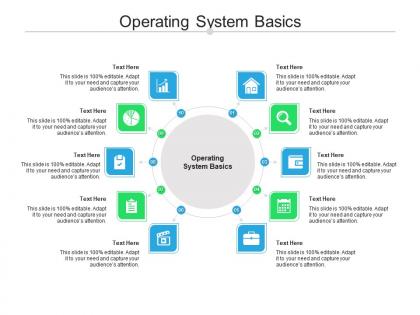
Operating system basics ppt powerpoint presentation icon grid cpb




Try Before you Buy Download Free Sample Product
 Impress Your
 Audience
 100%
100% Editable
 Save Hours
 of Time


Our Operating System Basics Ppt Powerpoint Presentation Icon Grid Cpb are topically designed to provide an attractive backdrop to any subject. Use them to look like a presentation pro.
People who downloaded this PowerPoint presentation also viewed the following :
Operating system basics ppt powerpoint presentation icon grid cpb with all 2 slides:
Use our Operating System Basics Ppt Powerpoint Presentation Icon Grid Cpb to effectively help you save your valuable time. They are readymade to fit into any presentation structure.
FAQs for Operating system basics ppt powerpoint presentation
The primary functions of an operating system include memory management, process scheduling, file system management, device control, and user interface provision. These core capabilities work together by allocating system resources efficiently, coordinating hardware components seamlessly, and enabling multiple applications to run simultaneously, ultimately delivering streamlined computing experiences and enhanced operational productivity for organizations across various industries.
An operating system manages hardware resources through process scheduling, memory allocation, device drivers, and interrupt handling, ensuring efficient coordination between software applications and physical components. Through resource management algorithms, operating systems optimize CPU usage, allocate RAM dynamically, and control peripheral access, ultimately delivering seamless multitasking capabilities and system stability for users.
The kernel manages core system operations like memory allocation, process scheduling, hardware communication, and file systems, while the shell provides the user interface for interacting with the kernel through commands and programs. This strategic combination enables organizations to streamline system administration and automate workflows, with many enterprises finding that effective shell scripting ultimately enhances operational efficiency.
Operating systems handle multitasking through process scheduling, memory allocation, CPU time sharing, and resource management techniques. These systems enable seamless switching between applications by prioritizing tasks, managing system resources, and maintaining process isolation, with modern operating systems like Windows and macOS delivering enhanced productivity and efficient resource utilization across enterprise environments.
System calls are programming interfaces that enable applications to request services from the operating system kernel, including file operations, process management, memory allocation, and network communication. These controlled gateways streamline application development by providing standardized access to hardware resources, with many software developers finding that system calls ultimately enhance security, stability, and operational efficiency across diverse computing environments.
Memory management serves as the operating system's foundation for allocating, tracking, and optimizing RAM usage across applications, ensuring efficient resource distribution and system stability. Through virtual memory systems, paging mechanisms, and memory allocation algorithms, organizations running complex enterprise software, database systems, and multi-user environments can maximize hardware utilization while preventing memory conflicts, ultimately delivering smoother performance and enhanced operational efficiency.
Operating systems ensure security through access control lists, user authentication protocols, permission hierarchies, encryption mechanisms, and system monitoring tools. These security frameworks enable organizations to protect sensitive data, prevent unauthorized access, and maintain operational integrity, with many enterprises finding that robust permission systems streamline compliance while delivering enhanced data protection and user accountability.
Device drivers serve as essential software intermediaries that enable operating systems to communicate with and control hardware components like printers, graphics cards, network adapters, and storage devices. These specialized programs translate generic operating system commands into hardware-specific instructions, ensuring seamless compatibility across diverse hardware configurations, with organizations finding that proper driver management significantly enhances system stability, performance, and reduces technical support overhead.
File systems organize disk storage through hierarchical directory structures, allocation tables, metadata indexing, and block management systems that track file locations and available space. These systems streamline data retrieval by maintaining file allocation tables, directory trees, and permission structures, enabling operating systems to deliver faster access times, efficient storage utilization, and seamless file operations across enterprise applications.
Real-time operating systems prioritize deterministic response times and guaranteed task completion within strict deadlines, while general-purpose systems optimize for throughput and user experience. Manufacturing control systems, medical devices, and automotive applications rely on real-time OS capabilities, ensuring critical processes execute predictably, ultimately delivering operational reliability and safety-critical performance that general-purpose systems cannot guarantee.
Virtual machines operate by creating isolated software environments that simulate complete computer systems within a host operating system, using hypervisor technology to manage hardware resources, memory allocation, and processor scheduling. Through virtualization platforms like VMware or VirtualBox, organizations streamline server consolidation, enhance security testing, and enable multiple operating systems simultaneously, ultimately delivering significant cost reduction and operational flexibility for businesses across sectors.
Open-source operating systems like Linux offer customizable code, community-driven development, and typically lower costs, while proprietary systems like Windows provide dedicated support, standardized interfaces, and extensive commercial software compatibility. Organizations increasingly choose based on their technical expertise and business requirements, with many enterprises finding that open-source solutions deliver greater flexibility and cost efficiency for specialized applications.
Cloud computing transforms operating system development through containerization, microservices architecture, virtualization technologies, and distributed system design, enabling lightweight, scalable OS solutions. This shift allows developers to create container-optimized operating systems like CoreOS and Alpine Linux, while organizations benefit from rapid deployment, automated scaling, and reduced infrastructure costs, ultimately delivering more flexible and efficient computing environments.
Common operating system types include embedded systems for IoT devices and appliances, network operating systems for server management, mobile OS for smartphones and tablets, desktop systems for personal computers, and real-time systems for industrial automation. These specialized platforms streamline operations by optimizing resource allocation, enhancing user experiences, and enabling seamless connectivity, with many organizations finding that strategic OS selection delivers improved efficiency and competitive advantage.
Operating systems handle error management through exception handling, error logging, fault isolation, automatic recovery protocols, and system restore capabilities. These mechanisms enable organizations to maintain operational continuity by minimizing downtime, protecting data integrity, and automatically recovering from hardware failures or software crashes, ultimately delivering more reliable computing environments and reducing IT support costs.
-
Informative presentations that are easily editable.
-
Colors used are bright and distinctive.
-
Excellent template with unique design.
-
Commendable slides with attractive designs. Extremely pleased with the fact that they are easy to modify. Great work!
-
Very unique, user-friendly presentation interface.
-
Very well designed and informative templates.
-
Awesomely designed templates, Easy to understand.