

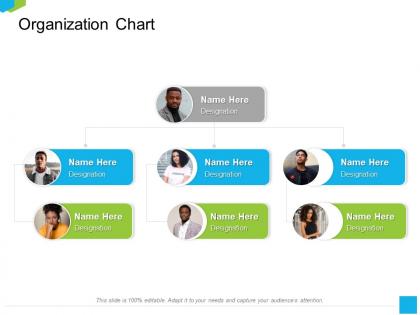
Organization chart designation m2240 ppt powerpoint presentation layouts design templates




Try Before you Buy Download Free Sample Product
 Impress Your
 Audience
 100%
100% Editable
 Save Hours
 of Time


Our Organization Chart Designation M2240 Ppt Powerpoint Presentation Layouts Design Templates are topically designed to provide an attractive backdrop to any subject. Use them to look like a presentation pro.
People who downloaded this PowerPoint presentation also viewed the following :
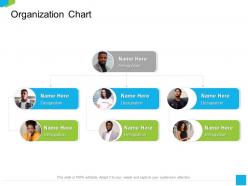
Organization chart designation m2240 ppt powerpoint presentation layouts design templates with all 2 slides:
Use our Organization Chart Designation M2240 Ppt Powerpoint Presentation Layouts Design Templates to effectively help you save your valuable time. They are readymade to fit into any presentation structure.
FAQs for Organization chart designation m2240 ppt powerpoint presentation
Effective organization chart templates include clear hierarchical structures, defined reporting relationships, job titles and roles, departmental divisions, and contact information for key personnel. These elements streamline communication and decision-making processes by establishing accountability chains, clarifying responsibilities, and enhancing operational transparency, with many organizations finding that well-designed charts improve workflow efficiency and employee understanding of company structure.
Color coding enhances organizational charts by distinguishing departments, hierarchy levels, employee types, reporting relationships, and functional areas through visual differentiation. This strategic approach streamlines navigation and comprehension, with many organizations finding that color-coded charts reduce confusion during restructuring, improve onboarding experiences, and enable faster decision-making across teams.
**INPUT**: What are the best practices for designing an organization chart for large teams or corporations? **OUTPUT**: Best practices include establishing clear hierarchical levels, standardizing role titles and reporting structures, incorporating functional divisions, and maintaining visual consistency throughout the chart. Through strategic template design, large corporations streamline communication flows, enhance operational transparency, and facilitate resource allocation, with many organizations finding that well-structured charts ultimately deliver improved accountability and faster decision-making processes.
Hierarchical charts clarify reporting relationships and decision-making authority in traditional structures, while matrix charts visualize dual reporting for project-based teams, and flat charts emphasize collaborative relationships in agile organizations. These structural approaches enable companies to communicate accountability, streamline workflows, and align team dynamics with strategic goals, with many businesses finding that matching chart types to organizational models enhances operational clarity and employee understanding.
**INPUT**: What software or tools are recommended for creating professional organization chart templates? **OUTPUT**: Recommended tools include Microsoft Visio, Lucidchart, OrgChart, PowerPoint, and specialized HR platforms like BambooHR and Workday. These solutions streamline organizational visualization by offering drag-and-drop functionality, real-time collaboration, and automated updates, with many companies finding that integrated platforms enhance workforce planning and communication across departments. [Word count: 53 words]
Visual hierarchy in organization charts is effectively represented through strategic positioning, varying box sizes, distinct colors, connecting lines, and typography differentiation to clearly show reporting relationships and authority levels. These design elements streamline communication by making leadership structures, departmental divisions, and decision-making pathways immediately recognizable, with many organizations finding that well-designed hierarchies enhance operational clarity and employee understanding.
Icons and symbols enhance organizational chart effectiveness by improving visual clarity, enabling quick role identification, and reducing text clutter while maintaining professional aesthetics. These visual elements streamline information processing, facilitate faster navigation through complex hierarchies, and create universal understanding across diverse teams, with many organizations finding that well-designed iconography significantly improves chart readability and employee engagement.
**INPUT**: How can one customize an organization chart template to align with brand identity? **OUTPUT**: One can customize organization chart templates by incorporating brand colors, fonts, logos, visual elements, and consistent styling that reflects company aesthetics and culture. These customizations enhance professional presentation, reinforce brand recognition across internal documents, and create cohesive visual communications, with many organizations finding that branded templates strengthen corporate identity while streamlining organizational clarity. [Word count: 54 words]
Organizations face challenges including multi-layered hierarchies, matrix reporting relationships, cross-functional teams, remote workforce integration, and frequent structural changes when visualizing complex structures. These complexities often result in cluttered charts that confuse rather than clarify, with many companies finding that outdated visual formats fail to represent modern collaborative workflows, ultimately hindering communication and strategic alignment.
Updates to organization charts can be managed efficiently through automated HR software integration, version control systems, standardized update workflows, and cloud-based collaboration platforms. These approaches streamline changes by enabling real-time synchronization with HR databases, maintaining historical records, and allowing multiple stakeholders to contribute updates simultaneously, ultimately delivering accurate organizational visibility and reducing administrative overhead.
**INPUT**: What are some tips for presenting an organization chart in a business meeting? **OUTPUT**: Effective organization chart presentation involves using clear visual hierarchy, highlighting key reporting relationships, and focusing on relevant departments for your audience's context. Start with executive leadership structure, explain decision-making pathways, and address anticipated restructuring questions, while ensuring the chart displays clearly on screens and maintains professional formatting that enhances understanding of organizational accountability.
Organization chart templates facilitate better communication by clearly defining reporting relationships, establishing communication pathways, and eliminating confusion about roles and responsibilities. With visual hierarchy and contact information readily accessible, team members can quickly identify decision-makers, streamline approval processes, and coordinate cross-departmental initiatives more effectively, ultimately reducing miscommunication and enhancing organizational efficiency.
Emerging trends include interactive digital charts, real-time role updates, skills-based hierarchies, cross-functional team visualization, and mobile-responsive designs. These modern approaches streamline organizational transparency by enabling dynamic restructuring, facilitating remote collaboration, and enhancing employee engagement, with many companies finding that digitized charts ultimately deliver improved communication and faster decision-making across distributed teams.
Collaboration tools integrate with organization chart templates through cloud-based platforms, API connections, automated data synchronization, and shared database systems that reflect personnel changes instantly. These integrations enable HR departments, project managers, and team leaders to maintain accurate organizational structures while streamlining workflow management, ultimately delivering enhanced transparency and operational efficiency across growing enterprises.
Organization charts significantly enhance employee engagement by providing clear role definitions, reporting relationships, career advancement pathways, and departmental connections within the broader company structure. These visual frameworks help employees understand their contributions to organizational goals, identify collaboration opportunities across teams, and recognize potential growth trajectories, ultimately delivering improved job satisfaction and strategic alignment.
-
It saves your time and decrease your efforts in half.
-
Informative presentations that are easily editable.