

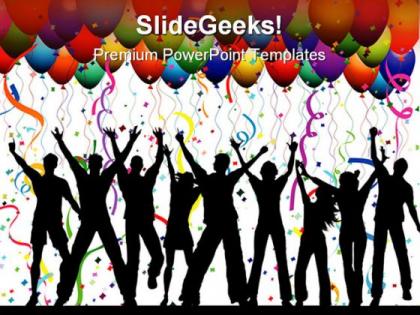
Party background lifestyle powerpoint templates and powerpoint backgrounds 0811




Try Before you Buy Download Free Sample Product
 Impress Your
 Audience
 100%
100% Editable
 Save Hours
 of Time


Zap them with our Party Background Lifestyle PowerPoint Templates And PowerPoint Backgrounds 0811. See them reel under the impact.
People who downloaded this PowerPoint presentation also viewed the following :
Party background lifestyle powerpoint templates and powerpoint backgrounds 0811 with all 3 slides:
Drape your thoughts with our Party Background Lifestyle PowerPoint Templates And PowerPoint Backgrounds 0811. They will sashay down the ramp in style.
FAQs for Party background lifestyle powerpoint templates and
Key elements for party background PowerPoint templates include vibrant color schemes, celebratory graphics like balloons or confetti, elegant typography options, customizable photo frames, and dynamic visual effects that maintain readability. These design components work together by creating festive atmospheres, supporting brand consistency, and ensuring content clarity, with many event planners and businesses finding that well-designed templates significantly enhance audience engagement while streamlining presentation development.
Color psychology enhances party-themed PowerPoint templates by matching hues to emotions and event purposes, with warm reds and oranges energizing corporate celebrations while cool blues create sophisticated networking atmospheres. Through strategic color combinations, event planners and presenters streamline visual communication, enhance audience engagement, and create memorable experiences, with many organizations finding that psychologically-informed designs ultimately deliver stronger participant connection and event success.
**INPUT**: What types of fonts are best suited for a vibrant party-themed presentation? **OUTPUT**: Vibrant party presentations benefit from bold sans-serif fonts like Montserrat, playful script fonts like Pacifico, modern display fonts like Bebas Neue, and decorative fonts with personality while maintaining readability. These typography choices enhance audience engagement by creating visual excitement, supporting brand energy, and ensuring message clarity, with many event planners finding that strategic font combinations ultimately deliver memorable experiences and stronger attendee connection.
Users effectively incorporate multimedia by selecting high-resolution images that complement their party theme, using consistent visual styles across slides, and embedding short video clips as background elements or accent features. These elements enhance audience engagement through dynamic storytelling, create memorable presentation experiences, and deliver professional results, with many event planners finding that strategic multimedia integration significantly elevates their party planning presentations and client interactions.
Current popular design trends in party-themed PowerPoint presentations include bold geometric patterns, vibrant gradient backgrounds, minimalist typography with metallic accents, interactive animated elements, and immersive photo overlays. These design approaches enhance audience engagement by creating visually striking experiences, streamlining content delivery, and maintaining professional appeal, with many event planners and corporate teams finding that modern aesthetics ultimately deliver memorable presentations while reinforcing brand identity.
Templates can be customized through color scheme adjustments, font selections, image replacements, and layout modifications to match specific party themes and atmospheres. Wedding planners frequently adapt elegant templates with softer palettes, while corporate event organizers leverage professional layouts with branded elements, ultimately delivering cohesive visual presentations that enhance client experiences and streamline event planning processes.
Whitespace in party background presentations creates visual breathing room, enhances readability, prevents overwhelming audiences, and allows key elements like text and images to stand out effectively. Strategic whitespace usage helps maintain professional aesthetics while preserving celebratory themes, with many event planners and corporate teams finding that balanced layouts ultimately deliver clearer messaging and more engaging audience experiences.
Templates can include interactive elements like clickable polls, animated transitions, embedded videos, quiz segments, and hover effects that reveal additional content. These features transform static presentations into engaging experiences, with many event planners finding that interactive templates boost audience participation, create memorable moments, and ultimately deliver more dynamic party presentations that keep guests actively involved throughout the celebration.
**INPUT**: What are some tips for choosing the right layout for showcasing party highlights in a PowerPoint? **OUTPUT**: Effective party highlight layouts prioritize visual hierarchy, balanced image placement, chronological flow, consistent color schemes, and engaging text-to-image ratios. These design principles streamline storytelling by emphasizing key moments, creating seamless narrative progression, and maintaining audience engagement, with many event planners finding that strategic layout choices ultimately deliver more memorable presentations and enhanced client experiences.
Animations and transitions enhance party-themed storytelling by creating visual rhythm, guiding audience attention through key moments, and building excitement that mirrors actual party energy. These design elements enable presenters to reveal information strategically, simulate party atmospheres through dynamic movement, and maintain engagement levels, with many event planners and marketers finding that well-timed animations significantly improve audience retention and emotional connection.
Accessibility considerations for party background PowerPoint templates include high contrast ratios between text and backgrounds, readable fonts, colorblind-friendly palettes, adequate white space, and alternative text for images. These design elements enhance presentation clarity by ensuring visibility across lighting conditions, supporting diverse audiences with visual impairments, and maintaining professional readability, ultimately delivering inclusive experiences that engage all attendees effectively.
Cultural themes significantly influence party presentation templates through color symbolism, traditional motifs, typography choices, imagery selection, and layout preferences that reflect specific cultural aesthetics and celebrations. These design elements enable event planners and hosts to create authentic experiences across diverse celebrations, from Diwali presentations incorporating vibrant golds and intricate patterns to minimalist Scandinavian-inspired designs, ultimately delivering culturally resonant content that enhances audience connection.
Effective infographic strategies for party-themed presentations include timeline visuals for event schedules, comparison charts for venue or catering options, demographic breakdowns of attendees, budget allocation pie charts, and interactive polling graphics for real-time feedback. These visual elements streamline complex party planning information while enhancing audience participation, with many event organizers finding that infographic-driven presentations increase stakeholder engagement and facilitate faster decision-making processes.
Template designers can balance fun and professionalism by incorporating vibrant colors with sophisticated layouts, playful elements alongside corporate branding spaces, and festive graphics that maintain business credibility. Through strategic combinations of celebratory themes with clean typography and structured content areas, designers enable companies to create engaging corporate events while preserving their professional image, ultimately delivering memorable experiences that strengthen workplace culture.
Creating unique party background images for PowerPoint templates involves utilizing design software like Canva, Adobe Photoshop, and GIMP, stock photo platforms such as Unsplash and Pexels, and PowerPoint's built-in design tools. These resources enable designers to combine custom graphics, vibrant color schemes, and themed elements, with many event planners and marketing professionals finding that strategic visual combinations ultimately enhance audience engagement and create memorable presentations.
-
Use of different colors is good. It's simple and attractive.
-
It saves your time and decrease your efforts in half.