

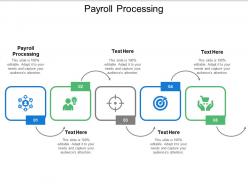
Payroll processing ppt powerpoint presentation professional aids cpb





Try Before you Buy Download Free Sample Product
 Impress Your
 Audience
 100%
100% Editable
 Save Hours
 of Time


Our Payroll Processing Ppt Powerpoint Presentation Professional Aids Cpb are a fantastic bargain. They come with many extra facilities.
People who downloaded this PowerPoint presentation also viewed the following :
Payroll processing ppt powerpoint presentation professional aids cpb with all 5 slides:
Our Payroll Processing Ppt Powerpoint Presentation Professional Aids Cpb ensure excellent facilities. They have an array of attributes.



FAQs for Payroll processing ppt powerpoint presentation
So basically you grab all your timesheets first, then crunch the numbers for gross pay - don't forget overtime and bonuses. Tax calculations are honestly such a pain, there's like a million little rules. Deduct everything (taxes, benefits, whatever else), and boom - net pay. Cut the checks or set up direct deposits. Update your records too or you'll hate yourself later. Oh, and you've gotta file those tax reports and send payments to the government. Definitely make yourself a checklist though - I swear those quarterly filings will sneak up on you every time.
Ugh, you've got to juggle three different levels - federal stuff like FLSA, state minimums and overtime rules, plus whatever weird local ordinances your city has. Honestly such a pain! Get your payroll software updating tax tables automatically, that'll save you headaches. Check in with HR or legal regularly about changes. Subscribe to your state labor department updates and the DOL too. Oh and audit what you're doing now against each area's rules - I bet you'll find some surprises. Keep records of literally everything because you'll need them later.
Ugh, taxes are the absolute worst part - compliance stuff will eat you alive. Data entry mistakes happen constantly too. Oh, and don't even get me started on employee vs contractor classification because the penalties are brutal if you mess that up. People always forget timesheets or submit them late, which is maddening. Your payroll software probably won't play nice with other HR systems either, creating these annoying bottlenecks everywhere. Honestly? Just get decent automation and be super strict about timesheet deadlines. Trust me on this one.
Dude, automation tools are game changers for payroll. They grab hours straight from your timekeeping system and handle all the tax calculations automatically. No more sitting there for hours doing math - it literally takes minutes now. The error thing is huge too since you won't accidentally mess up someone's overtime or miss their 401k stuff. Paystubs and tax forms just generate themselves, which still blows my mind honestly. I'd check out ADP or Paychex if you're still doing everything by hand. Trust me, you'll wonder why you waited so long.
Okay so employee classification basically controls everything about payroll. Wrong call here and you're screwed - penalties, back taxes, the whole mess. Employees mean you're withholding their income taxes, paying your employer portion, plus benefits usually. Contractors? They deal with their own tax stuff and you just pay them straight up. Way cleaner honestly, but you can't just pick whatever's convenient. The IRS has actual criteria for this - I'd definitely run it by HR or whoever handles legal before you set anyone up. Trust me on that one.
Start by setting your overtime threshold at 40 hours for non-exempt employees - pretty standard stuff. Track actual vs scheduled hours religiously. Bonuses are where it gets tricky though. Document your calculation method upfront, whether it's percentage-based or performance metrics or whatever. I've seen companies mess this up so badly it's not even funny. Check your state laws too since some are way stricter than federal rules. Most payroll software handles the math automatically, but honestly? Double-check the setup because glitches happen. Oh, and create a quick checklist for each pay period. Saves you from those "oh crap" moments when you're rushing to process payroll.
Drop everything and look into it right away - seriously, don't let this stuff sit around. I made that mistake once and a tiny payroll error turned into this whole drama that could've been avoided. Document the complaint, what you did to fix it, and how you solved it. Keep records of every email or conversation with the employee too. Be upfront about what went wrong and how you handled it. Oh, and definitely review your process afterward so it doesn't happen again. Honestly, employees just want to know you're taking their concerns seriously and fixing things quickly.
So basically hourly people get paid for whatever hours they actually work - overtime included. Salaried folks get the same amount every paycheck no matter what. Hourly is honestly a pain because you're constantly tracking timesheets and doing overtime math. Plus all the deductions change based on hours worked. Salaried is way easier since their gross pay never changes, though you still gotta deal with unpaid time off and stuff. Just make sure you're putting people in the right category though - the government gets really pissy about misclassifying employees when it comes to overtime rules.
So benefits and deductions come straight out of your employees' paychecks from their gross pay. Pre-tax stuff like health insurance and 401k? That lowers their taxable income first, which is actually pretty sweet for them tax-wise. Union dues and loan payments happen after taxes get calculated though. The timing really does matter for the math - I learned that the hard way when I first started doing payroll. Oh, and don't forget you're also paying employer contributions on top of everything, so your total costs go up even if employees don't see that part. Just make sure your payroll software has the right settings for each type.
Dude, get payroll software ASAP - it'll handle all the tax stuff and direct deposits without you pulling your hair out. Let employees update their own info through a portal so you're not constantly chasing people for address changes. Spreadsheets are honestly a nightmare waiting to happen. Pick the same dates every month and stick to them no matter what. I always run reports first to catch any wonky hours before processing everything. The manual calculations will kill you - trust me, I learned that the hard way. Just start with automating one annoying task this week and go from there.
So basically, in-house payroll means you're doing everything yourself - all the calculations, tax stuff, deadlines. You get total control but honestly? It's kind of a pain keeping up with all the rule changes. Outsourcing costs more but they handle all that compliance headache for you. Less control though. I'd say if you're spending more than a couple hours each pay period on this stuff, just get some quotes from payroll companies. Your time's probably worth more than the extra cost anyway.
Dude, you're gonna love having encrypted data and automatic backups instead of those sketchy spreadsheets floating around. Manual entry errors basically become extinct since everything calculates taxes and overtime automatically. The audit trails are pretty sweet too - you can track every single change. Honestly, I used to mess up payroll calculations all the time before switching to digital (so embarrassing). Figure out what's driving you most crazy first - security issues or constant math errors - then pick something that actually fixes those problems. Trust me, the accuracy boost alone is worth it.
Track how long each payroll cycle takes and your error rates - missed people, wrong calculations, that stuff. Cost per run matters too. Don't forget compliance things like hitting tax deadlines and any audit issues that pop up. Employee satisfaction is huge because nobody wants angry calls about missing paychecks (been there!). I'd also watch your processing volume compared to headcount - shows if your team's working efficiently. System downtime tracking helps spot where things get stuck. Honestly, just pick baselines for these over your next few cycles, then tackle whatever's driving you crazy first.
Definitely start running payroll audits in November - trust me on this one. Check that employee info is current and reconcile all your accounts. Make sure deductions and benefits are coded right (I always find at least one thing I messed up). Your tax deposits better be caught up too. Oh, and start pulling together W-2 and 1099 documentation now. The worst thing is hitting December 31st and realizing you've got problems with no time to fix them. Give yourself that buffer time because something always comes up.
Focus on tax updates first - that stuff changes constantly and will bite you if you're behind. APA certification programs are honestly worth the investment, they cover both technical and regulatory stuff really well. Quarterly tax workshops are pretty standard, plus annual compliance certs. Don't forget labor law refreshers either, those sneak up on you more than you'd think. Your payroll software vendor usually has decent training resources too when you upgrade systems. I'd plan around 20-30 hours per person yearly. Sounds like a lot but keeps everyone sharp and out of trouble with compliance issues.
No Reviews