

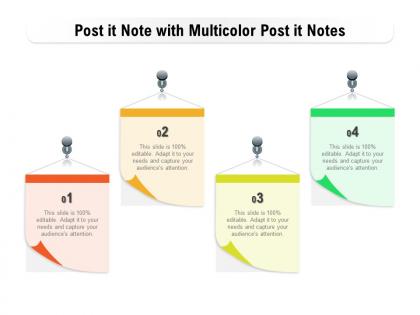
Post it note with multicolor post it notes





Try Before you Buy Download Free Sample Product
 Impress Your
 Audience
 100%
100% Editable
 Save Hours
 of Time


Our Post It Note With Multicolor Post It Notes are a class above. They ensure you have the best.
People who downloaded this PowerPoint presentation also viewed the following :
Post it note with multicolor post it notes with all 2 slides:
Have the dice fall in your favor with our Post It Note With Multicolor Post It Notes. Your brilliance will get it's due.
FAQs for Post it note with multicolor
Multicolor Post-it Notes enhance presentations through visual organization, category differentiation, audience engagement, priority highlighting, and collaborative interaction. These color-coded systems streamline information processing by enabling presenters to segment complex topics, facilitate real-time feedback collection, and create memorable visual anchors, with many organizations finding that strategic color usage significantly improves audience retention and participation rates.
Multicolor Post-it Notes enhance brainstorming organization by enabling color-coded categorization, visual priority ranking, and streamlined idea clustering across different themes or departments. Through strategic color assignment, teams can instantly distinguish between action items, feedback, and new concepts, while facilitating seamless idea migration and grouping, ultimately delivering faster consensus-building and more structured creative outcomes.
Color-coded notes enhance memory retention by creating visual associations, categorizing information hierarchically, and triggering pattern recognition in the brain. Through strategic color mapping, presenters can organize key points, supporting details, and transitions more effectively, with many finding that multicolor systems reduce cognitive load while improving recall accuracy during high-stakes presentations.
Effective techniques include color-coding by category or priority, creating visual hierarchies through strategic placement, using contrasting colors for emphasis, clustering related ideas by hue, and maintaining consistent color meanings throughout presentations. These approaches streamline information organization by enhancing visual flow, improving audience comprehension, and enabling faster content navigation, with many presenters finding that systematic color usage ultimately delivers clearer messaging and stronger audience engagement.
Teams can leverage multicolor Post-it Notes by assigning specific colors to different project phases, team members, priority levels, task categories, and deadlines for visual organization. This color-coding system streamlines workflow management, enhances cross-functional communication, and accelerates decision-making processes, with many organizations finding that visual project mapping ultimately delivers improved team coordination and faster project completion.
Different Post-it Note colors trigger distinct psychological responses that significantly impact audience engagement, with warm colors like red and orange creating urgency and energy, cool blues promoting trust and calm focus, yellow enhancing memory retention, and green encouraging creativity and balance. Through strategic color selection, presenters and educators streamline information processing, enhance emotional connection, and improve knowledge retention, with many organizations finding that multicolor systems boost participation rates and audience attention spans during meetings and training sessions.
Multicolor Post-it Notes enable task and idea prioritization through strategic color coding, where red indicates urgent items, yellow represents medium priority, and green shows low priority or completed tasks. This visual system streamlines decision-making processes during brainstorming sessions, project planning meetings, and strategic reviews, with many organizations finding that color-coded prioritization enhances team collaboration and accelerates consensus-building across departments.
Multicolor Post-it Notes enhance visual storytelling by creating color-coded narratives, organizing complex information into digestible segments, and establishing visual hierarchy that guides audience attention through key presentation points. These tools enable presenters to build dynamic, interactive stories where different colors represent themes, timelines, or categories, while facilitating real-time engagement and memorable visual experiences that ultimately deliver stronger audience retention and clearer communication outcomes.
Educators can utilize multicolor Post-it Notes by assigning different colors to specific subjects, student groups, feedback types, or learning stages, creating visual organization systems that enhance classroom engagement. Through color-coded brainstorming sessions, peer review activities, and collaborative problem-solving exercises, teachers streamline information categorization while promoting active participation, ultimately delivering more interactive lessons and improved student comprehension across diverse learning environments.
Creative display ideas for multicolor Post-it Notes at events include interactive voting walls where attendees use different colors for responses, collaborative vision boards for brainstorming sessions, timeline displays showing project progression, feedback stations with color-coded categories, and artistic installations that double as engagement tools. These approaches transform simple notes into dynamic visual experiences, encouraging participation while creating memorable brand interactions, with many event organizers finding that strategic color coordination enhances both aesthetics and functional organization throughout their programs.
Digital alternatives to multicolor Post-it Notes can be effectively integrated into presentations through interactive templates, virtual sticky note tools, real-time collaboration platforms, and drag-and-drop presentation software. These solutions streamline brainstorming sessions by enabling instant categorization, seamless editing, and immediate visual organization, while many organizations find that digital integration enhances audience engagement and delivers faster ideation processes.
Multicolor Post-it Notes significantly enhance information clarity by enabling visual categorization, priority coding, status tracking, and workflow organization across projects and presentations. This color-coding system streamlines communication in offices, classrooms, and collaborative environments, with many teams finding that strategic color assignment reduces confusion, accelerates decision-making, and ultimately delivers clearer project outcomes and improved information retention.
Presenters can use multicolor Post-it Notes by assigning specific colors to different feedback types, such as yellow for questions, blue for positive comments, and pink for suggestions or concerns. This strategic color-coding system enables speakers to quickly categorize audience input during presentations, streamline follow-up responses, and identify trending themes, ultimately enhancing audience engagement while delivering more targeted and responsive communication experiences.
**INPUT**: What strategies can be employed to organize multicolor Post-it Notes during fast-paced meetings? **OUTPUT**: Effective strategies include assigning specific colors to categories, designating capture zones on boards, using time-boxed collection phases, and appointing note organizers for each section. These approaches streamline real-time sorting by topic, priority, and action items, with many teams finding that structured color coding ultimately delivers faster decision-making and clearer meeting outcomes.
Different shapes and sizes of Post-it Notes enhance presentation effectiveness by creating visual hierarchy, organizing complex information, and guiding audience attention through strategic placement and color coding. Larger rectangular notes work well for main concepts and headings, while smaller squares excel for detailed annotations and feedback collection, with many presenters finding that varied shapes streamline information categorization and ultimately improve audience engagement and comprehension.
No Reviews