

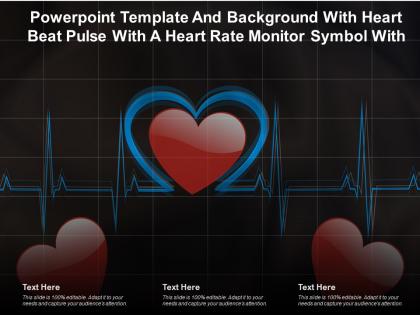
Powerpoint template and background with heart beat pulse with a heart rate monitor symbol




Try Before you Buy Download Free Sample Product
 Impress Your
 Audience
 100%
100% Editable
 Save Hours
 of Time


Our Powerpoint Template And Background With Heart Beat Pulse With A Heart Rate Monitor Symbol are topically designed to provide an attractive backdrop to any subject. Use them to look like a presentation pro.
People who downloaded this PowerPoint presentation also viewed the following :
Powerpoint template and background with heart beat pulse with a heart rate monitor symbol with all 2 slides:
Use our Powerpoint Template And Background With Heart Beat Pulse With A Heart Rate Monitor Symbol to effectively help you save your valuable time. They are readymade to fit into any presentation structure.

FAQs for Powerpoint template and background with heart beat pulse with a heart
A heartbeat monitor PowerPoint template should include real-time waveform graphics, customizable data visualization charts, vital signs tracking sections, patient information panels, and medical color schemes with professional typography. These features enable healthcare professionals, medical institutions, and clinical researchers to present cardiac data clearly and accurately, while streamlined layouts and data integration capabilities ultimately enhance patient consultations and medical presentations.
Visuals in heartbeat monitor presentations enhance understanding by transforming complex cardiac data into clear waveforms, anatomical diagrams, trend charts, and real-time rhythm displays that make medical information accessible. These visual elements enable healthcare professionals to demonstrate arrhythmias, explain treatment protocols, and showcase patient progress more effectively, while patients and families gain clearer comprehension of cardiac conditions, ultimately improving communication and health outcomes.
**INPUT**: What color schemes are most effective for designing a heartbeat monitor PowerPoint template geared towards medical professionals? **OUTPUT**: Medical professional presentations benefit from clean color schemes including clinical blues and whites, professional grays with green accents, and traditional red-and-white combinations that mirror standard medical equipment. These palettes enhance readability while maintaining clinical credibility, with many healthcare organizations finding that blues and greens reduce visual fatigue during lengthy presentations, ultimately delivering professional authority and improved audience engagement. *[Word count: 60 words]*
Animations in heartbeat monitor PowerPoint templates can utilize pulsing waveforms, sequential ECG line drawings, color transitions from normal to irregular rhythms, and synchronized beat indicators that mirror actual cardiac patterns. These dynamic elements enable medical professionals, educators, and healthcare organizations to demonstrate arrhythmias, normal sinus rhythms, and cardiac abnormalities more effectively, ultimately enhancing patient education and clinical presentations.
Line charts, bar graphs, trend analysis visualizations, real-time monitoring displays, and comparative dashboard layouts are most effective for presenting heartbeat data in PowerPoint presentations. These chart types enable healthcare professionals, fitness organizations, and medical device companies to showcase patient monitoring trends, workout performance metrics, and clinical outcomes clearly, while delivering enhanced diagnostic insights and improved patient care tracking.
A heartbeat monitor template can be tailored for classroom education by incorporating interactive quiz sections, student progress tracking visuals, lesson pace indicators, and engagement measurement tools. Teachers can customize the pulsing animations to reflect learning milestones, create visual health checks for comprehension levels, and use the rhythmic design to demonstrate biological concepts, ultimately enhancing student engagement and making complex cardiovascular topics more accessible.
Key heart health statistics include cardiovascular disease causing 655,000 deaths annually in the US, heart attacks occurring every 40 seconds, and hypertension affecting 45% of adults. These metrics enhance healthcare presentations by demonstrating disease prevalence, treatment urgency, and population health trends, with many medical institutions finding that data-driven visualizations improve patient education and strategic healthcare planning.
Case studies can be integrated through dedicated slides showcasing patient monitoring scenarios, comparative analysis sections displaying before-and-after outcomes, data visualization pages featuring real hospital metrics, and testimonial segments from healthcare professionals. These integrations transform abstract monitoring concepts into tangible applications, with many medical institutions finding that real-world examples enhance stakeholder understanding, improve training effectiveness, and demonstrate measurable improvements in patient care outcomes.
Incorporating patient testimonials into heartbeat monitor templates involves strategically placing authentic quotes alongside visual heart rhythm data, using callout boxes with patient photos, and creating dedicated testimonial slides that complement clinical information. Healthcare providers can enhance credibility by featuring diverse patient experiences, positioning testimonials near relevant cardiac metrics, and maintaining HIPAA compliance, ultimately delivering more compelling presentations that demonstrate real-world treatment outcomes and patient satisfaction.
Common pitfalls include overcrowding slides with excessive data, using inconsistent visual themes, poor color contrast affecting readability, lack of clear narrative flow, and failing to tailor technical content for your audience. These design missteps can undermine critical healthcare presentations, with many medical professionals finding that streamlined templates enhance communication clarity, improve stakeholder engagement, and ultimately deliver more impactful presentations.
Including disclaimers about data sources in heartbeat monitor presentations is crucial for maintaining credibility, ensuring compliance with healthcare regulations, and protecting against liability concerns. These clarifications enhance transparency and professional accountability, with many healthcare organizations, medical device companies, and research institutions finding that clear data attribution builds stakeholder trust while meeting regulatory standards.
Icons and infographics transform heartbeat monitor PowerPoint templates by simplifying complex medical data, creating visual hierarchy, and enhancing audience comprehension through intuitive symbols and data visualization. These visual elements enable healthcare professionals, medical educators, and researchers to communicate cardiac information more effectively, while reducing cognitive load and increasing retention, ultimately delivering clearer presentations that engage both medical and non-medical audiences.
Presenters can ensure accessibility by incorporating high contrast colors, alternative text for all visual elements, readable fonts like Arial or Calibri, and keyboard navigation compatibility. These templates should include screen reader-friendly descriptions of heart rate data, captioned audio content, and scalable graphics that maintain clarity when enlarged, ultimately delivering inclusive presentations that reach broader audiences while meeting ADA compliance standards.
High-quality images in heartbeat monitor PowerPoint presentations enhance visual clarity, improve data interpretation, strengthen professional credibility, and facilitate better audience understanding of complex cardiac information. These crisp visuals enable healthcare professionals, medical students, and researchers to communicate cardiovascular concepts more effectively during training sessions, patient consultations, and clinical presentations, ultimately delivering clearer communication and enhanced learning outcomes.
A heartbeat monitor PowerPoint template adapts through adjustable medical terminology, visual complexity levels, and data presentation depth, allowing customization from technical clinical details to simplified health awareness content. Healthcare professionals benefit from comprehensive diagnostic data and medical accuracy, while layperson presentations emphasize visual metaphors, basic health concepts, and accessible language, ultimately delivering targeted communication that enhances understanding across diverse audience expertise levels.
-
Excellent template with unique design.
-
Out of the box and creative design.
-
Very unique and reliable designs.
-
Great product with effective design. Helped a lot in our corporate presentations. Easy to edit and stunning visuals.
-
Professional and unique presentations.