

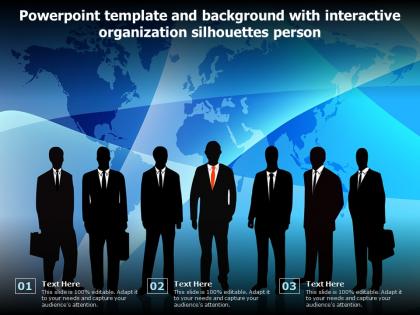
Powerpoint template and background with interactive organization silhouettes person




Try Before you Buy Download Free Sample Product
 Impress Your
 Audience
 100%
100% Editable
 Save Hours
 of Time


Our Powerpoint Template And Background With Interactive Organization Silhouettes Person are topically designed to provide an attractive backdrop to any subject. Use them to look like a presentation pro.
People who downloaded this PowerPoint presentation also viewed the following :
Powerpoint template and background with interactive organization silhouettes person with all 2 slides:
Use our Powerpoint Template And Background With Interactive Organization Silhouettes Person to effectively help you save your valuable time. They are readymade to fit into any presentation structure.
FAQs for Powerpoint template and background with interactive
Interactive organization silhouettes PowerPoint templates deliver effectiveness through customizable hierarchical structures, animated transitions between organizational levels, clickable employee profiles, dynamic role descriptions, and scalable visual frameworks that adapt to different company sizes. These features streamline workforce presentations by enabling real-time organizational navigation, enhancing stakeholder understanding of complex reporting structures, and ultimately delivering clearer communication and improved strategic planning across departments.
Interactive elements significantly enhance audience engagement by transforming passive presentations into dynamic experiences through clickable navigation, animated transitions, real-time polling, and multimedia integration. These features enable presenters to maintain attention, encourage participation, and facilitate better information retention, with many organizations finding that interactive presentations increase audience comprehension by up to 40% while creating more memorable and impactful communication experiences.
Organizations across consulting, corporate training, human resources, and strategic planning sectors benefit most from silhouette templates, as these designs effectively communicate organizational structures, team dynamics, and workflow processes. These templates enable companies to present complex hierarchical information, departmental relationships, and personnel allocation strategies in visually engaging formats, with many finding that silhouettes enhance audience comprehension while maintaining professional credibility.
Silhouette templates vary significantly across industries, with healthcare featuring medical professionals and hospital settings, finance showcasing banking environments and financial advisors, and education highlighting classroom scenarios and academic professionals. These industry-specific designs enhance presentation relevance by providing contextually appropriate visuals, enabling organizations to create more targeted communications that resonate with their specific audiences, ultimately delivering stronger engagement and professional credibility.
Best practices include adjusting color schemes to match brand guidelines, replacing placeholder text with consistent fonts and messaging, incorporating company logos strategically, and modifying silhouette styles to reflect organizational culture. These customizations enhance brand recognition by creating visual cohesion, reinforcing corporate identity, and ensuring professional consistency across presentations, with many organizations finding that tailored templates significantly improve stakeholder engagement and brand memorability.
Presenters can incorporate storytelling techniques with silhouette templates by creating visual narratives through character progression, emotional arcs, and scenario-based presentations that guide audiences through challenges, solutions, and outcomes. These templates enable dynamic storytelling by representing stakeholder journeys, organizational transformations, and process evolution, with many business leaders finding that silhouette-based narratives enhance audience engagement and message retention significantly.
Interactive organization silhouettes enhance hierarchy visualization by providing dynamic visual mapping, drag-and-drop functionality, clickable role definitions, scalable departmental views, and real-time structural updates. These templates streamline organizational communication by enabling HR teams, managers, and executives to present complex reporting structures more clearly, while facilitating strategic workforce planning and ultimately delivering improved transparency across departments and enhanced employee understanding of company architecture.
Users should consider compatibility with Microsoft PowerPoint versions (2016, 2019, 365), Google Slides for cloud-based collaboration, and Keynote for Mac environments, while ensuring template features like animations and interactive elements function seamlessly. These compatibility considerations enable smooth presentations across different platforms and devices, with many organizations finding that multi-platform templates deliver greater flexibility and broader team accessibility.
Animations within silhouette templates emphasize key points by creating visual hierarchy through sequential reveals, movement patterns, and strategic timing that naturally guide audience attention to critical information. These dynamic elements enable presenters to control information flow, highlight specific data relationships, and maintain engagement while transforming static organizational charts into compelling narratives, with many finding that animated transitions significantly improve message retention and audience comprehension.
Color schemes significantly enhance silhouette template effectiveness by creating visual hierarchy, reinforcing brand identity, establishing emotional tone, and improving information retention across organizational presentations. Strategic color choices enable presenters to guide audience attention, differentiate organizational levels or departments, and maintain professional consistency, with many companies finding that coordinated palettes strengthen message clarity and audience engagement.
**INPUT**: How can feedback from audiences improve the design and usage of interactive organization silhouettes in future presentations? **OUTPUT**: Audience feedback enhances interactive organization silhouettes by identifying clarity issues, navigation challenges, visual hierarchy improvements, and engagement optimization opportunities. This input enables presenters to refine color schemes, adjust sizing proportions, streamline click patterns, and enhance information flow, with many organizations finding that iterative feedback ultimately delivers more intuitive presentations and stronger audience comprehension. [Word count: 54 words]
Avoid overly complex details, inconsistent sizing, poor contrast ratios, distracting backgrounds, and cluttered layouts when creating organizational silhouette templates. These design pitfalls can reduce readability, compromise professional appearance, and hinder audience comprehension during presentations, with many organizations finding that clean, high-contrast silhouettes with consistent proportions deliver better engagement and clearer communication outcomes.
Current trends shaping PowerPoint template development include interactive elements, data visualization integration, brand consistency automation, mobile-responsive designs, and collaborative features. These advancements streamline presentation creation by reducing design time, enhancing audience engagement, and ensuring professional consistency across teams, with many organizations finding that strategic template investments ultimately deliver improved communication effectiveness and stronger brand presence.
Interactive organization silhouettes enhance virtual presentations by enabling real-time role clarification, dynamic team introductions, and clickable navigation between different organizational levels or departments. These visual templates streamline remote communication by allowing presenters to highlight specific positions, demonstrate reporting structures, and facilitate audience engagement through interactive elements, ultimately delivering clearer organizational understanding and more compelling virtual experiences.
**INPUT**: What resources are available for learning how to effectively use and customize presentation templates? **OUTPUT**: Learning resources include online tutorials, PowerPoint help documentation, design blogs, video courses, and template provider guides that cover customization techniques, design principles, and best practices. These educational materials enhance presentation skills by teaching color theory, layout optimization, and brand consistency, with many professionals finding that structured learning approaches ultimately deliver more engaging presentations and increased audience impact.
-
Qualitative and comprehensive slides.
-
Perfect template with attractive color combination.
-
Excellent work done on template design and graphics.