

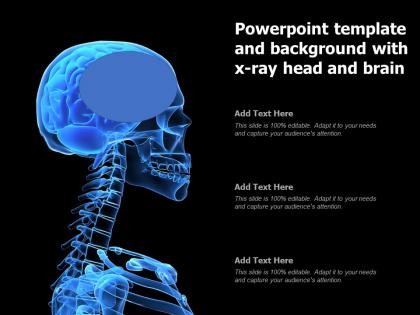
Powerpoint template and background with x ray head and brain




Try Before you Buy Download Free Sample Product
 Impress Your
 Audience
 100%
100% Editable
 Save Hours
 of Time


Our Powerpoint Template And Background With X Ray Head And Brain are topically designed to provide an attractive backdrop to any subject. Use them to look like a presentation pro.
People who downloaded this PowerPoint presentation also viewed the following :
Powerpoint template and background with x ray head and brain with all 2 slides:
Use our Powerpoint Template And Background With X Ray Head And Brain to effectively help you save your valuable time. They are readymade to fit into any presentation structure.

FAQs for Powerpoint template and background with x ray
Start with patient info, clinical history, and imaging details. Then go through findings systematically - skull, brain tissue, ventricles, abnormalities. I always mess up and forget radiation dose at first, but add that for documentation. Compare with old studies if you have them. Your impression and recommendations go at the end. Don't forget bone windows and soft tissue stuff - oh, and any random findings you spot. Honestly, just make bullet points for normal findings ahead of time. You'll thank yourself later when you're swamped and don't want to think.
Yeah, visuals are a game changer for brain X-ray presentations. Most people look at raw X-rays and see nothing but gray blobs – honestly can't blame them. Color overlays work great for highlighting specific areas. Side-by-side comparisons of normal vs abnormal scans help tons too. 3D reconstructions are awesome if you've got access to that tech. Simple stuff like arrows, labels, and zoom-ins on important structures makes everything click. I'd pair each X-ray with a basic diagram or illustration. Trust me, your audience will actually stay engaged instead of zoning out completely.
CT scans and MRIs are your go-to options - CT's great for acute stuff like strokes or bleeding, while MRI gives you those detailed soft tissue views. Always throw in orientation labels (left/right, anterior/posterior) because trust me, half the audience will get lost otherwise. I can't tell you how many times I've sat through presentations where someone just tosses in random brain images that don't even match their point! Pick scans that actually support what you're saying. Use arrows or highlighting to point out specific areas. Oh, and captions are clutch - briefly explain what people should be looking at so they're not just staring blankly.
So templates are lifesavers - they give you the same structure every time so you don't miss anything important. You'll cover all the critical stuff using standard terminology that other docs expect. Honestly, they speed things up like crazy when you're going through tons of cases. No more forgetting to document patient history or contraindications because it's all laid out for you. Other radiologists and referring physicians can find what they need super quick since everything's in the expected spots. I'd say start basic then tweak it for your facility's weird requirements.
You definitely need color coding or you'll go crazy trying to read those X-rays. Everything looks like gray mush without it. Pick different colors for the main parts - frontal lobe, temporal areas, cerebellum, brain stem. Make sure they actually contrast well though, not like some pastel nightmare where everything blends together. Short sentences work. Longer ones should flow naturally when you're explaining regions during presentations. Stick with the same color scheme across all your templates so you're not constantly re-explaining what purple means versus blue. Trust me, it saves so much time later.
Dude, templates are honestly a game-changer. Your referring docs won't have to dig through walls of text anymore - they'll know exactly where to find the important stuff. No more annoying callback questions either since you're hitting all their standard concerns upfront. Structure it with sections like clinical indication, key findings, clinical correlation. That kind of thing. Consistency across cases is huge too. I mean, radiologists can be all over the place with their styles (no offense if you are one lol). Having that roadmap just makes everyone's life easier. Your colleagues will actually start following the same format once they see how smooth it makes things.
Honestly, just go with PowerPoint or Google Slides first - everyone in medicine expects that format anyway and they handle X-ray images pretty well. Canva's actually decent too if you want something that looks more polished, though some older docs get weird about presentations that look "too fancy" lol. If you need to do custom annotations or graphics on the actual X-rays, Illustrator works great but GIMP's free if budget's tight. Start simple with PowerPoint since that's what your team already knows. You can always get fancier later if needed.
Dude, animations are a total game-changer for brain stuff. Static images just dump everything on you at once—even doctors get overwhelmed by that. With animation, you can walk people through it piece by piece. Show one structure, then another, highlight the problem areas with those little pop-up callouts. Super helpful for showing how diseases progress too, like before/after comparisons. Just don't go crazy with the fancy effects (I've seen some cringeworthy examples). Start simple with your main findings, then layer on the complex details. That way people actually remember what you're showing them instead of getting lost.
Dude, don't cram everything onto one slide - it's a mess. Tiny fonts are the worst too, half the room can't see anything. Those low-contrast X-rays look absolutely awful when projected, trust me. Skip the fancy animations - they're just distracting when you're highlighting findings. Simple colors work best. Give your images breathing room with white space around them. Here's something I learned the hard way: test your template with real scans first, not just placeholder stuff. What looks decent in design mode might be terrible with actual X-rays. Do a quick tech run beforehand!
So instead of jumping straight into clinical stuff, tell it like a story. Picture this: "Meet Sarah and her killer headaches..." Then walk through the diagnostic journey like you're solving a mystery - because honestly, that's what radiology is half the time! Each X-ray becomes a clue. "Here's what we found next" keeps people hooked way better than boring technical intros. Connect every finding back to what the patient actually felt. Short punches work. Then longer explanations when you need them. Wrap it up with the big reveal - diagnosis and outcome. Trust me, people remember stories, not data dumps.
Honestly, it all comes down to who you're talking to. Doctors can handle the technical stuff and diagnostic details - they live for that. Students need more hand-holding though, so add educational notes and walk them through it step by step. Patients are totally different - they get overwhelmed super easily by medical images, so keep it simple with basic anatomy labels. No fancy jargon. The setting matters too. Big fonts for lecture halls, interactive stuff works better at bedside. Figure out your audience's knowledge level first, then build from there.
Okay so for X-ray brain templates, throw in alt text for every image - describe what you're actually seeing like "sagittal view, frontal lobe in red." Use high contrast colors and bigger fonts too. I always mess this up at first, but keyboard navigation is huge since not everyone can use a mouse. Audio descriptions help a lot for the important stuff. Honestly, screen readers are pickier than you'd think, so test with those before you present. Text summaries alongside the visuals are clutch. Mixed audiences will thank you later - some people process visual info differently anyway.
Honestly, it's all about who you're talking to. Academic templates are heavy on methodology and stats - you're gonna spend forever explaining your study design and comparing it to other research. Clinical ones? Totally different vibe. They want actionable stuff that actually helps with patients. Like, what does this mean for diagnosis or treatment? Academic presentations drag on with tons of background context (sometimes too much tbh), but clinical ones cut straight to "how does this change what I do tomorrow?" Just pick whichever matches your goal - advancing knowledge vs improving patient care.
Oh definitely use patient cases - they're a game changer for X-ray presentations. Real cases help people actually get it instead of just memorizing theory. Nobody wants to sit through 20 minutes of normal brain anatomy (been there, done that). Cases show your thought process and the mistakes people actually make in practice. I'd go with maybe 2-3 solid ones that hit your main points. Just make sure the image quality doesn't suck and the pathology is obvious enough to support what you're teaching. Trust me, your audience will stay way more engaged when there's actual diagnostic puzzles to solve.
Honestly, AI diagnostic overlays are a must-have now. Interactive visualizations let radiologists flip between different views and annotation layers - way more efficient. Mobile compatibility is critical since everyone's reviewing scans on tablets these days. The collaborative angle is huge too (basically Google Docs for brain scans) where multiple specialists can mark up images together. Don't forget PACS integration and room for AI confidence scores. Oh, and standardized reporting helps tons with consistency. Really though, just design the whole thing around workflow speed and multi-user stuff from the start. That's where everything's headed anyway.
-
Design layout is very impressive.
-
Qualitative and comprehensive slides.
-
Informative presentations that are easily editable.
-
Great product with effective design. Helped a lot in our corporate presentations. Easy to edit and stunning visuals.
-
Great experience, I would definitely use your services further.