

Powerpoint template with computer generated image business network ppt powerpoint




Try Before you Buy Download Free Sample Product
 Impress Your
 Audience
 100%
100% Editable
 Save Hours
 of Time


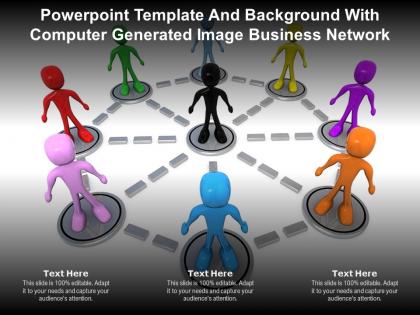
The following Powerpoint Image slide titled Powerpoint Template With Computer Generated Image Business Network Ppt Powerpoint is an editable Powerpoint template available in Standard as well as Widescreen size. This slide has an image pasted strategically on a slide with sections for text that you can fill in. You can move and edit any element and paste your own image in place of this provided image if required.
People who downloaded this PowerPoint presentation also viewed the following :
Powerpoint template with computer generated image business network ppt powerpoint with all 2 slides:
Use our Powerpoint Template With Computer Generated Image Business Network Ppt Powerpoint to effectively help you save your valuable time. They are readymade to fit into any presentation structure.
FAQs for Powerpoint template with computer generated image business
A business network PowerPoint template should include clear network diagrams with labeled connections, stakeholder mapping sections, partnership hierarchy visuals, contact information layouts, and collaboration workflow charts. These elements enhance communication by streamlining complex relationships, facilitating strategic planning, and enabling organizations to present their network ecosystem effectively, with many businesses finding that visual network representations significantly improve stakeholder understanding and partnership development outcomes.
A well-designed business network presentation simplifies complex organizational structures through visual hierarchy, clear connection mapping, strategic color coding, and intuitive layout design that guides audience comprehension. These visual elements enable viewers to quickly grasp reporting relationships, departmental interdependencies, and communication flows, with many organizations finding that structured network diagrams reduce meeting confusion and enhance strategic decision-making processes.
Navy blue, charcoal gray, and deep green paired with white or light gray backgrounds effectively convey professionalism, while accent colors like gold or burgundy add sophistication without overwhelming content. These color combinations enhance readability, maintain visual hierarchy, and project credibility across industries, with many organizations finding that consistent, muted palettes ultimately deliver stronger audience engagement and reinforce brand authority.
Visual aids within business network templates improve information retention by transforming complex relationships into digestible visual formats, utilizing color coding, hierarchical structures, and clear connection pathways. These elements leverage cognitive processing advantages, with research showing visual learners retain up to 65% more information when concepts are presented graphically rather than through text alone, ultimately enabling teams to grasp network dynamics faster and make strategic decisions more effectively.
Infographics in business network PowerPoint presentations enhance audience engagement, simplify complex data visualization, improve information retention, accelerate decision-making processes, and strengthen professional credibility. These visual elements streamline communication by transforming dense network analyses, partnership structures, and connectivity metrics into digestible formats, with many organizations finding that infographic-rich presentations deliver faster stakeholder buy-in and clearer strategic alignment.
Incorporating charts and graphs in business network templates enhances data presentation by visualizing complex relationships, highlighting key performance metrics, and making network connections immediately comprehensible to stakeholders. These visual elements streamline communication across departments, enable faster decision-making during presentations, and transform abstract networking concepts into actionable insights, ultimately delivering clearer strategic understanding and improved stakeholder engagement.
Network diagrams, organizational charts, hub-and-spoke models, matrix layouts, and flowcharts are most effective for showcasing business relationships. These layouts enable clear visualization of partnerships, hierarchies, and connections by strategically positioning elements, using connecting lines, and incorporating visual hierarchy, with many organizations finding that hub-and-spoke designs particularly enhance stakeholder understanding and communication clarity.
Tailoring business network PowerPoint templates involves customizing colors, icons, terminology, and visual elements to match specific industry standards and branding requirements. For example, healthcare networks might emphasize patient data flows and compliance frameworks, while financial services focus on secure transaction pathways and regulatory connections, ultimately delivering more relevant presentations that resonate with sector-specific audiences.
Business network PowerPoint templates can be enhanced through integrations with Visio for advanced diagramming, Lucidchart for collaborative network mapping, Microsoft Teams for real-time presentations, and data visualization tools like Tableau or Power BI. These integrations streamline template customization, enable dynamic data connections, and facilitate seamless collaboration across organizations, with many enterprises finding that automated data feeds and cloud-based editing significantly reduce presentation preparation time while delivering more accurate, up-to-date network visualizations.
Storytelling transforms business network presentations by creating emotional connections, simplifying complex relationships, and making data memorable through narrative structure. Through compelling case studies, customer journey maps, and success stories, organizations can demonstrate network value, build stakeholder trust, and secure buy-in more effectively, ultimately turning technical concepts into persuasive business propositions.
Best practices for creating interactive elements in a business network PowerPoint template include using hyperlinked navigation menus, clickable network nodes, animated connection pathways, embedded action buttons, and triggered content reveals. These interactive features enhance audience engagement by enabling self-paced exploration, streamlining complex network visualizations, and delivering dynamic presentations, with many organizations finding that interactive templates significantly improve stakeholder comprehension and meeting effectiveness.
Structure your business network presentation with a compelling opening that establishes clear value propositions, followed by segmented content blocks covering network components, strategic partnerships, implementation roadmaps, and measurable outcomes. Use interactive elements like case studies from retail, healthcare, and financial services, incorporate visual storytelling through network diagrams, and conclude with actionable next steps, ensuring each section builds momentum while demonstrating tangible business advantages and competitive positioning opportunities.
Common mistakes include overcrowding slides with excessive text, using inconsistent fonts and colors, selecting low-resolution images, and creating overly complex network diagrams that confuse rather than clarify. These design pitfalls undermine professional credibility by reducing readability, weakening visual impact, and diluting key messages, with many organizations finding that streamlined, consistent templates enhance audience engagement and deliver more effective business communications.
Stakeholder feedback enhances business network presentation templates by identifying key visual priorities, preferred data formats, and essential relationship mappings that resonate with target audiences. Through iterative design reviews, organizations can streamline template layouts, incorporate sector-specific terminology, and emphasize strategic connections, ultimately delivering presentations that facilitate clearer stakeholder communication and stronger network engagement.
Typography significantly influences readability, hierarchy, and professional credibility in business network PowerPoint templates through consistent font choices, strategic sizing, and clear contrast ratios. Well-executed typography enhances audience comprehension, streamlines information flow, and reinforces brand identity, with many organizations finding that strategic font selection ultimately delivers stronger stakeholder engagement and more impactful presentations.
-
Topic best represented with attractive design.
-
Awesome presentation, really professional and easy to edit.
-
Much better than the original! Thanks for the quick turnaround.
-
Unique research projects to present in meeting.
-
Editable templates with innovative design and color combination.