

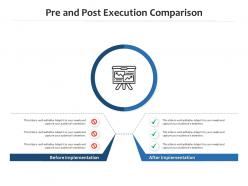
Pre and post execution comparison infographic template





Try Before you Buy Download Free Sample Product
 Impress Your
 Audience
 100%
100% Editable
 Save Hours
 of Time


Our are topically designed to provide an attractive backdrop to any subject. Use them to look like a presentation pro.
People who downloaded this PowerPoint presentation also viewed the following :
Pre and post execution comparison infographic template with all 2 slides:
Use our to effectively help you save your valuable time. They are readymade to fit into any presentation structure.
FAQs for Pre and post execution
Ok so first things first - get your visual hierarchy sorted and pick a color scheme that doesn't make people's eyes bleed. White space is your friend here, don't cram everything together like you're paying rent per pixel. Use normal fonts (I've seen some truly tragic Comic Sans disasters). Flow should go top to bottom logically. Actually visualize your data instead of just dumping text everywhere. Icons are cool but they shouldn't steal the show from your main point. Oh, and focus on ONE thing - trying to fit your entire life story never works. Honestly, just grab a decent template first then customize it.
Honestly, color schemes are huge for infographics - they literally control where people look first. I've watched perfectly good data get totally ignored because someone thought neon yellow on white was a smart choice (why??). Bright, contrasting colors help people scan info fast and actually stay engaged. Poor choices just make everything look messy and unreadable. Plus colors hit emotions differently - blues feel trustworthy, reds scream urgency, greens say growth. Pick your palette based on what feeling you're going for, but also make sure it's actually readable. Stick to 3-4 colors max or it gets overwhelming.
Honestly, you want data that's boring as hell in text form - like survey results, stats, timelines, that kind of stuff. Process flows work great too. Before/after comparisons are money. Geographic breakdowns, demographic stuff, trends over time - all solid choices. Just avoid anything super complex or needing tons of explanation. Nobody's got time for that. The trick is asking yourself: would this be way clearer as a visual instead of making people wade through paragraphs of numbers? If yeah, you're golden. Keep it scannable and simple.
Think about who you're actually talking to first. Executives want clean, minimal stuff that gets straight to the point - they're busy. General audiences love visual storytelling with icons and fun graphics. Tech people usually like detailed charts, but honestly? Sometimes simple works better even for them. Where are you posting this matters too - LinkedIn needs different formatting than slides. Oh, and definitely check what similar content does well with your crowd before you pick anything. That'll save you time figuring out what actually works.
Oh man, biggest thing is don't cram a novel onto your infographic - nobody's reading all that. Also learned this the embarrassing way but check your image resolution! Mine looked like garbage when printed. Your template needs actual personality too, not just default colors that scream "I grabbed this off Canva." Make sure there's enough contrast so people can actually read it. The flow matters more than you'd think - test if someone gets your point in like 10 seconds max. Short sentences work. But mix it up so it doesn't sound robotic, you know?
Layout totally controls whether people actually remember your stuff or just skim and forget. You want their eyes moving in a logical path - like following a Z or F pattern across the page. White space is your friend here, don't cram everything together. Group related things and throw in some arrows or numbers to guide them through your story. Honestly, cluttered designs just make people's brains hurt for no good reason. I always sketch mine out first (even badly) before touching any design software. Saves me from rebuilding the whole thing later when I realize the flow makes zero sense.
Canva's probably your best bet to start - super easy drag-and-drop stuff even if design isn't your thing. Adobe Express works similarly too. Once you get the hang of it and want more control over fonts and colors, Adobe Illustrator is where it's at. Figma's clutch if you're working with other people since everyone can edit at the same time. PowerPoint actually works decent for quick tweaks (weird, I know). I'd mess around with Canva first, then upgrade to Illustrator when you figure out what you actually need to customize.
You've gotta match your template to what your industry actually expects. Healthcare keeps things super clean and clinical - all that white space builds trust. Meanwhile, tech companies can get away with bold colors and flashy data viz stuff. Educational infographics? They're usually bright and simple to break down complicated topics. Finance is honestly pretty boring - conservative layouts with tons of charts to look "credible." I'd check out what your competitors are doing first. That'll give you a good sense of what works in your space. Trust me, you don't want to be the outlier here.
Oh fonts are huge for infographics! You'll want clean, readable ones that work on phones since everyone views stuff on mobile now. Stick with 2-3 font families tops - more than that gets chaotic fast. Play around with different weights and sizes to make your headers pop vs body text. Honestly, I'm kind of obsessed with font hierarchy lately. The whole point is helping people's eyes move through your content smoothly. Your most important info should jump out immediately while keeping everything scannable.
Think of your infographic like telling a story - start with the problem as your hook, then walk people through how you get to the solution. I always use real people or scenarios to make the data actually mean something (way better than just throwing numbers around). Break it into story chunks: setup, conflict, all that stuff building to your resolution. Visual metaphors help tons, and keep your colors consistent so it feels connected. Oh and make sure each section flows into the next one naturally. You don't want people feeling like they're just reading a bunch of random facts, you know?
Honestly, templates are a lifesaver. They come with color schemes and fonts that actually look good together – I used to spend forever just picking typefaces and still end up with something ugly. Most are built for easy reading too, which is huge. You'll get that polished look without being a design pro. The downside? Less creative freedom, obviously. But you can still swap colors and images to match your vibe. Just find one that fits your content structure and customize from there. Way better than staring at a blank page for hours.
Here's the thing - make your main headline huge and bold so it grabs attention first. Then use different sizes and colors to create a path for people's eyes to follow. Don't underestimate white space either (cramming stuff together looks messy). Put your biggest message at the top or center, then scale down from there. I always sketch out what I want people to see first, second, third - helps me figure out the flow. Contrasting colors work great for this too. The whole point is guiding someone through your design like you're telling them a story.
Honestly, start by figuring out what "success" even means for your infographic first. Then track the usual stuff – views, shares, how long people actually look at it. If it links somewhere, check those click rates too. But here's the thing: those numbers don't tell you if people actually *got* your message. Survey folks or do some A/B testing to see if they retained what you were trying to teach them. I always think that's way more valuable than vanity metrics anyway. Pick maybe 3-4 things to measure that actually connect to your original goal, whether that's getting leads or just spreading awareness.
Okay so first thing - nail your dimensions. Instagram's all about those 1080x1080 squares, but LinkedIn works better with horizontal stuff like 1200x627. Your text needs to be huge because everyone's scrolling on their phones anyway. Stick to maybe 2-3 fonts tops or it'll look messy. Put your main info right in the center since platforms love cropping the edges (learned that one the hard way). High contrast colors are your friend for readability. Don't forget to slap your logo on there - people will definitely repost without credit otherwise. Export as PNG so it stays crisp.
Honestly, minimalist stuff is everywhere right now - clean layouts with lots of white space that don't make your eyes bleed. Interactive elements are kind of expected since everything's online anyway. Mobile-first is non-negotiable at this point. Dark mode templates are actually getting popular too, which I didn't see coming but makes sense. The big shift is toward data storytelling instead of just throwing numbers at people. Templates with good hierarchy will save you so much time later - trust me on that one. Oh, and narrative flow beats cramming stats together every time.
-
Use of different colors is good. It's simple and attractive.
-
Topic best represented with attractive design.
-
Great quality product.
-
Great experience, I would definitely use your services further.
-
Helpful product design for delivering presentation.
-
Excellent work done on template design and graphics.