

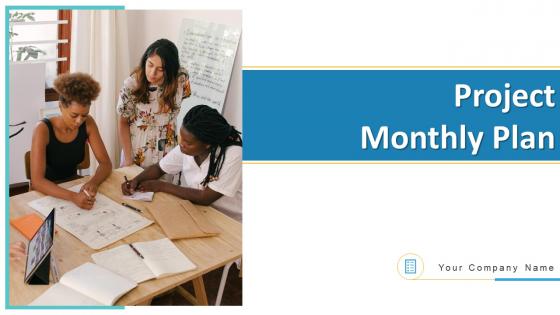
Project monthly plan powerpoint ppt template bundles




Try Before you Buy Download Free Sample Product
 Impress Your
 Audience
 100%
100% Editable
 Save Hours
 of Time


Our Project Monthly Plan PowerPoint PPT Template Bundles are topically designed to provide an attractive backdrop to any subject. Use them to look like a presentation pro.
People who downloaded this PowerPoint presentation also viewed the following :
Project monthly plan powerpoint ppt template bundles with all 20 slides:
Use our Project Monthly Plan PowerPoint PPT Template Bundles to effectively help you save your valuable time. They are readymade to fit into any presentation structure.









FAQs for Project monthly plan powerpoint
**INPUT**: What key elements should be included in a project monthly plan PowerPoint template? **OUTPUT**: A project monthly plan PowerPoint template should include milestone tracking, resource allocation charts, budget progress indicators, risk assessment matrices, and team performance metrics. These elements enable project managers to streamline reporting, enhance stakeholder communication, and maintain operational efficiency, with many organizations finding that comprehensive monthly templates ultimately deliver improved project visibility and faster decision-making processes.
A well-designed monthly plan template enhances project management efficiency by standardizing workflows, centralizing task tracking, and providing visual clarity across project timelines. These templates streamline resource allocation, milestone monitoring, and team coordination, with many organizations finding that consistent monthly planning reduces project delays by 30% and improves stakeholder communication, ultimately delivering better project outcomes and enhanced team productivity.
Design features that make PowerPoint templates suitable for project presentations include clean layouts, consistent color schemes, timeline graphics, milestone markers, and data visualization elements like charts and progress bars. These elements enhance project communication by organizing complex information clearly, tracking deliverables visually, and maintaining professional consistency across team presentations, ultimately delivering more effective stakeholder engagement and streamlined project reporting.
Color schemes significantly impact audience engagement by improving visual hierarchy, enhancing information retention, creating emotional connections, and maintaining professional credibility throughout project presentations. Strategic color choices help distinguish project phases, highlight critical milestones, and guide audience attention, with many organizations finding that consistent, purposeful palettes increase comprehension and stakeholder buy-in during monthly reviews.
Customizable project monthly plan PowerPoint templates offer significant time savings, professional visual consistency, enhanced team collaboration, improved stakeholder communication, and strategic resource allocation tracking. These templates streamline project management by enabling rapid updates, maintaining brand alignment, and delivering clear progress visibility, with many organizations finding that standardized monthly reporting ultimately enhances decision-making speed and project success rates.
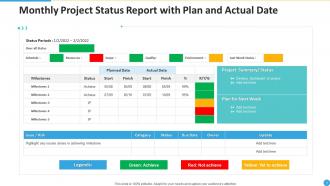
Visuals like charts and graphs improve project monthly plan clarity by transforming complex data into digestible formats, highlighting progress trends, identifying bottlenecks quickly, and enabling stakeholders to grasp project status at a glance. Through Gantt charts, milestone trackers, and progress dashboards, project managers can communicate timeline shifts, resource allocation changes, and deliverable status more effectively, ultimately enhancing team alignment and decision-making speed across organizations.
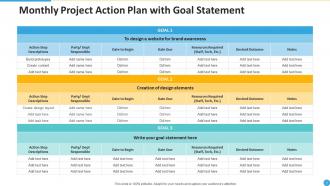
A versatile project monthly plan PowerPoint template should include timeline views, Gantt charts, milestone trackers, budget allocation slides, and resource management layouts. These formats enable project managers to communicate progress across different stakeholder groups, from executives requiring high-level overviews to team members needing detailed task breakdowns, ultimately streamlining project communications and decision-making processes.
Templates provide standardized frameworks for mapping project milestones, task dependencies, resource allocation, and performance metrics, ensuring consistent alignment between overarching goals and daily activities. Through visual project roadmaps and progress tracking systems, teams can monitor deliverables, identify bottlenecks, and adjust priorities seamlessly, ultimately delivering enhanced coordination and measurable outcomes across monthly cycles.
Critical information for project milestones includes specific deliverable descriptions, completion deadlines, resource requirements, dependency relationships, and measurable success criteria. These elements streamline project tracking by enabling clear progress assessment, proactive risk management, and stakeholder alignment, with many organizations finding that detailed milestone documentation ultimately delivers enhanced accountability and faster project completion rates.
Incorporating timelines in PowerPoint templates aids project tracking by providing visual progress monitoring, milestone identification, deadline management, and stakeholder alignment throughout project lifecycles. These timeline-enabled templates streamline communication by displaying task dependencies, resource allocation, and completion status at a glance, with project managers finding that visual scheduling enhances team coordination and ultimately delivers improved project outcomes.
Stakeholder communication ensures monthly project plan templates include relevant milestones, resource requirements, reporting frequencies, and success metrics that align with organizational priorities and expectations. Effective communication during template creation enables project managers to design frameworks that facilitate transparent progress updates, streamline decision-making processes, and maintain stakeholder engagement, ultimately delivering improved project visibility and enhanced collaborative outcomes across teams.
Project monthly plan templates should be updated quarterly or whenever significant project methodology changes occur, incorporating lessons learned, stakeholder feedback, and evolving business requirements. Many organizations find that regular template refinement enhances project consistency, streamlines reporting processes, and improves resource allocation accuracy, ultimately delivering better project outcomes and strategic alignment across teams.
Project monthly plan templates can be adapted for remote teams through enhanced digital collaboration features, cloud-based accessibility, real-time update capabilities, integrated communication tools, and visual progress tracking elements. These adaptations enable distributed teams to maintain seamless coordination, streamline virtual meetings, and enhance transparency across time zones, with many organizations finding that well-structured templates ultimately deliver improved accountability and project outcomes.
PowerPoint templates should be designed considering version compatibility across Office 2016, 2019, and Microsoft 365, font availability across different systems, and file format optimization for both .pptx and .ppt extensions. These compatibility factors ensure seamless sharing across organizations, maintain consistent visual presentation regardless of user systems, and minimize formatting disruptions, ultimately delivering professional consistency and enhanced collaboration efficiency.
**INPUT**: What are the best practices for sharing project monthly plans with stakeholders? **OUTPUT**: Best practices include establishing consistent delivery schedules, using standardized visual formats, tailoring content depth to audience needs, and ensuring accessibility across devices. These approaches streamline communication by maintaining transparency, reducing follow-up queries, and enabling faster decision-making, with many project teams finding that regular, well-formatted updates significantly enhance stakeholder engagement and project alignment.
-
Great designs, really helpful.
-
Awesome use of colors and designs in product templates.
-
Thanks for all your great templates they have saved me lots of time and accelerate my presentations. Great product, keep them up!
-
Unique research projects to present in meeting.