

Purpose Technical Documentation Ppt Powerpoint Presentation Infographic Template Cpb




Try Before you Buy Download Free Sample Product
 Impress Your
 Audience
 100%
100% Editable
 Save Hours
 of Time


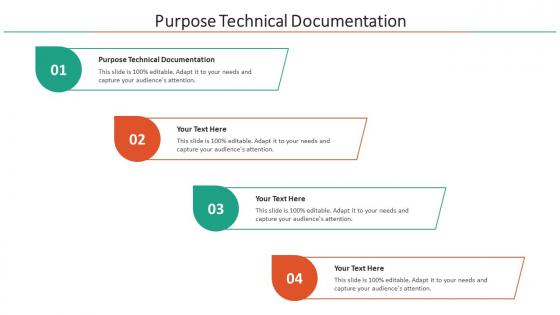
Our Purpose Technical Documentation Ppt Powerpoint Presentation Infographic Template Cpb are topically designed to provide an attractive backdrop to any subject. Use them to look like a presentation pro.
People who downloaded this PowerPoint presentation also viewed the following :
Purpose Technical Documentation Ppt Powerpoint Presentation Infographic Template Cpb with all 6 slides:
Use our Purpose Technical Documentation Ppt Powerpoint Presentation Infographic Template Cpb to effectively help you save your valuable time. They are readymade to fit into any presentation structure.





FAQs for Purpose Technical Documentation Ppt Powerpoint Presentation
Effective technical documentation includes clear objectives and scope, step-by-step procedures, system requirements, troubleshooting guides, and visual aids like diagrams or screenshots. These components work together by streamlining user onboarding, reducing support requests, and enhancing operational efficiency, with many organizations finding that comprehensive documentation ultimately delivers faster problem resolution and improved user adoption across teams.
Technical documentation significantly enhances product usability by providing clear instructions, troubleshooting guides, and feature explanations that reduce user confusion and support tickets. Well-structured documentation enables faster user onboarding, minimizes training costs, and improves customer satisfaction, with many organizations finding that comprehensive technical resources ultimately deliver competitive advantage through enhanced user experiences.
Poor technical documentation increases customer support inquiries by creating confusion around product features, installation procedures, troubleshooting steps, and usage requirements, leading users to seek direct assistance rather than finding answers independently. This results in higher support costs, longer resolution times, and frustrated customers, with many organizations finding that comprehensive documentation reduces support tickets by up to 40% while enhancing user satisfaction.
Audience analysis determines content depth, language complexity, formatting choices, and delivery methods by identifying users' technical expertise, job roles, and specific needs. Through strategic audience assessment, technical writers create documentation that enhances user comprehension, reduces support requests, and accelerates task completion, with many organizations finding that targeted documentation ultimately delivers improved user adoption and operational efficiency.
Visual elements enhance technical documentation by simplifying complex information, improving comprehension rates, and reducing user errors through diagrams, flowcharts, screenshots, and infographics. These components streamline knowledge transfer across diverse audiences, with software companies and manufacturing sectors finding that strategic visual integration delivers faster onboarding, reduced support costs, and ultimately improved user adoption rates.
Best practices for maintaining technical documentation include establishing regular review cycles, assigning clear ownership responsibilities, implementing version control systems, gathering user feedback continuously, and maintaining consistency in formatting and style standards. These approaches streamline documentation management by ensuring accuracy, reducing outdated information, and enhancing user accessibility, with many organizations finding that systematic maintenance ultimately delivers improved operational efficiency and reduced support costs.
Technical documentation accelerates employee onboarding by providing structured learning paths, step-by-step procedures, system overviews, and role-specific guidelines that new hires can access independently. Through comprehensive documentation, organizations streamline training processes, reduce supervisor dependency, and ensure consistent knowledge transfer across departments, with many companies finding that well-documented procedures cut onboarding time significantly while improving employee confidence.
**INPUT**: What tools and software can be utilized to streamline the technical documentation process? **OUTPUT**: Documentation tools include Confluence, GitBook, Notion, MindTouch, and Document360, along with version control systems like Git and collaborative platforms. These technologies streamline workflows by automating formatting, enabling real-time collaboration, and integrating with development environments, with many organizations finding that strategic tool selection ultimately delivers faster documentation cycles and enhanced team productivity. [Word count: 56 words]
Collaboration between technical writers and subject matter experts enhances documentation quality by combining deep technical knowledge with clear communication skills, ensuring accuracy while maintaining accessibility. This partnership streamlines content development, reduces revision cycles, and delivers comprehensive documentation that serves both technical teams and end users, with many organizations finding that cross-functional collaboration ultimately produces more reliable, user-focused technical resources.
User manuals provide comprehensive, sequential guidance through printed or downloadable formats, while online help systems offer searchable, interactive assistance with real-time updates and multimedia elements. Many organizations now combine both approaches, with manufacturing companies using detailed manuals for complex equipment setup and software firms leveraging online systems for immediate user support, ultimately delivering flexible learning options and enhanced customer experiences.
Organizations measure technical documentation effectiveness through user feedback surveys, support ticket reduction rates, task completion times, and documentation usage analytics. By tracking metrics like search success rates, page bounce rates, and user satisfaction scores, companies can identify content gaps, streamline information delivery, and ultimately reduce support costs while improving user experiences and operational efficiency.
Accessibility strategies include clear language, structured headings, alternative text for images, consistent formatting, and screen reader compatibility. These approaches streamline information consumption by eliminating jargon, organizing content logically, and accommodating diverse learning preferences, with many organizations finding that accessible documentation ultimately delivers broader user engagement and reduced support costs.
Technical documentation supports compliance by creating audit trails, standardizing procedures, demonstrating regulatory adherence, maintaining version control, and establishing accountability frameworks. Through comprehensive records, organizations streamline compliance reporting, reduce regulatory risks, and ensure consistent operational standards, with industries like healthcare, finance, and manufacturing finding that proper documentation ultimately delivers faster audits and enhanced regulatory confidence.
Organizations leverage user feedback to improve technical documentation through surveys, analytics tracking, support ticket analysis, user testing sessions, and direct feedback channels. These methods enable companies to identify content gaps, clarify confusing sections, and enhance navigation, with many finding that incorporating regular feedback loops ultimately delivers more intuitive documentation and significantly reduces support costs.
Emerging trends in technical documentation include interactive multimedia guides, AI-powered content generation, collaborative real-time editing platforms, mobile-first design approaches, and integrated user feedback systems. These innovations streamline content creation, enhance user engagement, and enable faster updates, with many organizations finding that modern documentation tools significantly reduce support costs while delivering improved user experiences and operational efficiency.
-
Loved the templates on SlideTeam, I believe I have found the go to place for my presentation needs!
-
Exclusive and extensive collection of templates. Really helped me create a professional presentation in just no time.