

Puzzle connected powerpoint icon c
You must be logged in to download this presentation.




Try Before you Buy Download Free Sample Product
 Impress Your
 Audience
 100%
100% Editable
 Save Hours
 of Time


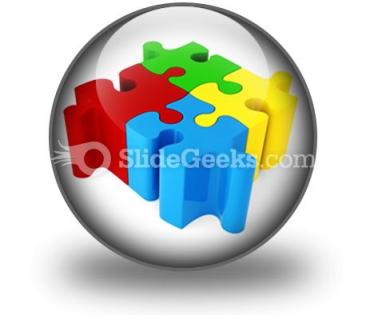
Here is our puzzle connected PowerPoint icon slide to showcase teamwork and problem solving concept. Our cost effective and professional 3d puzzle PPT template is the perfect solution to all your business problems. Make efficient use of the provided puzzle blocks presentation design for all your business requirements and attract your spectators. Every business requires an efficient team who can boost the morale of their employees and increase the success of their business. Keeping this aspect in mind our team of designers have created this puzzle connected PowerPoint graphic. You can highlight the benefits of team building such as a good team can generate a wider range of ideas and innovation than individuals, can often take more risks than individuals, they have a range of personalities such as workers, thinkers, leaders who contribute the right balance of skills necessary to achieve high performance and can be a support mechanism which provides mentoring and allow others to grow in self-confidence. So, our beautiful 3d connected puzzle pieces PPT diagram is highly beneficial for setting your vision and objectives. So, grab our puzzle connected icon PPT slide show before you run out of time! Presentations can be stressful. Make sure you're fully prepared to succeed with thousands of Puzzle ConnectedPowerPoint Icon C choices to make your presentations painless.
People who downloaded this PowerPoint presentation also viewed the following :
Puzzle connected powerpoint icon c with all 1 slides:
Play the hand with our Puzzle ConnectedPowerPoint Icon C. Your thoughts will deal out trumps.

FAQs for Puzzle connected
Key design principles for PowerPoint puzzle icons include maintaining visual clarity through bold outlines, using consistent color schemes that align with your presentation theme, ensuring scalability across different slide sizes, incorporating recognizable puzzle piece shapes, and maintaining adequate contrast for visibility. These elements work together by enhancing audience comprehension, supporting your visual narrative flow, and delivering professional aesthetics that reinforce key concepts while ensuring accessibility across various presentation formats.
Using a puzzle icon enhances audience engagement by creating visual intrigue, suggesting problem-solving narratives, and representing how different concepts interconnect to form complete solutions. This approach helps presenters illustrate complex processes step-by-step, making abstract ideas more tangible, while encouraging active participation as audiences mentally piece together information, ultimately delivering stronger retention and comprehension.
PowerPoint puzzle icon integration involves consistent sizing, strategic color alignment with template themes, purposeful placement near collaborative content, and maintaining visual hierarchy through appropriate contrast ratios. These design elements enhance audience comprehension by creating intuitive connections, reinforcing problem-solving narratives, and delivering seamless visual flow, with many presenters finding that strategic puzzle iconography significantly improves engagement across diverse business contexts.
Puzzle icons prove most effective in PowerPoint presentations when illustrating problem-solving processes, strategic planning sessions, team collaboration concepts, and complex system integrations. These visual metaphors resonate particularly well in consulting presentations, organizational change initiatives, and project management contexts, where audiences need to understand how disparate elements connect, ultimately enhancing comprehension and engagement.
Different color schemes significantly impact puzzle icon perception by influencing audience attention, emotional response, and information hierarchy within presentations. Warm colors like red and orange create urgency and highlight critical connections, while cool blues and greens suggest stability and systematic problem-solving, with many presenters finding that contrasting color combinations enhance visual clarity and audience engagement across diverse business contexts.
Puzzle icons in visual communication symbolize problem-solving, strategic thinking, interconnectedness, collaboration, and the process of finding solutions through systematic approaches. These visual elements represent how complex challenges require multiple components working together, with many organizations using puzzle imagery to convey teamwork, integration processes, and the strategic assembly of ideas, ultimately delivering messages about unity and comprehensive problem resolution.
**INPUT**: Are there specific industries that benefit more from using puzzle icons in their presentations? **OUTPUT**: Consulting, training, healthcare, and technology sectors particularly benefit from puzzle icons, as these industries frequently present complex problem-solving scenarios, strategic frameworks, and interconnected processes. These visual metaphors enhance audience comprehension by breaking down intricate concepts into digestible components, while organizations find that puzzle imagery strengthens messaging around collaboration, systematic thinking, and solution development, ultimately delivering clearer communication and improved stakeholder engagement. [Word count: 60]
Animation can be effectively applied to puzzle icons through entrance effects like fade-in or fly-in for piece-by-piece reveals, emphasis animations such as pulse or grow for highlighting connections, and motion paths for assembling scattered pieces. These techniques enhance storytelling by visually demonstrating problem-solving processes, step-by-step solutions, and team collaboration concepts, ultimately creating more engaging presentations that help audiences grasp complex business relationships.
Creative alternatives to traditional puzzle icons include interconnected gears, building blocks, network nodes, bridge segments, and layered geometric shapes. These visual metaphors enhance presentations by representing collaboration, strategic alignment, and problem-solving through more dynamic imagery, with many organizations finding that varied iconography keeps audiences engaged while clearly communicating complex interconnected concepts and systematic approaches.
Puzzle icons may carry different meanings across cultures, with Western audiences viewing them as problem-solving and collaboration symbols, while some Eastern cultures might emphasize harmony and collective wisdom over individual challenge-solving. Global presenters increasingly adapt their visual metaphors by combining puzzle imagery with culturally relevant symbols, colors, and contexts, ultimately ensuring their message resonates authentically across diverse international audiences.
**INPUT**: What software or resources are available to create custom puzzle icons for PowerPoint? **OUTPUT**: Custom puzzle icons can be created using Adobe Illustrator, Canva, PowerPoint's built-in drawing tools, Icon8, and Flaticon's customization features. These platforms streamline design workflows by offering vector capabilities, template libraries, and scalable formats, with many organizations finding that combining multiple resources delivers professional-quality icons while minimizing design costs and accelerating presentation development timelines.
A puzzle icon simplifies complex ideas by breaking them into interconnected visual components, showing relationships between different elements, and demonstrating how individual parts contribute to a larger solution. Through strategic placement and color coding, organizations enhance audience comprehension of intricate processes, strategic frameworks, and system integrations, ultimately delivering clearer communication and improved stakeholder understanding across presentations.
Puzzle icons in presentation design evolved from simple geometric shapes in early software to sophisticated metaphors representing problem-solving, teamwork, and strategic thinking. Modern PowerPoint templates increasingly incorporate puzzle pieces to visualize complex business concepts like market segmentation, organizational structure, and process integration, with many presenters finding that these visual metaphors enhance audience comprehension and engagement significantly.
Audience feedback enables presenters to refine puzzle icon effectiveness by evaluating clarity, visual impact, and conceptual alignment with content. Through surveys, focus groups, and post-presentation discussions, organizations can identify which puzzle configurations resonate most effectively, optimize sizing and placement for better visibility, and ensure metaphorical connections strengthen rather than confuse messaging, ultimately delivering more engaging and comprehensible presentations.
Emerging trends in puzzle icon usage include animated assembly sequences, interactive clickable pieces, color-coded categorization systems, 3D layered designs, and integration with data visualization elements. These approaches enhance audience engagement by transforming static concepts into dynamic visual narratives, with many presenters finding that animated puzzle reveals significantly improve information retention and stakeholder comprehension.
-
.
-
The Designed Graphic are very professional and classic.
-
Attractive design and informative presentation.