

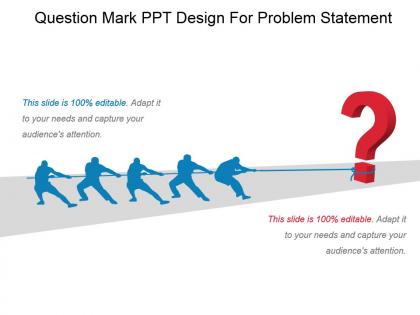
Question mark ppt design for problem statement ppt presentation




Try Before you Buy Download Free Sample Product
 Impress Your
 Audience
 100%
100% Editable
 Save Hours
 of Time


Forecast a bright future with our Question Mark Ppt Design For Problem Statement Ppt Presentation. Credibly demonstrate the certainty of achievement.
People who downloaded this PowerPoint presentation also viewed the following :
Question mark ppt design for problem statement ppt presentation with all 6 slides:
Experience glory with our Question Mark Ppt Design For Problem Statement Ppt Presentation. You will accomplish beyond your dreams.
FAQs for Question mark ppt design for problem
Key design principles for question mark-themed presentations include maintaining visual hierarchy, using consistent color schemes, ensuring readability with appropriate font sizes, balancing white space effectively, and incorporating the question mark symbol strategically throughout slides. These design elements work together by creating visual flow, reinforcing the inquiry-focused narrative, and maintaining audience engagement, with many presenters finding that subtle question mark integration delivers professional aesthetics while emphasizing curiosity-driven content.
A question mark motif enhances audience engagement by creating visual intrigue, prompting mental participation, and signaling interactive moments throughout presentations. This design approach encourages curiosity, maintains attention spans, and transforms passive viewers into active participants, with many presenters finding that strategic question mark placement increases audience retention, stimulates discussion, and ultimately delivers more memorable presentations.
Blue and purple gradients, warm orange-red combinations, teal-mint pairings, deep navy with gold accents, and emerald-silver schemes effectively convey curiosity and intrigue in question mark presentations. These color palettes enhance audience engagement by creating visual mystery, stimulating intellectual curiosity, and maintaining professional credibility, with many presenters finding that contrasting combinations ultimately deliver stronger emotional responses and memorable presentations.
Effective question mark incorporation involves using subtle visual hierarchy, strategic placement, and balanced sizing to complement rather than compete with your content. Position question marks as accent elements in corners or headers, use muted colors that align with your brand palette, and scale them proportionally to text elements, with many presenters finding that watermark-style backgrounds or icon-sized symbols enhance engagement while maintaining professional readability.
Sans-serif fonts like Helvetica, Arial, and Montserrat complement question mark designs by providing clean contrast, while serif options like Times New Roman and Georgia add traditional authority when appropriate. These typefaces enhance readability through balanced spacing and clear letterforms, with many organizations finding that consistent font pairing ultimately delivers professional coherence and improved audience engagement across presentations.
Question mark PPT designs are most effective when presenting problem-solving scenarios, diagnostic processes, strategic decision points, and exploratory research findings. These visual elements work particularly well in consulting presentations, medical case studies, market research reports, and educational content where uncertainty needs addressing, with many organizations finding that question mark graphics enhance audience engagement while guiding viewers toward structured problem resolution.
Visuals can be integrated with question marks through strategic placement of relevant icons, infographics, or imagery that directly relates to your core message, creating visual hierarchy and emotional connection. Through thoughtful design combinations, presenters enhance audience engagement, improve information retention, and deliver more compelling storytelling, with many organizations finding that integrated visual-text approaches significantly streamline complex communication while maintaining professional impact.
Animated question marks can maintain audience interest through progressive reveals that unveil answers step-by-step, pulsing animations during audience polling, floating question marks that guide attention to key discussion points, and morphing animations that transform into exclamation marks when solutions are revealed. These dynamic elements enhance audience engagement by creating visual anticipation, encouraging participation, and delivering memorable moments that reinforce key messages throughout presentations.
Rhetorical questions with question mark designs create engagement touchpoints by prompting audience reflection, encouraging participation, and establishing thought-provoking moments throughout presentations. These strategic visual cues enhance audience connection by highlighting key decision points, challenging assumptions, and facilitating interactive discussions, with many presenters finding that question mark graphics ultimately drive deeper engagement and more meaningful conversations.
PowerPoint, Canva, Prezi, Adobe Creative Suite, and Google Slides offer robust question mark design capabilities through templates, custom graphics, and interactive elements. These platforms enable presenters to create engaging Q&A sections, mystery reveals, and decision-making frameworks, with many training organizations and consulting firms finding that strategic question mark visuals enhance audience participation and knowledge retention.
Question marks in slides create psychological engagement by prompting audiences to mentally participate, transforming passive viewing into active thinking through curiosity gaps and anticipatory responses. This interactive design approach enhances audience retention, encourages participation, and creates memorable presentation moments, with many speakers finding that strategic questioning ultimately delivers stronger audience connection and improved information recall.
Common mistakes include overusing question marks throughout slides, choosing fonts that make them hard to read, placing them where they compete with key content, using colors that don't contrast well with backgrounds, and making them too small or large for visual balance. These design missteps can distract from your message rather than enhance it, with many presenters finding that strategic placement and consistent styling ultimately delivers stronger audience engagement and clearer communication flow.
Balancing text and visuals with question marks requires strategic placement, consistent sizing, and purposeful white space to avoid cognitive overload. Use question marks as visual anchors alongside concise bullet points, complementary icons, and clear hierarchies, with many presenters finding that limiting text to 6-7 words per line while positioning question marks as focal points ultimately delivers enhanced audience engagement and message retention.
Different question mark styles serve as powerful visual cues that guide audience attention, establish hierarchy, and reinforce messaging through bold marks for emphasis, italicized versions for subtle inquiry, and varied sizes for importance levels. These design elements enhance presentation flow by creating visual rhythm, improving readability across different slide contexts, and ultimately delivering more engaging audience experiences, with many presenters finding that strategic typography choices significantly boost message retention and audience engagement.
Question mark designs adapt across presentation genres through strategic color schemes, typography choices, and contextual integration that align with each audience's expectations. Corporate presentations benefit from sleek, minimalist question marks in professional color palettes, educational formats leverage bold, engaging designs with complementary icons, while creative presentations embrace artistic interpretations with dynamic animations, ultimately delivering genre-appropriate visual impact that enhances message clarity.
-
Commendable slides with attractive designs. Extremely pleased with the fact that they are easy to modify. Great work!
-
Appreciate the research and its presentable format.