

Radial Cluster Diagram Powerpoint Ppt Template Bundles





Try Before you Buy Download Free Sample Product
 Impress Your
 Audience
 100%
100% Editable
 Save Hours
 of Time


Our Radial Cluster Diagram Powerpoint Ppt Template Bundles are topically designed to provide an attractive backdrop to any subject. Use them to look like a presentation pro.
People who downloaded this PowerPoint presentation also viewed the following :
Radial Cluster Diagram Powerpoint Ppt Template Bundles with all 16 slides:
Use our Radial Cluster Diagram Powerpoint Ppt Template Bundles to effectively help you save your valuable time. They are readymade to fit into any presentation structure.

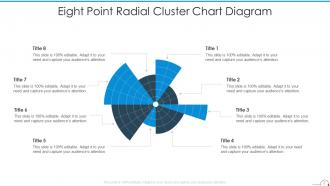
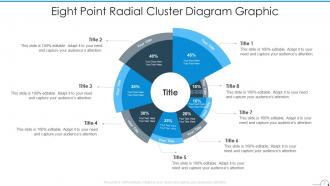
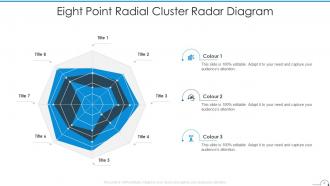
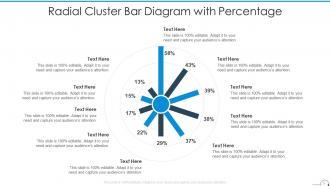






FAQs for Radial Cluster Diagram Powerpoint
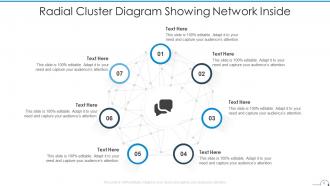
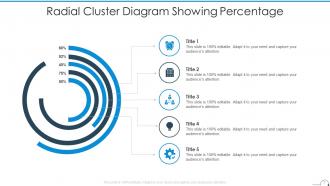
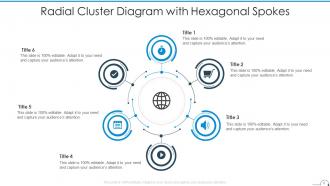
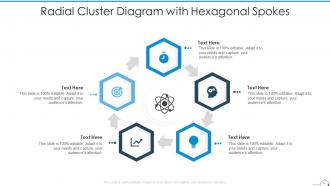
**INPUT**: What are the key components of a Radial Cluster Diagram and how do they function together? **OUTPUT**: Radial Cluster Diagrams include a central hub, radiating branches, secondary nodes, connecting lines, and hierarchical layers that organize complex information visually. These components streamline data presentation by establishing clear relationships, enabling quick pattern recognition, and facilitating strategic decision-making, with many organizations finding that this structure enhances team comprehension and accelerates project workflows.
Radial Cluster Diagrams present information in a circular, spoke-like format with a central hub, while traditional hierarchical diagrams use linear, top-down tree structures with clear parent-child relationships. This radial approach enhances visual engagement and shows interconnected relationships more naturally, with many organizations finding that radial formats improve comprehension and streamline complex data presentation.
Radial cluster diagrams excel in presentations for showcasing product ecosystems, organizational structures, project dependencies, market segmentation analysis, and strategic planning frameworks. These visual tools enhance audience comprehension by centralizing core concepts while displaying interconnected relationships, with many presenters finding that radial layouts deliver clearer communication and stronger engagement than traditional linear formats.
A Radial Cluster Diagram enhances visual storytelling by creating clear hierarchical relationships, centralizing key concepts, and enabling audiences to follow logical information flows from core themes to supporting details. This visualization method transforms complex business narratives into digestible formats, with many organizations finding that radial structures improve audience engagement and message retention during strategic presentations.
Recommended tools for creating effective Radial Cluster Diagrams include Microsoft Visio, Lucidchart, Creately, Canva, and specialized presentation platforms like SlideTeam. These platforms streamline diagram creation by offering pre-built templates, drag-and-drop functionality, and collaborative features, with many organizations finding that professional templates significantly reduce design time while enhancing visual impact and clarity.
Color theory enhances radial cluster diagrams through strategic hue differentiation, hierarchical color schemes, contrast optimization, and semantic color coding to distinguish categories and relationships. These principles streamline visual comprehension by creating intuitive pathways, reducing cognitive load, and emphasizing critical connections, with many organizations finding that thoughtful color application significantly improves stakeholder engagement and decision-making efficiency.
Accessibility in radial cluster diagrams involves high contrast colors, alternative text descriptions, keyboard navigation compatibility, and screen reader optimization. Many organizations enhance inclusivity by providing tactile versions, audio explanations, and simplified linear alternatives, while ensuring color-blind friendly palettes and scalable fonts ultimately deliver universal comprehension and engagement.
Best practices for radial cluster diagrams include using concise, descriptive labels, maintaining consistent font sizes and colors, ensuring adequate spacing between elements, and positioning text for optimal readability. These formatting approaches enhance comprehension by creating visual hierarchy, reducing cognitive load, and enabling viewers to quickly identify relationships, with many organizations finding that well-formatted radial diagrams significantly improve stakeholder engagement and decision-making processes.
Radial Cluster Diagrams enhance data visualization by organizing complex relationships around central nodes, enabling viewers to identify patterns, hierarchies, and connections across multiple data points simultaneously. These visual tools streamline analysis in sectors like market research, organizational mapping, and network analysis, with many businesses finding that radial layouts deliver clearer insights and faster decision-making than traditional linear formats.
Simplification strategies include reducing cluster elements, using hierarchical layering, implementing selective highlighting, standardizing color schemes, and optimizing spatial relationships between nodes. These approaches streamline visual complexity by prioritizing essential information, grouping related elements strategically, and enhancing readability, with many organizations finding that simplified radial designs ultimately deliver clearer insights and improved stakeholder comprehension.
The radial layout enhances cognitive understanding by placing the central concept prominently while distributing related elements in organized clusters around it, creating visual hierarchy and spatial relationships that mirror natural thought patterns. This structure enables viewers to quickly identify primary connections, trace secondary relationships between clusters, and process complex interdependencies more intuitively than traditional linear formats.
Radial Cluster Diagrams are most effectively utilized in healthcare for patient care pathways, technology for system architectures, consulting for strategic planning, and manufacturing for supply chain optimization. These industries benefit from the diagram's ability to showcase complex relationships around central themes, enabling teams to visualize interconnected processes, identify inefficiencies, and streamline decision-making across multiple stakeholders and departments.
Spacing and alignment significantly enhance radial cluster diagram effectiveness by ensuring visual clarity, reducing cognitive load, and establishing clear hierarchical relationships between central and peripheral elements. Proper spacing prevents overcrowding while consistent alignment creates professional presentation standards, with many organizations finding that well-structured diagrams improve audience comprehension and decision-making processes during strategic presentations.
Radial Cluster Diagrams adapt to different platforms through simplified color schemes, larger fonts, and reduced complexity for print, while leveraging interactive elements, animations, and layered information for digital presentations. Digital platforms enable dynamic zooming, clickable nodes, and progressive disclosure of cluster details, while print versions emphasize clear hierarchies and high-contrast visuals, ultimately delivering optimal audience engagement across all mediums.
Common mistakes include overcrowding the diagram with excessive information, using inconsistent sizing or colors, poor spacing between elements, unclear central theme, and inadequate visual hierarchy. These design flaws compromise audience comprehension by creating confusion, reducing readability, and weakening the diagram's impact, with many presenters finding that streamlined, strategically organized radial clusters enhance message clarity and audience engagement significantly.
-
Excellent template with unique design.
-
Design layout is very impressive.