

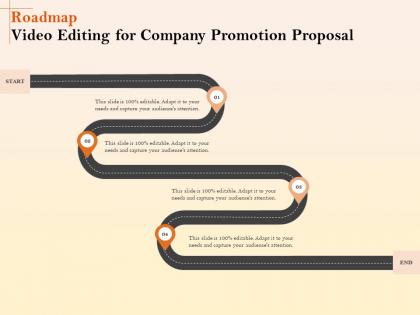
Roadmap video editing for company promotion proposal ppt file display




Try Before you Buy Download Free Sample Product
 Impress Your
 Audience
 100%
100% Editable
 Save Hours
 of Time


Our Roadmap Video Editing For Company Promotion Proposal Ppt File Display are topically designed to provide an attractive backdrop to any subject. Use them to look like a presentation pro.
People who downloaded this PowerPoint presentation also viewed the following :
Roadmap video editing for company promotion proposal ppt file display with all 2 slides:
Use our Roadmap Video Editing For Company Promotion Proposal Ppt File Display to effectively help you save your valuable time. They are readymade to fit into any presentation structure.
FAQs for Roadmap video editing for company promotion proposal
Start with the boring stuff - cutting clips, transitions, syncing audio. Pick one software and really learn it (DaVinci Resolve is free and honestly better than most paid ones). Shortcuts are everything - trust me, you'll hate yourself later if you keep using menus. Frame rates and export settings matter way more than people think, especially for different platforms. Color correction makes anything look professional instantly. Audio mixing too, but that's kinda its own rabbit hole. Just start simple and build up complexity as you go. Don't try to be fancy right away.
Dude, you gotta start thinking like you're telling a story, even for boring stuff. Your brain automatically follows narratives - beginning, middle, end. Works for everything too, like product demos or tutorials. I swear it's crazy how much this helps! Build some tension, show a problem getting solved, or reveal a transformation. Even those quick 30-second posts need structure. Next time you edit something, figure out what problem you're solving first. Then just arrange your clips around that. Trust me, people will actually stick around instead of scrolling past.
Honestly, just grab DaVinci Resolve first - it's free and way better than it has any right to be. Adobe Premiere is what most pros use but ugh, those monthly fees are brutal. Mac user? iMovie's actually pretty decent for starting out. PC people should check out Filmora or PowerDirector - they're not intimidating and come loaded with templates and stuff. Since DaVinci costs zero dollars, might as well try it first. You can always switch to something paid later once you figure out what you actually need. Plus you won't feel guilty if you don't use it for months lol.
So linear editing is basically old school - you'd work through footage from beginning to end, like those old tape machines. Non-linear is what most people use now with Premiere or Final Cut. You can jump around anywhere, change stuff without screwing up the whole timeline. Honestly, the flexibility is huge. Want to fix that intro? Go for it, won't mess with the rest of your project. Oh and if you're just starting out, definitely go non-linear. Way less frustrating than the alternative - trust me on that one.
Color grading is basically how you set the mood for your whole video. Warmer tones like oranges and yellows make things feel cozy, happy, or nostalgic. Blues and greens? They're more serious or sad. The Matrix vs any rom-com is a perfect example - totally different vibes, right? You can literally take the same footage and make people feel completely different about it just by tweaking temperature and saturation. I'd honestly start small though, don't go crazy with it at first. Pick one mood you're going for and adjust everything to match that feeling.
Dude, sound design is literally half the magic in editing. Your audience won't just watch - they'll actually *feel* something. Horror scenes without that creepy background drone? Basically useless. You're layering ambient sounds, cleaning up dialogue, adding effects and music that hits people emotionally. When your visuals get boring, good audio keeps viewers hooked. Pro tip: always edit with headphones because laptop speakers are trash and you'll miss so much. Learn basic audio mixing first. Oh, and don't just slap background music on everything - that's amateur hour.
Cut on action is your best friend - like cutting mid-gesture so the movement flows between clips. J-cuts and L-cuts are clutch too, letting audio bridge the video changes which feels super natural. Match cuts where you align similar shapes or movements look sick when done right. Cross dissolves are kinda overdone but whatever, they work for time jumps. I swear the most underrated thing is just a clean straight cut though. Sound bridges help too - keep that ambient noise rolling while switching shots. Honestly start with basic action cuts first, they'll level up your edits instantly.
Honestly, it's all about matching your editing style to what people expect. Vlogs need quick cuts and jump cuts to kill those awkward pauses - keep it casual like you're just hanging out. Corporate stuff? Totally different vibe. Smooth transitions, hold shots longer, and seriously don't mess up the audio because executives will notice bad sound immediately. I learned this the hard way lol. Quick tip: watch a bunch of videos in whatever style you're going for before you start editing. Saves so much time figuring out the rhythm.
Dude, don't go crazy with transitions and effects - that screams amateur hour. Audio levels are huge too, nothing kills a video like bad sound. Always watch your whole edit before exporting, trust me. Jump cuts can be jarring if you're not careful about them. Color grading should match between clips or it looks weird. Give your pacing some room to breathe instead of cramming everything together. Oh and BACK UP YOUR FILES - learned that lesson when my computer crashed and I lost like 6 hours of work. Start rough, then polish it up after.
Dude, pacing is literally what makes or breaks your video. Bad rhythm will kill even amazing footage - I've seen it happen so many times. Quick cuts build tension, longer holds let emotional moments sink in. You're basically controlling how people feel as they watch. The trick is matching your cuts to the story you're telling. Like, don't just cut randomly - there should be intention behind it. Try editing to music first, or mess around with different cut lengths on the same scene. You'll instantly notice how much it changes the vibe. Trust me, once you get this down, your content won't feel amateur anymore.
YouTube's honestly your best bet - Film Riot and Peter McKinnon have some killer advanced stuff. MasterClass is worth it if you want courses from actual Hollywood editors. LinkedIn Learning and Skillshare work too for more structured learning. Pick whatever matches your software first (Premiere, Final Cut, DaVinci, whatever). I'd focus on mastering one technique at a time instead of jumping around. Oh, and YouTube probably taught me more than my actual film classes did, which is kinda sad but whatever. Just don't get overwhelmed trying to learn everything at once.
Get yourself some fast external drives or a NAS setup - proxy files are your best friend for smooth playback. Organization is huge though, like seriously set up proper folders from the start or you'll hate yourself later. I learned that the hard way lol. Keyboard shortcuts and batch processing will save you tons of time. Templates too if you're doing similar projects. Oh and backup everything regularly - lost a whole wedding edit once and nearly had a breakdown. For bigger projects, maybe look into media management tools, but honestly most basic stuff doesn't need all that.
Get your cloud storage sorted right away and make a naming system that actually makes sense - I learned this the hard way after drowning in "FINAL_v847" files. Frame.io or Dropbox Replay are solid for getting feedback without the endless email chains. Figure out who's doing what before you start, otherwise you'll both be editing the same thing at 2am. Regular check-ins are clutch for staying on track. Oh, and backup everything twice because Murphy's Law loves creative projects. Quick kickoff calls save you so much headache later when someone's like "wait, I thought we were doing something completely different."
Dude, knowing your audience is everything. Quick cuts and trending sounds work great for TikTok kids, but try that with corporate executives and you'll bomb hard. I totally screwed up once making this hyper-energetic promo for a super professional client - awkward. For younger crowds: snappy editing, vertical format, trendy music. Older/professional viewers want slower pacing, clean transitions, polished audio. Even your text style should match who's watching. Honestly, I always ask myself "who's gonna see this and where?" before I even open my editing software. Sounds obvious but you'd be surprised how many people skip this step.
Honestly, everything's going vertical now - like literally everything. Short stuff is king too, we're talking 15-30 second clips max. Most people are editing right on their phones which is wild to me, but that's where we're at. The super polished look? Dead. People want that authentic, kinda messy vibe instead. Auto-captions aren't just nice anymore, they're basically required. Oh and templates are gonna save your life because the amount of content everyone expects is absolutely nuts. AI editing tools are everywhere too - might as well jump on that train before it leaves the station.
-
Nice and innovative design.
-
Easy to edit slides with easy to understand instructions.