

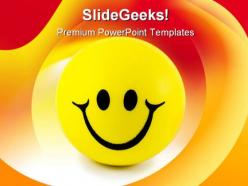
Smiley face shapes powerpoint backgrounds and templates 0111





Try Before you Buy Download Free Sample Product
 Impress Your
 Audience
 100%
100% Editable
 Save Hours
 of Time


You're probably used to bullet points and all that nonsense you see in presentations. Just let our Smiley Face Shapes PowerPoint Backgrounds And Templates 0111 remove all that clutter.
People who downloaded this PowerPoint presentation also viewed the following :
Smiley face shapes powerpoint backgrounds and templates 0111 with all 3 slides:
Be beyond reproach with our Smiley Face Shapes PowerPoint Backgrounds And Templates 0111. Your ideas will come out pure and clean.
FAQs for Smiley face shapes powerpoint backgrounds
Smiley face PowerPoint templates deliver enhanced audience engagement, improved message retention, reduced presentation anxiety, and stronger emotional connection with viewers. These visual elements streamline communication by creating welcoming atmospheres, encouraging positive responses, and making complex information more approachable, with many organizations finding that incorporating friendly imagery ultimately increases participation rates and overall presentation effectiveness.
Smiley face templates enhance audience engagement by creating positive emotional connections, reducing presentation anxiety, and making complex topics more approachable through visual warmth. These designs work particularly well in team meetings, training sessions, and customer presentations, with many organizations finding that positive imagery increases attention retention, encourages participation, and ultimately delivers more memorable communication experiences.
Smiley face themes suit customer service training, employee engagement workshops, wellness programs, team-building sessions, and positive workplace culture presentations. These cheerful templates enhance communication in HR departments, healthcare settings, educational institutions, and retail environments, where maintaining an upbeat, approachable atmosphere helps deliver memorable messages while fostering connection and engagement.
**INPUT**: Are there specific color schemes that work best with smiley face PowerPoint templates? **OUTPUT**: Effective color schemes for smiley face templates include warm yellows with blues, vibrant primary combinations, soft pastels, and high-contrast palettes that enhance readability while maintaining emotional appeal. These strategic color choices streamline audience engagement by creating visual harmony, supporting brand consistency, and reinforcing positive messaging, with many presenters finding that balanced schemes ultimately deliver stronger audience connection and memorable presentations.
Smiley faces in presentations convey different emotional tones through varied expressions, colors, and contextual placement, ranging from enthusiastic celebration to empathetic understanding and professional optimism. These visual elements enable presenters to enhance audience engagement, reinforce key messages, and create memorable connections, with many organizations finding that strategic emotional cues significantly improve communication effectiveness and stakeholder response rates.
Creative integration methods include using smiley faces as section dividers, progress indicators, feedback scales, team mood trackers, and customer satisfaction metrics within slide designs. These visual elements enhance engagement by humanizing data presentations, creating memorable transitions between topics, and fostering positive audience connections, while maintaining professional credibility through strategic placement and thoughtful color coordination.
Smiley face templates enhance viewer retention by creating positive emotional associations, reducing cognitive load through familiar visual cues, and triggering dopamine responses that strengthen memory formation. These templates help presenters maintain audience engagement during lengthy presentations, with many educators and corporate trainers finding that positive imagery increases information recall rates by up to 65% compared to neutral designs.
Smiley face designs can be strategically adapted for professional contexts through subtle integration, color psychology, and balanced visual hierarchy that maintains credibility while enhancing engagement. When used thoughtfully in customer service training, employee wellness programs, and feedback presentations, these elements help humanize serious topics, improve audience connection, and deliver more memorable messaging without compromising professional standards.
Microsoft PowerPoint, Canva, Google Slides, Adobe Illustrator, and specialized template editors offer comprehensive customization capabilities for smiley face presentations. These platforms streamline design modifications through intuitive drag-and-drop interfaces, color palette adjustments, and font customization tools, with many organizations finding that PowerPoint's native editing features deliver professional results while maintaining brand consistency across corporate communications.
Cultural perceptions of smiley faces vary significantly across regions, with Western cultures viewing them as friendly and approachable while some Asian and Middle Eastern cultures may perceive them as unprofessional or overly casual in business contexts. International presenters increasingly adapt their visual communication strategies by researching cultural norms, using culturally neutral alternatives, and focusing on universal design elements, ultimately delivering more effective cross-cultural engagement and stronger global business relationships.
Best practices for combining text and smiley face graphics include maintaining visual hierarchy through strategic placement, using consistent sizing and colors, ensuring adequate white space, and aligning graphics with key messaging points. These design principles enhance audience engagement by creating memorable visual anchors, improving information retention, and delivering more impactful presentations, with many organizations finding that thoughtful graphic integration significantly strengthens their communication effectiveness.
Smiley face templates help create an inviting educational atmosphere by incorporating warm, friendly visuals that reduce anxiety, encourage participation, and make learning feel approachable and enjoyable. These templates enable educators to design welcoming presentations, positive feedback systems, and engaging classroom materials, with many teachers finding that cheerful visual elements significantly enhance student comfort, boost classroom morale, and foster more interactive learning environments.
**INPUT**: What are some effective tips for pairing smiley face templates with data-driven content? **OUTPUT**: Effective pairing involves using smiley faces strategically as visual breaks between data sections, highlighting positive metrics, and creating emotional connections with survey results or customer satisfaction scores. These templates enhance data storytelling by balancing analytical rigor with approachable design, with many organizations finding that selective emoji integration improves audience engagement while maintaining professional credibility. [Word count: 55 words]
Smiley face PowerPoint templates offer greater emotional engagement and memorability compared to traditional professional themes, which prioritize formal aesthetics and corporate standards. While traditional themes maintain conventional business credibility, smiley face templates can enhance audience connection and retention in training sessions, team meetings, and customer presentations, with many organizations finding that strategic emotional elements ultimately deliver more impactful communication outcomes.
Excessive animated effects, overly cartoonish designs, inappropriate emotional contexts, and mismatched color schemes should be avoided when using smiley faces in formal presentations. These elements can undermine professional credibility and distract from core messaging, with many organizations finding that subtle, well-placed emoticons enhance engagement while maintaining authority and respect.
-
Very unique, user-friendly presentation interface.
-
I discovered this website through a google search, the services matched my needs perfectly and the pricing was very reasonable. I was thrilled with the product and the customer service. I will definitely use their slides again for my presentations and recommend them to other colleagues.