

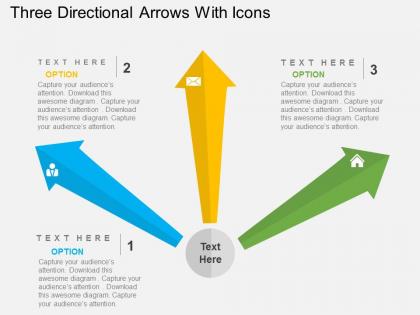
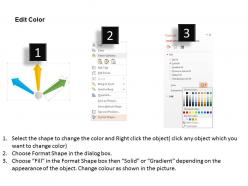
Three directional arrows with icons flat powerpoint design




Try Before you Buy Download Free Sample Product
 Impress Your
 Audience
 100%
100% Editable
 Save Hours
 of Time


Draw in the audience with our Three Directional Arrows With Icons Flat Powerpoint Design. Your ability will come to the fore.
People who downloaded this PowerPoint presentation also viewed the following :
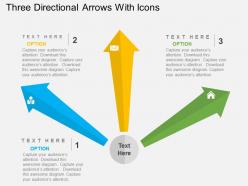
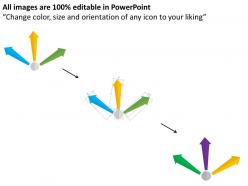
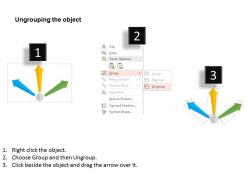
Three directional arrows with icons flat powerpoint design with all 4 slides:
Handicaps won't deter you with our Three Directional Arrows With Icons Flat Powerpoint Design. They can bridge the biggest gaps.
FAQs for Three directional arrows with icons
Key psychological factors influencing directional arrow perception include visual flow patterns, color associations, size hierarchies, cultural reading directions, and cognitive processing speeds. These elements work together by guiding attention systematically, creating emotional responses through color choices, and establishing information priorities, with many presenters finding that strategically designed arrows enhance audience comprehension and retention rates significantly.
Directional arrow icons enhance presentation flow understanding by creating visual pathways, establishing logical sequence, guiding audience attention, and clearly indicating relationships between concepts. Through strategic placement, these icons help viewers navigate complex processes, timelines, and hierarchies more intuitively, with many presenters finding that audiences retain information better and follow arguments more easily, ultimately delivering clearer communication and stronger engagement.
Best practices for directional arrow icons include matching brand colors, ensuring high contrast against backgrounds, using consistent color schemes throughout presentations, and adapting to theme contexts like blue for corporate or green for growth themes. These approaches enhance visual hierarchy by creating clear navigation paths, maintaining professional aesthetics, and improving audience comprehension, with many presenters finding that strategic color choices ultimately deliver stronger visual impact and message clarity.
Directional arrow icons offer superior clarity and universal recognition compared to other visual cues like color coding, text labels, or geometric shapes, making them instantly interpretable across diverse audiences and cultures. While color-dependent systems can fail for colorblind users and text requires language comprehension, arrows transcend these barriers, with many organizations in navigation, software interfaces, and instructional design finding that arrows reduce user confusion and accelerate task completion.
Adobe Illustrator, Canva, Figma, PowerPoint, and Sketch offer comprehensive directional arrow icon creation capabilities. These platforms enable designers to customize colors, styles, and orientations while maintaining scalability, with many businesses finding that combining multiple tools streamlines workflows and delivers consistent visual branding across presentations and digital materials.
Directional arrow icons enhance infographics by guiding viewer attention through complex data flows, highlighting key relationships between elements, and creating clear visual pathways that support narrative progression. In business presentations, these arrows streamline information delivery by connecting process steps, emphasizing cause-and-effect relationships, and directing focus to critical insights, ultimately enabling audiences to grasp complex concepts faster and retain key messages more effectively.
Cultural considerations for directional arrows in international presentations include reading patterns, religious sensitivities, color symbolism, gesture interpretations, and spatial orientation preferences. While Western audiences read left-to-right, Arabic and Hebrew cultures read right-to-left, and some Asian cultures read top-to-bottom, with many global organizations finding that neutral positioning and universal color schemes enhance cross-cultural comprehension and engagement.
Incorporate animated directional arrow icons by using entrance animations like fly-in or fade effects, motion path animations that show progression through processes, and emphasis animations like pulse or grow effects to highlight key transitions. These dynamic elements guide audience attention through your content flow, enhance storytelling in business processes, and create visual momentum that keeps viewers engaged, ultimately delivering more impactful presentations.
Different arrow styles significantly impact audience engagement and interpretation, with solid arrows conveying certainty and direct action while dashed arrows suggest tentative connections, alternative pathways, or future possibilities. In business presentations, financial services use solid arrows for confirmed trends and dashed arrows for projections, with many organizations finding that strategic style selection enhances clarity, reduces cognitive load, and ultimately delivers more effective visual communication and audience comprehension.
Directional arrows guide viewers through storyboard sequences by creating visual pathways between scenes, establishing temporal flow, and connecting narrative elements across slides. When strategically positioned, these arrows help presenters illustrate cause-and-effect relationships, process evolution, and character journeys, while enabling audiences to follow complex storylines seamlessly, ultimately delivering more engaging and comprehensible presentation experiences.
Presenters should avoid using too many arrows that create visual clutter, inconsistent arrow styles that confuse messaging, and poorly positioned arrows that don't clearly connect related elements. Additionally, using arrows without sufficient contrast against backgrounds, making them too small for visibility, or overcomplicating simple concepts with unnecessary directional indicators can diminish audience comprehension and reduce presentation effectiveness.
Directional arrow icons significantly impact readability through strategic sizing that balances visibility with content hierarchy, while placement guides natural eye movement patterns across slides, documents, and presentations. Properly scaled arrows enhance audience focus by creating clear visual pathways, with many organizations finding that consistent sizing and strategic positioning near key content areas ultimately delivers improved comprehension and engagement rates.
Directional arrows enhance user experience design by providing intuitive navigation cues, establishing visual hierarchy, guiding attention flow, and reducing cognitive load for audiences. These elements streamline presentation interactions by enabling seamless slide transitions, highlighting key information pathways, and creating predictable user journeys, with many digital platforms finding that strategic arrow placement significantly improves engagement and comprehension rates.
Directional arrows simplify complex data visualizations by guiding audience attention to key insights, establishing clear flow patterns between data points, and highlighting cause-and-effect relationships within datasets. Through strategic arrow placement, presenters streamline viewer comprehension, reduce cognitive load, and enhance storytelling clarity, with many organizations finding that directional elements ultimately transform overwhelming charts into digestible, actionable insights.
Professional directional arrow icon resources include icon libraries like Feather, Heroicons, and Lucide, stock platforms such as Shutterstock and Adobe Stock, and design tools like Canva and Figma's community resources. These platforms deliver consistent styling, scalable vector formats, and comprehensive arrow variations, with many presentation designers finding that cohesive icon sets significantly enhance visual flow and audience comprehension across corporate communications.
-
Much better than the original! Thanks for the quick turnaround.
-
Good research work and creative work done on every template.