

Time line ppt infographics




Try Before you Buy Download Free Sample Product
 Impress Your
 Audience
 100%
100% Editable
 Save Hours
 of Time


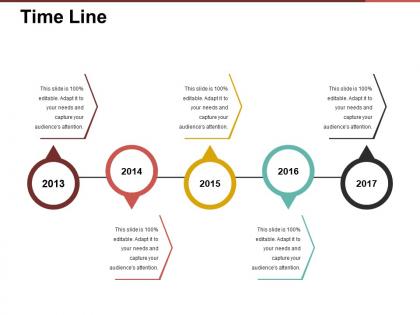
Depict the mission and vision of your organization with this Time Line PPT Infographics PPT. Take the assistance of this organizational roadmap PowerPoint template to show the resource allocation, objectives, marketing strategy amongst other information. Take advantage of this business overview PowerPoint visual to showcase your achievements or milestones for a specific time period. Further, you can portray the product and service offerings of your brand using this business overview PPT slideshow. Utilize this organizational roadmap PPT slide to unveil the journey of your company from inception to the present time in brief. This company timeline PPT diagram is suitable for small, medium, large-scale and startups. Create a wonderful business strategy and focus on an extraordinary marketing model using this business roadmap PowerPoint presentation. Download this corporate profiling PPT and make a lasting impression on your clients.
People who downloaded this PowerPoint presentation also viewed the following :
Time line ppt infographics with all 5 slides:
Our Time Line Ppt Infographics include fascinating artwork. It will beguile the connoisseurs.
FAQs for Time
Timeline infographics are visual representations that display chronological sequences of events, milestones, or processes through strategic design elements, icons, and structured layouts. These tools enhance storytelling by creating clear narrative flow, improving audience comprehension of complex sequences, and enabling presenters to highlight key developments effectively, ultimately delivering more engaging presentations and stronger message retention across business communications.
Visual elements in timeline infographics significantly improve audience retention by leveraging cognitive processing principles, creating memorable visual anchors, and establishing clear information hierarchies through color coding, icons, and spatial relationships. These design components transform abstract chronological data into digestible visual narratives, with organizations in education, healthcare, and corporate training finding that well-designed timeline graphics increase information recall by up to 65% compared to text-only presentations.
Effective timeline infographics include clear chronological markers, visually distinct milestones, consistent design elements, concise descriptive text, and strategic use of colors and icons. These components work together by enhancing information flow, improving audience comprehension, and creating memorable visual narratives, with many organizations finding that well-designed timelines significantly increase engagement and knowledge retention.
Timeline infographics excel at displaying chronological data including project milestones, historical events, product development phases, market evolution trends, and organizational growth trajectories. These visualizations streamline complex sequential information by highlighting key dates, progress markers, and cause-effect relationships, with many businesses finding that timeline formats enhance stakeholder understanding and improve strategic planning across industries.
Different timeline infographic styles cater to audiences through visual complexity, information density, and presentation format that match specific needs and preferences. Corporate audiences respond to clean, professional designs with data-driven elements, while educational sectors prefer colorful, illustrative approaches, and technical teams favor detailed, process-oriented layouts, ultimately enhancing comprehension and engagement across diverse organizational contexts.
Color theory enhances timeline infographics by establishing visual hierarchy, guiding viewer progression, and reinforcing chronological relationships through strategic hue selection, contrast application, and emotional associations. These principles streamline information processing by creating intuitive pathways, emphasizing critical milestones, and maintaining audience engagement, with many organizations finding that thoughtful color implementation significantly improves comprehension and retention rates.
Timeline infographics enhance project management presentations by visualizing milestones, dependencies, deadlines, and resource allocation in easily digestible formats. These visual tools streamline stakeholder communication, facilitate progress tracking, and enable better decision-making, with many project teams finding that well-designed timeline infographics reduce meeting times while improving project transparency and accountability across departments.
**INPUT**: What software tools are most effective for creating timeline infographics? **OUTPUT**: Effective timeline infographic tools include Adobe Illustrator, Canva, Venngage, Timeline Maker Pro, and Lucidchart, each offering distinct visualization capabilities and template libraries. These platforms streamline design processes by providing drag-and-drop functionality, customizable templates, and collaborative features, with many marketing teams and project managers finding that visual timelines enhance stakeholder communication and project clarity. [Word count: 56 words]
Timeline infographics enable businesses to strengthen marketing and branding by showcasing company milestones, product development journeys, industry evolution, and customer success stories in visually compelling formats. These strategic visual tools enhance brand credibility, demonstrate growth trajectories, and simplify complex narratives, with many organizations finding that timeline-based content increases audience engagement and establishes thought leadership.
Common mistakes include overcrowding with excessive text, using inconsistent visual elements, poor chronological flow, unclear date formatting, and inadequate white space management. These design pitfalls confuse audiences and diminish impact, with many organizations finding that streamlined timelines, consistent color schemes, and strategic content hierarchy deliver clearer storytelling and enhanced audience engagement.
Timeline infographics simplify complex historical data by organizing events chronologically, using visual elements like icons and color coding, breaking information into digestible segments, and highlighting key relationships between events. Educational institutions find these particularly effective for teaching subjects like world history, scientific discoveries, and political developments, as students can quickly grasp cause-and-effect relationships and retain information more effectively than traditional text-heavy approaches.
Animated timeline infographics enhance viewer engagement by guiding attention through sequential reveals, creating visual momentum that maintains focus, and breaking complex information into digestible segments. Through motion graphics and progressive disclosure, organizations deliver more compelling narratives, reduce cognitive overload, and increase information retention rates, with many companies finding that animated timelines generate significantly higher completion rates and social shares.
Accessibility best practices for timeline infographics include using high contrast colors, descriptive alt text, logical reading order, keyboard navigation support, and screen reader-compatible formats. These design principles enhance usability by ensuring clear visual hierarchy, readable fonts, and alternative text descriptions, ultimately delivering inclusive content that reaches broader audiences while meeting compliance standards across educational, corporate, and healthcare sectors.
Timeline infographics enhance social media campaigns by showcasing brand milestones, product launches, campaign progression, and industry evolution in visually compelling formats. These strategic visuals drive engagement through storytelling, simplify complex narratives for quick consumption, and encourage sharing across platforms, with many brands finding that timeline content generates higher interaction rates and builds stronger audience connections than traditional posts.
Effectiveness metrics include engagement rates, time spent viewing, information retention scores, comprehension assessments, and social sharing statistics. These measurements help organizations evaluate whether their timeline infographics successfully communicate complex processes, project milestones, or historical data, with many businesses finding that well-designed timelines significantly enhance audience understanding and decision-making speed.
-
Enough space for editing and adding your own content.
-
Presentation Design is very nice, good work with the content as well.