

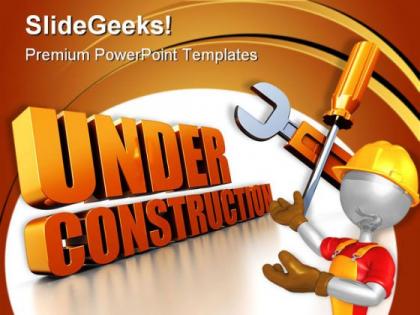
Under construction people powerpoint templates and powerpoint backgrounds 0511




Try Before you Buy Download Free Sample Product
 Impress Your
 Audience
 100%
100% Editable
 Save Hours
 of Time


Take a look at our range of Under Construction People PowerPoint Templates And PowerPoint Backgrounds 0511. You will be delighted with what you find.
People who downloaded this PowerPoint presentation also viewed the following :
Under construction people powerpoint templates and powerpoint backgrounds 0511 with all 3 slides:
You will never know creating animated slides was so easy until you use our Under Construction People PowerPoint Templates And PowerPoint Backgrounds 0511. All the hard work has already been done for you.

FAQs for Under construction people powerpoint templates and
Key elements include a clear construction-themed header, timeline or progress indicators, contact information for updates, placeholder content areas, and consistent branding elements. These templates streamline communication by maintaining stakeholder engagement, setting realistic expectations, and providing professional transparency, with many organizations finding that well-designed construction templates enhance credibility while minimizing confusion during development phases.
An "Under Construction" template enhances project presentations by clearly communicating project phases, timelines, and upcoming deliverables while maintaining stakeholder engagement throughout development cycles. These templates streamline progress reporting, manage expectations effectively, and demonstrate organizational transparency, with many project managers finding that visual construction metaphors help teams and clients better understand complex workflows, ultimately delivering improved communication and stronger project buy-in.
Orange and yellow combinations create urgency and visibility, while blue and gray schemes convey professionalism and reliability for under construction presentations. These strategic color choices enhance audience engagement by balancing attention-grabbing elements with trustworthy messaging, with many organizations finding that warm accent colors against neutral backgrounds ultimately deliver clearer communication and stronger stakeholder confidence.
Visuals and graphics significantly enhance the perception of "Under Construction" themes by conveying professionalism, progress, and anticipation rather than incomplete work. Through strategic use of construction imagery, progress bars, and cohesive design elements, organizations create positive audience engagement while building excitement for upcoming launches, with many companies finding that well-designed construction themes actually strengthen brand credibility.
Industries undergoing significant transformation benefit most from "Under Construction" PowerPoint templates, including technology startups, construction companies, consulting firms, digital marketing agencies, and educational institutions. These templates enable organizations to communicate project timelines, website redesigns, and system upgrades professionally, while maintaining stakeholder engagement during transition periods, ultimately delivering transparency and enhanced credibility throughout development phases.
Common design pitfalls in "Under Construction" templates include cluttered layouts, unclear messaging, missing contact information, poor mobile optimization, and overly complex animations that slow loading times. These issues frustrate visitors and damage brand credibility, with many businesses finding that clean, informative designs with clear timelines, contact details, and progress updates ultimately deliver better user experiences and maintain customer trust during transitions.
Customizing "Under Construction" templates involves replacing placeholder logos with your brand assets, adjusting color schemes to match brand guidelines, updating fonts to reflect your visual identity, and incorporating consistent messaging tone. Through PowerPoint's design tools, businesses can seamlessly modify layouts, add branded graphics, and ensure visual consistency, ultimately delivering professional communication that maintains brand recognition during website transitions or project development phases.
**INPUT**: What types of projects are ideal for showcasing with an "Under Construction" presentation? **OUTPUT**: Projects ideal for "Under Construction" presentations include website redesigns, software development initiatives, facility expansions, product launches, and organizational restructuring efforts. These templates effectively communicate progress across industries like construction, technology, healthcare, and retail, enabling teams to maintain stakeholder engagement, demonstrate milestones, and build anticipation while managing expectations throughout complex implementation phases. [Word count: 54 words]
Animations and transitions enhance "Under Construction" presentations by creating visual progression, maintaining audience engagement, and reinforcing the temporary nature of project phases. These dynamic elements help construction companies, real estate developers, and infrastructure firms demonstrate project timelines, reveal upcoming milestones, and build anticipation for completion, ultimately delivering more compelling stakeholder communications and stronger client confidence.
Best practices for structuring "Under Construction" template content include clear messaging about timeline and purpose, prominent contact information, engaging visuals that reflect your brand, progress indicators or milestones, and alternative resources for visitors. These elements work together by maintaining audience engagement, building anticipation, and preserving brand credibility during development phases, with many organizations finding that well-structured templates actually enhance stakeholder confidence and project momentum.
"Under Construction" templates help manage stakeholder expectations by clearly communicating project timelines, current progress status, upcoming milestones, and anticipated completion dates in a professional, visually consistent format. These templates enable project managers to maintain transparency with clients, investors, and team members while setting realistic delivery expectations, ultimately reducing confusion and building trust through regular, structured updates that demonstrate ongoing commitment to project completion.
Construction-themed presentations benefit from bold, industrial fonts like Bebas Neue, Roboto Condensed, Oswald, and Impact for headers, paired with clean sans-serif fonts like Arial or Calibri for body text. These typography combinations enhance readability while reinforcing the industry's strength and precision, with many construction firms finding that consistent, professional typography ultimately delivers greater credibility and engagement in client presentations.
"Under Construction" templates facilitate clearer timeline communication by providing structured visual frameworks for milestone tracking, progress indicators, phase breakdowns, and deadline visualization. These templates enable project managers to streamline status updates, enhance stakeholder transparency, and deliver consistent progress reporting across teams, with many organizations finding that visual timeline presentations significantly reduce miscommunication and accelerate decision-making processes.
Data visualizations in "Under Construction" slides include progress bars, milestone timelines, percentage completion circles, Gantt charts, and resource allocation graphs. These elements transform static placeholder slides into informative project dashboards, with many organizations finding that visual progress indicators enhance stakeholder confidence, streamline project communication, and ultimately deliver greater transparency while maintaining engagement throughout development phases.
**INPUT**: What are some creative ways to signify progress and updates within these templates? **OUTPUT**: Creative progress indicators include animated progress bars, milestone roadmaps, construction phase timelines, percentage completion gauges, and interactive status dashboards. These visual elements enhance stakeholder communication by providing clear project visibility, streamlining status reporting, and maintaining engagement throughout development phases, ultimately delivering transparency and accountability in project management presentations. *[Word count: 50]*
-
Illustrative design with editable content. Exceptional value for money. Highly pleased with the product.
-
Great experience, I would definitely use your services further.