

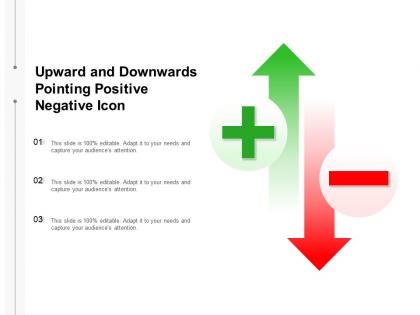
Upward and downwards pointing positive negative icon




Try Before you Buy Download Free Sample Product
 Impress Your
 Audience
 100%
100% Editable
 Save Hours
 of Time


Address the demoralised with our Upward And Downwards Pointing Positive Negative Icon. Build fresh hope of a brighter future.
People who downloaded this PowerPoint presentation also viewed the following :
Upward and downwards pointing positive negative icon with all 2 slides:
Build fresh hope of a brighter future with our Upward And Downwards Pointing Positive Negative Icon. Be able to address the demoralised.

FAQs for Upward and downwards pointing
The most commonly used directional symbols in presentations include arrows (indicating flow, progress, or movement), chevrons (showing sequential steps or priorities), triangles (representing change or decision points), and curved arrows (signifying cycles or feedback loops). These symbols streamline complex information by guiding audience attention, illustrating process flows, and enhancing visual hierarchy, with many presenters finding that strategic directional elements significantly improve comprehension and engagement.
Directional symbols enhance audience understanding by guiding visual flow, highlighting key relationships between concepts, and creating logical pathways through complex information. These visual elements streamline cognitive processing, reduce information overload, and help audiences follow sequential processes or decision trees, with many presenters finding that strategic symbol placement significantly improves comprehension and retention rates.
Directional symbols guide viewer attention through infographics by establishing visual flow, hierarchy, and logical progression, while connecting related elements, emphasizing key data points, and creating intuitive navigation paths. These design elements streamline information consumption across presentations, reports, and dashboards, with many organizations finding that strategic symbol placement enhances comprehension rates and delivers more engaging visual communications.
Cultural appropriateness for directional symbols requires researching target markets' reading patterns, color associations, religious sensitivities, and visual conventions before implementation. Through comprehensive cultural auditing and localization testing, organizations can adapt arrow styles, orientations, and contextual meanings across different regions, while consulting with local cultural experts and conducting user testing, ultimately delivering inclusive experiences that resonate authentically with diverse global audiences.
Common pitfalls include using inconsistent symbol styles, overloading slides with excessive directional elements, choosing symbols that contradict cultural reading patterns, and selecting colors that reduce visibility or accessibility. These design mistakes can confuse audiences, create visual clutter, and diminish message clarity, with many presenters finding that strategic restraint and consistent application ultimately deliver stronger audience engagement and more effective communication outcomes.
Directional symbols vary significantly across industries, with education using classroom navigation arrows and learning pathway indicators, healthcare employing patient flow symbols and emergency exit markers, and business utilizing workflow arrows and organizational hierarchy pointers. These industry-specific adaptations enhance operational efficiency by providing intuitive navigation, reducing confusion in critical environments, and streamlining processes, with many organizations finding that tailored directional systems improve user experiences and safety outcomes.
**INPUT**: What are the best practices for choosing colors and sizes for directional symbols in presentations? **OUTPUT**: Best practices include using high-contrast colors for visibility, maintaining consistent sizing throughout slides, choosing colors that align with brand guidelines, and ensuring symbols are large enough for back-row visibility. These design principles enhance audience comprehension by creating visual hierarchy, reducing cognitive load, and directing attention effectively, with many presenters finding that strategic color and size choices ultimately improve message retention and engagement. [Word count: 60 words]
Directional symbols guide presentation narrative flow by creating visual pathways between ideas, emphasizing sequential progression, and highlighting key transitions throughout your content. These symbols help audiences follow complex processes, decision trees, and multi-step workflows seamlessly, with many presenters finding that strategic arrow placement and flow indicators significantly enhance audience comprehension and retention.
Text proves more effective than directional symbols when providing complex navigation instructions, describing multi-step processes, or addressing audiences with visual impairments or cultural unfamiliarity with specific symbols. In technical documentation, legal contexts, and detailed procedural guides, organizations find that written directions eliminate ambiguity and ensure precise understanding, ultimately delivering clearer communication and reducing user errors.
Technology enhances directional symbols through animated transitions, interactive navigation, motion graphics, hover effects, and dynamic highlighting that guide audience attention seamlessly. These digital enhancements enable presenters to create more engaging, intuitive experiences by automatically directing focus, allowing audience-controlled exploration, and providing real-time visual cues that improve comprehension and retention.
Design software like Adobe Illustrator, Canva Pro, and Figma enable custom directional symbol creation through vector tools, icon libraries, and template customization features. These platforms streamline the design process by offering pre-built elements, scalable graphics, and collaboration capabilities, with many presentation designers finding that custom symbols enhance audience engagement and brand consistency across corporate communications.
Directional symbols enhance presentation storytelling by guiding audience attention through narrative flow, creating visual pathways between key plot points, and establishing clear cause-and-effect relationships within your content structure. These visual elements streamline complex storylines by connecting past events to future outcomes, highlighting decision points, and emphasizing progression, with many presenters finding that strategic directional cues ultimately deliver more engaging experiences and improved message retention.
Alternative graphical representations to directional symbols include progress bars, numbered sequences, flowcharts, timeline graphics, and color gradients. These visual elements streamline communication by providing intuitive navigation cues, establishing clear hierarchies, and enhancing user comprehension, with many organizations finding that strategic combinations ultimately deliver improved presentation flow and audience engagement.
Audience feedback helps refine directional symbols by identifying confusion points, assessing visual clarity, and evaluating flow effectiveness across different presentation contexts. Through post-presentation surveys and real-time analytics, presenters can optimize symbol placement, sizing, and styling, with many organizations finding that iterative refinement based on audience insights significantly enhances comprehension and engagement rates.
Digital presentation trends include animated directional symbols, interactive navigation elements, multi-layered visual pathways, color-coded flow indicators, and responsive design arrows. These enhanced symbols streamline remote communication by improving audience engagement, reducing cognitive load, and enabling clearer process visualization, with many organizations finding that strategic directional design ultimately delivers more effective virtual presentations and better participant comprehension.
No Reviews