

Acceptance Testing Powerpoint Presentation Slides




Try Before you Buy Download Free Sample Product
 Impress Your
 Audience
 100%
100% Editable
 Save Hours
 of Time


Check out our professionally designed Acceptance Testing PowerPoint presentation. It covers topics such as introduction, importance, benefits, different types, key challenges, and solutions in acceptance testing. This Key Steps and Strategies for User Acceptance Testing PowerPoint presentation defines user acceptance testing, its objectives, and benefits. It also highlights the challenges, solutions, and types of user acceptance testing, including AI-powered and cloud-based user acceptance testing. In addition, our Role of Automation in Successful Acceptance Testing deck showcases dimensions, overviews UAT automation, and lists out the strengths of UAT automation. It also explains the UAT environment and the production transition to the UAT environment, etc. Furthermore, the Acceptance Testing strategies for the software reliability deck demonstrate an overview of the acceptance test. It also defines its entry and exit criteria and workflow process in the v-model. Moreover, the PPT also contains sections about best practices for user acceptance test environments and also defines the checklist for acceptance testing. Lastly, this Effective Test Data Management in Acceptance Testing module contains a 30-60-90 day plan of acceptance testing. It also includes a roadmap for implementing acceptance testing along with before vs after acceptance testing. Download our 100 percent editable and customizable template, which is also compatible with Google Slides.
People who downloaded this PowerPoint presentation also viewed the following :
Content of this Powerpoint Presentation
Slide 1: This slide introduces Acceptance testing. State your company name and begin.
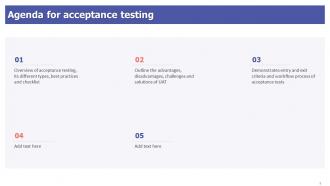
Slide 2: This slide states Agenda of the presentation.
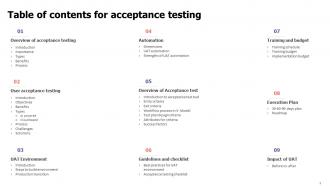
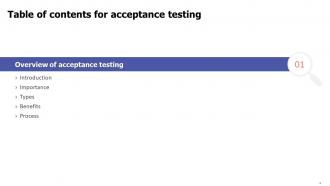
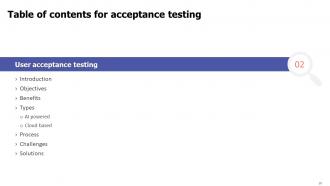
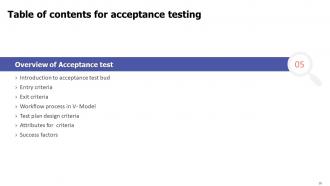
Slide 3: This slide shows Table of Content for the presentation.
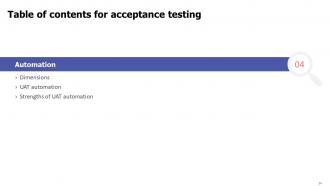
Slide 4: This slide highlights title for topics that are to be covered next in the template.
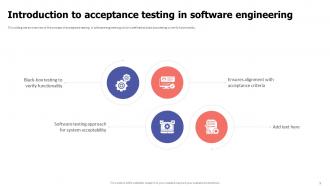
Slide 5: This slide presents Introduction to acceptance testing in software engineering.
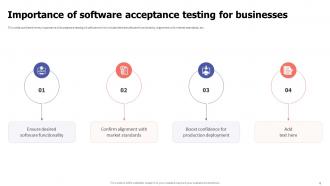
Slide 6: This slide displays Importance of software acceptance testing for businesses.
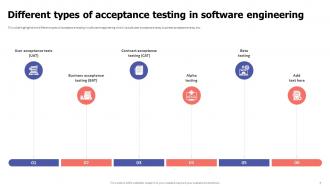
Slide 7: This slide represents Different types of acceptance testing in software engineering.
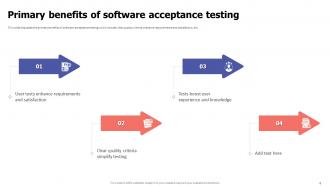
Slide 8: This slide showcases Primary benefits of software acceptance testing.
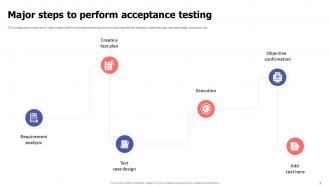
Slide 9: This slide shows Major steps to perform acceptance testing.
Slide 10: This slide highlights title for topics that are to be covered next in the template.
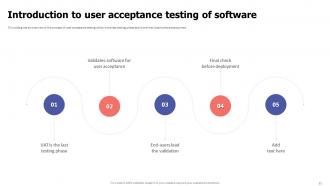
Slide 11: This slide presents Introduction to user acceptance testing of software.
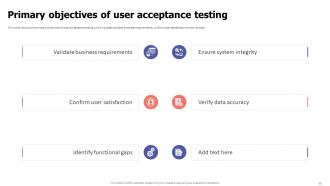
Slide 12: This slide displays Primary objectives of user acceptance testing.
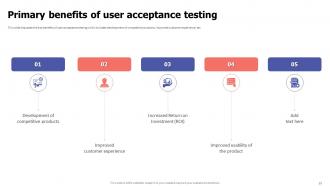
Slide 13: This slide represents Primary benefits of user acceptance testing.
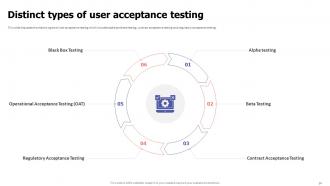
Slide 14: This slide discusses the distinct types of user acceptance testing.
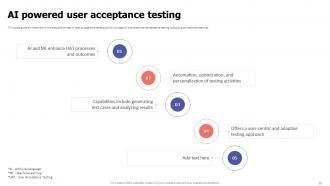
Slide 15: This slide gives an overview of the possible trends in user acceptance testing.
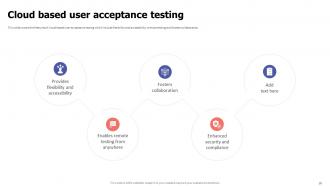
Slide 16: This slide showcases Cloud based user acceptance testing.
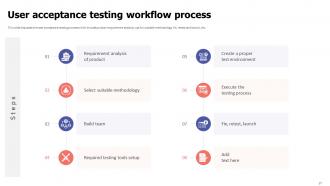
Slide 17: This slide shows User acceptance testing workflow process.
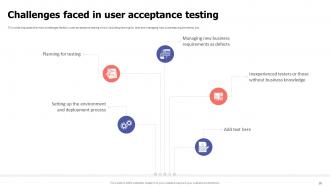
Slide 18: This slide presents Challenges faced in user acceptance testing.
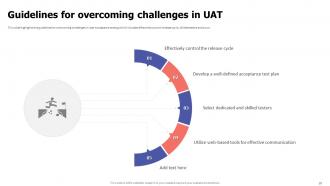
Slide 19: This slide displays Guidelines for overcoming challenges in UAT.
Slide 20: This slide highlights title for topics that are to be covered next in the template.
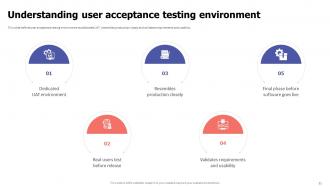
Slide 21: This slide represents Understanding user acceptance testing environment.
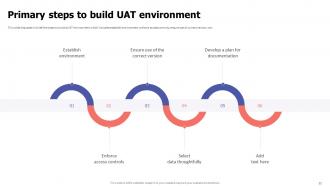
Slide 22: This slide showcases Primary steps to build UAT environment.
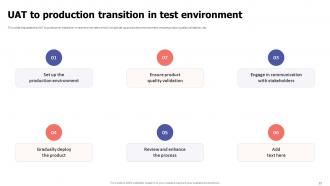
Slide 23: This slide shows UAT to production transition in test environment.
Slide 24: This slide highlights title for topics that are to be covered next in the template.
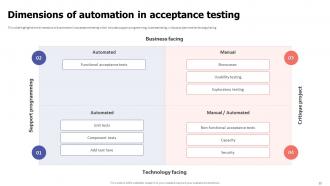
Slide 25: This slide presents Dimensions of automation in acceptance testing.
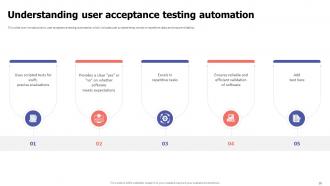
Slide 26: This slide displays Understanding user acceptance testing automation.
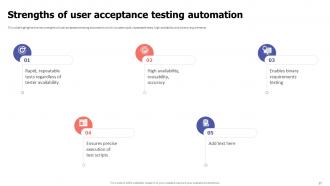
Slide 27: This slide represents Strengths of user acceptance testing automation.
Slide 28: This slide highlights title for topics that are to be covered next in the template.
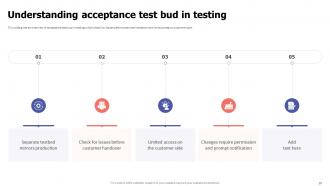
Slide 29: This slide gives an overview of acceptance test bud in testing.
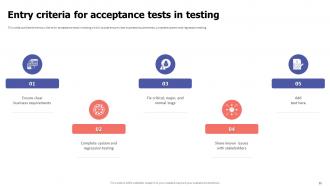
Slide 30: This slide showcases Entry criteria for acceptance tests in testing.
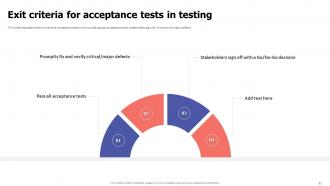
Slide 31: This slide discusses the exit criteria for acceptance tests which include pass all acceptance tests.
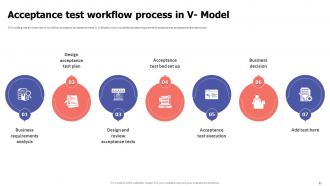
Slide 32: This slide showcases Acceptance test workflow process in V- Model.
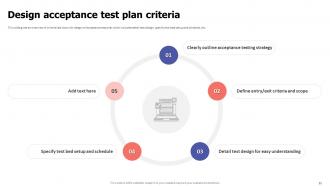
Slide 33: This slide shows Design acceptance test plan criteria.
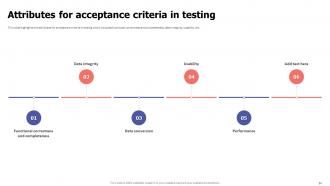
Slide 34: This slide presents Attributes for acceptance criteria in testing.
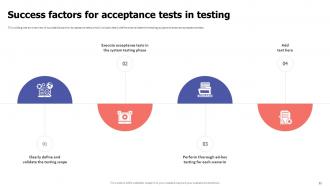
Slide 35: This slide displays Success factors for acceptance tests in testing.
Slide 36: This slide highlights title for topics that are to be covered next in the template.
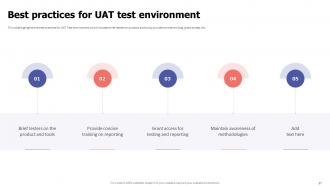
Slide 37: This slide represents Best practices for UAT test environment.
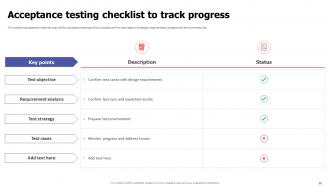
Slide 38: This slide showcases Acceptance testing checklist to track progress.
Slide 39: This slide highlights title for topics that are to be covered next in the template.
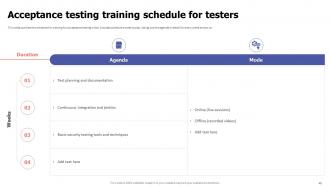
Slide 40: This slide shows Acceptance testing training schedule for testers.
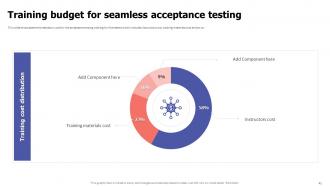
Slide 41: This slide presents Training budget for seamless acceptance testing.
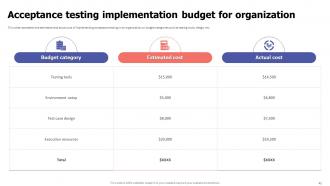
Slide 42: This slide displays Acceptance testing implementation budget for organization.
Slide 43: This slide highlights title for topics that are to be covered next in the template.
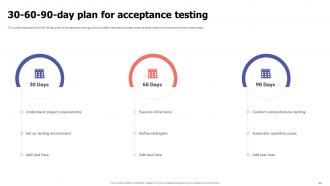
Slide 44: This slide represents 30-60-90-day plan for acceptance testing.
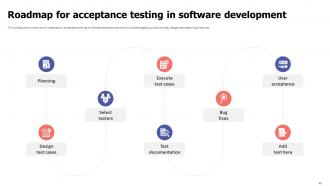
Slide 45: This slide showcases Roadmap for acceptance testing in software development.
Slide 46: This slide highlights title for topics that are to be covered next in the template.
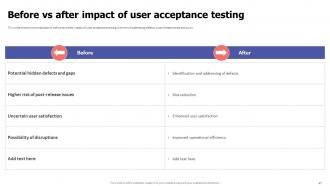
Slide 47: This slide shows Before vs after impact of user acceptance testing.
Slide 48: This slide contains all the icons used in this presentation.
Slide 49: This slide is titled as Additional Slides for moving forward.
Slide 50: This is a Timeline slide. Show data related to time intervals here.
Slide 51: This slide showcases Magnifying Glass to highlight information, specifications etc
Slide 52: This slide shows Post It Notes. Post your important notes here.
Slide 53: This is Our Target slide. State your targets here.
Slide 54: This slide depicts Venn diagram with text boxes.
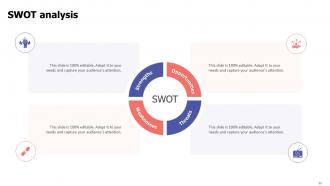
Slide 55: This slide shows SWOT describing- Strength, Weakness, Opportunity, and Threat.
Slide 56: This slide contains Puzzle with related icons and text.
Slide 57: This is a Thank You slide with address, contact numbers and email address.
Acceptance Testing Powerpoint Presentation Slides with all 65 slides:
Use our Acceptance Testing Powerpoint Presentation Slides to effectively help you save your valuable time. They are readymade to fit into any presentation structure.








FAQs for Acceptance Testing
The primary purpose of acceptance testing is to validate that software meets business requirements and functions correctly in real-world scenarios before deployment. This final testing phase ensures applications deliver expected user experiences, minimize post-launch issues, and meet stakeholder expectations, with many organizations finding that thorough acceptance testing significantly reduces costly revisions and enhances customer satisfaction.
User acceptance testing focuses on validating business requirements and end-user workflows, while operational acceptance testing emphasizes system performance, security, and maintainability in production environments. These complementary approaches enable organizations to ensure both functional satisfaction and technical reliability, with many enterprises finding that combining user-focused validation with operational readiness assessments delivers comprehensive quality assurance and smoother deployments.
Stakeholders should define acceptance criteria using functional requirements, performance benchmarks, user experience standards, compliance regulations, and business objectives alignment. These criteria enable clear project evaluation by establishing measurable outcomes, defining success parameters, and ensuring deliverables meet operational needs, with many organizations finding that well-defined acceptance criteria streamline project delivery and enhance stakeholder satisfaction.
Acceptance testing evaluates whether complete systems meet business requirements and user expectations, while unit testing focuses on individual components and integration testing verifies component interactions. Unlike technical testing phases that developers perform, acceptance testing involves end-users or business stakeholders validating real-world scenarios, ultimately ensuring the system delivers intended functionality and business value before deployment.
End-users play a critical role in acceptance testing by validating that software meets real-world requirements, testing actual workflows, and confirming usability from their perspective. Their involvement ensures applications function effectively in practical scenarios, with many organizations finding that direct user feedback during this phase significantly reduces post-deployment issues and enhances overall user satisfaction.
Businesses ensure acceptance testing aligns with user expectations by involving end-users throughout the testing process, creating detailed user stories with clear acceptance criteria, and conducting regular stakeholder reviews. Through collaborative testing sessions and real-world scenario simulations, organizations validate that systems meet actual business needs while gathering continuous feedback, ultimately delivering solutions that enhance user satisfaction and operational efficiency.
Common acceptance testing challenges include unclear requirements, inadequate user involvement, time constraints, environment inconsistencies, and communication gaps between stakeholders. These obstacles can be mitigated by establishing detailed acceptance criteria upfront, engaging end-users throughout the process, and implementing structured testing environments, with many organizations finding that early stakeholder alignment and automated testing tools significantly streamline validation while reducing project delays.
Automated testing tools enhance acceptance testing by accelerating test execution, improving consistency, and reducing manual effort across repetitive scenarios. These tools enable teams to run comprehensive test suites continuously, catch defects earlier in development cycles, and deliver faster feedback to stakeholders, ultimately streamlining release processes while maintaining quality standards.
Acceptance testing in Agile methodologies ensures each feature meets business requirements and user expectations before deployment, maintaining quality throughout iterative development cycles. This continuous validation approach enables teams to catch issues early, reduce rework costs, and deliver working software increments, with many organizations finding that regular acceptance testing accelerates time-to-market while enhancing customer satisfaction.
Teams can effectively document acceptance testing results through detailed test reports, comprehensive defect logs, stakeholder feedback summaries, and approval matrices that capture decisions and rationale. These documentation practices enable organizations to establish audit trails, facilitate knowledge transfer, and streamline future testing cycles, with many development teams finding that structured documentation significantly reduces project risks and accelerates subsequent release processes.
Strategies include structured user interviews, scenario-based testing sessions, feedback forms with specific criteria, real-world simulation environments, and cross-functional review panels. These approaches streamline feedback collection by engaging diverse stakeholders, capturing both technical and usability insights, and creating systematic evaluation processes, with many organizations finding that combining multiple feedback methods delivers more comprehensive testing outcomes and faster product refinement.
Cultural and organizational factors significantly influence acceptance testing outcomes by affecting communication patterns, risk tolerance levels, and stakeholder engagement throughout the testing process. Organizations with collaborative cultures typically achieve more comprehensive testing coverage and faster issue resolution, while hierarchical structures may experience delayed feedback loops, ultimately impacting product quality and user satisfaction across implementation phases.
Best practices for remote acceptance testing include establishing clear communication protocols, using collaborative testing platforms, defining standardized test environments, implementing real-time documentation sharing, and scheduling overlapping work hours across time zones. These approaches streamline coordination by enabling seamless stakeholder feedback, maintaining consistent test execution standards, and ensuring comprehensive coverage, with many distributed organizations finding that structured remote testing processes ultimately deliver faster approval cycles and enhanced product quality.
Acceptance testing validates that software meets business requirements and user expectations through real-world scenario testing, user acceptance validation, and end-to-end functionality verification. This final quality gate enables organizations to deliver reliable products by confirming usability standards, reducing post-deployment defects, and ensuring customer satisfaction, ultimately minimizing costly revisions and enhancing competitive advantage.
Acceptance testing can significantly impact project timelines and budgets by identifying critical issues late in development, potentially requiring costly rework and deadline extensions. However, when strategically implemented early with clear criteria, it streamlines approval processes, reduces post-launch fixes, and minimizes budget overruns, with many organizations finding that thorough acceptance testing ultimately delivers faster deployment and lower overall project costs.
-
Definitely recommend SlideTeam to all who need help with PowerPoint presentations. Their design team can create anything you need.
-
SlideTeam’s pool of 2Million+ PPTs has really benefited my team, everyone from the IT department to HR. We are lucky to have crossed ways with them.