

User Experience Enhancement Powerpoint Presentation Slides





Try Before you Buy Download Free Sample Product
 Impress Your
 Audience
 100%
100% Editable
 Save Hours
 of Time


Customer experience is an interaction that customers have with the organization. It is basically related to the customers perception and feeling about the business. The main objective of this deck i.e. User Experience Enhancement is to improve customer satisfaction and loyalty for the overall growth of the business. This deck incorporated various slides, including the present scenario, we have analyzed the current customer experience service approach and its impact on the companys performance. Also, it contains slides showcasing the reasons for customer complaints, collecting useful insights, taking action, and making impactful changes. This PowerPoint presentation will arm you to assess customer behavior trends, and buyer journey, and also determine customer wants and expectations. This customer experience improvement PowerPoint module also covers tools and techniques for building customer relationships online, providing tactics to increase customer satisfaction, and implementing Chatbot tech service for giving instant replies to customers. This deck also includes a template that covers the job description of a customer support executive describing the summary of hiring a new executive including areas of knowledge, education, skills, and abilities. It also talks about the steps for solving customer specific problems and issues with the product or services. We have also covered the impact of implementing strategies for improving customer experience while measuring the metrics in this PowerPoint Presentation. Download this PowerPoint presentation right away.
People who downloaded this PowerPoint presentation also viewed the following :
Content of this Powerpoint Presentation
Slide 1: This slide displays the title User Experience Enhancement.
Slide 2: This slide displays the title Agenda.
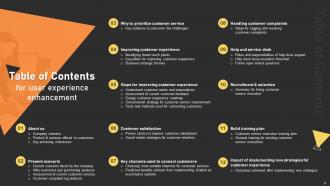
Slide 3: This slide exhibit table of content.
Slide 4: This slide showcase table of content that is to be discuss further.
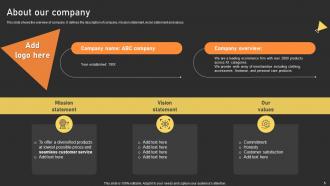
Slide 5: This slide shows the overview of company. It defines the description of company, mission statement, vision statement and values.
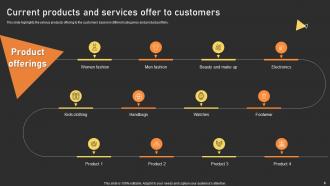
Slide 6: This slide highlights the various products offering to the customers based on different categories and product portfolio.
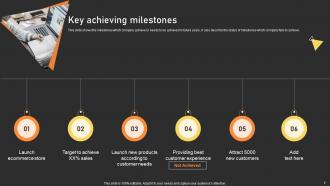
Slide 7: This slide shows the milestones which company achieve or needs to be achieved in future years.
Slide 8: This slide showcase table of content that is to be discuss further.
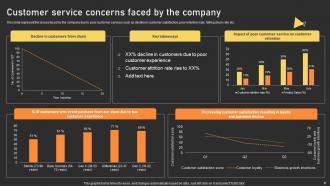
Slide 9: This slide represent the issues faced by the company due to poor customer services such as decline in customer satisfaction, poor retention rate, falling churn rate.
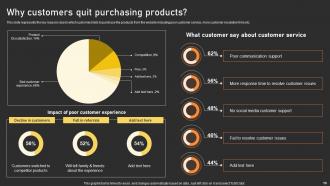
Slide 10: This slide represents the key reasons due to which customers fails to purchase the products from the website.
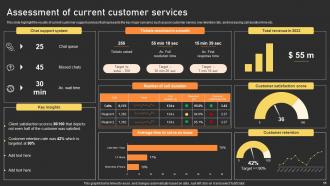
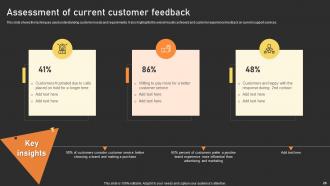
Slide 11: This slide highlight the results of current customer support services that represents the key major concerns.
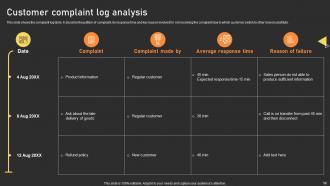
Slide 12: This slide shows the complaint log table.
Slide 13: This slide showcase table of content that is to be discuss further.
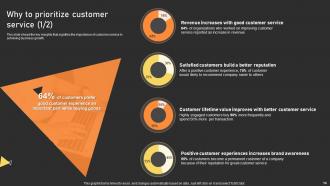
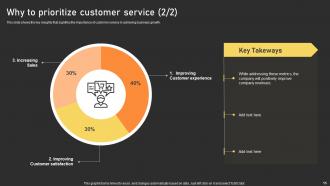
Slide 14: This slide shows the key insights that signifies the importance of customer service in achieving business growth.
Slide 15: This slide shows the key insights that signifies the importance of customer service in achieving business growth.
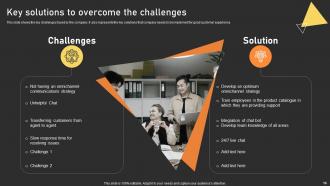
Slide 16: This slide shows the key challenges faced by the company.
Slide 17: This slide showcase table of content that is to be discuss further.
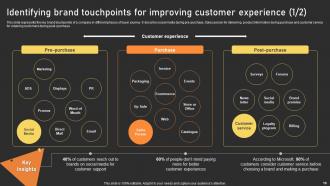
Slide 18: This slide represents the key brand touchpoints of a company in different phases of buyer journey.
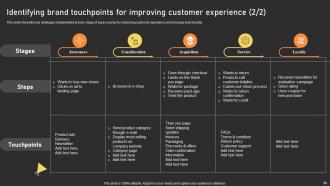
Slide 19: This slide shows the key strategies implemented at every stage of buyer journey for improving customer experience and increase brand loyalty.
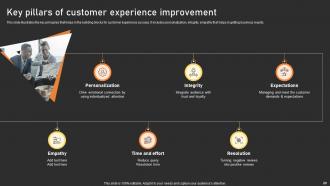
Slide 20: This slide illustrates the key principles that helps in the building blocks for customer experience success.
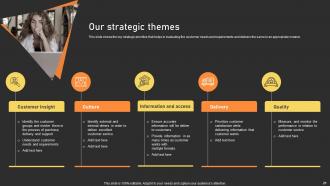
Slide 21: This slide shows the key strategic prioritize that helps in evaluating the customer needs and requirements and delivers the same in an appropriate manner.
Slide 22: This slide showcase table of content that is to be discuss further.
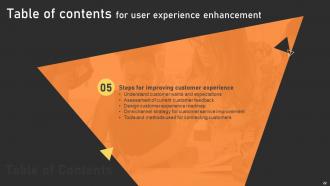
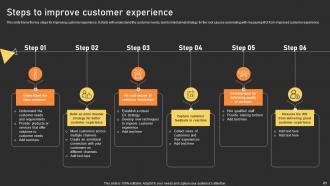
Slide 23: This slide frame the key steps for improving customer experience.
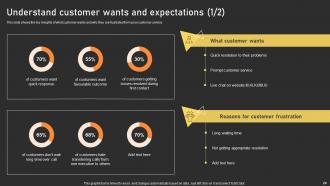
Slide 24: This slide shows the key insights of what customer wants and why they are frustrated from poor customer service.
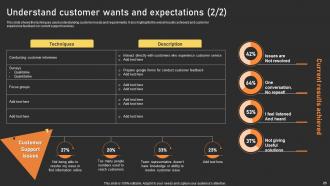
Slide 25: This slide shows the techniques used understanding customer needs and requirements.
Slide 26: This slide shows the techniques used understanding customer needs and requirements.
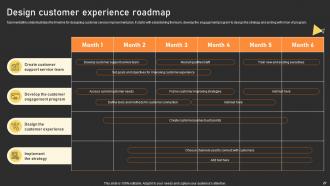
Slide 27: This slide illustrates the timeline for designing customer service improvement plan.
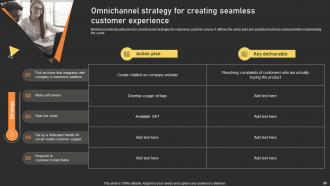
Slide 28: Mentioned slide tabulates the key omnichannel strategies for improving customer service.
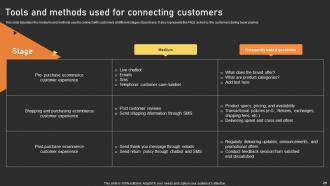
Slide 29: This slide tabulates the mediums and methods used to connect with customers at different stages of purchase.
Slide 30: This slide showcase table of content that is to be discuss further.
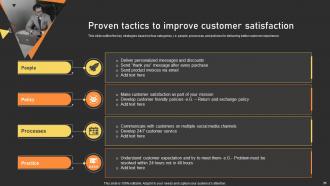
Slide 31: This slide outline the key strategies based on four categories, i.e. people, processes, and policies for delivering better customer experience.
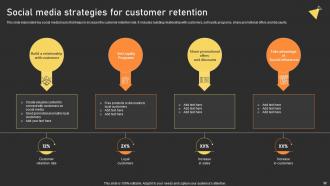
Slide 32: This slide elaborated key social media hacks that helps to increase the customer retention rate.
Slide 33: This slide showcase table of content that is to be discuss further.
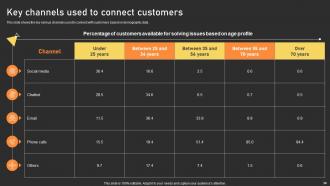
Slide 34: This slide shows the key various channels used to connect with customers based on demographic data.
Slide 35: This slide shows the key benefits achieve by the company after implementing chatbot on company’s website.
Slide 36: This slide showcase table of content that is to be discuss further.
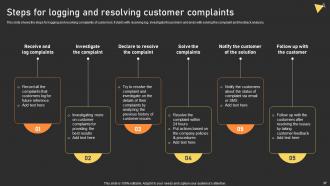
Slide 37: This slide shows the steps for logging and resolving complaints of customers.
Slide 38: This slide showcase table of content that is to be discuss further.
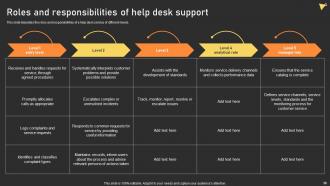
Slide 39: This slide tabulates the roles and responsibilities of a help desk service of different levels.
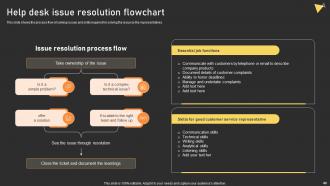
Slide 40: This slide shows the process flow of solving issues and skills required for solving the issue by the representatives.
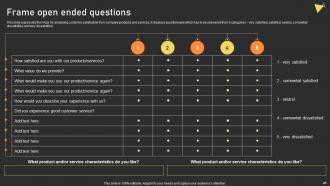
Slide 41: This slide represents the FAQs for analysing customer satisfaction from company products and services.
Slide 42: This slide showcase table of content that is to be discuss further.
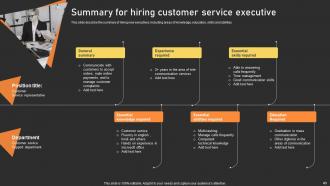
Slide 43: This slide describe the summary of hiring new executives including areas of knowledge, education, skills and abilities.
Slide 44: This slide showcase table of content that is to be discuss further.
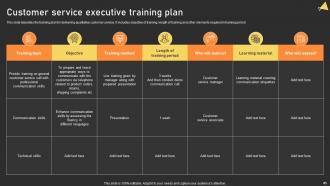
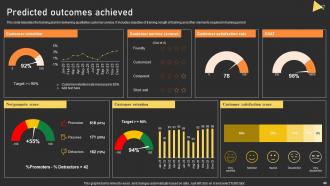
Slide 45: This slide tabulates the training plan for delivering qualitative customer service.
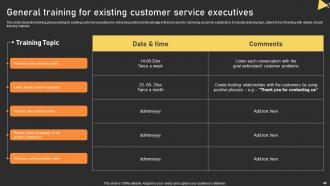
Slide 46: This slide shows the training plan providing for existing customer executives for enhancing skills and knowledge in their job area for achieving customer satisfaction.
Slide 47: This slide showcase table of content that is to be discuss further.
Slide 48: This slide tabulates the training plan for delivering qualitative customer service.
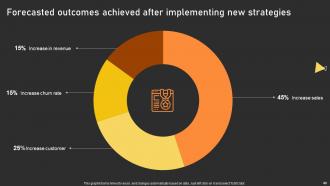
Slide 49: This slide highlights Forecasted outcomes achieved after implementing new strategies.
Slide 50: This is the icons slide.
Slide 51: This slide presents title for additional slides.
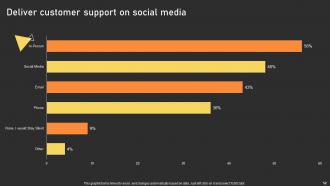
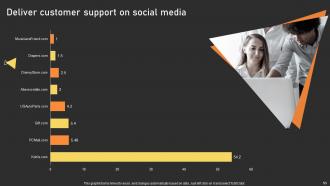
Slide 52: This slide showcase Deliver customer support on social media.
Slide 53: This slide showcase Deliver customer support on social media.
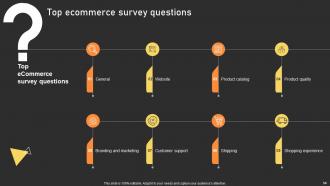
Slide 54: This slide showcase Top ecommerce survey questions.
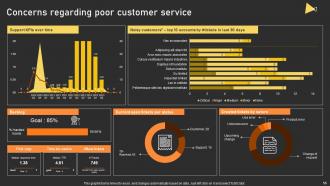
Slide 55: This slide showcase Concerns regarding poor customer service.
Slide 56: This slide showcase About us.
Slide 57: This slide depicts 30-60-90 days plan for projects.
Slide 58: This slide showcase about Our team.
Slide 59: This slide showcase Our target.
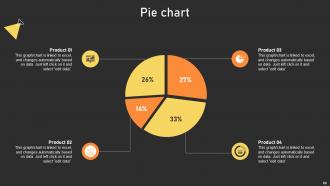
Slide 60: This slide showcase Pie chart.
Slide 61: This slide shows roadmap of company.
Slide 62: This is thank you slide & contains contact details of company like office address, phone no., etc.
User Experience Enhancement Powerpoint Presentation Slides with all 67 slides:
Use our User Experience Enhancement Powerpoint Presentation Slides V to effectively help you save your valuable time. They are readymade to fit into any presentation structure.













FAQs for User Experience Enhancement
Presentation templates enhance user experience by providing consistent visual structure, professional aesthetics, streamlined content flow, reduced cognitive load, and improved information retention throughout presentations. These design frameworks enable presenters to deliver more engaging experiences while minimizing preparation time, with organizations finding that well-designed templates significantly boost audience comprehension and presenter confidence across various business contexts.
Customizable templates improve audience engagement by enabling personalized content delivery, interactive elements, and brand-consistent messaging that resonates with specific demographics and preferences. Through strategic customization, organizations streamline communication workflows while delivering targeted experiences, with many companies finding that tailored templates increase response rates, enhance brand recognition, and ultimately drive stronger audience connections across digital platforms.
High-quality presentation templates should include clear narrative flow structures, compelling visual hierarchies, customizable data visualization elements, consistent color schemes, and flexible layout options. These features streamline storytelling by guiding audience attention, enhancing information retention, and maintaining professional consistency, with many organizations finding that well-designed templates significantly reduce preparation time while delivering more impactful presentations.
User feedback can be incorporated through surveys, usability testing, focus groups, A/B testing different template versions, and analyzing user behavior analytics. These methods enable designers to identify pain points, preferences, and workflow patterns, with many organizations finding that iterative feedback loops streamline template adoption, enhance user satisfaction, and ultimately deliver more effective presentations.
Color psychology significantly impacts user experience by influencing emotions, comprehension, and engagement through strategic hue selection, contrast optimization, and cultural considerations. In presentation designs, colors enhance information retention, guide audience attention, and establish brand credibility, with many organizations finding that thoughtful color choices ultimately deliver more persuasive communications and stronger audience connections.
Templates can be optimized through responsive design frameworks, flexible grid systems, scalable typography, touch-friendly navigation, and device-specific image optimization. These approaches streamline user interactions by automatically adjusting layouts, enhancing loading speeds, and maintaining visual consistency across platforms, with many organizations finding that optimized templates significantly reduce bounce rates while delivering improved engagement and competitive advantage.
Template designs significantly influence presentation narratives through visual hierarchy, color psychology, typography choices, layout flow, and content organization structures. These design elements guide audience attention, reinforce key messages, and create emotional connections, with many organizations finding that strategic template selection enhances storytelling effectiveness, improves information retention, and ultimately delivers more compelling business communications.
Accessibility features in templates enhance user experience by incorporating clear navigation structures, high contrast color schemes, readable fonts, screen reader compatibility, and keyboard navigation options. These inclusive design elements enable organizations to reach broader audiences across healthcare, education, and corporate sectors, ultimately delivering improved engagement rates, reduced bounce rates, and competitive advantage in an increasingly diverse marketplace.
Brand consistency in presentation templates requires standardized color palettes, typography systems, logo placement guidelines, imagery styles, and layout structures across all materials. These elements streamline content creation by ensuring visual cohesion, reducing design time, and reinforcing brand recognition, with many organizations finding that template standardization enhances professional credibility while enabling teams to focus on messaging rather than design decisions.
Visuals in templates enhance comprehension by simplifying complex information through charts, diagrams, and infographics, while improving retention through visual memory pathways that process information faster than text alone. These design elements enable audiences to grasp key concepts more quickly, retain information longer, and make better decisions, with many organizations finding that visual-heavy presentations deliver significantly higher engagement rates and improved knowledge transfer outcomes.
Current trends shaping user-friendly presentation templates include AI-powered design automation, mobile-first responsive layouts, interactive multimedia integration, accessibility-focused features, and collaborative real-time editing capabilities. These innovations streamline template creation by reducing design time, enhancing cross-device compatibility, and enabling seamless team collaboration, ultimately delivering more engaging presentations and improved user experiences across organizations.
Instructional design principles enhance presentation templates by incorporating clear learning objectives, logical information hierarchy, consistent visual cues, and progressive disclosure of complex concepts. These approaches streamline knowledge transfer by reducing cognitive load, improving retention through structured layouts, and enabling seamless audience engagement, with many organizations finding that well-designed templates significantly accelerate training delivery and comprehension rates.
Template simplicity enhances user experience by reducing cognitive load, improving focus on content, ensuring faster navigation, and creating professional consistency throughout presentations. Clean, uncluttered designs enable audiences to process information more effectively while minimizing distractions, with many organizations finding that streamlined templates deliver better engagement and clearer communication outcomes.
Data-driven insights enhance presentation templates by analyzing user behavior patterns, content engagement metrics, slide interaction rates, and visual preference data. Through analytics, organizations can identify which layouts drive better audience retention, optimize color schemes and typography for maximum impact, and streamline template structures, ultimately delivering more compelling presentations and improved communication effectiveness.
Common pitfalls include overcrowding slides with excessive text, using inconsistent fonts and color schemes, neglecting mobile responsiveness, and creating complex navigation structures. These design mistakes significantly reduce audience engagement and comprehension, with many organizations finding that streamlined, consistent templates enhance message clarity, improve presenter confidence, and ultimately deliver more impactful business communications.
-
I can say with full confidence that all your business, academic, or professional work requirements will be sufficed with SlideTeam. Their gallery is as rich as 2Million+!!
-
Excellent work done on template design and graphics.