

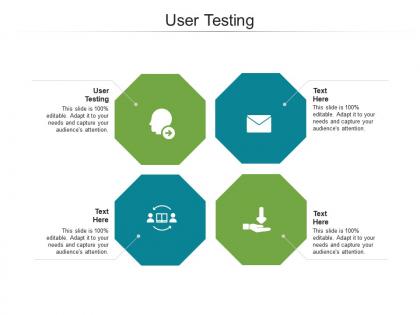
User testing ppt powerpoint presentation gallery example topics cpb




Try Before you Buy Download Free Sample Product
 Impress Your
 Audience
 100%
100% Editable
 Save Hours
 of Time


Our are topically designed to provide an attractive backdrop to any subject. Use them to look like a presentation pro.
People who downloaded this PowerPoint presentation also viewed the following :
User testing ppt powerpoint presentation gallery example topics cpb with all 2 slides:
Use our to effectively help you save your valuable time. They are readymade to fit into any presentation structure.
FAQs for User testing ppt powerpoint presentation gallery
You'll want to test your assumptions and spot usability problems before people actually use your product. Real users interact with stuff way differently than you'd expect - honestly, it's kind of humbling how often they miss things that seem obvious to us. Testing helps you figure out what needs fixing first and gives you solid proof when you're arguing for design changes. The trick is starting early with rough prototypes instead of waiting for everything to be polished. Better to catch the confusing parts now than launch something that leaves people scratching their heads.
Honestly, user testing will completely change how you think about your presentation templates. Real feedback shows you whether people can actually read your fonts or if they're squinting at tiny text. Beautiful designs mean nothing if users can't find the important stuff - I've watched gorgeous templates totally bomb because of this. Short sentences hit different too. Your color choices might look amazing to you but confuse different audiences entirely. Test before you roll anything out company-wide, trust me. You'll catch cluttered slides and weird navigation issues early, plus it saves everyone headaches later when they're actually using the templates.
I'd do a combo of live and async testing. Screen sharing sessions are gold - you can watch people struggle in real-time and ask questions. But also throw in some solo tests with Maze or UserTesting since people act differently when they're alone (weirdly revealing sometimes). Test whether your flow makes sense, if your main points land, and if users actually do what you want them to. Oh, and don't overthink the sample size - 5-6 people will surface most of your big issues.
First thing - figure out who your actual users are and find real people who fit that profile. Age, job, how techy they are, whatever matters for your product. I always go for 5-8 people per round since you'll catch most problems with that many (honestly more just wastes time). Don't take the lazy route and test your coworkers or friends - I know it's tempting but the results will be garbage. Try UserInterviews or post in relevant Facebook groups. Just ask a couple screening questions to make sure they're actually your target audience and aren't professional user testers.
Ask open-ended questions - don't lead people to the answers you want. I'd start broad like "how'd that go?" then get specific. Never ask "was this button easy to find?" Instead: "walk me through how you completed that task." I messed this up constantly early on and got completely worthless feedback! Have follow-ups ready but don't stick to your script religiously. The juicy insights come from weird tangents people go on. Keep things conversational, let them think. Oh, and always end by asking what pissed them off most - seriously, you'll strike gold every single time with that one.
Honestly, just ask people directly after they use your stuff - surveys, quick tests, whatever works. Most feedback won't come to you naturally (people are lazy like that). Write down what you're hearing and look for patterns. Pick the biggest complaints first instead of trying to fix every little thing at once. Test those changes before moving on to the next round. I learned this the hard way - jumping around fixing random issues just creates more chaos. Focus on one pain point, see if it actually helps, then move to the next iteration.
Hey! So usability testing is like your sanity check - it tells you if your design ideas actually make sense to real people. Don't wait until the end to test stuff because fixing things later is such a pain (and expensive). I learned this the hard way on a project last year, ugh. Run quick tests on rough prototypes early on. You'll catch weird usability problems and see how users actually behave instead of just guessing. Short sessions work great too. Think of it as having ongoing chats with your users rather than one big formal thing. Seriously, start testing something this week!
Honestly, your visuals can totally make or break these sessions. I learned this the hard way when someone's awful color scheme literally gave participants headaches - not kidding! Clean slides keep people focused on the actual tasks instead of getting distracted by messy designs. Your presentation should basically disappear into the background. High contrast is your friend, and make sure prototypes are crisp enough to interact with easily. Short version: cluttered visuals = useless feedback. The goal is supporting your test flow without becoming the star of the show.
Honestly, I'd stick with the basics first - task completion rates, how long stuff takes, and error counts. Those metrics actually tell you if people can get things done without wanting to throw their computer out the window. Satisfaction scores are decent too, but people lie on those sometimes lol. They'll say everything was great even when you watched them struggle for 20 minutes. Drop-off points are huge though - shows you exactly where things go wrong. Don't try to measure everything at once. Pick 3-4 that matter for what you're trying to fix and you'll be golden.
Just set up Zoom calls with people who'd actually use your templates - that's the main thing. Give them real tasks like "make a quarterly review presentation" then watch them struggle through it (in a good way). I usually do 30-minute sessions because people get tired after that. The magic happens when you see where they get confused or can't find stuff. Don't use random people though - find folks who match your actual users. Teams works too if you're already on that. You'll spot the big problems pretty fast once you watch a few people fumble around your layouts.
Oh man, the worst thing you can do is ask leading questions like "Don't you think this button is confusing?" You're literally feeding them the answer. And don't just test with your coworkers - they'll sugarcoat everything because they like you (or want to keep their job lol). Give people actual tasks instead of saying "just explore around" - nobody does that in real life. Here's the hard part: when they're struggling, don't help them! I know it feels awkward but that struggle is pure gold. Just write down exactly what they do, not what you think they were trying to do.
Honestly, just test with real people who aren't like you. Different ages, abilities, tech skills - the whole mix. I'm always shocked by what I miss! Like, someone using a screen reader will navigate totally different than you'd expect. Older folks might hate those tiny buttons you thought were fine. You can't just guess at this stuff - I learned that the hard way on a project last year. Watch how they actually use your interface, not how you think they should. It's eye-opening every single time.
So here's what I've noticed from user testing - people will literally abandon your tool if customization feels too complicated. Drag-and-drop wins every time over code stuff. The weird thing? Everyone says they want a million options, but they actually do way better with good defaults and maybe 3-4 tweaks they can make. Most users would rather stick with a mediocre template than learn some complex system. I'd focus on nailing the basics that 80% of people want to change - colors, fonts, layout tweaks. Don't build every feature under the sun.
Dude, test early and often - saves you SO much money and headache later. I learned this the hard way on a project where we waited until the end. Big mistake. Start with rough sketches or basic prototypes, get feedback, tweak things, then test again. Users do weird stuff you'd never think of (seriously, why does everyone right-click on everything?). Each round shows you new problems and confirms your previous fixes actually worked. Way better than launching and praying it doesn't crash and burn. You'll catch the annoying usability stuff when it's still easy to fix.
Honestly, go with qualitative testing for presentations. You need the "why" behind people's reactions - like what confuses them or where they zone out. Quantitative data is just numbers and feels like overkill here. What you actually want to know: do your slides make sense? Is the flow logical? Where do people get lost? That's all qualitative stuff. Grab 3-5 coworkers and have them think out loud while you present. Way more useful than some survey. I did this last month and caught so many issues I would've missed otherwise. The feedback hits different when someone's reacting in real time.
-
Great product with highly impressive and engaging designs.
-
Content of slide is easy to understand and edit.
-
Design layout is very impressive.
-
Helpful product design for delivering presentation.
-
Unique design & color.
-
Good research work and creative work done on every template.