

Vulnerability Management Whitepaper Powerpoint Presentation Slides




Try Before you Buy Download Free Sample Product
 Impress Your
 Audience
 100%
100% Editable
 Save Hours
 of Time


Address technical vulnerabilities using the phenomenal design and concise layout of Vulnerability Management Whitepaper PowerPoint Presentation Slides. Regardless of size, every firm suffers technical vulnerabilities, our application security PPT theme gives you tools to showcase the same. Present an overview, identify the need, and create a vulnerability model with easy-to-follow, impactful visuals of network vulnerability PowerPoint slideshow. Further, this IT vulnerability PPT template assists you to depict the vulnerability management level associated with your organization. Ascertain the scope and appropriate assessment methods of vulnerability management using the layouts of our technological threat management PPT slide. Use this network security PowerPoint theme to present a framework for IT professionals and users to outline the vulnerability plan. Next, users can reap the benefits of application security PPT slideshow by demonstrating the implementation of vulnerability analysis. So download this IT risk management PPT template deck to showcase the network vulnerabilities faced by your company and how to overcome them.
People who downloaded this PowerPoint presentation also viewed the following :
Content of this Powerpoint Presentation
Slide 1: This slide introduces Vulnerability Management. State Your Company name and begin.
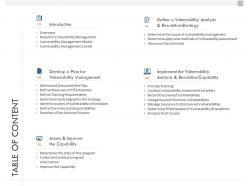
Slide 2: This slide displays Table of Content of the presentation.
Slide 3: This slide displays Introduction of the presentation.
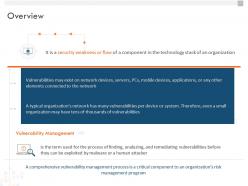
Slide 4: This slide displays the Overview of the Company.
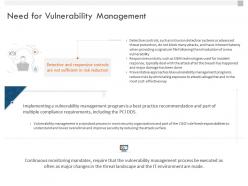
Slide 5: This slide displays Need for Vulnerability Management.
Slide 6: This slide showcases Vulnerability Management Model
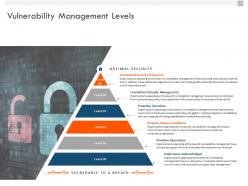
Slide 7: This slide depicts Vulnerability Management Levels.
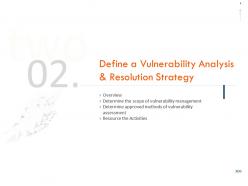
Slide 8: This slide showcases Defining a Vulnerability Analysis & Resolution Strategy
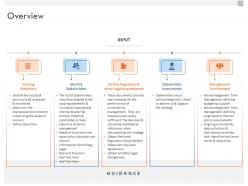
Slide 9: This slide showcases Overview.
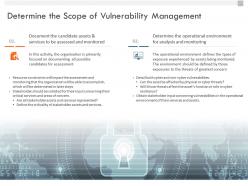
Slide 10: This slide depicts Determining the Scope of Vulnerability Management.
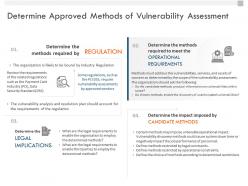
Slide 11: This slide depicts Determining Approved Methods of Vulnerability Assessment.
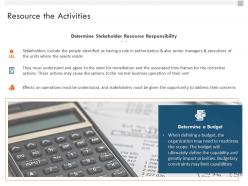
Slide 12: This slide showcases Resource the Activities.
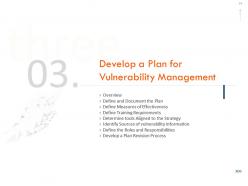
Slide 13: This slide showcases Developing a Plan for Vulnerability Management
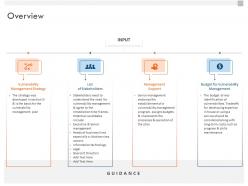
Slide 14: This slide depicts the Overview.
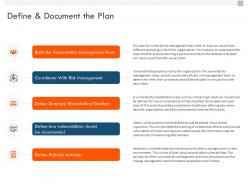
Slide 15: This slide showcases Defining & Document the Plan
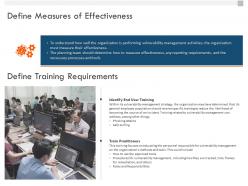
Slide 16: This slide showcases Defining Measures of Effectiveness
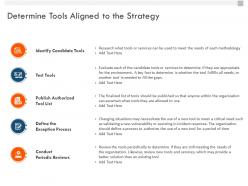
Slide 17: This slide showcases Determining Tools Aligned to the Strategy.
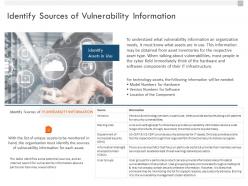
Slide 18: This slide represents Identifying Sources of Vulnerability Information.
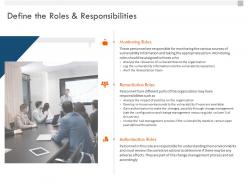
Slide 19: This slide showcases Defining the Roles & Responsibilities.
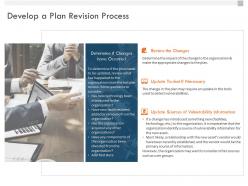
Slide 20: This slide showcases Developing a Plan Revision Process.
Slide 21: This slide describes Implementing the Vulnerability Analysis and Resolution Capability.
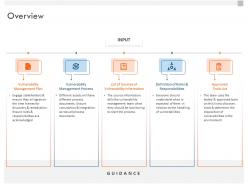
Slide 22: This slide showcases Overview.
Slide 23: This slide depicts Provide Training. The organization must ensure the personnel executing the process are fully trained on the process itself as well as the planned tasks.
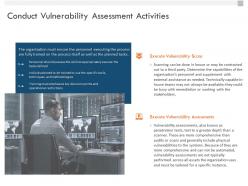
Slide 24: This slide showcases Conduct Vulnerability Assessment Activities
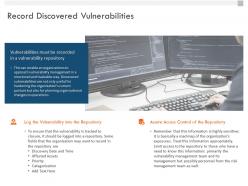
Slide 25: This slide showcases Record Discovered Vulnerabilities.
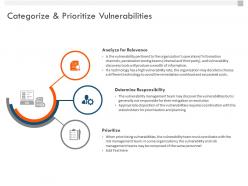
Slide 26: This slide showcases Categorize & Prioritize Vulnerabilities.
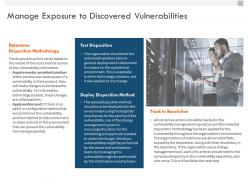
Slide 27: This slide depicts Managing Exposure to Discovered Vulnerabilities.
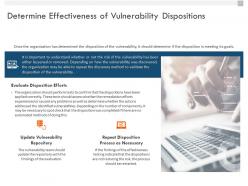
Slide 28: This slide showcases Determining Effectiveness of Vulnerability Dispositions.
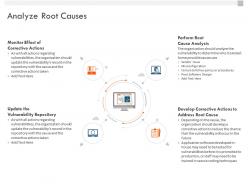
Slide 29: This slide showcases Analyzing Root Causes.
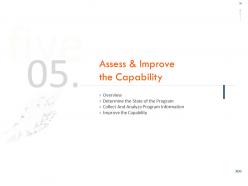
Slide 30: This slide depicts Assess & Improve the Capability with- Overview, Determine the State of the Program, Collect And Analyze Program Information, Improve the Capability.
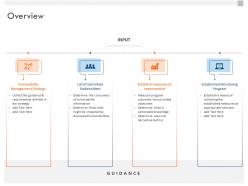
Slide 31: This slide showcases the Overview.
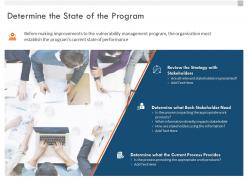
Slide 32: This slide showcases Determining the State of the Program.
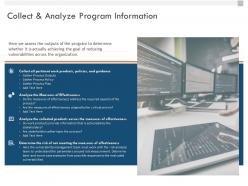
Slide 33: This slide depicts Collecting all pertinent work products, policies, and guidance.
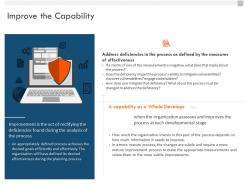
Slide 34: This slide showcases Improving the Capability
Slide 35: This is Vulnerability Management Icons Slide.
Slide 36: This slide is titled as Additional Slides for moving forward.
Slide 37: This is Our Team slide with names and designations.
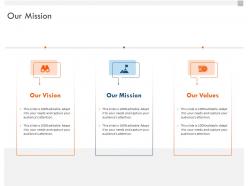
Slide 38: This is Our Mission slide with Vision, Mission and Goal.
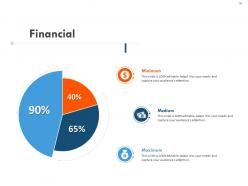
Slide 39: This is Financial slide. Showcase finance related stuff here.
Slide 40: This is Idea Generation slide to highlight ideas and beliefs.
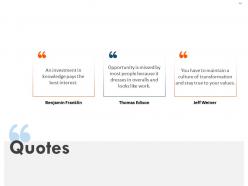
Slide 41: This slide displays Quotes to convey message, beliefs.
Slide 42: This is About Us slide to showcase company specifications.
Slide 43: This is Mind Map slide for representing entities.
Slide 44: This slide is titled as Post It Notes. Post your important notes.
Slide 45: This is Our Target slide. Showcase your targets.
Slide 46: This is Thanks for Watching slide with Address, Email Address and Contact.
Vulnerability Management Whitepaper Powerpoint Presentation Slides with all 46 slides:
Use our Vulnerability Management Whitepaper Powerpoint Presentation Slides to effectively help you save your valuable time. They are readymade to fit into any presentation structure.








FAQs for Vulnerability Management Whitepaper
Start with knowing what you actually have - can't fix what you don't know exists, right? Then scan everything regularly for vulnerabilities. Once you find issues, prioritize by risk and tackle the scary stuff first. Here's where people mess up though - always verify your patches actually worked. I've seen so many "fixed" systems that weren't really fixed at all. Don't make this a once-in-a-while thing either. Keep it continuous. Oh, and assign clear owners for each step with deadlines, otherwise nothing gets done and vulnerabilities just pile up forever.
Look, CVSS scores are a decent starting point but they're kinda useless without context. I'd build a system that weighs exploitability, business impact, and what assets you're actually protecting. Internet-facing stuff with high scores? Fix those first, obviously. Then tackle internal systems based on what would actually wreck your business if someone got in. Automated scanning helps a ton here - just don't rely on it completely. Create some basic SLAs too. Critical external vulns get 72 hours max, high-risk internal ones maybe two weeks. Oh and honestly? Most teams overthink this part way too much.
You'll see Nessus and OpenVAS everywhere - they're solid for network scans. Nmap's perfect for discovery work (probably already running somewhere at your company tbh). Web apps? Burp Suite and OWASP ZAP are your go-to tools, plus Acunetix if you want something fancier. Cloud folks usually stick with AWS Inspector or Azure Security Center since they play nice with existing setups. Honestly, OpenVAS covers most bases if you're broke, but Nessus is worth the money. Either one handles like 90% of what you'll need. Oh, and Qualys VMDR's decent too if you want enterprise-level stuff.
So compliance frameworks basically tell you which vulnerabilities matter most and when to fix them. PCI DSS is brutal - they want critical stuff patched in 30 days or less. NIST and ISO take more of a "fix what's actually risky" approach, which honestly makes way more sense than just patching randomly. You'll need formal processes, regular scans, and documentation for everything. The paperwork part is annoying but whatever. Just map what you're doing now against your compliance requirements and see what's missing - that's your roadmap right there.
Honestly? Training your people is the biggest win you can get. Human error causes like 95% of breaches anyway. Show them how to spot phishing emails, browse safely, manage passwords properly - suddenly they're not your weakest link anymore. I've watched companies drop their vulnerability rates by 70% just doing regular security sessions. Don't make it some boring annual thing though. Do quick 15-minute monthly sessions with real examples from your industry. People actually remember stories, not policy docs they'll never read again.
Quarterly is the bare minimum, but that's probably not enough if you're dealing with anything sensitive. I'd go monthly for high-risk stuff - finance, healthcare, you know the drill. Critical systems? Maybe even weekly, which sounds crazy but attacks move fast now. Really depends on how often you're changing things though. New patches or deployments should definitely trigger extra scans outside your normal schedule. Honestly, I'd just start quarterly and see what kind of mess you uncover, then ramp up from there based on what you find.
Honestly, it's like playing whack-a-mole. People keep adding new devices and cloud stuff without telling IT - shadow IT drives me nuts. Your environment changes constantly while you're trying to map everything. Different networks need different tools, some systems go dark randomly, and half the discovery software misses weird edge cases anyway. Oh and don't get me started on credential management across platforms. You'll want automated discovery running 24/7, plus bake asset registration into your deployment workflow. Otherwise you're always behind. Set it up right once and save yourself the headache later.
Look, you can't patch everything at once without breaking stuff. Focus on the scary vulnerabilities first - anything internet-facing with known exploits is basically a ticking bomb. Work with your ops team to find maintenance windows for the less critical patches. The annoying part? You'll need to have those uncomfortable conversations with business folks about what risks they're actually willing to accept. I'd create some kind of tier system so you can rush the dangerous fixes but schedule others properly. Oh, and document your decisions - it saves your butt later when someone questions why you prioritized X over Y.
So basically, when you integrate vuln management with incident response, you're not scrambling around trying to figure out what's broken when shit hits the fan. You already know your weak spots, right? That means during an incident, your team can jump straight to checking if attackers are hitting those specific vulnerabilities. It's way more efficient than just guessing. Your vulnerability data also helps you prioritize - like which systems need attention first and how to contain things. Honestly, without this integration you're pretty much flying blind. Just make sure your IR folks can actually access the vuln database in real-time.
AI's changing the vulnerability game big time. Instead of just relying on CVSS scores, you can now auto-scan and prioritize threats based on real intel. Machine learning actually predicts which vulns attackers will likely hit in your setup - pretty cool tech. But here's the flip side: bad guys are using AI too, finding and weaponizing new exploits way faster. Honestly, it's kind of a race now. Start playing with AI-powered vuln tools but don't go all-in yet. You'll still need human judgment for the tricky decisions and context stuff that AI misses.
Honestly, start with MTTD and MTTR - how fast you catch vulnerabilities and actually fix them. Those numbers don't lie about your team's response time. Track your backlog size and how old those vulns are getting, plus remediation rates by severity. Most teams I know completely bomb on patch coverage, so definitely watch that one closely. False positives from your scanning tools will drive you insane if you don't monitor them - ain't nobody got time for wild goose chases. Pick maybe 3-4 metrics you'll genuinely look at each week instead of building some fancy dashboard that just sits there.
Yeah, so third-party vendors basically become your problem too - you inherit all their security issues along with whatever service they're providing. When they get hacked, attackers can hop right into your network through those connections. The annoying part is you usually can't see what their actual security looks like, which honestly keeps me up at night sometimes. Their software and APIs can bring in new vulnerabilities. You really need to treat vendor risk like any other security issue - do assessments, make them commit to patching schedules, and watch those vendor-facing systems like a hawk.
Keep a central vuln tracker with the basics - CVE IDs, CVSS scores, which assets are hit, business impact. Document who's fixing what and your timeline. Screenshots of the actual fix are clutch when auditors show up later (learned that one the hard way). Track any workarounds if you can't patch right away. The key is showing the full journey from "oh crap" to "fixed." Status updates are huge too - saves you from endless Slack messages asking about that critical vuln from last month.
Think of vulnerability management like getting regular checkups for your systems - kinda boring but it keeps you out of trouble later. You're basically scanning for weak spots, figuring out which ones actually matter, then patching them before hackers can exploit anything. The whole point is staying ahead of problems instead of scrambling when something breaks (trust me, 3am security incidents are the worst). It helps you focus on the stuff that could actually hurt your business rather than just fixing everything randomly. Make it part of your routine and you won't be constantly putting out fires.
Skip the tech speak when you're talking to execs - they don't care about "Apache Log4j RCE vulnerabilities." Tell them it's a flaw that could cost $2M in breach penalties and stolen customer data. Way more effective. Use simple risk ratings like high/medium/low instead of CVE numbers. Honestly, a basic dashboard with trend lines beats spreadsheets every time. These people think in terms of revenue and reputation, so that's your angle. Oh, and always wrap up with clear next steps and realistic fix timelines - they hate vague action items.
-
Editable templates with innovative design and color combination.
-
Great quality product.
-
Topic best represented with attractive design.
-
Thanks for all your great templates they have saved me lots of time and accelerate my presentations. Great product, keep them up!