

Waterfall Project Management Methodology Powerpoint Ppt Template Bundles




Try Before you Buy Download Free Sample Product
 Impress Your
 Audience
 100%
100% Editable
 Save Hours
 of Time


Our Waterfall Project Management Methodology Powerpoint Ppt Template Bundles are topically designed to provide an attractive backdrop to any subject. Use them to look like a presentation pro.
People who downloaded this PowerPoint presentation also viewed the following :
Waterfall Project Management Methodology Powerpoint Ppt Template Bundles with all 20 slides:
Use our Waterfall Project Management Methodology Powerpoint Ppt Template Bundles to effectively help you save your valuable time. They are readymade to fit into any presentation structure.





FAQs for Waterfall Project Management Methodology Powerpoint
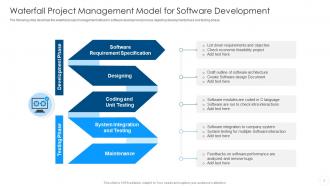
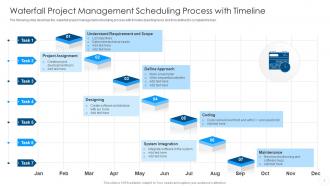
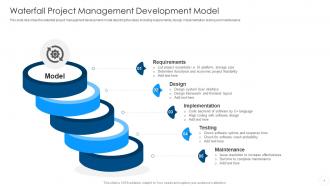
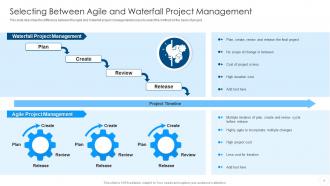
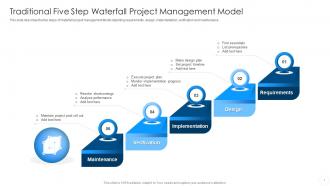
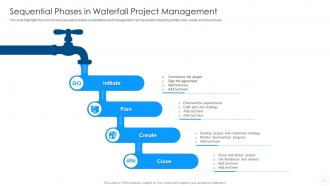
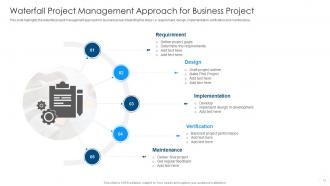
So Waterfall has these 5 phases - Requirements, Design, Implementation, Testing, Deployment. You finish one completely before starting the next. No backtracking allowed, which honestly can be pretty stressful if you realize something's off later. Agile's way more flexible - short sprints, constant feedback, you can change direction whenever. Pick Waterfall when requirements are crystal clear from day one and won't change (think compliance stuff). Go with Agile if you'll need stakeholder input throughout or if requirements might shift. Really depends on how predictable your project scope is.
Honestly, you've gotta nail this stuff right from the start because there's no do-overs later. Talk to everyone - and I mean everyone - who's gonna use this thing. Users, business people, IT folks, the whole crew. Document it all in a requirements matrix (yeah, sounds boring but it saves your butt). User story mapping and mockups help tons too. Don't let people get away with fuzzy requests like "make it user-friendly" - that's basically meaningless. Push for actual specifics you can measure. Oh, and get everyone to formally sign off before you move ahead. Trust me on this one.
Break everything into clear phases with actual deliverables people have to sign off on. Yeah, it sounds annoying but seriously - get formal approval on requirements and designs before moving forward. Documentation saves your ass here, so create checklists everyone agrees on upfront. Project management tools help too since they make it obvious when someone's holding things up. I learned this the hard way on my last project. Don't let anything slide through half-done. If it's not 100% complete and approved, you stop. Period. Being ruthless about this actually prevents way bigger headaches down the road.
Honestly, Waterfall's perfect when your requirements are locked down tight and won't budge - think government contracts or building bridges. Fixed budgets, clear timelines, boring but reliable tech. Sequential steps actually make sense when you literally can't start the next phase without finishing the first. But if your stakeholders are wishy-washy or you're doing something experimental? Yeah, run toward Agile. I've seen too many waterfall disasters when people try forcing it on creative projects. Use it when you need predictability over speed. Oh, and definitely avoid it if "move fast and break things" is remotely part of your culture.
Honestly, formal checkpoints at each phase work really well. Get stakeholders to actually sign off on requirements, review designs, validate testing - the whole deal. Yeah it's more meetings (sorry lol) but trust me, catching problems early beats scrambling later. Between phases, shoot them quick status updates so they're not wondering what's happening during those long dev stretches. The trick is making them feel like their feedback actually matters, not just going through the motions. Set up the whole review schedule right at kickoff so everyone knows when you'll need them.
Honestly, the worst mistake is not planning enough at the start. Once you're halfway through building, you can't really go back and change everything. Get your requirements nailed down first - scope creep is brutal and will wreck your timeline. Don't let stakeholders disappear during the process either. I've watched projects get to testing and suddenly the client's like "wait, this isn't what we wanted at all." That sucks for everyone involved. Communication gaps are deadly too since waterfall doesn't give you much wiggle room. Build in extra time everywhere and write everything down obsessively.
Ugh, Waterfall is terrible with scope changes - like, genuinely awful. Once you're past the requirements phase, any changes mean backtracking through work that's already done and approved. Your team basically has to redo chunks of analysis, design, or dev work. Super expensive and time-consuming. That's why everyone stresses getting requirements perfect upfront in Waterfall projects. Honestly though? If you think scope will change much, maybe look at Agile instead. Waterfall just wasn't built for flexibility - it fights you every step of the way.
Microsoft Project is still the go-to for waterfall stuff - handles Gantt charts and dependencies really well. Though honestly, Smartsheet or Wrike work great too if you want something more modern and cloud-based. Don't overthink it though. I've watched teams obsess over features they'll never touch when something basic like Monday.com would've been perfect. Your team actually using the tool matters way more than having every bell and whistle. Pick whatever feels intuitive for your group size and complexity level.
So basically you're comparing what actually happened vs what you planned - did you hit your original requirements, timeline, and budget? Most PMs do a closure report with stuff like scope completion percentage and cost variance. Way simpler than Agile honestly since everything was nailed down from the start. Don't forget stakeholder feedback and lessons learned docs. Oh and definitely do your retrospective within two weeks while people still remember what went wrong (or right I guess). Trust me, wait longer and everyone forgets the important details.
Yeah, you can make Waterfall work in fast-changing industries, but it's honestly pretty clunky. Shorten your phases big time and add review points where you can actually change direction if things shift. Don't wait until the end to talk to stakeholders - keep them in the loop constantly. Maybe try a hybrid thing? Use Waterfall for your basic infrastructure stuff, then do Agile sprints for the features that keep changing. Oh, and here's the thing - assume your original plan will get thrown out the window at least twice. Build that into your timeline and budget from the start, or you'll be scrambling later.
Track your schedule variance, budget variance, and scope completion first - those are non-negotiable. Milestone completion rates matter too since waterfall delays just cascade down. I'd also watch defect rates during testing and how well you're using your resources. Quality stuff like requirements traceability helps catch problems early, which honestly saves your sanity later. Change request frequency is another good one to monitor. Set up a weekly dashboard so you can spot trends quickly - way better than scrambling before each phase gate. Keep it simple though, you don't need to track everything under the sun.
With Waterfall, you're doing all your risk planning upfront - identifying problems, figuring out solutions, the whole nine yards before anyone writes a line of code. Super rigid, but honestly that's kind of the point. Problem is, once you start building stuff, you can't really pivot when new risks pop up. Agile's totally different - you're constantly tweaking your risk strategy every sprint. Waterfall gives you way more predictable planning, sure, but agile teams can actually react when weird stuff happens. If you go the Waterfall route, spend forever on that initial risk assessment because changing course later? Good luck with that.
Dude, you can't mess around with documentation in Waterfall. It's literally what keeps the whole thing from falling apart. Each phase depends on the last one, so you need rock-solid requirements docs, design specs, all that stuff. Can't just wing it and figure things out later like with Agile. I've watched teams completely implode because they half-assed the documentation part. It stops scope creep, keeps everyone on the same page, and saves your butt when people start asking tough questions down the road. Start writing everything down from the beginning - trust me on this one.
Ugh, delays are the worst but you gotta bite the bullet and tell your client ASAP. Seriously, don't be that person who waits until the deadline to drop the bomb - clients hate surprises even more than we do. Walk them through what went wrong and show a realistic new timeline. Maybe offer some choices? Like cutting features to hit the original date vs keeping everything but pushing back the launch. I learned this the hard way - being upfront about problems actually builds more trust than pretending everything's fine. Oh, and definitely set up weekly check-ins after this so you can spot trouble brewing before it explodes.
Waterfall projects crash when requirements aren't nearly as locked-down as people think. Stakeholders flip-flop halfway through - happens literally all the time. Then you've got technical roadblocks nobody saw coming during planning. The worst part? Developers build exactly what's in the spec, but users hate it because communication between phases was terrible. My advice: add validation checkpoints even if it breaks the "pure" waterfall approach. Quick prototypes help catch problems early. Set up feedback loops so issues don't hide until the end when fixing them costs a fortune.
-
SlideTeam makes creating presentations easy. Unlimited products, premium quality designs and affordable.
-
This visual representation is stunning and easy to understand. I like how organized it is and informative it is.