

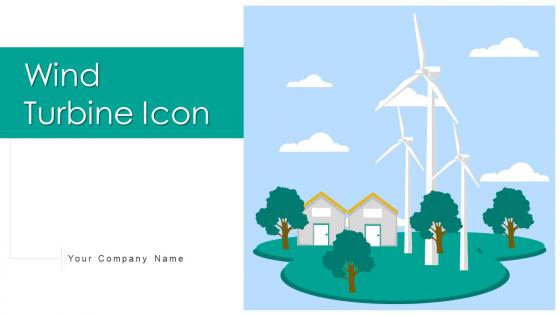
Wind Turbine Icon Powerpoint Ppt Template Bundles




Try Before you Buy Download Free Sample Product
 Impress Your
 Audience
 100%
100% Editable
 Save Hours
 of Time


Our Wind Turbine Icon Powerpoint Ppt Template Bundles are topically designed to provide an attractive backdrop to any subject. Use them to look like a presentation pro.
People who downloaded this PowerPoint presentation also viewed the following :
Wind Turbine Icon Powerpoint Ppt Template Bundles with all 17 slides:
Use our Wind Turbine Icon Powerpoint Ppt Template Bundles to effectively help you save your valuable time. They are readymade to fit into any presentation structure.







FAQs for Wind Turbine Icon Powerpoint
Key features include high-resolution wind turbine graphics, customizable color schemes, scalable vector icons, multiple slide layouts, and professional typography options. These elements enhance presentations by ensuring visual clarity across different screen sizes, maintaining brand consistency through color customization, and delivering compelling storytelling for renewable energy projects, with many organizations finding that professional iconography significantly improves audience engagement and message retention.
Using a Wind Turbine Icon PowerPoint Template transforms complex renewable energy data into digestible visual narratives through strategic iconography, color coding, infographic elements, and structured layouts that guide audience comprehension. These templates enable energy companies, environmental consultants, and sustainability teams to streamline technical presentations by converting statistics into compelling visual stories, ultimately delivering clearer stakeholder communication and enhanced project buy-in across diverse audiences.
Icons in energy presentations enhance visual communication, improve audience comprehension, simplify complex technical concepts, create professional aesthetics, and facilitate faster information processing. These visual elements streamline data presentation by reducing text density, enabling cross-cultural understanding, and maintaining audience engagement, with many energy companies finding that icon-rich presentations deliver clearer stakeholder communication and more persuasive project proposals.
A visually appealing template captures attention through clean design, consistent branding, professional aesthetics, and strategic color schemes that enhance message clarity. These design elements streamline information delivery by reducing cognitive load, improving comprehension, and maintaining focus throughout presentations, with many organizations finding that polished visuals significantly increase audience retention and decision-making effectiveness.
Wind energy statistics that can be effectively highlighted include global capacity growth, cost reduction trends, job creation numbers, carbon emission reductions, and energy output comparisons. These templates enable organizations to present renewable energy investments, policy impacts, and market forecasts through compelling visuals, with energy companies, government agencies, and environmental organizations finding that clear statistical presentation drives stakeholder engagement and supports strategic energy transition decisions.
Businesses can customize the Wind Turbine Icon template by modifying colors to match brand palettes, adjusting fonts to align with corporate typography, resizing elements for optimal layout balance, and incorporating company logos or additional graphics. Through PowerPoint's editing tools, organizations streamline brand consistency across presentations while maintaining professional aesthetics, with many energy companies, consulting firms, and sustainability-focused businesses finding that personalized templates enhance audience engagement and reinforce corporate identity effectively.
Wind turbine icon PowerPoint templates benefit renewable energy company pitches, sustainability reports, environmental impact assessments, green technology proposals, and corporate ESG presentations. These templates enhance presentations for utility companies, government agencies, investment firms, and consulting organizations discussing clean energy initiatives, ultimately delivering professional visual consistency while reinforcing environmental commitment and strategic forward-thinking messaging.
Icons help summarize wind turbine information by transforming complex technical concepts into instantly recognizable visual elements, reducing cognitive load and improving audience comprehension across diverse educational and business settings. These visual tools enable presenters to communicate key aspects like energy output, environmental benefits, and operational efficiency more effectively, with many renewable energy companies and educational institutions finding that icon-based presentations significantly enhance stakeholder engagement and information retention.
Best practices include maintaining consistent color schemes, sizing icons proportionally across slides, using templates strategically at section breaks, and aligning visual elements with your presentation's overall design language. These approaches streamline visual coherence by creating seamless transitions, reinforcing key messaging, and enhancing audience engagement, with many organizations finding that strategic icon integration ultimately delivers more professional presentations and stronger stakeholder buy-in.
Yes, this wind turbine icon template is excellent for educational purposes, supporting lessons on renewable energy, environmental science, sustainability studies, and engineering principles. Educators can use it to create engaging presentations about clean energy systems, climate change solutions, and green technology concepts, while students can incorporate it into research projects, ultimately enhancing learning experiences through clear visual communication.
Wind turbine icon PowerPoint templates typically offer compatibility with Microsoft PowerPoint 2010 and later versions, Google Slides, and Apple Keynote. These templates are designed with standard formatting and vector graphics that maintain quality across platforms, ensuring seamless presentations whether teams use Windows, Mac, or cloud-based systems, ultimately delivering consistent visual impact.
Presenters can effectively balance text and visuals by using the wind turbine icon as the primary focal point while limiting text to key headlines, bullet points, and essential data that support the visual narrative. Strategic placement involves positioning concise text blocks adjacent to or integrated with the turbine graphics, ensuring the renewable energy theme remains prominent while delivering clear messaging, ultimately creating presentations that engage audiences through visual storytelling rather than text-heavy slides.
Additional resources that complement Wind Turbine Icon PowerPoint presentations include energy production datasets, renewable sector case studies, cost-benefit analysis templates, regulatory compliance frameworks, and environmental impact assessments. These materials enhance presentations by providing concrete data, real-world examples from wind farms, and comprehensive financial projections, ultimately delivering more persuasive proposals for sustainable energy investments.
The template enables structured policy discussions by providing visual frameworks for renewable energy targets, implementation timelines, regulatory frameworks, and stakeholder impacts. Through clear infographics and data visualization slides, policymakers can present complex energy transition strategies, comparative cost analyses, and environmental benefits, while facilitating stakeholder buy-in and ultimately driving more informed decision-making processes.
The Wind Turbine Icon PowerPoint Template can be adapted by adjusting technical complexity, visual detail levels, terminology depth, and supporting data density to match audience knowledge. For technical audiences, engineers can incorporate detailed specifications and performance metrics, while executives benefit from streamlined visuals emphasizing ROI and strategic outcomes, ultimately delivering targeted messaging that resonates across organizational levels.
-
Very well designed and informative templates.
-
Enough space for editing and adding your own content.