

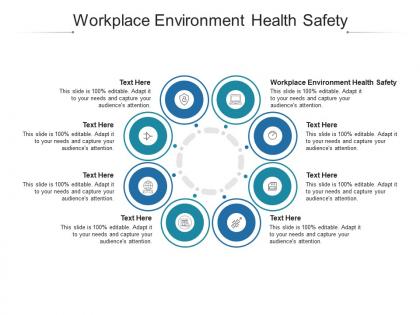
Workplace environment health safety ppt powerpoint presentation file template cpb




Try Before you Buy Download Free Sample Product
 Impress Your
 Audience
 100%
100% Editable
 Save Hours
 of Time


Our Workplace Environment Health Safety Ppt Powerpoint Presentation File Template Cpb are topically designed to provide an attractive backdrop to any subject. Use them to look like a presentation pro.
People who downloaded this PowerPoint presentation also viewed the following :
Workplace environment health safety ppt powerpoint presentation file template cpb with all 2 slides:
Use our Workplace Environment Health Safety Ppt Powerpoint Presentation File Template Cpb to effectively help you save your valuable time. They are readymade to fit into any presentation structure.
FAQs for Workplace environment health safety ppt powerpoint presentation
Watch out for slips around wet spots - seriously, the kitchen area gets sketchy. Computer work kills your wrists if you're not careful. Paper shredders and other office equipment cause more cuts than you'd think. People always mess up lifting heavy supply boxes, btw. Overloaded outlets are everywhere and honestly kind of scary. Poor lighting strains your eyes like crazy. With all the paper and electronics around, fire's actually a real risk. Walk through those safety protocols they sent - I know, I know, but actually do it this time.
Make training mandatory for everyone - yes, even those executives who act like they're too important for it. Mix up the formats since people learn differently: hands-on stuff, online modules, regular refreshers. Each department needs content that's actually relevant to their specific risks, not some boring generic material. You've got to track completion rates and test comprehension, not just whether they showed up. Oh, and schedule quarterly sessions - tie completion to performance reviews so it becomes part of the culture. Otherwise it's just another pointless checkbox thing nobody takes seriously.
Your managers literally make or break safety culture. When they rush deadlines over protocols, people notice. Good leaders actually follow the rules themselves and don't blow off safety concerns - that stuff trickles down fast. I've worked places where bosses just talked a big game but never backed it up with real resources. The best ones make hazard discussions totally normal and celebrate people who speak up. Honestly, it's kinda crazy how much your team mirrors whatever attitude you put out there. If you lead anywhere, they're watching everything you do.
Honestly, get your people involved in spotting problems and fixing them - they'll actually care about stuff they helped create. Those quick safety huddles work pretty well too. I've noticed teams really respond when you share close-call stories, especially if you celebrate the person who spoke up. The trick is actually doing something when they give you feedback, not just nodding along. Oh, and don't try to change everything at once - that never works. Pick one small thing based on what they told you and go from there. Once they see you're listening, they'll keep talking.
Make a solid checklist first - equipment, exits, chemical storage, PPE stuff. Walk through everything slowly (I know it's boring but trust me). Take photos of problems and actually talk to the workers - they see sketchy stuff management totally misses. Ask about things they've noticed but haven't bothered reporting yet. Once you're done, rank fixes by how dangerous they are and set deadlines. Oh, and don't forget to check back later or people will just go back to their old habits.
Honestly, wearables are pretty awesome for workplace safety. They'll catch stuff you'd totally miss - like monitoring your vitals, detecting falls, or warning you about bad air quality. The newer ones don't look like those awful chunky things from five years ago, thank god. But here's the real kicker: if something goes wrong, they automatically ping your supervisor or emergency team instead of hoping someone remembers to call for help. My advice? Figure out what your biggest safety headaches are first, then find wearables that tackle those specific problems. Way more effective than just buying whatever's trending.
Get your monitor at eye level, seriously - I used to have the worst neck pain until I bought a cheap stand. Position it about arm's length away so you're not squinting or leaning forward. Your feet should sit flat on the floor, knees bent around 90 degrees. Honestly, if you're stuck with a laptop all day, just bite the bullet and get an external keyboard and mouse. Keep them at elbow height so your wrists aren't bent weird. Everything should feel pretty natural. Oh, and do quick posture checks throughout the day - you'll thank me later.
Honestly, just emailing policies is pretty useless - people barely read those things. Mix it up with actual team meetings where you can talk through stuff and answer questions. Stick safety reminders around break rooms too, places where people hang out. New employees definitely need proper safety training from day one, not just thrown in later. Oh, and repetition is huge - you can't just do this once and expect it to work. Keep bringing it up regularly or people forget. Short meetings work way better than long boring presentations, trust me on that one.
Dude, the legal stuff gets scary fast. OSHA fines can hit six figures easily, and criminal charges are possible for serious violations. Civil lawsuits pile on if workers get injured. Here's what really sucks - executives can face personal liability, not just the company taking the hit. I've watched some horror stories unfold where leadership ended up in genuine legal hot water. Your insurance premiums will skyrocket too. Work might get shut down while you're fixing violations, which honestly kills productivity. Get a safety audit done yourself before OSHA shows up uninvited. Way cheaper to catch problems early.
Get your remote team to fill out home office checklists first - workspace setup, lighting, chair height, the works. Mental health stuff matters too since isolation hits hard when you're working alone all day. Bad lighting and cluttered spaces are usually the biggest culprits I've seen. Give them money for ergonomic gear and do regular check-ins. Work hour boundaries are huge. Honestly, the hardest part is getting people to actually speak up about problems without feeling like they're being high-maintenance about it.
Honestly, when people feel safe at work, they're way more focused and happy. Your employees won't spend half their energy scanning for hazards or stressing about getting hurt. Trust builds up fast when your team sees you actually care about their wellbeing - and let's be real, nobody wants to work somewhere that feels dangerous. You'll keep people around longer too. Accidents kill productivity through all the drama that follows: investigations, training replacements, dealing with injuries. My advice? Just ask your workers what scares them safety-wise. They see stuff you probably don't even notice.
Quarterly's usually the sweet spot for most places, with the big emergency training once a year. Fire drills are obvious, but you've also got evacuation routes, lockdowns, severe weather stuff - whatever makes sense for your area. High-risk jobs might need monthly ones though, totally depends on your industry and what the local rules say. Honestly the whole point is making sure people actually know what to do when shit hits the fan, not just going through the motions. I'd set up calendar reminders and mix up the drill types so everyone stays on their toes.
Hey! So OSHA actually does free consultations for small businesses - they'll come check things out without hitting you with penalties, which is pretty cool. Their website has tons of training stuff and checklists you can use. Also check with your workers' comp provider since most have safety programs (and you might get discounts). Trade associations are another good bet if you're a member. I'd honestly start with OSHA's small business section first. It's way more organized than you'd expect and breaks everything down by industry. Won't cost you anything either.
You really need both types of metrics - the stuff that already happened (incident rates, workers comp claims, days lost) plus the predictive stuff like near-miss reports and safety training completion. Near-misses are honestly where the magic happens because they catch problems before anyone gets hurt. Track PPE compliance too. I'd set up monthly dashboards and compare things quarter to quarter, but don't overthink it at first. Just grab whatever data's easiest to collect right now and build on that. Oh, and actually talk to your people - surveys about safety culture tell you things the numbers won't.
Honestly, the mental stuff is what really gets people hurt. Fear makes you freeze up, stress clouds your thinking, and nobody wants to be the "safety nerd" in front of their buddies. I've seen guys skip steps just because they're behind schedule or don't want grief from coworkers. You need managers who can spot when someone's overwhelmed and actually care about it. Open communication helps too - like, people should feel safe reporting sketchy situations without getting blamed. And leadership has to walk the walk, not just talk about safety in meetings. Once it's actually part of how things work instead of just posted rules, people stop fighting it.
-
Much better than the original! Thanks for the quick turnaround.
-
Great designs, Easily Editable.
-
Editable templates with innovative design and color combination.
-
Easily Editable.
-
Really like the color and design of the presentation.
-
Design layout is very impressive.
-
Unique research projects to present in meeting.
-
Informative presentations that are easily editable.