


Architecture Proposal Template Powerpoint Presentation Slides




Try Before you Buy Download Free Sample Product
 Impress Your
 Audience
 100%
100% Editable
 Save Hours
 of Time


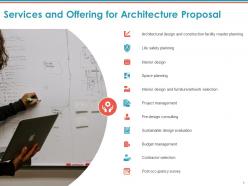
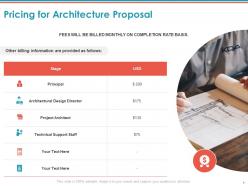
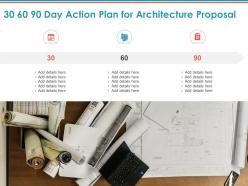
Incorporate this Architecture Proposal Template PowerPoint Presentation Slides and illustrate your exemplary infrastructural planning and designing services. You can describe various services and offerings like life safety planning, space planning, interior design, project management, architecture design, and construction design facility master planning here. Also, pre-design consulting, sustainable design evaluation, budget management, contractor selection, and post-occupancy survey can be discussed efficiently with the help of this construction bid PowerPoint layout. Highlight the 30 60 90 days action plan to give an overview of your company’s plan and prove your expertise. Describe the project synopsis to display the scope of the projects your enterprise undertakes and attract more clients by utilizing our content ready construction services contract PowerPoint template. The billing information at every phase can be mentioned clearly to give an estimate of investment to the potential client by employing this ready-made building and construction service bid PPT visuals. You can state your key projects inclusive of the location, time taken for completion, budget, etc. and the client testimonials. Additionally, the remarkable experience you have gained over the years can be mentioned with this professionally designed architectural service agreement PowerPoint theme. Showcase the talented team of ace architects, consultants, and client project teams that your enterprise will provide for outstanding architecture services with unmatched enthusiasm and perfection. Elaborate on the organization’s background, objectives and vision to build trust with your prospects by utilizing our building construction proposal PowerPoint slideshow. Download this architectural engineering bid PPT theme to explain to your consumers about various areas your enterprise deals with and impress them.
People who downloaded this PowerPoint presentation also viewed the following :
Content of this Powerpoint Presentation
Slide 1: This slide introduces Architecture Proposal Template. State Client name, Company name, User address and begin.
Slide 2: This slide displays Cover Letter for Building Architecture Proposal.
Slide 3: This slide displays Table of Contents of the presentation.
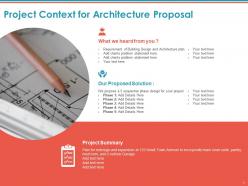
Slide 4: This slide depicts Project Context for Building Architecture Proposal.
Slide 5: This slide showcases Services and Offering for Building Architecture Proposal.
Slide 6: This slide represents Pricing for Building Architecture Proposal
Slide 7: This slide shows 30 60 90 Day Action Plan for Building Architecture Proposal.
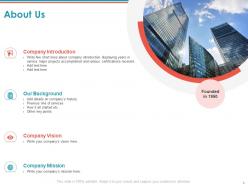
Slide 8: This is About Us slide to showcase Company Specifications. Write few short lines about company introduction displaying years in service major projects accomplished and various certifications received.
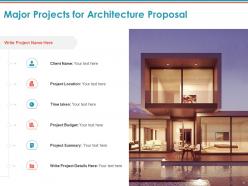
Slide 9: This slide showcases Major Projects for Building Architecture Proposal.
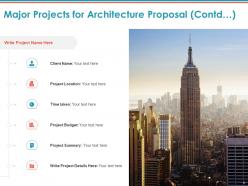
Slide 10: This slide is continued with Major Projects for Building Architecture Proposal.
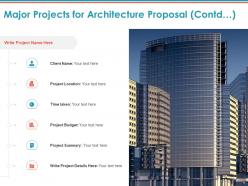
Slide 11: This slide is continued with Major Projects for Building Architecture Proposal.
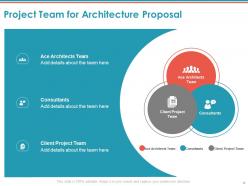
Slide 12: This slide represents Project Team for Building Architecture Proposal.
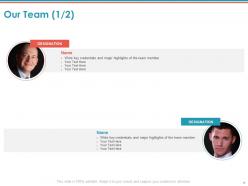
Slide 13: This is Our Team slide with names and designations.
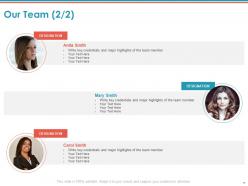
Slide 14: This is Our Team slide with names and designations.
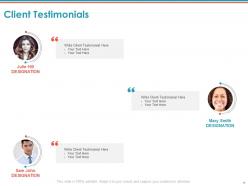
Slide 15: This slide displays Client Testimonials.
Slide 16: This is Contact Us slide with Company address, Phone number and Address.
Slide 17: This slide is titled as Additional Slides for moving forward.
Slide 18: This is About Us slide to showcase Company specifications.
Slide 19: This is Our Mission slide with Mission, Goal and Vision.
Slide 20: This is 30 60 90 Days Plan slide.
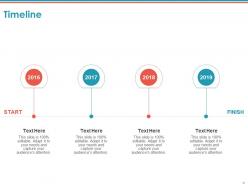
Slide 21: This slide displays Timeline process.
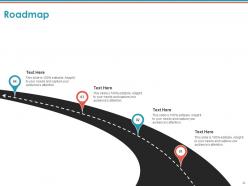
Slide 22: This slide depicts Roadmap process.
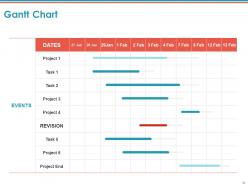
Slide 23: This slide displays Gantt Chart.
Architecture Proposal Template Powerpoint Presentation Slides with all 23 slides:
Use our Architecture Proposal Template Powerpoint Presentation Slides to effectively help you save your valuable time. They are readymade to fit into any presentation structure.

FAQs for Architecture Proposal Template
So you'll need the obvious stuff - problem statement, your solution with tech details, timeline, and resources. Oh, and don't skip the risk assessment like I always do at first. That part's actually huge for getting approval. Success metrics are key too, plus what alternatives you looked at and how it affects current systems. Honestly, the trick is hitting that sweet spot where stakeholders get what you're building without drowning in technical jargon. I'd start with a basic template then tweak it based on who's reading it.
Honestly, good visual design is a game-changer for architecture proposals. Nobody wants to read through dense paragraphs when they're trying to understand system flow. Break things up with headings and bullet points - gives people's eyes somewhere to rest. Diagrams are clutch here; they'll show component relationships way faster than text ever will. I've watched perfectly good proposals get tossed aside just because they looked like boring research papers. Consistent formatting helps too, and don't be afraid to use color for highlighting key decisions. Oh, and sketch your main components first, then write around those visuals.
Dude, you absolutely need timelines in architecture proposals. Stakeholders want to know when they'll actually see results, and honestly? No timeline = instant rejection most of the time. Break your work into phases - discovery, design, implementation, testing - with real dates people can count on. The cool thing is it forces you to spot dependencies and roadblocks before they bite you. I learned this the hard way on a project last year. Always pad your estimates though. Architecture stuff inevitably takes longer than you think it will, and you don't want to be scrambling later.
Honestly, put sustainability stuff right at the front of your template - don't let it get shoved to the back pages like I've seen happen way too often. Include spots for energy targets, material sourcing, environmental assessments, all that good stuff. LEED goals and renewable energy plans should be front and center too. Oh, and waste reduction during construction - that's huge but people forget about it. The whole point is making green design part of your main story instead of some random afterthought. Trust me, clients notice when sustainability feels genuine versus just tacked on at the end.
Honestly, just bake the feedback right into your template from day one. I always throw in a "client priorities" section super early - learned that one the hard way when projects went sideways. After the concept phase? Stop and get their input before diving into technical stuff. Skip the architect jargon and use mockups instead - way clearer. Document what they actually say in the proposal itself, don't just nod along. Regular check-ins are clutch, but here's the thing: book your next review before you walk out the door or it'll never happen.
Honestly, these templates are lifesavers because they make you think through all the messy technical stuff upfront. You'll spot dependencies and potential disasters before they bite you. The visual component breakdown is clutch - stakeholders finally see what you're actually building instead of just nodding along to vague tech talk. I've seen too many projects blow up because someone skipped the resource planning part. Having everything mapped out helps you catch unrealistic deadlines early. Plus leadership loves seeing documented plans when they're cutting checks for your project.
Pick metrics that actually matter to the people writing checks - response times, uptime, throughput, that kind of stuff. Cost savings work great too if you've got them. The trick is matching your numbers to whatever headaches you're fixing. Like, if their system keeps crashing, lead with availability improvements. Don't dump 15 different metrics on them though. Three to five solid ones tell a way better story than a data dump. Oh, and make sure you can actually measure this stuff once you go live - learned that one the hard way.
Budget's where your proposal lives or dies, honestly. Include dev costs, infrastructure, ongoing maintenance, plus any licensing fees. Migration costs too if you're swapping out old systems - totally burned myself forgetting that once. Break down spending by timeline so they get the cash flow picture. Don't lowball it trying to look cheap, but don't scare them either. Numbers that feel random will tank your credibility instantly. Get finance to eyeball your estimates first - they always spot stuff I miss.
Definitely focus on site plans, floor plans, and 3D renderings first - those are your bread and butter. Contextual diagrams help too, showing how everything fits with what's already there. Clients absolutely love those shiny exterior renders, even when they're kinda unrealistic lol. Don't skip the technical stuff though - sections and elevations prove you're not just making pretty pictures. Oh, and always throw in one killer "hero shot" that'll make them gasp. Keep your layout clean so it flows from big concept down to the nitty-gritty details.
Honestly, templates are a game-changer because nobody has to guess what goes where anymore. Your stakeholders can jump straight to the sections they care about - like costs or timelines - without digging through a wall of text. It forces you to think through all the big stuff upfront too: security, scalability, the whole deal. Way better than those meetings where someone's like "but what about budget?" and you're scrambling. Non-tech people actually get what you're proposing when everything's laid out consistently. Just start basic and tweak it based on whatever your team always asks about.
Honestly, the worst thing you can do is make your template super rigid. Different projects need different approaches, so don't force everything into the same box. I've watched so many good proposals crash and burn because people got carried away with technical jargon that nobody understood. Write for your actual audience, not engineers if your stakeholders aren't technical. Always explain the problem before diving into solutions - sounds obvious but people skip this constantly. Keep sections flexible and leave room for trade-offs. Oh, and definitely test it on a real proposal first before committing to the format.
Templates and automation are total lifesavers - I've seen people cut proposal time in half easily. Monday or Asana work great for tracking where everything's at. For the actual proposals, PandaDoc and Proposify have these drag-and-drop templates that save tons of time. AI writing tools can help with drafts, though they're pretty hit-or-miss on technical stuff honestly. The biggest win? Building a shared folder of standard diagrams, cost breakdowns, and copy blocks everyone can grab from. Oh and start with whatever sections you use most - don't try to digitize everything at once.
Definitely start with a glossary section - saves you from answering the same questions over and over. Then jump into the meat: stakeholders, components, dependencies, and constraints. Map out your technical patterns too (microservices, APIs, data flows, security stuff). Oh, and don't skip explaining domain jargon - I learned that one the hard way. Current state vs future state sections are clutch for keeping everyone aligned on what you're actually building. Throw in risk mitigation and success metrics so there's no confusion about the "why" behind everything. Honestly, the more upfront work you do here, the smoother your project runs later.
Honestly, just make different templates for different client types. Residential folks want to know how the mess will affect their daily routine - like seriously, they'll ask about their morning coffee setup. Commercial clients? They're all about ROI and compliance stuff. Industrial projects need way more technical details upfront, plus safety protocols. Don't use some generic template for everyone - that's lazy. I'd start with maybe 2-3 base versions, then tweak the language for each specific project. The detail level matters too. Way easier than starting from scratch every time.
Hit the big three first: liability, intellectual property, and contract terms. Professional indemnity insurance is a must-have clause. So is who owns the design concepts when you're done. Honestly, the cancellation clause might be the most important one - I've seen too many projects die mid-stream and designers get screwed. Don't forget licensing requirements and code compliance stuff. Dispute resolution processes too, because clients can get weird about changes. Ownership and responsibility need to be bulletproof clear. Get a lawyer to eyeball it before sending.
-
Great product with highly impressive and engaging designs.
-
Nice and innovative design.