





 0 Comment
 Customer Reviews

The spreadsheet exists. Seventeen tabs. Color-coded. Someone spent two weeks on it.
And now it's sitting in a shared drive nobody opens anymore.
Technology comparisons are supposed to make decisions easier. They often make them harder. Not because the data's wrong—usually it isn't—but because the format doesn't hold the argument together. You've got feature lists, vendor quotes, compliance notes, integration specs, cost projections. All of it accurate. None of it talking to each other.
The real problem isn't research. Most teams do the research. The problem is what happens when you have to present that research to someone who wasn't in the room when you made the call. A CFO who wants one number. A CTO who wants one risk. A procurement committee that wants to move on before lunch.
Software evaluation criteria don't translate well into slides built from scratch. You end up with walls of text, competing bullet points, and a room full of people who still don't know which option you're recommending. The more thorough the comparison, the harder it is to read—and the more likely it is to generate questions instead of decisions.
Which is a specific kind of frustrating. You did the work. The answer is in there. But it's not landing.
That's actually why technology comparison templates exist. Not because the analysis is too hard—it usually isn't—but because structuring a comparison for presentation is a different skill than building one for yourself. Pros and cons grids, side-by-side scoring matrices, decision frameworks, business requirement mappings—these aren't just visual aids. They're the structure that makes your argument readable.
SlideTeam's pre-designed templates for comparing technology solutions handle exactly this. They're built for the moment between knowing what you think and getting others to see it the same way. Content-ready frameworks that let you drop in your actual findings without rebuilding the scaffolding every time.
Here are the templates that work when the decision can't wait for a better deck.
Template 1: Solution Options Pros and Cons Business Requirement Product Comparison Innovation
Solid technology buying decisions need a clear structure before the room fills up. This PPT preset is built for teams presenting business requirement comparisons across multiple solution options. It covers pros and cons, product comparison, and innovation assessment in one 14-slide deck. A product manager or IT analyst walking leadership through a tech vendor analysis will find that the layout does the heavy lifting. The template is 100% editable and customizable.
[product_image id=223286]
Template 2: Comparing Technology Solutions Pros and Cons
When the comparison is done but the audience still isn't sure, the issue is usually presentation structure, not data. This PowerPoint slide is purpose-built for comparing technology solutions pros and cons in a format that holds attention and drives a clear read. Business analysts and solution architects use it to lay out competing options side by side without losing the thread. The template is 100% editable and customizable.
[product_image id=1514679]
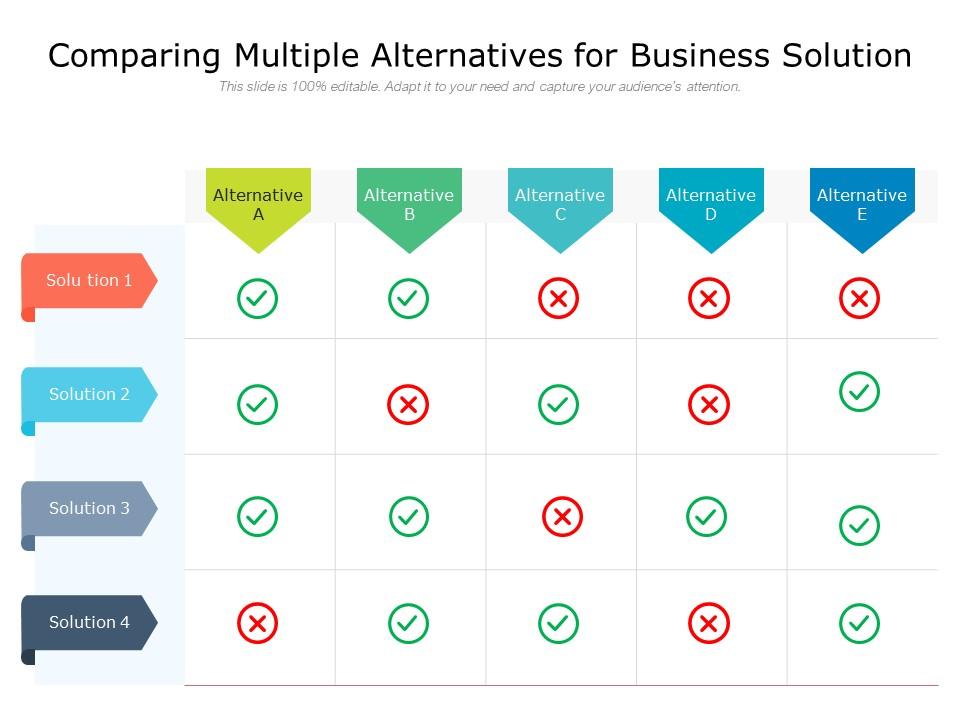
Template 3: Comparing Multiple Alternatives for Business Solution
Comparing multiple alternatives clearly is one of the hardest things to do in a single presentation. This deck delivers a structured framework for laying out business solution options side by side. Each slide drives a focused comparison, helping decision-makers weigh cloud platform alternatives or enterprise software choices without confusion. Multiple visual formats ensure your audience captures differences. Use these slides to anchor your IT solution assessment and drive confident, well-informed decisions. Transform your technology evaluation presentations today. Download this dynamic template now and unlock sharper, faster business software selection.
Download this PowerPoint Template
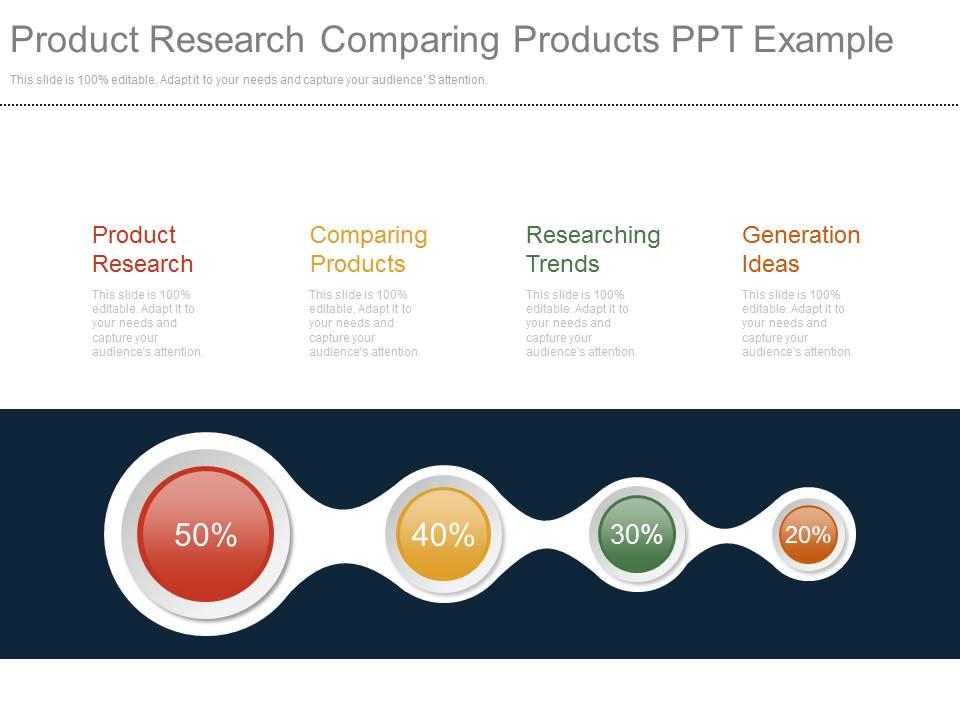
Template 4: Product Research Comparing Products PPT Example
Good product research loses its impact when it can't be read quickly in a room. This PPT template gives practitioners a structured four-stage framework — covering finance, management, marketing, and business — to present product comparisons with clarity. A business analyst or product manager running a competitive technology analysis will use this to move a decision forward, not just document the work. It fits naturally into a software decision framework conversation or a vendor shortlist review. The template is 100% editable and customizable.
Download this PowerPoint Template
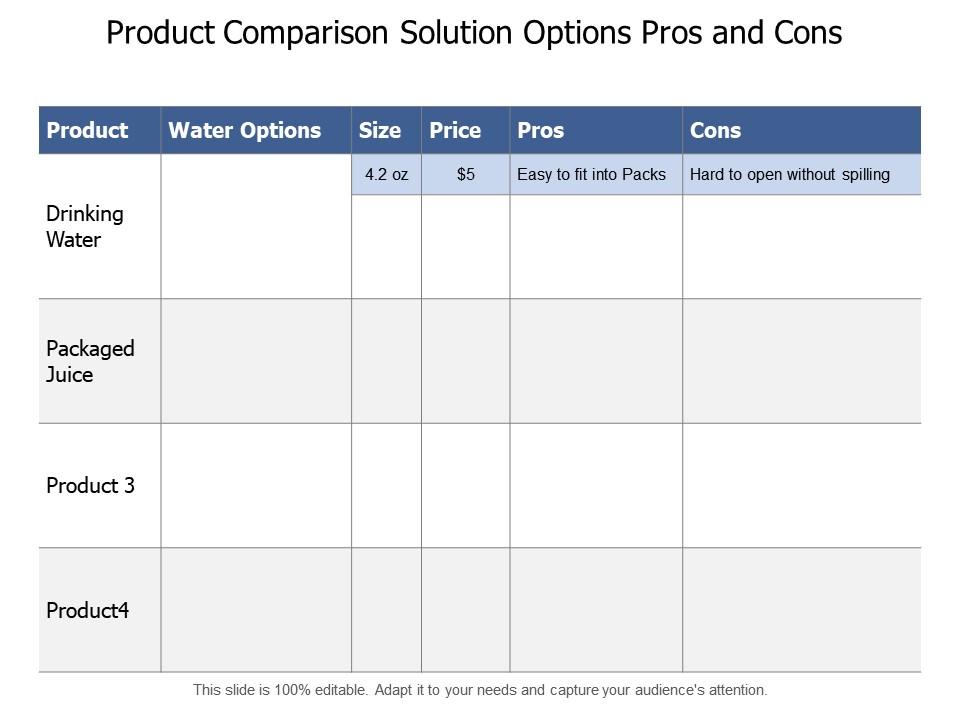
Template 5: Product Comparison Solution Options Pros and Cons
Choosing between solution options becomes clearer when pros and cons are laid out honestly, not buried in prose. This PPT preset is designed for business and marketing teams that need to present product comparison findings to stakeholders who want the answer, not the methodology. It works well in SaaS product review sessions and digital tool benchmarking discussions where the audience needs a fast, structured read. The template is 100% editable and customizable.
Download this PowerPoint Template
Win Every Technology Decision with SlideTeam
SlideTeam's PowerPoint templates are the best in the industry for comparing technology solutions clearly and confidently. These content-ready slides give you a proven structure for technology ROI analysis, vendor comparisons, and business software selection—without starting from a blank canvas. Use these ready-made frameworks to turn complex evaluations into sharp, decision-driving presentations. Deploy these PPT presets to save time and ensure your recommendation lands every time.
FAQs on Comparing Technology Solutions
What criteria should businesses prioritize when evaluating competing technology solutions for scalability?
Focus on three things: current load handling, growth headroom, and cost at scale. Ask vendors for performance benchmarks at 2X and 5X your current usage. Check whether scaling requires re-architecture or just adding capacity. Also, confirm whether pricing scales linearly or jumps at tier thresholds—that gap often determines the real scalability answer.
How does total cost of ownership differ from upfront pricing when comparing enterprise software platforms?
Upfront pricing covers licensing or subscription fees only. Total cost of ownership (TCO) adds implementation, training, integration, maintenance, downtime, and migration costs over three to five years. Enterprise software TCO often runs two to four times the sticker price. Always model TCO before comparing platforms—upfront pricing alone will mislead the decision.
What role does vendor lock-in play in long-term technology decision-making?
Vendor lock-in limits your ability to switch platforms without high switching costs—data migration, retraining, or API rewrites. It matters most in long contracts, proprietary data formats, and deep integration dependencies. Evaluate lock-in risk by asking: how hard is it to export your data, and what does exit cost? Open standards and data portability reduce that risk.
How can organizations effectively benchmark cloud storage solutions against on-premise alternatives?
Run a side-by-side test using the same workload on both options. Measure retrieval speed, uptime, cost per GB, and recovery time. Cloud solutions typically win on flexibility; on-premise wins on latency and control. Factor in your compliance requirements—some industries require on-premise storage regardless of cost or performance.
What metrics best capture the performance differences between SaaS and self-hosted software options?
Track four metrics: uptime percentage, average response time, support resolution time, and time-to-deploy updates. SaaS platforms typically show faster update cycles; self-hosted options show lower latency in controlled environments. Add cost-per-user and data portability scores for a complete picture. These six measures together give a reliable performance comparison.
How should security compliance requirements influence the comparison of technology solutions across industries?
Start with your industry's mandatory standards — GDPR, HIPAA, ISO 27001, or sector-specific frameworks. Any solution that can't meet those is off the list before evaluation begins. For the remaining options, compare audit logging, data residency controls, and breach notification timelines. Security compliance isn't a feature to weigh against others — it's a threshold requirement.
What frameworks exist for evaluating competing project management tools in remote work environments?
Use a weighted scoring matrix. List your must-have criteria—async communication, task visibility, reporting, integrations—then score each tool against them. Involve actual remote team members in the scoring, not just IT. The PMI comparison framework and G2's evaluation rubric are both practical starting points. Weight criteria by frequency of use, not by feature impressiveness.
How do integration capabilities affect the selection of CRM platforms for mid-sized businesses?
Integration capability is often the deciding factor for mid-sized businesses. A CRM that doesn't connect cleanly to your email, billing, or support tools creates manual work that erases its value. Check for native integrations first, then API availability. Mid-sized teams typically need CRM integration with three to five tools minimum — map those connections before shortlisting platforms.


