

Event Video Coverage Proposal Powerpoint Presentation Slides




Try Before you Buy Download Free Sample Product
 Impress Your
 Audience
 100%
100% Editable
 Save Hours
 of Time


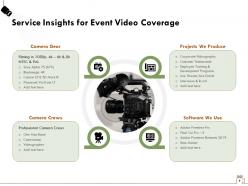
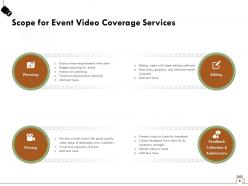
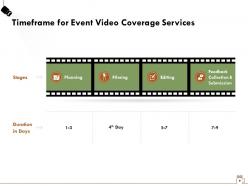
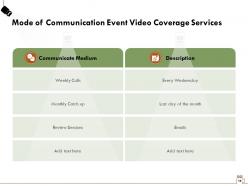
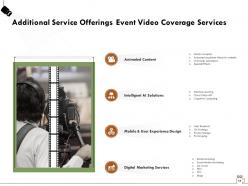
A corporate event is an event that is organized and funded by an organization for various reasons like product promotion, rewards distribution, educational purpose, and collaboration with a partner. It could be a conference, an exhibition, incentive programs, launch events, company meetings, and congresses. This is also a promotional strategy followed by many corporations to increase their brand awareness, and for that, they hire videographers to record the whole event. Grab the opportunity and make a proposal for your prospective clients with our Event Video Coverage Proposal PowerPoint Presentation Slides. Take the help of this intuitively-designed cover letter to pitch your innovative services in a skillful manner. Understand their event requirements & the event type, and then formulate your project goals to ensure you are on the same page. Promise cost and time-efficient video coverage, high video quality, and coverage of all the important aspects to your clients with our aesthetically-designed videography PowerPoint theme. With our topic-specific video production PPT proposal deck, showcase service insights placed on different sections of the event coverage slide like camera gear, camera crew, a wide range of projects you deal in, and software you use for editing purposes. Walk your customers through the scope of services like planning, filming, editing, submission, and feedback collection to educate them about the process you follow. Dedicate the time duration to each process with the timeline slide. Highlight the mode of communication for the event coverage service like weekly calls, monthly catch-up, and review sessions to discuss the event requirements. Introduce your company’s other services like animated content, intelligent AI solutions, mobile and user experience design, and digital marketing service to your clients with our expertly-designed camera coverage PowerPoint template. Depict your financial layout to educate them about the cost involved for availing your services in a well-structured manner so no confusion occurs. Prove your excellence by defining your mission, vision, and core values through our film making PPT slideshow.
People who downloaded this PowerPoint presentation also viewed the following :
Content of this Powerpoint Presentation
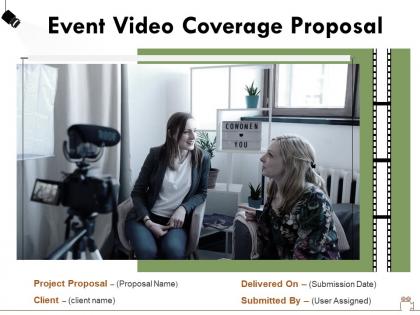
Slide 1: This slide introduces Event Video Coverage Proposal. State Client name, Submission date, User assigned and begin.
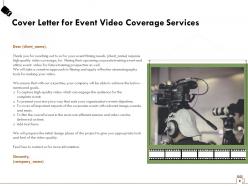
Slide 2: This slide displays Cover Letter for Event Video Coverage Services.
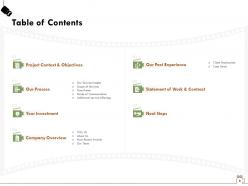
Slide 3: This slide showcases Table of Contents.
Slide 4: This slide displays Table of Contents containing- Project Context & Objectives.
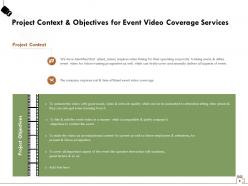
Slide 5: This slide describes Project Context & Objectives for Event Video Coverage Services
Slide 6: This slide displays Table of Contents contaning- Our Process, Our Service Insights, Scope of Services, Time frame, Mode of Communication, Additional service offerings.
Slide 7: This slide showcases Service Insights for Event Video Coverage.
Slide 8: This slide depicts Scope for Event Video Coverage Services.
Slide 9: This slide depicts Timeframe for Event Video Coverage Services.
Slide 10: This slide showcases Mode of Communication Event Video Coverage Services
Slide 11: This slide depicts Additional Service Offerings Event Video Coverage Services
Slide 12: This slide displays Table of Contents with- Your Investment
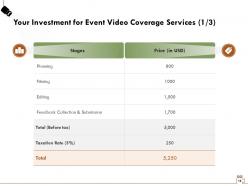
Slide 13: This slide displays Investment details.
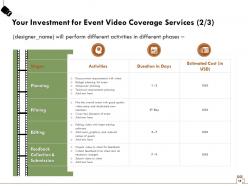
Slide 14: This slide displays Investment details.
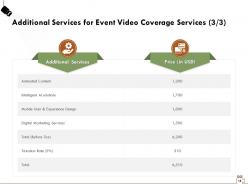
Slide 15: This slide showcases Additional Services for Event Video Coverage Services.
Slide 16: This slide shows Table of Contents Company Overview, Why Us, About Us, Most Recent Awards, Our Team.
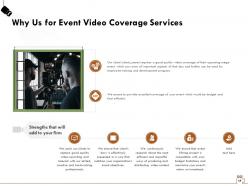
Slide 17: This slide shows Why Us for Event Video Coverage Services
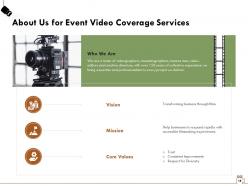
Slide 18: This is About Us slide to showcase Company specifications.
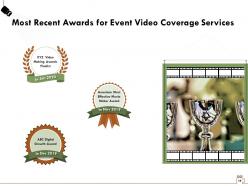
Slide 19: This slide shows Most Recent Awards for Event Video Coverage Services
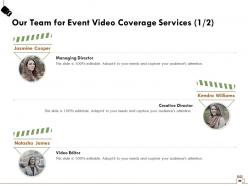
Slide 20: This is Our Team slide with Names and Designations.
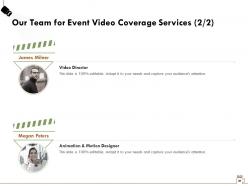
Slide 21: This is Our Team slide with Names and Designations.
Slide 22: This slide displays Table of Contents with- Our Past Experience, Client Testimonials, Case Study.
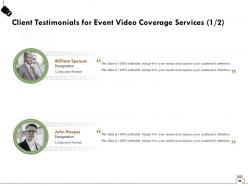
Slide 23: This slide displays Client Testimonials for Event Video Coverage Services (1/2)
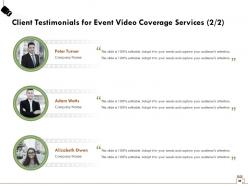
Slide 24: This slide displays Client Testimonials for Event Video Coverage Services (1/2)
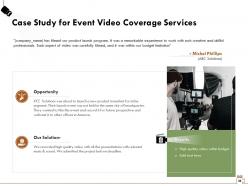
Slide 25: This slide displays Case Study for Event Video Coverage Services
Slide 26: This slide displays Table of Contents with- Statement of Work & Contract
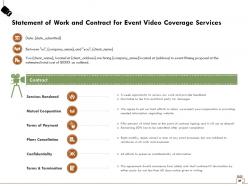
Slide 27: This slide showcases Statement of Work and Contract for Event Video Coverage Services
Slide 28: This slide depicts Table of Contents with- Next Steps.
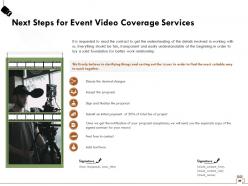
Slide 29: This slide shows Next Steps for Event Video Coverage Services
Slide 30: This is Follow Us slide. You can follow us on- Instagram, Twitter, Facebook, LinkedIn.
Slide 31: This is Contact Us slide with Company name, Email and Address.
Slide 32: This is Icons Slide for Event Video Coverage Services.
Slide 33: This slide is titled as Additional Slides for moving forward.
Slide 34: This slide displays Organization Mission and Vision Statement for Event Video Coverage Services
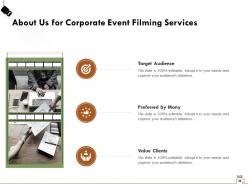
Slide 35: This is About Us slide to showcase Target audience, Value Clients, etc.
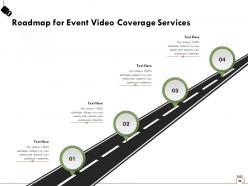
Slide 36: This slide depicts Roadmap process.
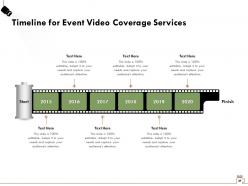
Slide 37: This slide shows Timeline process.
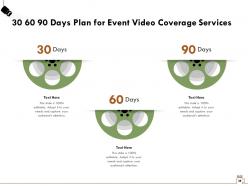
Slide 38: This is 30 60 90 Days Plan slide.
Event Video Coverage Proposal Powerpoint Presentation Slides with all 38 slides:
Use our Event Video Coverage Proposal Powerpoint Presentation Slides to effectively help you save your valuable time. They are readymade to fit into any presentation structure.
FAQs for Event Video Coverage Proposal
Put your production approach and equipment list right up front - they need to picture what you're actually doing. Crew size, shooting style, drone work, streaming stuff, all that. Pricing has to be super clear with zero hidden fees because that'll screw you later, trust me. Your editing timeline matters too, plus how many revision rounds they get and what formats you'll give them. Be specific enough so they know exactly what they're getting, but honestly? Leave some wiggle room to chat about their weird creative ideas on the first call.
Honestly, it all comes down to who's watching your stuff. Corporate execs? Stick with steady shots, clean interviews, maybe some polished B-roll footage. Younger crowd on social? Go wild with dynamic angles, quick cuts, vertical formats for Stories - all that behind-the-scenes content they love. I literally switched from using tripods to gimbals based on audience alone, which sounds crazy but makes total sense when you think about it. Age and platform preferences completely change your shot selection and pacing. Figure out who's consuming your content first, then build everything around that.
Multi-camera setups are everywhere now, plus everyone wants bite-sized social content made during the actual event. 360 cameras are cool for that immersive feel - drone shots too if you can swing it. Honestly, real-time editing is where the money is. Clients go crazy for highlight reels delivered same-day instead of waiting around. Interactive stuff like live polls keeps virtual people actually watching instead of scrolling their phones. Oh, and definitely get someone dedicated to pumping out Instagram stories and LinkedIn clips while everything's happening. That instant content always performs way better than the fancy edited version you send later.
First thing - nail down what they actually want. Basic coverage or the full cinematic treatment with drones and everything? That'll make or break your quote right there. I always bump my estimate up 15% because trust me, something random always pops up. Factor in crew size, gear, travel time, plus all those post-production hours nobody thinks about. Check what other videographers charge locally for similar gigs. Oh, and definitely give them a few package options - people love having choices and it helps them find something in their budget. Venue size and whether they want a highlight reel versus full documentation matters too.
Hey! So you'll definitely want two cameras - wide angle plus one for close-ups and reactions. Audio's honestly where people mess up the most, so get wireless mics and maybe a backup recorder too. Tripods are a must unless you want that Blair Witch Project vibe lol. Lighting gear helps but honestly? Scout the venue first - sometimes their setup works fine. Oh and batteries! Bring like twice what you think you need. Memory cards, laptop for backups. This should get you started without breaking the bank, then upgrade later.
Honestly, start by mapping out your story arc before you even show up - beginning, middle, end with emotional moments peppered throughout. Hunt for those candid reactions between the scripted parts. That's where the real magic happens. Mix up your shots too: wide establishing ones, tight close-ups on faces, detail shots of hands or whatever's important. Don't just film chronologically though - follow actual people's journeys through the event instead. I always make a quick shot list of must-haves beforehand, but stay loose enough to grab those unexpected authentic moments when they pop up.
Lead with what you're actually giving them - how many cameras, when they'll get the footage, what formats. Most couples honestly don't care about your gear specs as much as you think. What matters? Whether they're getting highlight reels, full ceremony footage, social clips, whatever. Show pricing tiers so they see options. Include samples from similar weddings you've shot - that's huge. Be crazy specific about deliverables instead of just saying "professional video services." Nobody knows what that even means anymore. Always end with a clear next step like "want to chat about your vision?" Don't leave them hanging.
Honestly, I track it a few different ways. Hard numbers first - view counts, engagement, shares if it goes online. But the real test? Client happiness. Did you nail the moments they actually needed? Sometimes gorgeous footage just sits unused in a folder, which is depressing. I always send a quick survey to organizers asking what worked. Also worth checking if attendees felt comfortable being filmed. The best feedback comes from a follow-up call like 2-3 weeks later when everything's still fresh in their minds.
Dude, post-production is where you actually make your event footage watchable. All that raw stuff? It's usually pretty rough - weird lighting, audio that's all over the place, those cringe moments when someone's mic cuts out. You can fix most of that in editing. Color correction makes everything look way more professional, and cutting out the dead air keeps people from getting bored. Oh, and you can add titles or graphics that make it look legit. Seriously though, don't rush this part - it's what separates your video from something that looks like it was shot on a potato.
Dude, grab their brand guidelines first - trust me on this one. Slap their logo as a watermark somewhere subtle. Film any branded banners or signage they've got set up. Honestly? That stuff usually looks better in shots anyway since designers actually made it look decent. Weave their brand colors into your lower thirds and graphics. Oh, and catch any branded materials or displays at the event. The trick is making it feel organic, not like some cheesy ad. You don't want to be stuck in post trying to guess what shade of blue they use.
Honestly, live event filming is brutal. Lighting changes constantly as people move around, and some venues have acoustics that'll make you want to cry. Equipment always fails at the worst moments too. You can't reshoot anything, so positioning matters big time - I learned that the hard way. Crowd noise is another headache you don't think about until you're dealing with it. Always bring backup gear and scout beforehand if possible. Having a second camera person helps tons since they can grab different angles while you're focused on the main action. Trust me on this one.
You'll want about 2-4 weeks for pre-production - equipment checks, shot lists, all that fun stuff. Day-of is obviously the live event, but seriously build in extra setup time because the audio WILL mess up somehow. It always does. Post takes another 1-2 weeks depending on what you're delivering. Editing, color correction, waiting for client feedback that never comes when you need it... Add buffer time everywhere though. Clients change their minds constantly and you don't want to be scrambling. Oh, and be super clear about when they get rough cuts vs the final thing.
Honestly, start with the venue - they're usually the biggest pain to deal with. Get written permission from whoever's organizing the event too, plus any main speakers or performers you'll be filming. Music licensing is where things get tricky though - if there's a DJ or live band playing actual songs, that can totally screw you over later. Some events also make you post signs about filming attendees, so check on that. I know it sounds like a lot, but seriously get everything documented beforehand. Trust me, "yeah sure go ahead" doesn't mean much when legal issues pop up.
Honestly, think of social media as your hype machine from start to finish. Pre-event, show your crew setting up gear and post countdown stuff with teasers. During the actual event? Go live whenever you can - that real-time vibe hits different. Save the polished highlight reels and speaker clips for after. Tag everyone who was there to get more eyeballs on it. Oh, and use the event hashtag early to build buzz. I know it sounds like a lot, but breaking it into these three phases makes it way more manageable than trying to wing it.
Honestly, drones are a game changer for event footage. The aerial shots look incredible and make everything feel way more cinematic. Ground cameras just can't get those angles, you know? Plus you can smoothly track action across huge venues. 4K cameras and gimbal stabilizers keep everything looking crisp even when conditions suck. Your clients will eat this stuff up - perfect for their Instagram and marketing. I mean, the quality difference is massive. When you pitch it, focus on that cinematic upgrade. Easy upsell that actually pays off.
-
Out of the box and creative design.
-
Best Representation of topics, really appreciable.