

Hospital Disaster Communication Plan Powerpoint Ppt Template Bundles




Try Before you Buy Download Free Sample Product
 Impress Your
 Audience
 100%
100% Editable
 Save Hours
 of Time


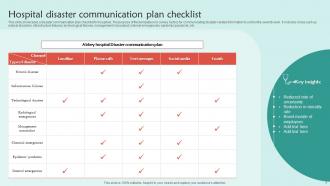
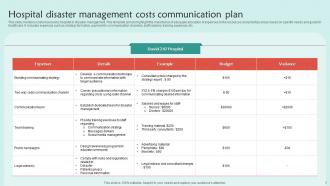
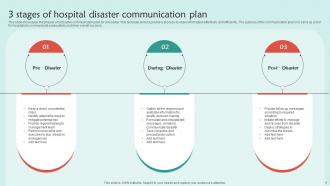
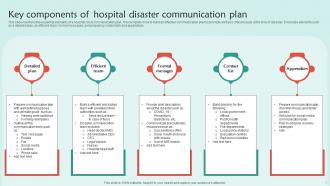
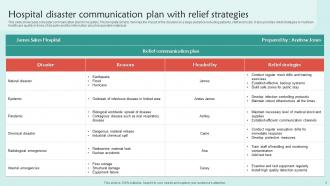
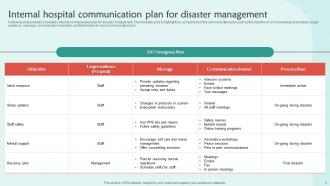
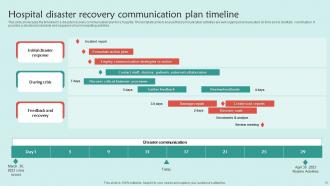
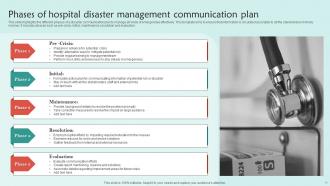
Introducing our comprehensive PowerPoint presentation on Hospital Disaster Communication Plan. This professionally designed and informative deck serves as a vital resource for healthcare professionals, administrators, and emergency response teams. It offers a step-by-step guide to creating a robust Medical Emergency Communication Protocol, ensuring seamless communication during critical situations. The presentation covers essential aspects, such as developing a Healthcare Crisis Communication Strategy, establishing effective channels, and utilizing the latest technologies for real-time updates. Additionally, it provides an Emergency Response Communication Blueprint, outlining key roles, responsibilities, and procedures to facilitate efficient coordination among medical staff and relevant stakeholders. With its concise yet comprehensive content, this PPT equips healthcare organizations with the necessary tools to effectively communicate and respond in times of crisis.
People who downloaded this PowerPoint presentation also viewed the following :
Hospital Disaster Communication Plan Powerpoint Ppt Template Bundles with all 19 slides:
Use our Hospital Disaster Communication Plan Powerpoint Ppt Template Bundles to effectively help you save your valuable time. They are readymade to fit into any presentation structure.





FAQs for Hospital Disaster Communication Plan Powerpoint
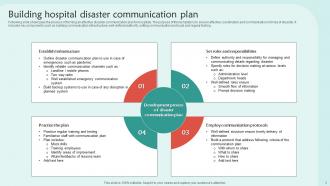
Okay so first thing - get everyone's contact info in one place, including backup numbers. Ham radios or satellite phones are clutch when cell towers go down (learned that the hard way during the last hurricane). Make sure people actually know their jobs beforehand - chaos isn't the time to figure out who's doing what. Pre-write your messages for different situations too. Here's the thing though - test this stuff regularly or it's useless. Coordinate with local emergency folks if you can. Keep everything dead simple because when people are panicking, complicated plans just don't work.
Honestly, tech is a game-changer for disaster communication. Mass notification systems are clutch - they'll blast texts, emails, and calls simultaneously instead of you frantically dialing everyone. Social media tools let you monitor what's going down in real time and shut down rumors fast. Mobile apps are solid too since people can check in and get updates even when the power's dead. Oh, and always have backup systems. Trust me on this one - when your primary system craps out (and it will), you'll be grateful for redundancy.
Hey! So social media is clutch for disaster stuff - people are glued to their phones anyway, right? You can blast out evacuation routes and safety updates way faster than old school methods. Real-time monitoring is huge too since you'll see what's actually happening on the ground. Just make sure you assign specific people to handle each platform before things go sideways. The annoying part? Fighting all the misinformation that spreads like wildfire. Keep your messaging tight across everything or you'll confuse people when they need clarity most.
Oh man, this stuff is way more complex than people think. Language barriers are obvious, but different communities trust totally different sources - some only listen to religious leaders, others want direct government info. Family notification practices? That'll throw you for a loop the first time. I'd honestly start by mapping out which cultural groups are in your area and making friends with community liaisons early. Don't bother with generic messages. Get everything translated and figure out where each group actually gets their news. Trust me, it's not always where you'd expect.
Dude, you've gotta bake accessibility into your disaster plan from day one. Most places screw this up royally. Use multiple formats - flashing lights for deaf employees, audio for blind staff, simple language for cognitive disabilities. Your alert system needs text, email, calls, AND visual signals. Oh and definitely test with people who actually have these disabilities - they'll spot problems you'd miss completely. Buddy systems work great too. Honestly though, the plain language thing helps everyone when people are panicking.
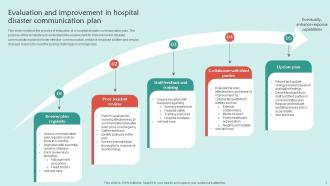
Honestly, just walk through different disaster scenarios with your team - see where things fall apart. I'd do quarterly drills where you actually test the backup communication stuff and time how long it takes to reach everyone. Power outages are perfect for this btw, gives you real-world practice without major chaos. The key is getting feedback afterward about what confused people or felt clunky. Short sentences work better than long ones during actual emergencies. Document what didn't work and fix it. A plan nobody's tested is pretty much worthless when stuff hits the fan.
So you'll want to hit four main areas: crisis communication, tech systems, everyone's specific roles, and stress management. Make sure people know who says what and when during emergencies - that part's critical. Tech training is honestly where most places mess up because everyone freaks out when stuff doesn't work as expected. Get them comfortable with backup options like satellite phones or even social media. Drills are your best friend here. When adrenaline kicks in, muscle memory takes over. I'd do tabletop exercises every quarter, then bigger simulations once a year to keep everyone sharp.
Your disaster messaging hits way harder when you loop in locals. They know which streets flood first and where Mrs. Johnson down the block needs extra help. People trust their neighbors over official government stuff any day - it's just human nature. Community leaders and volunteers can spread your message faster than you ever could alone. You'll catch blind spots too, like areas with sketchy cell service or language barriers you didn't think about. My advice? Map out who's already connected in each neighborhood and get them on board before anything happens.
Honestly, you've gotta get ahead of this stuff before it even happens. Have someone watching social media and news for BS, then boom - hit back fast with pre-written responses. Seriously, fake news spreads like wildfire while the truth is still putting on its shoes. Pick one reliable source everyone can point to, and train your people to tackle rumors directly instead of pretending they don't exist. Oh, and set up alerts so you're not finding out about problems from your mom's Facebook feed. Catch it early or you'll be playing whack-a-mole forever.
Honestly, just pick set times to update everyone and actually stick to it - even when there's literally nothing new to say. Use email, texts, whatever app your team actually checks because people are all over the place during a crisis. We had this massive server meltdown last year and I totally learned this lesson the hard way! Give different people specific jobs for each communication method so nobody's stepping on each other. Oh, and write your update templates beforehand - trust me, you don't want to be crafting messages while everyone's losing their minds. Even something like "still working on it, next update at 3pm" keeps people from spiraling.
Don't put all your eggs in one basket with communication - grab some satellite phones and ham radios as backups. Mobile hotspots work great too when your main lines go down. After that brutal ice storm hit us, I swear by having multiple meetup spots planned out. Your team needs to know where to find each other if the office loses power. Test everything monthly or you'll be stuck with dead batteries when disaster strikes. Oh, and definitely buddy up with other local businesses - we've shared generators before and it's a lifesaver. Emergency services are usually pretty good about coordinating resources too.
Okay so transparency is huge here - don't hide info just to prevent panic, people need facts to stay safe. Test your communication stuff ahead of time (trust me, scrambling during the actual emergency sucks). Think about vulnerable groups who might need different languages or formats too. The tricky part is being honest without freaking everyone out unnecessarily. Pick one person who's authorized to speak publicly so you're not getting mixed messages. Also keep everything consistent across all your channels. Honestly the whole thing's a balancing act but clear messaging is what'll save you.
Honestly, you've gotta think about who you're talking to first. Employees need different info than customers or neighbors, right? Your older folks might want phone calls while everyone else expects texts and social media updates. Oh, and don't forget translations if you've got language barriers in your area. Some people need bigger fonts or audio too. The real key is prepping all these different message templates now, before anything happens. Trust me, you don't want to be figuring out how to reach your 80-year-old customers via TikTok during an actual crisis. Test your channels with each group ahead of time.
Honestly, leadership makes or breaks the whole thing. When everything's falling apart, people automatically look up the chain for answers and calm vibes. Your leaders become the main voices everyone's listening to - they're juggling real-time calls, coordinating between teams (which gets messy fast), and basically keeping the ship from sinking. Here's what drives me nuts though: so many leadership teams think they can just figure it out in the moment. Nope. They need to drill this stuff regularly, know their backup communication plans, and be ready to totally scrap the original playbook when reality hits.
So those big international frameworks like Sendai and WHO guidelines? They're basically your cheat sheet for disaster communication. You get proven templates for alerts, risk messaging, all that stuff. Plus when disasters hit multiple countries, everyone's using the same playbook which - thank god - makes coordination actually possible. The funding angle is huge too since donors want to see you're following established practices. Oh and here's what I'd do: grab the Sendai Framework communication section and compare it to whatever plan you've got now. You'll spot the gaps pretty quick. It's honestly worth the time even if paperwork isn't your thing.
-
Thank you for offering such helpful pre-designed templates. They are really beneficial to me in my job.
-
Great templates that you can use in your next keynote or conference. They are perfect for quick and visually-engaging delivery.